
How to Convert EML to PDF – Manual & Automated Guide 2025
Learn how to convert EML files into PDF format using manual and automated methods
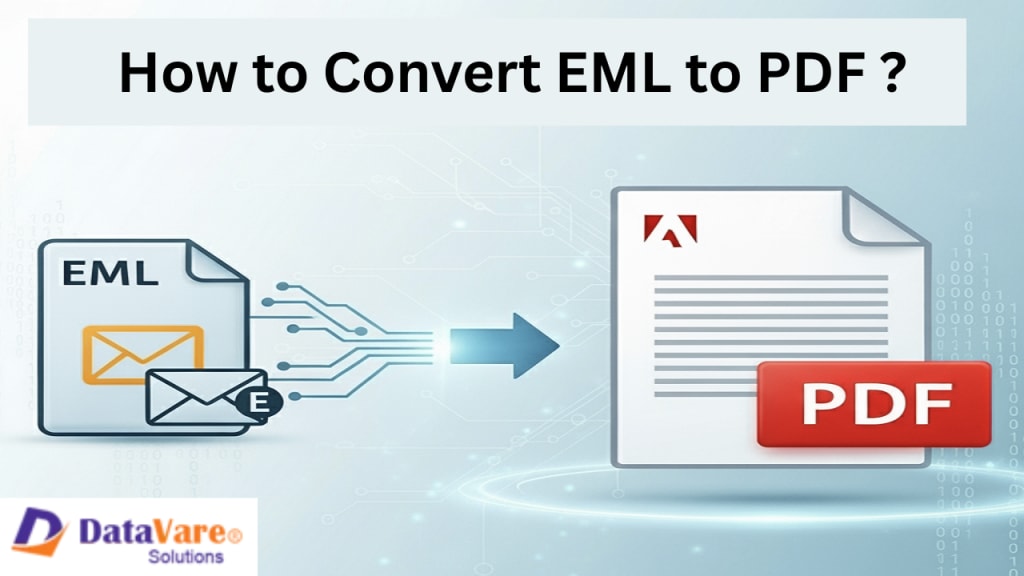
An EML file is basically a saved email that can be exported from any email client, like Outlook, Thunderbird, Windows Mail, etc. This file has the .eml extension, and the entire email is saved inside it – From, To, Subject, Date, Content, and Attachments, everything. Meaning, if you want to backup one of your emails, you can save it in the EML format. The best part is that it is portable and can be easily opened on any system. So, in simple language, an EML backup file is of an original email.
A PDF file is a Portable Document Format. It is a format that saves file format documents in a fixed format. The PDF file is read-only, meaning the format does not change. It can be easily opened on a mobile, laptop, or any OS using Adobe Reader, browser, or other tools. This is a universal file format that stores text, images, tables, charts, links, and signatures in a fixed layout. This is the reason why PDF is mostly used for sharing documents like forms, eBooks, bills, resumes, reports, etc.
How to Convert EML to PDF Using Manual Methods?
If you want to convert your EML file to PDF, then it is quite easy to do so manually. Just open your EML file in an email client like Outlook, Thunderbird, or Windows Mail. Go to the file option, then click on the Print button. A list of printers will appear in the Print window; from there, choose “Microsoft Print to PDF”. Now, as soon as you press the print button, the system will ask you for the location and file name, where you can save your email in PDF format. That's it! Now your email has become a completely safe, shareable, and portable PDF document.
Drawbacks
1. You can only convert one-by-one; no bulk support.
2. It is a time-consuming process.
3. It does not migrate attachments properly.
4. Sometimes, there is email metadata loss or corruption.
5. It is unable to maintain a folder hierarchy
6. Password protection or advanced security features are not available.
Convert EML to PDF With Automated EML to PDF Converter
This DataVare EML to PDF Converter helps you to transfer all your EML files into PDF in just one step without any issues. It converts all the files in just one click. You don’t need to install any other third-party application for conversion. It has a simple User interface, and both technical and non-technical users can use this application easily without any hassle. You can select your desired location, and it also provides a preview option before conversion. Its technical support is always available if users have any queries. You can try a free demo version to test the product.
How to Convert EML Files With this Tool?
1. Download & Install – First, you need to install the software on your System.
2. Launch Software – After opening the app, you will get a clean interface.
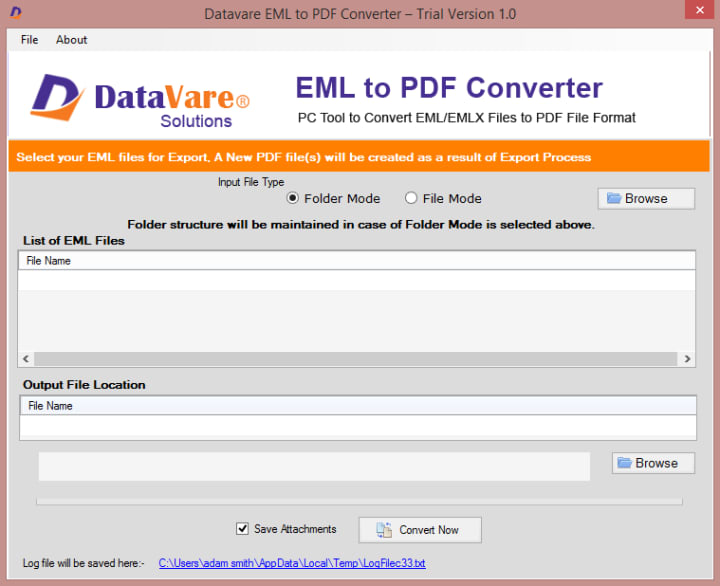
3. Add EML Files – Click on the “Add File” or “Add Folder” button to load your EML files.
4. Select PDF Format – Now choose PDF Format.
5. Choose Destination Path – Decide the Destination where you want to save your files
6. Click Convert – Click on the Convert Now button, and all the EML files convert to PDF format
FAQs
Q Can I convert bulk EML files into PDF format?
A Yes, this tool supports bulk conversion.
Q Can we save attachments in PDF?
A Yes, attachments can be easily converted to PDF format.
Q Is the folder hierarchy safe?
A Yes, it maintains the original structure.
Q Is having technical knowledge mandatory?
A No, it has a simple UI that a beginner can also use easily.
Q Does it work on all versions of Windows?
A Yes, it is compatible with all versions of Windows, like 11, 10, 8, 7, and Vista.
Conclusion
EML to PDF conversion is a smart step to make emails safe and portable. Converting using the manual method is possible, but it has many drawbacks, such as a one-by-one process, loss of attachments, and formatting disturbance. If you have just a few emails, then the manual method works, but for bulk files, it becomes a very time-consuming and boring process. This is the reason why professional tools like EML to PDF Converter are the best option. This software comes with a very easy interface in which you can load your EML files or folders and convert them directly to PDF. The best thing is that it supports bulk conversion, keeps attachments safe, maintains folder hierarchy, and does not disturb the original formatting metadata of the emails. Also, this tool runs smoothly on almost all versions of Windows.
About the Creator
Keep reading
More stories from Charlotte Miller and writers in Journal and other communities.
Why Convert OLM to PST? Requirements and Methods
Looking for an answer for the challenge of converting OLM to PST? Should this be the situation, you will be informed about all the numerous techniques accessible for PST conversion from OLM underneath. Thus, make sure you stay reading this page till the very end.
By Charlotte Millerabout a year ago in Journal
The Silent Reason You Quit Goals You Care About: Unveiling the Shadow of "Unrealistic Expectations
We all have them – those goals shimmering in the distance, beckoning us with the promise of a better, more fulfilling life. Losing weight, writing a novel, starting a business, mastering a new skill – the possibilities are endless. We start with enthusiasm, fueled by inspiration and a burning desire to achieve our dreams. Yet, all too often, that initial spark flickers and fades. We find ourselves derailed, abandoning our aspirations, and whispering excuses about lack of time, motivation, or talent.
By Wilson Igbasi6 days ago in Journal


Comments
There are no comments for this story
Be the first to respond and start the conversation.