
Difference Between Push Notification and Multi-Device Support
Push Notification and Multi-Device Support
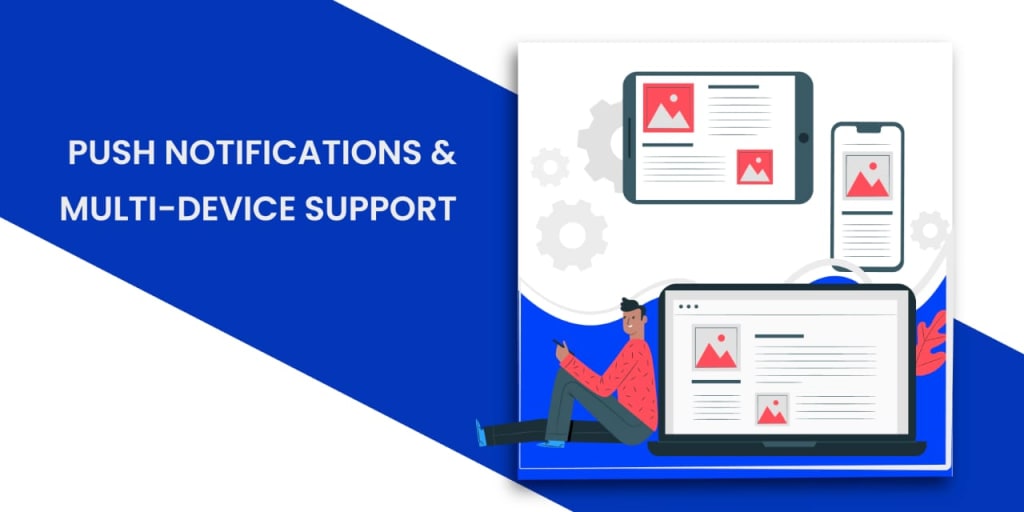
Push notifications are a cross-platform marketing strategy that is flexible enough to reach out to a large audience at the same time. As receivers may vary their devices, connectivity and location also vary. For an e-commerce website, every single customer and potential customer is important. Therefore, your push notifications must need the multi-device support feature to increase the reach to even those devices that for some reason are not connected to the servers.
When we talk of multiple devices we mean more than one device should receive notifications and also, different types of devices should be able to receive notifications. The main aim of this article is to elaborate further on multi-device support and how it works with push notifications.
Table of Contents
Introduction
Understanding the difference between general push notifications and multi-device push notifications.
Sending push notifications to multiple devices using FCM.
Topic messaging
Firebase device groups
How to send notifications to multiple devices using FCM?
Conclusion
Multi-device support features works similar to the general push notifications feature but with a slight difference that it has a reach to multiple devices out there even the offline ones- those not connected to servers or browsers.
With multi-device support notifications are received by both offline and online devices but will be visible on only offline devices. Whereas otherwise in general push notifications are sent and received by only offline devices the ones not connected to servers or not active on browser, website or app.
Push notifications have acquired a considerable amount of attention from marketers as well as users probably because of the virtual mobile experience. Users have become habituated to receiving push notifications from almost every app and website. The Android programmable chat SDK is designed to have push notifications integrated into it. But for that registration token is must to send notifications through GCM or FCM.
Understanding the difference between general push notifications and multi-device push notifications.
- General push notifications send notifications only when all devices are offline. Whereas,
- Multi-device support push notifications send notifications as long as the device is offline.
- For a single device user whether it is general or multi-device support the notification messages are sent when the device is offline. Whereas,
- When there is a multi-device user then general push notifications display notification only when all the devices are offline. And multi-device support push notification feature display notification on offline devices regardless whether or not one or two devices are online.
- In the case of general or multi device support SDK event call is invoked only when the app or website is connected to the service provider's server.
- Other aspects like token registration, notification preferences for both general and multi-device support are required to either add them manually or automatically.
Sending push notifications to multiple devices using FCM.
Firebase cloud Messaging is effective for sending push notifications to mobile devices however in firebase console there is an API that allows you to send notifications to multiple devices. Considerably, it allows you to send notifications to multiple devices at once, eliminating the hassle of sending notifications to multiple devices one by one which would consume a lot of time and energy. You just have to integrate the right API based on FCM device tokens or device groups.
Firebase Cloud Messaging procures two strategies to send push notifications to multiple devices:
Topic messaging
Topic messaging enables you to deliver a message to multiple devices that have opted in to a specific topic. Topic messaging is adequately fitted for subjects such as climate, news or other information. For rapid, safe delivery to single devices or small groups of devices. If you want to send messages to multiple devices, it is better to use device group messaging.
Firebase device groups
It is very similar to creating a friends chat group for sending messages. To avoid the time consuming job sending notifications to each and every device this concept adds the device token in the group as a member. A separate unique token is assigned to every device group by the server which can be used as a receiver while sending push notifications. So whenever you send notifications to a user's multiple devices, you just have to send it using the device group and it will be received by the user's devices.
How to send notifications to multiple devices using FCM?
This part is an effort to clear out step by step integration of multi-device support push notifications using FCM.
Step 1: Generate server key for FCM
Push notification servers require a server key to send notification requests to FCM.
- Go to Firebase console
- Create a firebase project
- Select project overview
- Go to project settings
- Go to cloud messaging
- Select project credentials
- You will see your server key- copy that.
- Go to the general tab and select your app to add firebase. Don’t forget to enter your package name.
- Download google-service.json file and place it into the app module root directory.
Step 2: register server key to your push service dashboard.
Your server key is an important tool you need to add to your service provider's dashboard to implement multi-device support for push notifications.
Step 3: Setup Firebase and the FCM SDK
You need to add a dependency for the cloud messaging android library to you build.gradle.
For more information on this step you can refer to the link for client app manifestation and setting up chat SDK.
firebase client manifestation guide
Step 4: implement multi-device support on your Android app.
A list of classes and interfaces including push handler, push helper, push token receive listener is provided to implement multi-device support.
- Push handler- is a class that provides callbacks to handle a user's registered token and receive notifications from FCM.
- Push helper- a class that helps in registering and unregistering a handler.
- Push token receive listener- is an interface that contains the callbacks to receive a user's registration token from FCM.
Step 5: handle an FCM message payload
Here you add code to receive and parse notification from FCM.
Step 6: enable multi-device support in the push service dashboard.
After you have added all the necessary codes your implementation process is finished now you just have to enable the multi-device support to be able to send notifications to multiple devices at one time.
As a successful push service, EngageAsap sends numerous push notifications every hour where we cover enormous devices, applications, desktops. Covering more than 1200 live platforms in one go because of multi-device support. If a push service aims to reach a mass it is very important to be time efficient along with being service efficient. EngageAsap dashboard allows multi-device support to send notifications to various devices and users at one single time while handling all the API and FCM related queries.
Get a free trial now: https://app.engageasap.com/signup
About the Creator
Keep reading
More stories from writers in Journal and other communities.
~ Fired ~
— Ai Intrusion ~ Are you Next ~ Is Ai Evolution after your job? — Few workplaces haven't been affected. Ai is in supermarkets, at doctors' offices, and even monitoring farms. I just can't think of anything this machine is not getting into, can you? For instance: Education ~ Law and Tech jobs will one day have a major influence or be taken over by these inanimate machines, with accuracy and vigor. From mechanics' diagnoses to a wide variety of everyday jobs, including fast food workers, with this input having the ability to cut their unnecessary work hours. I'm certain all of us have been touched by this with our short stories and colorful headings, have you? Even comments are very questionable 'Non-Robot' insertions.
By Jay Kantor4 days ago in Journal
When the Air No Longer Felt Heavy by Midday
I used to notice the heaviness around the same time every day. Late morning would pass without issue, but by midday something shifted. My shoulders felt heavier. My breathing felt shallower. Focus became harder to hold onto, even though the day was far from over.
By illumipurea day ago in Journal
After the Storm
After the storm of winter snow there sat a small bear by the name Ted, of course. He loves the snow and likes to roll around in it making all sorts of trails and whatever he has a mind to do. He wondered where all the people are, but in a way, he is hoping that they are all snug in the homes maybe drinking hot chocolate-one of his favorite drinks with mini-marshmallows and eating something homemade for he likes this winter wonderland all to himself to romp and play and maybe even catch some fish down by the river.
By Mark Graham6 days ago in Fiction




Comments
There are no comments for this story
Be the first to respond and start the conversation.