
7 Features Every Buyer Should Consider in an Ultra-Wide Monitor
Everything you need to know before investing in an ultra-wide monitor

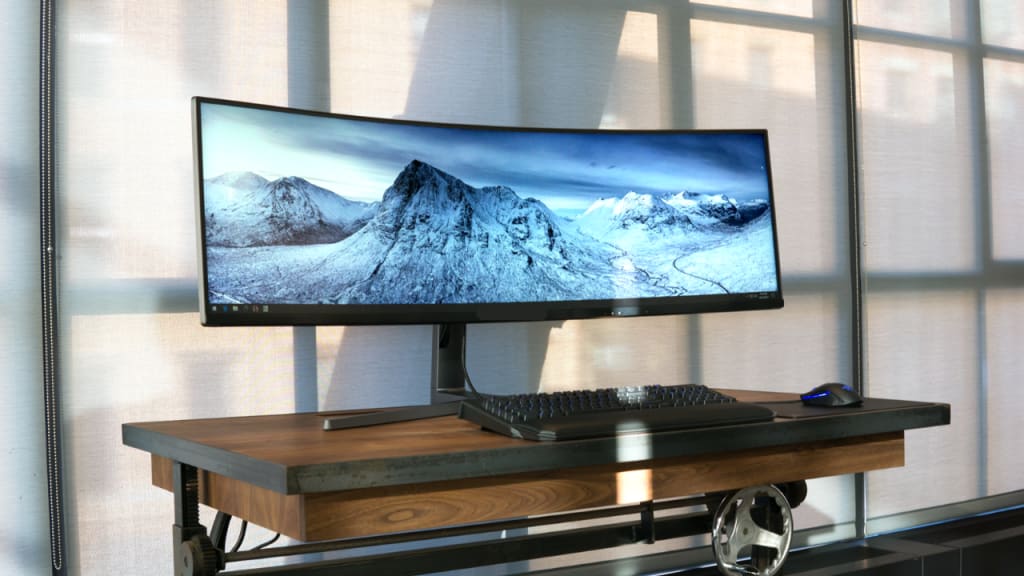
Ultra-wide monitors have moved from specialized equipment to everyday essentials for creative work, gaming, and focused multitasking. The wider canvas reduces window shuffling, clarifies timelines, and keeps tools visible without constant scrolling.
Color accuracy, motion handling, and connectivity determine whether the screen feels empowering or merely large. Ergonomics matter too, because comfort shapes stamina across long sessions and busy deadlines.
When choices look similar, small details separate a smooth experience from constant minor annoyances. That is why careful evaluation pays off and helps decisions feel calm and confident.
Here, we will go through seven features that link specs to real moments at the desk. Whether priorities lean toward media, spreadsheets, or open worlds, the right mix turns time into results.
1. Choosing Panel Size and Curvature
The first decision blends width, height, and curve into comfort at typical seating ranges. A 34-inch 21:9 panel suits compact desks, while 38-inch or 40-inch models add vertical room that helps with timelines and tall documents.
Curvature guides sightlines so edges stay inside natural vision rather than stretching the neck. Gentle 1800R curves work well for mixed use; tighter 1000R curves immerse games and cinematic edits.
The best ultra wide computer monitor balances these elements by offering consistent brightness, accurate curvature, and proper density for everyday comfort. During evaluation, map the desk, measure seating, and visualize where tools will live.
2) Matching Resolution and Aspect Ratio
Sharpness is determined by resolution, layout by aspect ratio, and both determine daily momentum. 3440 by 1440 looks right on 34-inch screens and produces readable text, and allows two full-size documents side by side.
Bigger canvases can use 3840x1600, which does not lose its clarity, but makes more breathing space available vertically. Creative timelines, code panes, and dashboards breathe when width meets density rather than relying on scaling hacks.
Pixel-perfect UI reduces squinting and keeps micro-movements from draining focus over time. Matching GPU capability to resolution prevents frame dips and keeps navigation smooth. Aspect also guides habits: 21:9 favors side-by-side work, while 32:9 replaces dual monitors with one seamless field.
3) Ensuring Color Accuracy and HDR
Color tells the story, so accuracy and range determine whether work looks right on every handoff. The Factory calibration reduces the time spent on the setup, and the LUT support and hardware calibration maintain the stability with the season.
Extended coverage, such as DCI-P3 or Adobe RGB, maintains saturated colors without gradient clipping. The use of constant gamma and white points makes skin color natural and product images credible.
True HDR asks for local dimming and sufficient peak brightness; entry badges without real contrast rarely lift detail.
4) Protecting Smoothness with Refresh Rate
Motion clarity shapes comfort in scrolling, gameplay, and timeline scrubs. Higher refresh rates reduce perceived blur, while fast pixel response tightens edges around moving objects. Overdrive controls help tune transitions without adding halos, and black frame insertion can sharpen motion when implemented carefully.
Strobing features should avoid flicker fatigue, and flicker-free backlights keep long sessions pleasant. When motion systems work together, screens feel responsive rather than busy. With smooth movement, you track details naturally.
During rapid tasks, you avoid micro-hesitations. In competitive moments, you react cleanly. Across long days, you maintain rhythm without strain.
5) Simplifying Life with Connectivity and KVM
Ports establish flexibility, and the correct combination will ensure that dongle clutter does not overtake desk space. USB-C DisplayPort Alt Mode, power delivery is video, data, and charging in a single cable to small laptops.
There are several HDMI and DisplayPort ports, which can be reconfigured as consoles, workstations, and capture devices without re-cabling. USB hubs are downstream anchors and consequently, the peripherals follow the active source, that is, the keyboards, drives, and webcams. Built-in KVM switches let one set of accessories hop between devices, keeping workflows fluid.
Ethernet passthrough and audio routing further reduce spaghetti behind the stand. Cable management channels and rear-facing ports maintain clean lines that stay clean after upgrades. When I/O design respects real life, switching roles feels instant and painless. On travel days, you pack fewer adapters. Through the week, you keep surfaces clear and minds calmer.
6) Supporting Posture with Ergonomics and Mounts
Comfort multiplies output, so stands and mounts deserve the same attention as pixel specs. Height, tilt, and swivel let sightlines center without forcing shoulders to compensate. Deep stands need room; compact desks benefit from VESA arms that float the panel and free valuable surface area.
A solid hinge keeps the position stable while still moving easily during collaboration or quick reference checks. Blue-light controls and proper brightness steps help match ambient conditions without washing out contrast. Cable routing within arms tames clutter, and quick-release VESA plates simplify setup or cleaning.
When ergonomics align with habits, attention lasts longer and pressure points fade. With a supportive setup, you keep a neutral neck angle. During sprints, you shift posture without breaking flow. On long edits, you maintain steady focus. Across quarters, you feel fresher at the end of the day.
7) Reducing Friction with Smart Software Tools
Great hardware deserves software that makes layout effortless. Picture-by-picture splits bring two sources onto one canvas for testing, streaming tools, or side-by-side reference. Window managers snap zones where common apps live, restoring arrangements after reboots and input changes.
Profiles store brightness, color, and refresh choices for tasks like grading, editing, or raids, switching in a click instead of diving into menus. Firmware updates fix quirks and add features, so simple updaters encourage staying current. On-screen controls that pair with hotkeys or dials beat deep OSD trees during fast context shifts.
Clear indicators show active inputs, refresh, and sync state without covering content. When software honors real workflows, the screen disappears and work takes the stage. With tidy tools, you arrange spaces quickly. During handoffs, you mirror sources cleanly. In tight deadlines, you swap profiles without hunting. Through busy weeks, you spend attention on results, not rearrangement.
Conclusion
Choosing an ultra-wide monitor works best when priorities translate into practical checks that guide the shortlist. Size and curve should match distance, while resolution and ratio must protect clarity and layout.
Accurate color and honest HDR keep stories true, and smooth motion preserves comfort during fast work and play. Strong connectivity and KVM simplify device juggling, and thoughtful ergonomics sustain energy across long sessions.
Useful software seals the deal by turning a large panel into a focused workspace that remembers preferences. With these features in mind, you can compare models with purpose rather than guessing.
After testing layouts, you spot which screen fits habits. During setup, you feel the friction drop as tools click into place. Across projects, you notice a steadier pace and sharper results. The right choice turns width into flow, and flow into work that feels both efficient and satisfying.
About the Creator
Gabriella Browne
Gabriella Browne is a sharp, detail-oriented news writer with a passion for investigative journalism. She delivers timely, well-researched stories, covering politics, business, and global affairs with accuracy.
Keep reading
More stories from Gabriella Browne and writers in Journal and other communities.
How Portable Laptops Enhance Your Creativity and Multitasking Skills
Portable laptop monitors have become essential tools for anyone looking to work smarter and multitask with ease. These slim, lightweight screens expand your workspace instantly, whether you’re at home, in a cafe, or on the go.
By Gabriella Browne4 months ago in Journal
The goals I did not achieve
Every writing goal I made for the year is a wash. It has been this way for a while, but I think it's important to be open about my failures and the reality of how life can get in the way. This is especially true considering the several times I have posted on Vocal about my writing goals, how I was changing my approach, and where I was hoping to be for the upcoming year. I will probably do that again in a couple months, but for now, it is time to acknowledge where I am today.
By Kay Husnick23 days ago in Journal
The ChatGPT Tell-All: I Fixed The 5 Mistakes That Made My Content Sound Fake
How I Stopped Sounding Like a Robot and Saved My Blog (And The 5 Mistakes That Gave Me Away) Let me be brutally honest with you for a second. There was a time last year when I was pretty proud of myself. My content calendar was packed, posts were going up like clockwork, and I felt like I’d finally cracked the code. I had this new, incredible tool—you know the one—and it was like a superpower. Suddenly, the blank page wasn’t scary anymore. I’d hit a button, and poof, a perfectly competent, grammatically pristine article would appear.
By John Arthor2 days ago in Journal


Comments
There are no comments for this story
Be the first to respond and start the conversation.