
How Portable Laptops Enhance Your Creativity and Multitasking Skills
Portable Laptops as a Gateway to Creativity and Efficiency

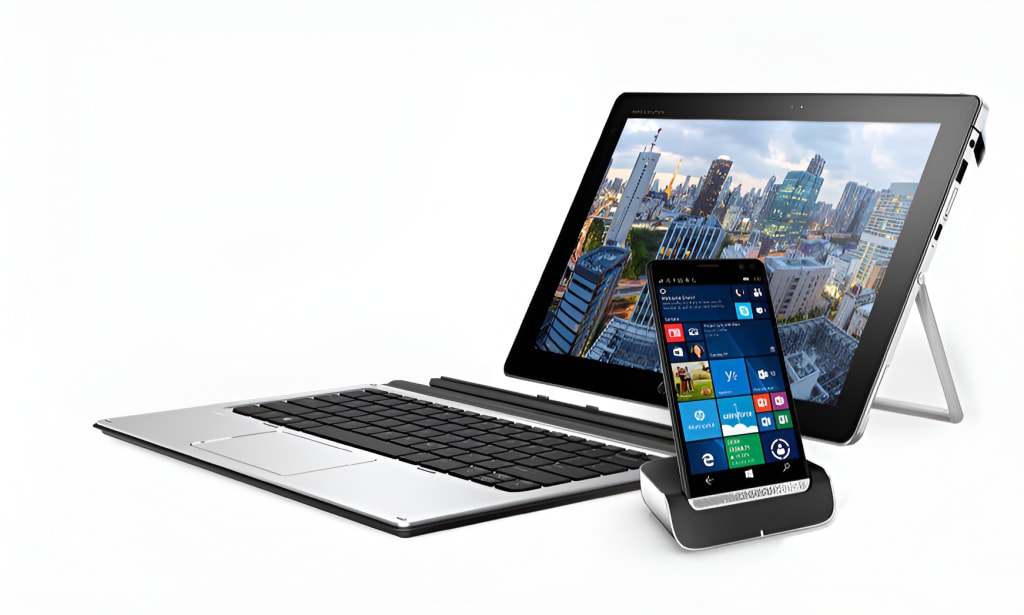
Portable laptop monitors have become essential tools for anyone looking to work smarter and multitask with ease. These slim, lightweight screens expand your workspace instantly, whether you’re at home, in a cafe, or on the go.
By adding a seconds display, you reduce constant tab switching, keep key tools visible, and maintain better focus. From video calls and note-taking to creative projects and data analysis, a portable monitor makes every task smoother and more organized.
Let us explore some clear ways portable laptop monitors enhance multitasking and transform the way you work anywhere.
1. Keep Work Streams Separate
A portable monitor gives each task its own space. Think of it like two desks that fit in one spot. Your main screen can hold the deep work. It might be a draft, a design, a model, or code. The side screen can hold the “helpers.” This could be an email, a calendar, a chat, or a spec.
With portable laptop monitors, you can keep reference items like maps, timelines, or brand rules open all day without having to reopen them again and again. Your eyes glance, but your hands stay on the main task.
The result is calm focus. You feel less rushed and make fewer errors. That is real multitasking, with less mental tax.
2. Switch Less, Do More
Constantly flipping between apps breaks your focus. A portable monitor puts an end to that cycle. Keep your main work on the laptop and supporting tools or references on the second screen.
This simple setup reduces friction and keeps your mind on track. Quick tasks stay quick because you no longer waste time searching, and longer projects feel safer and more manageable since you can see both your work and the tools you need simultaneously.
- Pin your task list so you can tick items off without hiding your work.
- Dock a timer or focus app to protect deep work blocks.
- Keep a quick note page ready for ideas, so nothing gets lost between tabs.
3. Talk, Take Notes, And Act In One Flow
Video calls often take over your only screen. Then notes hide under faces. Links open on top of slides. A portable monitor fixes that. Put the call on one screen and your notes on the other.
You can type while you listen. You can drag links straight from chat to your note page. When someone shares a deck, you can view it full-size while your notes stay visible. If a task pops up, add it to your to-do list right away.
No more “I’ll do it after the call,” only to forget. This setup also helps you host better. Keep the agenda, clock, and next slide preview on the side screen. Keep the live share on the main screen.
4. Set Up Anywhere, Fast
A portable screen is built for every spot. It stands with a case or a slim tripod. One cable can handle power and video on many laptops. It packs next to your notebook and charger.
This keeps your posture better and your workspace tidy. You can face a window for light and still angle the extra screen to avoid glare. The main point is speed. You can sit down, plug in, and be ready in minutes.
- Use a USB-C cable for a one-plug setup on most modern laptops.
- Angle the side screen slightly inward to reduce head turning.
- Keep a slim stand in your bag to raise the screen to eye level.
- Pack a soft cloth to wipe dust and keep the text crisp.
5. Create With Room To Think
Creative work needs space. Writers need notes and drafts at once. Designers need canvas and panels. Editors need timelines and bins. With only one screen, panels cover the canvas.
You open and close them all day. With a portable monitor, you spread out. Keep the canvas large and clean on your main screen. Move panels, palettes, and tools to the side screen. You see the full picture and the controls without overlap.
For writers, keep research and an outline on the side. For podcasters, put levels, markers, and a script there too. This small shift stacks up over hours. You create more and undo less. You also notice small errors early because nothing hides the edges of your work.
6. Work With Less Strain
Your body matters on a busy day. Hunched shoulders and a bent neck slow you down. A portable monitor helps you sit better.
Raise it near eye height so your neck stays neutral. Keep the main keyboard close so your elbows rest by your sides. With two screens, you scroll less and squint less.
Text can be larger without hiding other windows. Brightness and angle can match the light in the room. This reduces glare and headaches.
Little wins like this keep energy steady. When your setup feels good, you think clearly and last longer. That is real multitasking support: more output with less wear on you.
Conclusion
A portable laptop monitor may seem like a small accessory, but it delivers a powerful boost to how you work. It transforms a single cramped screen into a flexible, spacious workspace you can carry anywhere.
By reducing constant switching, keeping key tools visible, and making collaboration seamless, it helps you stay organized and focused. Creative projects gain clarity, video calls become smoother, and tasks feel less overwhelming.
Even in tight setups, you get comfort, better posture, and less eye strain. The real advantage goes beyond speed; it’s the calm efficiency of handling more without stress. With a portable monitor, true multitasking is no longer a challenge but a daily habit.
About the Creator
Gabriella Browne
Gabriella Browne is a sharp, detail-oriented news writer with a passion for investigative journalism. She delivers timely, well-researched stories, covering politics, business, and global affairs with accuracy.
Keep reading
More stories from Gabriella Browne and writers in Journal and other communities.
Top 7 Cloud Computing Trends and Predictions for 2026
Cloud computing is no longer an option. It is the foundation of how people and companies currently use technology. The cloud computing market size is projected to grow from USD 1294.9 billion in 2025 to USD 2281.1 billion by 2030.
By Gabriella Browne6 months ago in Journal
REEEEEEEEE!
I'm on a low road right now. There are a literal million things to do and not one of them worth my time. I would rather sit in place and burn but the orbit takes me on its inevitable route 'round the center; and I a center in my own right, around which others orbit, and so on and so forth, ad infinitum, ad nauseum.
By C. Rommial Butler2 days ago in Poets




Comments
There are no comments for this story
Be the first to respond and start the conversation.