
How To Repair Water-Damaged Mobile Phones? A Guide
Do this Once it happens

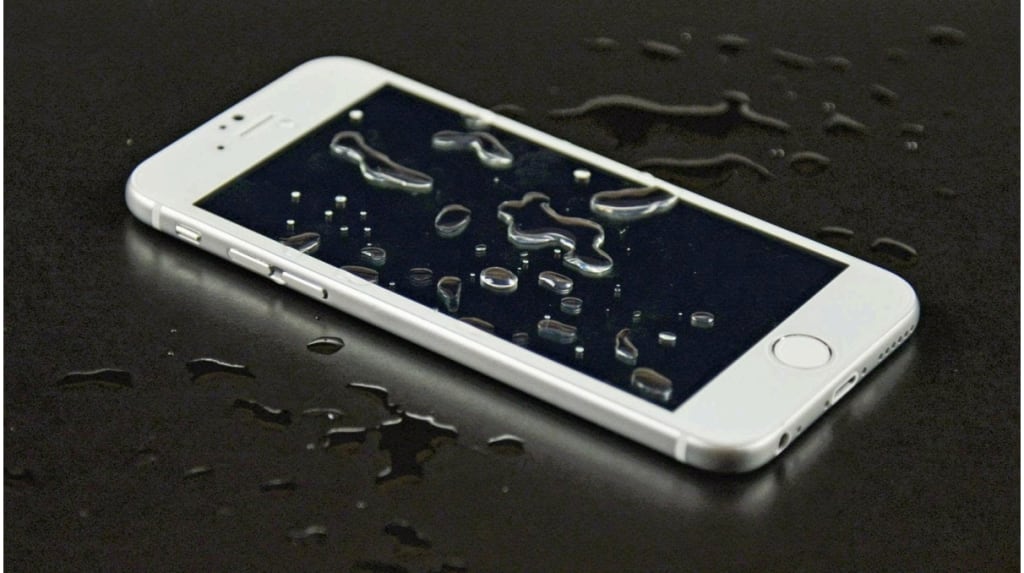
One of the most often occurring and damaging problems mobile phone customers have is water damage. Water can seriously damage your device's fragile internal components, whether it's from a spill, a dip in the pool, or a quick shower. If not quickly addressed, mobile phones can develop problems, including screen malfunction, battery failure, or even total device failure when wet. Before you Continue Reading also Read How To Turn Off Find My iPhone?
Minimizing damage mostly depends on timely response. The probability of permanent harm to the internal circuits and components of the phone increases with increasing length of time it stays wet. This tutorial offers necessary actions to evaluate and fix mobile phones affected by water.
Assessing The Damage Check if the Phone is Powered Off or On
Finding out whether the phone is still on or off can help one evaluate the damage. Should the gadget still be on, it is imperative to turn it off right away to avoid an internal component short-circuit. Maintaining the phone's power on can lead to more electrical harm, particularly in cases where water has come into contact with the internal circuitry.
Inspect the Phone for Visible Water or Moisture
Then, closely check the phone for any obvious moisture or watermarks. Look for water droplets under the device's ports, around the edges, or on the screen. Drying methods are especially important even if there is no obvious water since moisture might still be retained within the phone. Common access sites for water are the SIM card tray, headphone jack, and charging port; hence, pay great attention to them.
Identify the Phone's Water Resistance Rating (IP Rating)
Many contemporary cell phones include an IP (Ingress Protection) rating that shows their water and dust resistance. Usually marked as IP67 or IP68, this certification shows water resistance in the second digit and dust protection in the first. Higher IP rating phones can survive short submersion in water; however, even these phones can suffer damage if water is left around for too long. Knowing your phone's water resistance rating will enable you to direct your next actions and help you appreciate the seriousness of the matter.
Immediate Actions To Take Power Off the Device Immediately
Turning off the gadget comes first, and most importantly, after water damage is discovered. This reduces the likelihood of electrical short-circuiting and allows you to dry the phone without additional harm. If the phone is already off, refrain from turning it back on until it is completely dry.
Remove the SIM Card, Memory Card, and Any Accessories
Then, remove the SIM card, memory card, and any accessories—such as headphones or outside chargers—which might extend the drying process and trap moisture. Eliminating the SIM and memory cards also guarantees their non-damage by water and lets you save any crucial information kept on them. Remove the battery as well, if at all feasible; this will help stop electrical damage and improve the drying efficiency.
Dry the Exterior Using a Lint-Free Cloth
After the phone is turned off and the accessories are removed, gently wipe the phones outside of the phone using a lint-free cloth. Concentrate on the screen, back, and sides to see any obvious wetness. Steer clear of scratchy items or paper towels since they could harm the phone's surface or leave lint behind. The charging port, headphone jack, and other apertures are especially prone to water damage, so be sure they are dry.
Shake the Phone Gently to Remove Excess Water
After you have cleaned the phone, gently shake it to release any extra water that may have been caught within. Hold the phone with the screen down and gently shake it to assist any last moisture in coming free. Take great care not to shake too forcefully since this could damage the phone. The aim is to let the water out of the ports and crevices without aggravating any further damage.
Drying Techniques
To stop irreversible harm when a mobile phone comes into contact with water, act quickly and completely dry the gadget. Each of the numerous techniques meant to help your phone dry up the moisture has benefits.
Using Rice to Dry the Phone
Using uncooked rice is among the most often advised ways to dry a water-damaged phone. The rice absorbs phone moisture like a desiccant, thereby acting as such. Using this approach, submerge your phone whole in a bowl of uncooked rice. Leave it there for a minimum of twenty-four to forty-eight hours. Although this approach is common, it is important to keep in mind that it could not be the most efficient for every phone since rice might only reach some of the interior components where moisture can hide.
Using Silica Gel Packets
Using silica gel packets—which are meant especially to absorb moisture—is a more efficient approach than rice. A more potent desiccant, silica gel, will help a phone draw out water more quickly. Using this approach, store your phone in a sealed bag or container, including multiple silica gel packets. Leave the phone in the bag for 24 to 48 hours after making sure the gel surrounds it. If you have silica gel on hand, it's a great way to dry out your gadget since it's commonly used in packing to avoid moisture.
Using a Drying Kit
Buy a specialist phone drying kit for a more high-tech fix. These kits extract moisture from phones using specially made vacuum chambers or drying equipment meant for electronics. Though they are more costly than rice or silica gel, these kits are also more successful in extracting water from difficult-to-reach sections of the phone. Investing in a drying kit could be a wise choice if you regularly encounter water concerns with your gadgets.
Avoiding Hair Dryers
Although using a hair dryer to hasten the drying process could be appealing, this is not advised. Hot air from a hair dryer can blast onto a phone, overheating the inside components. Furthermore, the force of the air might drive moisture farther into the phone, therefore damaging it more. If you have to use a drying tool, blow out any extra water using a can of pressurized air, but use it on a low level to prevent further damage.
Checking The Internal Components
Once the phone's exterior has dried, it's time to check for any last moisture in its interior components. This is a crucial step since water could be trapped inside even if the phone seems dry on the outside, inflicting long-term damage.
Removing the Back Cover
Should your phone feature a removable rear cover, gently remove it to look for any obvious wetness. This is vital for phones without a water-resistant construction, especially. After the top is off, look for any evidence of water or moisture accumulation on the motherboard and battery. If you see any obvious water droplets, Gently blot them with a soft cloth or paper towel.
Inspecting for Corrosion
Water can cause corrosion, particularly on a phone's interior parts—the battery, motherboard, and connectors. Search the metal pieces for any green or white discoloration that would indicate corrosion. If you find any, it is imperative to clean these places to prevent further damage. Corrosion can compromise the phone's operation, causing long-term problems such as broken buttons or battery drain.
Debris and Corrosion in Cleaning
Use a soft brush—like a toothbrush—and gently scrape the afflicted regions to clear out rust or dirt. Apply caution not to press too hard since this can damage the fragile components. Since isopropyl alcohol evaporates quickly and leaves little moisture behind, you can also clean the regions with a tiny bit—probably 90% or higher. If you are not sure about personally cleaning the interior components, you would be wise to consult professionals to prevent more damage.
Testing The Phone
The phone should be tested for functionality once it has dried and reassembled.
Reassemble the Phone After Drying
Make sure the phone is dried entirely before turning it on. Carefully line the battery, SIM card, and other components back into their slots to reassemble the phone. Make sure everything is firmly in place, whether you removed the back cover or answered a call.
Power On the Device
After reassembling, press the power button to activate the phone. If it does not turn on, internal moisture or damage may still exist that needs attention. If the gadget turns on, though, proceed to the following step to see how functional it is.
Test the Screen, Buttons, and Other Functionalities
First, test the screen once the phone is turned on. Look for response, flickering, or discoloration. Then, test the buttons to see if the touch screen operates as it should. Verify the responsiveness of the power, home, and volume buttons. Next, test other important components, including the camera, speakers, microphone, and Wi-Fi. Should any feature fail, there could be internal damage requiring expert repair.
Seeking Professional Help
Although some water damage can be fixed at home, experts are called upon in certain cases.
When should one see a professional technician or repair shop?
If your phone does not turn on, has a broken screen, or has other problems, such as distorted audio or unresponsive controls, it's time to consult a professional. Sometimes, water damage results in corrosion or short-circuiting of internal components, which can be challenging to repair without the correct tools and knowledge. A specialist can also provide a more complete assessment should you be uncomfortable disassembling the phone or believe the internal components have been harmed.
Benefits of Expert Repair Tools
Expert repair services include the gear required to efficiently clean and fix phones damaged by water. They can replace broken parts like the screen, battery, or motherboard, clean the inside components using ultrasonic cleaning devices, and open the phone without aggravating more damage. A specialist can also look for invisible short circuits or concealed corrosion. Choosing professional repair usually saves you time and helps to stop more phone damage.
About the Creator
Mr Smart
I am a gsm software engineer also a full time content creator.
History of The Three Stooges (Part I: The Beginnings and Columbia Pictures - 1920s-1936)
I have been itching to write about The Three Stooges on Vocal for close to two years, but I couldn't figure out how to do it. I wanted to do it by third Stooge, but that's a bit complicated. I know this much. I was about eight or nine years old when I first saw The Three Stooges. I remember one of my local channels had the Stooges on for hours, and I tried my damnedest to be up for those shorts. I remember that the Family Channel actually had an hour of the Stooges on from 11PM to midnight, and it was the entire library on during that time.
By Clyde E. Dawkins4 days ago in Geeks
Digital Dr. House: How ChatGPT Saved 4-Year-Old Alex 🤖🏥
I have written a few times about how AI unintentionally contributed to human tragedy; we’ve already covered the "Eliza Effect," so today, for contrast, it is necessary to mention a situation where AI truly helped. As an enthusiast, I am pleased to have the pleasure of sharing with you the story of a boy named Alex, whose diagnosis was helped by none other than "Dr. ChatGPT" – my first AI friend. Listen closely. 🎧
By Piotr Nowak3 days ago in Geeks




Comments
There are no comments for this story
Be the first to respond and start the conversation.