
⌚ Apple Watch Ultra 3 vs Ultra 2: Same Body, Smarter Display
Apple’s toughest smartwatch just got an upgrade — but is a brighter screen enough reason to switch?
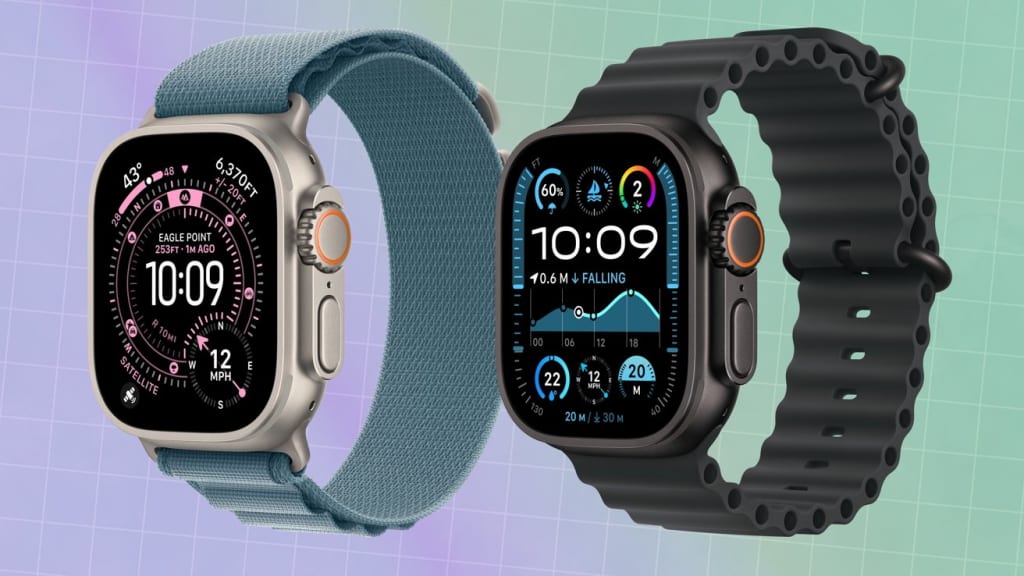
When Apple first introduced the Apple Watch Ultra, it turned heads. This wasn’t your everyday smartwatch; it was built for explorers, athletes, and those who wanted their wrist tech to be as rugged as their lifestyle. With its titanium build, water resistance, and extended battery life, it quickly became the crown jewel of Apple’s wearable lineup.
Fast-forward to today, and we now have the Apple Watch Ultra 3, following the already-impressive Ultra 2. At first glance, both look identical — the same robust titanium case, the same orange Action Button, and the same adventurous appeal. But Apple claims the Ultra 3’s new display makes all the difference.
So, is the Ultra 3 truly a step up, or just a refresh in disguise? Let’s break it down.
The Body: If It Ain’t Broke, Don’t Fix It
One of the first things you’ll notice is how similar the Ultra 3 and Ultra 2 look. In fact, if you placed them side by side, you’d have to squint to spot any difference. Both have the 49mm titanium case, sapphire crystal glass, and that rugged yet premium design Apple loves to highlight.
The Action Button, a favorite among athletes, remains on the left side, customizable to start workouts, launch a compass, or trigger other shortcuts. The Digital Crown and side button sit neatly on the right, just as before.
Critics argue that Apple played it safe with the Ultra 3’s design. But fans counter that the Ultra’s body is already a winner: it’s durable, waterproof up to 100 meters, and tested for extreme conditions. Sometimes, consistency is key.
The Screen: Brighter, Bolder, Better
Here’s where Apple says the biggest leap happens: the Ultra 3 comes with a 3,000-nit display, compared to the Ultra 2’s already impressive 2,000-nit brightness.
To put that in perspective:
On a bright sunny day, the Ultra 2 was already great at keeping things visible.
With the Ultra 3, even harsh desert light or snowy mountain glare won’t wash out the screen.
For explorers, outdoor athletes, or just people who love to check their watch while jogging at noon, this brightness bump isn’t just a spec sheet brag. It’s practical.
The Always-On Retina Display also makes notifications and fitness stats easier to read at a glance, while Apple Watch faces like Modular Ultra look even more vivid and colorful on the new panel.
Performance: Small Tweaks, Big Reliability
The Ultra 3 runs on Apple’s new S9 SiP (System in Package), the same chip powering the Series 11. This chip isn’t about raw speed as much as it is about efficiency and new AI-driven features.
Highlights include:
On-device Siri: Requests like starting a workout or setting a timer no longer rely on the internet. Faster, smoother, and more private.
Improved health tracking: From sleep stages to heart-rate monitoring, the data syncs more quickly and accurately.
Gesture control: Double-tap gestures let you answer calls or snooze alarms without touching the screen — a small but surprisingly handy trick.
While the Ultra 2 was no slouch, these refinements make the Ultra 3 feel sharper in everyday use.
Battery Life: Stamina Unchanged
Apple claims the Ultra 3 retains the 36-hour battery life (up to 72 in Low Power Mode) of the Ultra 2. That’s good news for those who hated charging their watch daily.
On extended hikes, dives, or marathons, this stamina matters. While rivals like Garmin still outpace Apple in endurance, the Ultra’s balance of smart features and decent longevity makes it one of the best all-around performers in the premium watch market.
The Fitness Factor
Both Ultra models are fitness-first watches, with features like:
Depth app for divers
Backtrack for hikers (guides you back to where you started)
Dual-frequency GPS for pinpoint outdoor accuracy
Endurance metrics for runners and cyclists
The Ultra 3 doesn’t add any brand-new fitness modes over the Ultra 2, but the brighter screen and faster Siri response make using these tools smoother in real-world scenarios.
The Price Question
Here’s the catch: the Apple Watch Ultra 3 starts at $799, the same price the Ultra 2 launched at. That means choosing between them isn’t about saving money — it’s about deciding how much you value the brighter screen and S9 chip upgrades.
For Ultra 2 owners, upgrading might feel unnecessary unless you’re a display purist or love having the latest and greatest. For newcomers, the Ultra 3 is a no-brainer since it’s the newest model at the same entry price.
Reactions: Excitement vs. Déjà Vu
The Apple community is split:
Excited fans love the brighter display and AI-driven chip, saying it’s another example of Apple perfecting rather than reinventing.
Skeptics argue Apple should’ve redesigned the body or introduced brand-new health sensors. One fan tweeted: “The Ultra 3 feels like an Ultra 2.5 — same watch, just brighter.”
It’s a fair critique. The Ultra 3 is evolutionary, not revolutionary. But then again, isn’t that Apple’s playbook with many of its products?
Final Thoughts: Which Ultra Is For You?
If you already own the Apple Watch Ultra 2, you’re fine. Your watch is still powerful, rugged, and built to last. Unless you absolutely crave the brighter 3,000-nit screen or the speedier on-device Siri, upgrading isn’t essential.
If you’re shopping for your first Apple Watch Ultra, the Ultra 3 is the better buy. Same iconic design, same durability, but with a sharper screen and smarter chip.
Apple didn’t reinvent the wheel here — but it polished it just enough to keep the Ultra at the top of the adventure smartwatch game.
About the Creator
Keep reading
More stories from Shahjahan Kabir Khan and writers in Geeks and other communities.
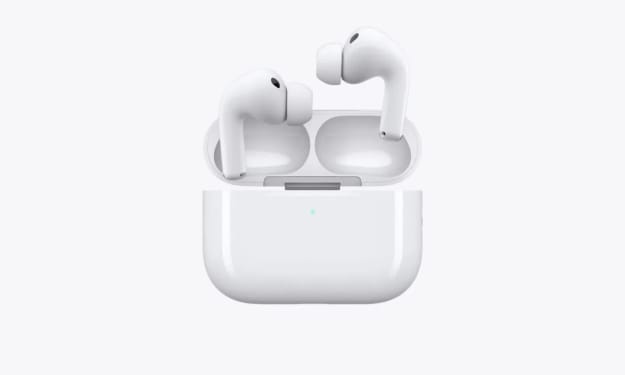
🎧 AirPods Pro 3 Have a Secret Power — But It’s Tied to What’s Coming Next
The Hype Behind Apple’s Smallest Gadgets Apple’s AirPods have come a long way from being the “weird little white stems” people mocked back in 2016. Fast-forward to 2025, and the AirPods Pro 3 have become one of the most important products in Apple’s lineup. They’re not just earbuds — they’re tiny computers in your ears, capable of delivering cinema-quality sound, personalized audio experiences, and even health-related tracking.
By Shahjahan Kabir Khan6 months ago in Geeks
Marblehead Little Theatre's Riveting Production of "A Few Good Men"
You can’t handle the truth! Marblehead Little Theatre stages a riveting production of “A Few Good Men,” a play written by Aaron Sorkin. Two Marines are accused of killing a fellow soldier at Guantanamo Bay, and LT. J.G Daniel A. Kaffee is assigned to defend the case. As evidence unfolds, Kaffee and his legal team suspect foul play.
By Marielle Sabbag6 days ago in Geeks



Comments
There are no comments for this story
Be the first to respond and start the conversation.