
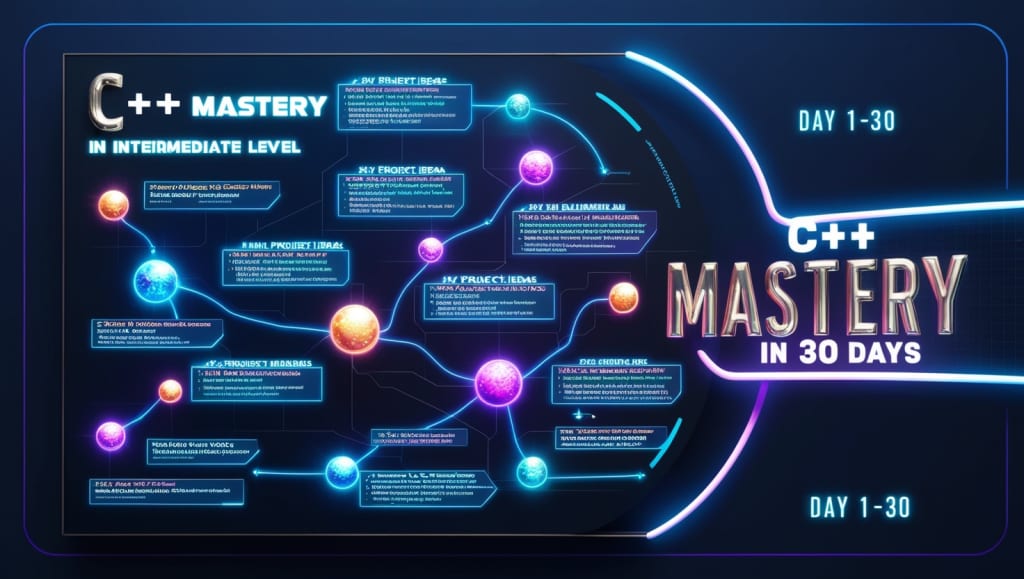
30-day roadmap to learn C++
to an intermediate level, along with project ideas

Week 1: C++ Basics
*Day 1-2:*
- Day 1: Install a C++ compiler (e.g., Visual Studio, Code::Blocks, or g++) and write your first "Hello, World!" program.
- Day 2: Understand C++ syntax, data types, and variables.
*Day 3-4:*
- Day 3: Learn about basic input and output operations in C++ using cin and cout.
- Day 4: Study operators and perform arithmetic and logical operations.
*Day 5-7:*
- Day 5: Explore control flow with if-else statements and loops (for, while, do-while).
- Day 6: Understand switch statements and how to use them for menu-driven programs.
- Day 7: Practice writing small programs involving conditions and loops.
Week 2: Functions and Object-Oriented Programming
*Day 8-9:*
- Day 8: Learn about functions (methods) in C++ and how to define your own functions.
- Day 9: Study function parameters, return types, and function overloading.
*Day 10-12:*
- Day 10: Understand the basics of object-oriented programming (OOP) in C++, including classes and objects.
- Day 11: Dive into constructors, destructors, and operator overloading.
- Day 12: Explore encapsulation, inheritance, and polymorphism.
*Day 13-14:*
- Day 13: Study C++ namespaces and access specifiers (public, private, protected).
- Day 14: Practice creating classes and objects for real-world applications.
Week 3: Data Structures and Standard Template Library (STL)
*Day 15-17:*
- Day 15: Dive into C++ arrays and understand their usage.
- Day 16: Explore the Standard Template Library (STL) and containers like vectors and lists.
- Day 17: Learn about iterating through containers using iterators.
*Day 18-19:*
- Day 18: Study other STL components like maps, sets, and queues.
- Day 19: Understand when and how to use different STL containers in C++.
*Day 20-21:*
- Day 20: Explore exception handling in C++ and how to handle runtime errors.
- Day 21: Practice working with try-catch blocks and handling exceptions effectively.
Week 4: Intermediate Topics and Projects
*Day 22-23:*
- Day 22: Learn about file handling in C++, including reading and writing files.
- Day 23: Create a small project that involves file operations, like a text-based note-taking application.
*Day 24-26:*
- Day 24: Study C++ pointers, references, and dynamic memory allocation.
- Day 25: Explore more advanced C++ topics like multithreading or creating a simple game using libraries like SDL or SFML.
- Day 26: Work on a project that involves pointers, references, or multithreading.
*Day 27-28:*
- Day 27: Explore more advanced C++ libraries and frameworks that interest you (e.g., Boost or Qt).
- Day 28: Work on a more complex project that combines your knowledge from the past weeks. For example, create a small database application using SQLite and C++.
*Day 29-30:*
- Day 29: Review and revisit any topics you found challenging.
- Day 30: Continue building projects and exploring areas of C++ that interest you.
Remember to practice coding daily, and don't hesitate to explore additional resources, online tutorials, and forums to enhance your C++ skills.
Good luck with your C++ learning journey!
15 Movies for Programmers🧑💻🤖
1. The Matrix
2. The Social Network
3. Source Code
4. The Imitation Game
5. Silicon Valley
6. Mr. Robot
7. Jobs
8. The Founder
9. The Social Dilemma
10. The Great Hack
11. Halt and Catch Fire
12. Wargames
13. Hackers
14. Snowden
15. Who Am I
DSA INTERVIEW QUESTIONS AND ANSWERS
1. What is the difference between file structure and storage structure?
The difference lies in the memory area accessed. Storage structure refers to the data structure in the memory of the computer system,
whereas file structure represents the storage structure in the auxiliary memory.
2. Are linked lists considered linear or non-linear Data Structures?
Linked lists are considered both linear and non-linear data structures depending upon the application they are used for. When used for
access strategies, it is considered as a linear data-structure. When used for data storage, it is considered a non-linear data structure.
3. How do you reference all of the elements in a one-dimension array?
All of the elements in a one-dimension array can be referenced using an indexed loop as the array subscript so that the counter runs
from 0 to the array size minus one.
4. What are dynamic Data Structures? Name a few.
They are collections of data in memory that expand and contract to grow or shrink in size as a program runs. This enables the programmer
to control exactly how much memory is to be utilized.Examples are the dynamic array, linked list, stack, queue, and heap.
5. What is a Dequeue?
It is a double-ended queue, or a data structure, where the elements can be inserted or deleted at both ends (FRONT and REAR).
6. What operations can be performed on queues?
enqueue() adds an element to the end of the queue
dequeue() removes an element from the front of the queue
init() is used for initializing the queue
isEmpty tests for whether or not the queue is empty
The front is used to get the value of the first data item but does not remove it
The rear is used to get the last item from a queue.
7. What is the merge sort? How does it work?
Merge sort is a divide-and-conquer algorithm for sorting the data. It works by merging and sorting adjacent data to create bigger sorted
lists, which are then merged recursively to form even bigger sorted lists until you have one single sorted list.
8.How does the Selection sort work?
Selection sort works by repeatedly picking the smallest number in ascending order from the list and placing it at the beginning. This process is repeated moving toward the end of the list or sorted subarray.
Scan all items and find the smallest. Switch over the position as the first item. Repeat the selection sort on the remaining N-1 items. We always iterate forward (i from 0 to N-1) and swap with the smallest element (always i).
Time complexity: best case O(n2); worst O(n2)
Space complexity: worst O(1)
9. What are the applications of graph Data Structure?
Transport grids where stations are represented as vertices and routes as the edges of the graph
Utility graphs of power or water, where vertices are connection points and edge the wires or pipes connecting them
Social network graphs to determine the flow of information and hotspots (edges and vertices)
Neural networks where vertices represent neurons and edge the synapses between them
10. What is an AVL tree?
An AVL (Adelson, Velskii, and Landi) tree is a height balancing binary search tree in which the difference of heights of the left
and right subtrees of any node is less than or equal to one. This controls the height of the binary search tree by not letting
it get skewed. This is used when working with a large data set, with continual pruning through insertion and deletion of data.
11. Differentiate NULL and VOID ?
Null is a value, whereas Void is a data type identifier
Null indicates an empty value for a variable, whereas void indicates pointers that have no initial size
Null means it never existed; Void means it existed but is not in effect
About the Creator
Bahati Mulishi
Practical advice on remote work, IT careers, and professional skills to help you stay work-ready anywhere in the world.
Keep reading
More stories from Bahati Mulishi and writers in Geeks and other communities.
A Knight of the Seven Kingdoms Series Review (Season 1)
As one of the biggest properties in fantasy, A Song of Ice and Fire remains immensely popular with audiences. After reaching far into the past with House of the Dragon, a second spin-off was on the cards. A Knight of the Seven Kingdoms serves up a bite-sized slice of action and drama, but it still claims a spot among the best small-screen titles.
By Robert Cain7 days ago in Geeks
'A Knight of the Seven Kingdoms': Why Dunk And Egg's Trip To Dorne Probably Saved Their Lives
By the standards of the Game of Thrones universe, the first season of latest spin-off/prequel A Knight of the Seven Kingdoms gives us a rather happy ending, with Ser Duncan the Tall and his new Squire, Prince Aegon Targaryen, aka Dunk and Egg, riding away together. However, those with a little extra knowledge of Targaryen history know that this is just the calm before yet another storm in Westeros.. and no, it's not because Egg ran off with Dunk without the permission of his Father, Prince Maekar.
By Kristy Anderson5 days ago in Geeks



Comments
There are no comments for this story
Be the first to respond and start the conversation.