
Mastering the Forza Horizon 5 Photo Challenge
Photo challenge Forza Horizon 5 rewards


The Forza Horizon 5 Photo Challenge has become one of the most recognized and creative elements in Playground Games’ award-winning open-world racing experience. Introduced as part of the Festival Playlist, this weekly challenge encourages players to explore Mexico, experiment with in-game photography, and engage more deeply with the seasonal events that define the Horizon festival. While the specific objectives change week to week, the underlying mechanics remain consistent—and understanding them is key to completing the challenge quickly and efficiently.
This article provides a complete, reliable guide to how Forza Horizon 5 Photo Challenges work, how to complete them, and how to consistently capture high-quality images while meeting event requirements. All information below focuses on general systems and gameplay features that do not rely on any changing or time-sensitive content.
What Is the Forza Horizon 5 Photo Challenge?
The Photo Challenge is a recurring objective included in the Festival Playlist during each season of a Series. It typically requires players to:
Photograph a specific car
At a specific location
Sometimes under a specific condition (e.g., time of day or gameplay activity)
Successfully completing the challenge rewards players with Festival Playlist points, which contribute to seasonal and series progress. These points can unlock exclusive vehicles, cosmetics, wheelspins, and other rewards.
How the Festival Playlist Influences Photo Challenges
Every Thursday, a new season begins within the current Series. The Festival Playlist updates with fresh challenges, including:
Weekly Challenges
Seasonal Championships
Horizon Arcade or EventLab tasks
And, of course, the Photo Challenge
While the exact requirements vary, they always follow the same structure: take a photo in Photo Mode while meeting the stated criteria.
How to Access Photo Mode in Forza Horizon 5
Photo Mode is one of the most intuitive features in the game. Players can access it by:
Pausing the game and selecting Creative Hub → Photo Mode
Pressing Up on the D-Pad (default keybind for quick access)
Opening Drone Mode, scouting the perfect angle, and then entering Photo Mode
Once inside Photo Mode, players can make adjustments such as shutter speed, focus, color grading, exposure, depth of field, and time of day—although seasonal event requirements might restrict certain settings.
Step-by-Step Guide to Completing Any Photo Challenge
Although the details shift weekly, the process remains consistent. The steps below will help you complete any challenge quickly and without confusion.
1. Read the Weekly Objective
Open the Festival Playlist from the main menu and review the Photo Challenge description. It will tell you:
Which car is required
Which location must be used
Any additional conditions
2. Select the Required Car
Go to Cars → My Cars and choose the specified vehicle.
If you do not yet own it, you can:
Purchase it from the Autoshow
Find it in the Auction House
Or win it from previous playlist rewards, wheelspins, or seasonal events
3. Set a Route to the Required Location
Most named locations—towns, landmarks, biomes, or Horizon outposts—appear as icons on the map.
If the challenge references a more obscure area, the in-game map filter and search function help pinpoint it quickly.
4. Drive to the Location and Position the Car
Once you arrive, make sure:
You are within the designated area
Your car is reasonably visible in the shot
Conditions match the challenge description
5. Enter Photo Mode and Take the Picture
When all requirements are met, simply capture the photo.
If successful, the game will display a challenge completed notification and award Festival Playlist points automatically.
Tips for Capturing High-Quality Photos
Although Photo Challenges only require a simple picture, many players enjoy using the opportunity to expand their creative portfolio. Here are professional techniques that elevate in-game photography:
Use the Rule of Thirds
Place the car slightly off-center to create a balanced composition.
Adjust Aperture and Shutter Speed
A lower aperture creates a cinematic background blur, while slower shutter speeds highlight motion.
Leverage Mexico’s Natural Lighting
Forza Horizon 5’s lighting engine performs best during:
Early morning
Late afternoon
Golden hour
These periods create natural highlights and soft shadows ideal for dramatic photos.
Experiment with Camera Angles
Low-angle shots emphasize power and stance, while high-angle shots capture landscapes and context.
Why the Photo Challenge Matters
Beyond being a simple weekly task, the Photo Challenge serves several purposes:
Encourages exploration: Players discover new regions and landmarks within Mexico.
Promotes car variety: Weekly requirements push players to try vehicles they may not normally use.
Enhances creativity: The challenge gives players a reason to engage with Photo Mode’s deep toolset.
Supports progression: Playlist points are essential for unlocking exclusive, limited-time content.
For these reasons, the Photo Challenge remains one of the most enjoyable and accessible events throughout the Festival Playlist.
Final Thoughts
The Forza Horizon 5 Photo Challenge blends creativity with exploration, offering a refreshing break from competitive racing while still contributing to seasonal progression. Although the individual requirements shift weekly, the process remains simple: choose the correct car, travel to the required location, and capture the perfect shot.
Mastering these fundamentals ensures you can complete every Photo Challenge efficiently while still enjoying the artistry of Forza’s world-class photography mode.
About the Creator
Keep reading
More stories from Games Tale and writers in Gamers and other communities.
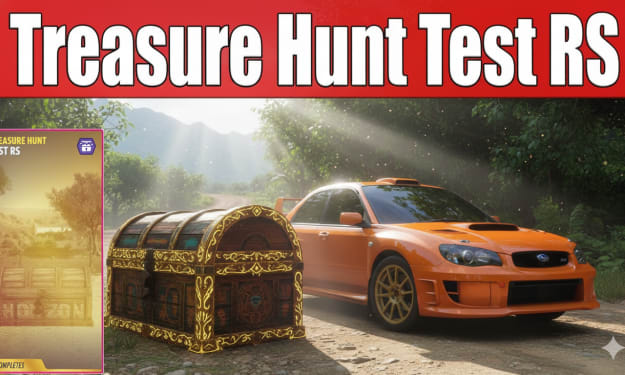
Forza Horizon 5 Unlock Treasure Hunt Test RS
The Test RS Treasure Hunt in Forza Horizon 5 appears in certain seasonal playlists, and each time it returns it creates confusion among players, especially those who expect every Treasure Hunt to involve deep clues or complicated stunt requirements, but the truth is that this challenge is one of the simplest ones the game offers and does not hide any unusual mechanics. The “Test RS” clue is always based on the same idea: the game wants you to drive a car that officially carries the RS badge, and it expects you to perform a speed-related action while using that car, nothing more. This RS badge is a real identifier used in-game, meaning you must choose a car that actually has “RS” in its model name, such as the Ford Focus RS or other RS-badged vehicles available in your own garage, and using anything without the badge will not trigger the hunt because the game looks for the exact naming match.
By Games Taleabout a month ago in Gamers
Mastering the Forge: A Comprehensive Guide to Diablo IV Season 11 and the Sanctification System
Welcome to the new season of Diablo IV. Whether you are a veteran or a newcomer, the latest seasonal changes introduce a complex layer of equipment progression that can be daunting at first glance. This guide breaks down the essential mechanics, from navigating early seasonal quests to mastering the high-stakes Sanctification system, ensuring you are optimized for the challenges of Torment IV.
By hasan zidan5 days ago in Gamers


Comments
There are no comments for this story
Be the first to respond and start the conversation.