
How to Clean Your Mouse Pad (Easy Steps for a Fresh and Smooth Surface)
Learn how to clean your mouse pad quickly and easily with this step-by-step guide. Keep your workspace fresh and your mouse moving smoothly. Perfect for gamers, students, and office users!

🖱️ How to Clean Your Mouse Pad
Your mouse pad gets dirty over time. Dust, sweat, crumbs, and even spilled drinks can make it look and feel gross. That’s why it’s important to know how to clean your mouse pad the right way. Whether you use it for gaming, school, or work, a clean mouse pad helps your mouse glide better and keeps your desk tidy.
In this guide, we’ll show you simple ways to clean different types of mouse pads. You’ll learn how to wash them by hand, clean them with a machine, and even how to dry them properly. Let’s get started!
🧼 Why You Should Clean Your Mouse Pad Regularly
Even though it might not look dirty, your mouse pad collects a lot of grime. Over time, this can affect how your mouse works. Here’s why cleaning it matters:
- Better Mouse Movement: Dirt can slow down your mouse or make it skip.
- Healthier Workspace: Germs and bacteria can grow on dirty surfaces.
- Longer Lifespan: Cleaning helps your mouse pad last longer.
- Better Appearance: A clean pad looks nicer and feels better.
So, if you want smooth clicks and a fresh desk, cleaning your mouse pad is a smart move.
🧽 How to Clean Your Mouse Pad by Hand
This method works best for cloth or soft mouse pads. It’s gentle and easy to do.
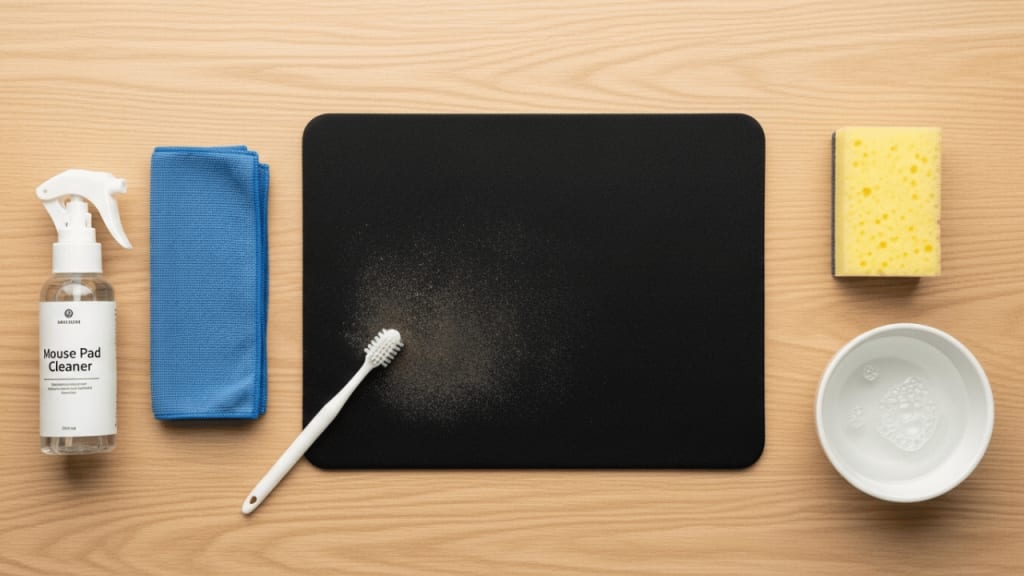
🪣 What You’ll Need:
- Warm water
- Mild soap or dishwashing liquid
- A soft brush or sponge
- A towel
🧴 Step-by-Step Instructions:
- Fill a Sink or Bowl: First, fill a sink or bowl with warm water. Add a few drops of mild soap.
- Place the Mouse Pad in Water: Next, put your mouse pad in the water. Let it soak for 5–10 minutes.
- Scrub Gently: Use a soft brush or sponge to scrub the surface. Focus on stains or oily spots.
- Rinse with Clean Water: After scrubbing, rinse the pad with clean water to remove soap.
- Dry with a Towel: Pat the mouse pad with a towel to remove extra water.
- Air Dry: Finally, lay it flat in a dry place. Let it air dry for at least 24 hours.
💡 Tip: Never use hot water or harsh chemicals. They can damage the surface.
🧺 How to Clean Your Mouse Pad in a Washing Machine
Some cloth mouse pads can be cleaned in a washing machine. However, you must be careful.
🧼 What You’ll Need:
- Mild detergent
- Washing machine (no dryer!)
🧴 Step-by-Step Instructions:
- Check the Label: Before anything, check if your mouse pad is machine washable.
- Use Cold Water and Gentle Cycle: Place the pad in the machine. Use cold water and a gentle cycle.
- Add Mild Detergent: Use a small amount of detergent. Avoid bleach or strong cleaners.
- Skip the Dryer: Never put your mouse pad in the dryer. It can warp or melt.
- Air Dry Flat: Lay the pad flat and let it dry naturally.
⚠️ Warning: Hard or RGB mouse pads should never go in the washing machine.
🧼 How to Clean Hard or RGB Mouse Pads
Hard mouse pads and RGB (light-up) pads need special care. You can’t soak them or use a machine.
🧴 What You’ll Need:
- Microfiber cloth
- Mild cleaner or rubbing alcohol
- Cotton swabs (for edges)
🧴 Step-by-Step Instructions:
- Unplug the Pad: If it’s an RGB pad, unplug it first.
- Wipe the Surface: Dampen a microfiber cloth with cleaner. Wipe the surface gently.
- Clean the Edges: Use cotton swabs to clean tight spots or edges.
- Dry with a Soft Cloth: Wipe again with a dry cloth to remove moisture.
🧠 Note: Never spray cleaner directly on the pad. Spray on the cloth instead.
🧼 How Often Should You Clean Your Mouse Pad?
It depends on how often you use it. Here’s a simple guide:

If you eat at your desk or sweat a lot, clean it more often.
🧼 Tips to Keep Your Mouse Pad Clean Longer
Now that you know how to clean your mouse pad, here are some tips to keep it fresh:
- Wash Hands Before Use: Clean hands mean less dirt.
- Avoid Eating at Your Desk: Crumbs and spills make pads dirty.
- Store in a Clean Area: Keep your pad away from dust.
- Use a Desk Mat: It adds extra protection.
🧼 Bonus Tip: Rotate between two mouse pads. While one dries, use the other!
🧼 What Not to Do When Cleaning Your Mouse Pad
Some mistakes can ruin your mouse pad. Avoid these:
- ❌ Don’t use bleach or strong chemicals.
- ❌ Don’t scrub too hard.
- ❌ Don’t use hot water.
- ❌ Don’t put it in the dryer.
- ❌ Don’t fold it while drying.
Always be gentle and patient.
🧼 Best Mouse Pads That Are Easy to Clean
If you’re shopping for a new mouse pad, here are some brands known for easy cleaning:

🧼 Conclusion
Knowing how to clean your mouse pad is a simple but powerful way to improve your workspace. Whether you’re gaming, working, or studying, a clean pad helps your mouse move smoothly and keeps your desk looking great. By following the steps above, you can clean your pad safely and easily.
Remember to clean it regularly, use gentle products, and let it dry fully. With just a little care, your mouse pad can stay fresh for months!
❓ FAQ – How to Clean Your Mouse Pad
Q: Can I use shampoo to clean my mouse pad? A: Yes, mild shampoo works fine. Just rinse well afterward.
Q: Is it safe to clean my mouse pad with vinegar? A: Vinegar is okay for cloth pads, but it may leave a smell.
Q: How long does it take to dry? A: Usually 24 hours. Make sure it’s fully dry before using.
Q: Can I iron my mouse pad to dry it faster? A: No, ironing can damage the surface. Always air dry.
Q: What if my mouse pad has a smell? A: Wash it with soap and let it dry in fresh air. You can also sprinkle baking soda before washing.
About the Creator
Perfect Tech Views
Welcome to Perfect Tech Views—your go-to source for clear, unbiased, and insightful tech knowledge. Whether you're a pro, a beginner, or just exploring gadgets, we've got you covered with expert guidance!
Keep reading
More stories from Perfect Tech Views and writers in Gamers and other communities.
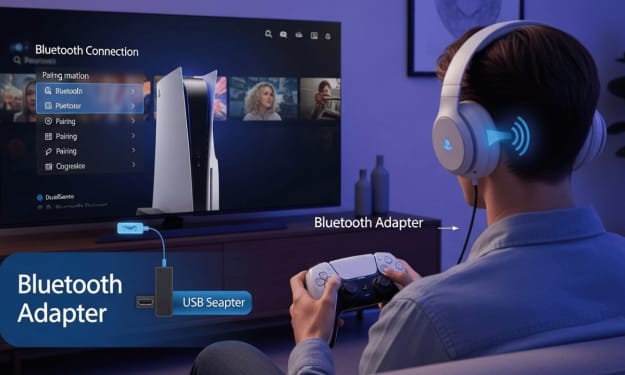
Can You Connect Bluetooth Headphones to PS5? (Complete Guide with Easy Steps)
Can You Connect Bluetooth Headphones to PS5? Can you connect Bluetooth headphones to PS5? This is a question many PlayStation 5 owners ask the moment they unbox their console. After all, wireless headphones are now a part of everyday life. They give you freedom, comfort, and a cleaner gaming setup.
By Perfect Tech Views5 months ago in Gamers
What Color Should a Rash Guard Be? A Complete Guide to Comfort, Safety, and Performance
Rash guards are no longer limited to surfing alone. Today, they are widely used for swimming, fitness training, Brazilian Jiu-Jitsu (BJJ), MMA, outdoor sports, and kids’ activities. While most people focus on fit and fabric, one common and important question is often overlooked: what color should a rash guard be?
By Sophie Blogs4 days ago in Gamers
Best Budget GPU for Ryzen 5 5600 in 2026: The Ultimate Value Guide
Maximizing Your Ryzen 5 5600 on a Budget The Ryzen 5 5600 remains one of the most tenacious survivors in the CPU market. Even in 2026, this 6-core processor powers a massive number of budget gaming rigs. It offers incredible performance for the price, but as games get more demanding, pairing it with the wrong graphics card can leave performance on the table—or worse, waste your hard-earned money on a bottleneck.
By Aveloria Thessar7 days ago in Gamers


Comments