
Does Corsair CPU Cooler Come with Thermal Paste? (Everything You Need to Know)
Wondering does Corsair CPU cooler come with thermal paste? This guide explains which Corsair coolers include pre-applied paste, how it works, and what to expect during installation.


If you're building a PC or upgrading your cooling system, you might ask: Does Corsair CPU cooler come with thermal paste? This is a smart question, especially if you want to avoid buying extra parts or making mistakes during installation.
In this guide, we’ll explain everything in simple words. You’ll learn which Corsair coolers include thermal paste, how it works, and what to do when setting up your cooler. Let’s dive in!
What Is Thermal Paste and Why Is It Important?
Before we answer, does Corsair CPU cooler come with thermal paste? Let’s first understand what thermal paste is.
Thermal paste is a soft, gray material. It goes between your CPU and the cooler. Its job is to fill tiny gaps and help move heat from the CPU to the cooler. Without it, your CPU can get too hot and slow down or even shut off.
So, thermal paste is very important. But do you need to buy it separately when using a Corsair cooler? Let’s find out.
Does Corsair CPU Cooler Come with Thermal Paste Pre-Applied?
Yes, most Corsair CPU coolers do come with thermal paste already applied. This is true for many of their AIO (All-in-One) liquid coolers, such as the Corsair iCUE H150i, H100i, and H60 models.
The thermal paste is usually pre-applied on the copper base of the cooler. This makes installation easier. You don’t need to worry about applying it yourself. Just remove the plastic cover and mount the cooler.
However, if you are using a Corsair air cooler or a custom loop, you should check the box or product page. Some of these may not include thermal paste, or they may come with a small tube instead.
Which Corsair Coolers Include Pre-Applied Thermal Paste?
Here are some popular Corsair coolers that come with thermal paste already applied:
- Corsair iCUE H150i RGB Pro XT
- Corsair iCUE H100i Elite Capellix
- Corsair H60 (2018)
- Corsair iCUE LINK TITAN RX LCD
- Corsair NAUTILUS RS AIOs
These models have thermal paste on the pump’s cold plate. So, you don’t need to buy extra paste unless you plan to reinstall the cooler later.
When Should You Buy Extra Thermal Paste?
Even though Corsair coolers come with thermal paste, there are times when you might need more:
- Reinstalling the cooler: If you remove the cooler after the first install, the old paste won’t work well again.
- Upgrading your CPU: When you change your processor, you’ll need fresh paste.
- Custom cooling setups: If you’re building a custom loop, you’ll need to apply your paste.
In these cases, buying a good thermal paste like Corsair XTM70 or Arctic MX-4 is a smart move.
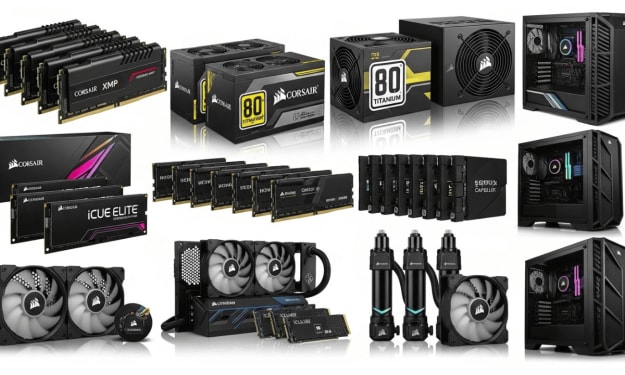
Click here if you want to buy 👉 Best PC Components of Corsair
How to Check If Your Corsair Cooler Has Thermal Paste
To be sure, you can do the following:
- Check the box: Look for a label that says “pre-applied thermal paste.”
- Visit the Corsair website: Product pages often list what’s included.
- Look at the cooler: If you see a gray square on the copper plate, that’s the thermal paste.
- Ask the community: Forums like Reddit or Corsair’s support page can help.
How to Install a Corsair Cooler with Pre-Applied Thermal Paste
Installing a Corsair cooler is easy, especially when the paste is already there. Here’s a simple step-by-step guide:
- Turn off your PC and unplug it.
- Remove the plastic cover from the cooler’s base.
- Place the cooler on top of the CPU.
- Tighten the screws evenly.
- Connect the cables to the motherboard and power supply.
- Turn on your PC and check the temperatures.
Because the paste is already applied, you don’t need to spread anything. Just make sure the cooler sits flat on the CPU.
Benefits of Pre-Applied Thermal Paste
There are many reasons why pre-applied paste is helpful:
- Saves time: No need to apply it yourself.
- Less mess: You won’t spill or use too much.
- Perfect amount: Corsair applies just the right amount.
- Great for beginners: You don’t need special skills.
Still, some advanced users prefer to use their paste for better performance. That’s okay too!
Does Corsair CPU Cooler Come with Thermal Paste for Reuse?
No, Corsair coolers do not include extra thermal paste in the box. The pre-applied paste is for one-time use only. If you remove the cooler, you’ll need to clean off the old paste and apply a new layer.
So, it’s a good idea to keep a small tube of thermal paste in your PC toolkit.
Related Terms and Synonyms to Know
To help you understand better, here are some related terms:
- TIM: Short for Thermal Interface Material (another name for thermal paste).
- Cold plate: The metal part of the cooler that touches the CPU.
- AIO cooler: All-in-One liquid cooler, like Corsair’s H100i or H150i.
- Air cooler: Uses fans and metal fins instead of liquid.
These terms often show up when talking about CPU cooling.
Conclusion
So, does Corsair CPU cooler come with thermal paste? Yes, most of them do—especially the AIO models. The paste is pre-applied, which makes setup fast and easy. However, if you plan to reinstall the cooler or build a custom loop, you’ll need to buy extra paste.
Always check your specific model to be sure. And remember, thermal paste is small but mighty—it helps keep your CPU cool and your PC running smoothly.
Click here if you want to buy 👉 Best PC Components of Corsair
FAQ
Q: Can I reuse the pre-applied thermal paste? A: No, once the cooler is removed, the paste should be replaced.
Q: What if I accidentally touch the thermal paste? A: Clean it off and apply a new layer. Oils from your fingers can affect performance.
Q: Do Corsair air coolers come with thermal paste? A: Some do, but not all. Always check the product details.
Q: How long does thermal paste last? A: Usually 2–3 years, but it depends on heat and usage.
Q: Is Corsair thermal paste good? A: Yes, Corsair uses high-quality paste like XTM60 and XTM70 in their coolers.
About the Creator
Perfect Tech Views
Welcome to Perfect Tech Views—your go-to source for clear, unbiased, and insightful tech knowledge. Whether you're a pro, a beginner, or just exploring gadgets, we've got you covered with expert guidance!
Keep reading
More stories from Perfect Tech Views and writers in Gamers and other communities.
Best PC Components of Corsair
Corsair has long held its ground as a leader in high-performance tech, offering a lineup that thrills gamers, creators, and power users alike. Whether you’re building a custom rig or leveling up your gaming setup, the best PC Components of Corsair deliver reliability, precision, and sleek design.
By Perfect Tech Views7 months ago in Gamers
The Tragic Decline of Call of Duty
Introduction At the time of my writing this, I have only just finished playing a little bit of the campaign in Battlefield 6. I broadcasted this gameplay in a live stream on Twitch, where I create guides for how to achieve the platinum trophies for the games I play. What is important to note here is that I made the conscious and unconscious decision to play the most recent Battlefield title over the latest version of Call of Duty. I still can’t believe that I’m writing these words. Never in a million years could I have fathomed that I would prefer to play a game developed by Battlefield Studios over a military game made by Activision and Infinity Ward. If I could tell you anything about me, it’s the fact that I have been loyal to the Call of Duty franchise since the first game came out for the PC, on October 29th, 2003. Even in it’s infancy, Call of Duty had emerged as a military game that could rival the likes of games like Medal of Honor, which were considered the apex of combat style first person shooters at the time. That seems like a lifetime ago. I’m still loyal to the game that has created so many great memories for me, but I will admit that the game has lost a considerable part of its appeal. Playing it just doesn’t feel the same anymore. This is a thought shared throughout the gaming community, and it is reflected in the fact that, as of present, Battlefield 6 boasts itself not only as the number one first person shooter on a global level, but also as the number one selling game of 2025, while Call of Duty Black Ops 7 ranks in at seventh place. These figures unquestionably illustrate the tragic decline of the video game Call of Duty. Now there are many factors that have resulted in this games fall from grace, all of which we will explore in great detail, but first some context is needed. In order that we may fully understand exactly how far this giant has fallen, it is crucial that the history of Call of Duty at it’s peak is provided.
By Aaron M. Weis7 days ago in Gamers
Code Violet Review: A Dino Crisis Dream or a Prehistoric Misfire?
Let’s get something straight right from the top—you’re not here for sugar-coating. Code Violet is not a good game. If you saw a few stylish (and sometimes not-so-tasteful) screenshots of its stunning brunette protagonist tangling with dinosaurs and thought, “Hmm, maybe I’ll pick this up just to admire the view,”—hey, no judgment… well, maybe a little.
By Info Post Gatea day ago in Gamers



Comments