
Why Your Website Looks Fine Locally But Breaks Live – Visual Regression Testing Can Help
Explore Visual Regression Testing How Can Help

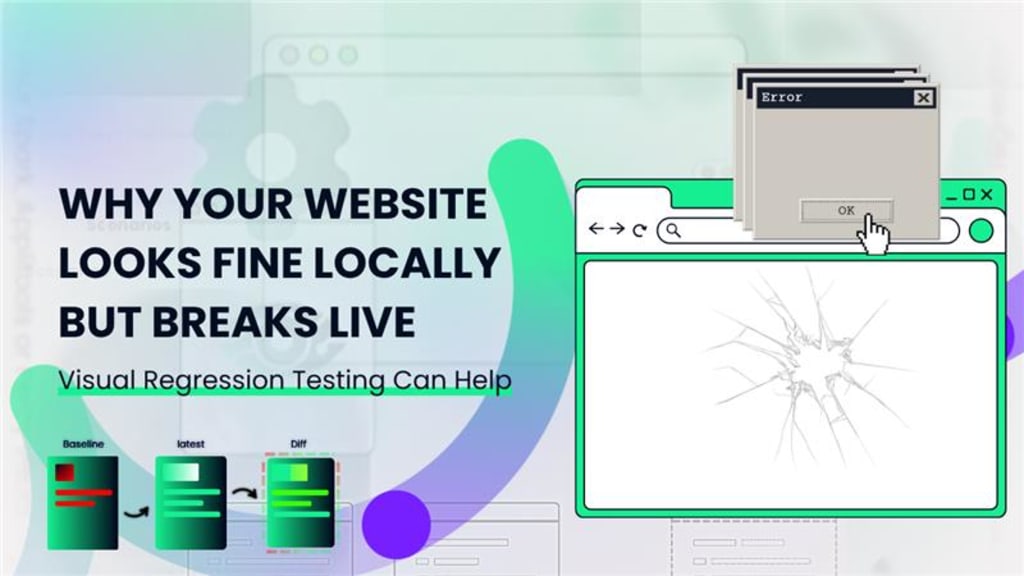
There’s nothing more frustrating than crafting a pixel-perfect website that behaves beautifully on your local development machine-only for it to fall apart when viewed live. You double-checked the code, validated your CSS, and tested responsiveness. Everything looked great. But once the site was pushed to production, elements shifted, fonts broke, layouts glitched, and now your users are sending screenshots of UI disasters you can’t even replicate locally.
Why does this happen? And how can it be prevented?
Visual regression testing is the answer to this common but critical issue. By automatically comparing visual differences between local and live versions of your website, this method exposes layout bugs before your users ever see them.
Let's explore how and why this happens-and how you can stop losing sleep (and conversions) over broken live sites.
The Local vs. Live Paradox: What Really Changes?
When developing locally, your machine has a very specific setup-its own browser version, OS, font rendering, screen resolution, cache behavior, and even different environmental variables. This is not the same as your staging or production environments.
Some common causes of local/live visual discrepancies include:
- CDN-delivered assets: Sometimes fonts or images load differently depending on regional servers.
- Third-party scripts: Ads, analytics, or plugin content may not behave the same live.
- Different rendering engines: Local development tools (like Storybook, Webpack Dev Server) don't mimic real-world rendering.
- Browser caching issues: What appears fine once cached locally may load incorrectly on a fresh live visit.
- Dynamic content or API delays: Slow-loading data can break layouts live but may appear fine in your local mockup.
These subtle differences can wreak havoc. That’s where visual regression testing can shine-by providing an automated safety net that reveals changes you didn’t anticipate.
What is Visual Regression Testing and Why Does It Matter?
Visual regression testing involves capturing screenshots of a webpage and comparing them to previously approved versions. If the new image differs visually from the baseline, the test flags a failure-even if the code itself hasn’t changed.
This approach is valuable because:
- It detects unintended design changes from styling bugs, missing assets, or layout shifts.
- It prevents front-end breakages across multiple screen sizes and devices.
- It builds trust with stakeholders by ensuring UI consistency throughout deployments.
Unlike traditional functional testing, which checks if the code "works," visual regression testing answers a more human question: “Does it look right?”
Top Reasons Websites Break After Deployment
You might be wondering why things don't break during QA or local previews but fail spectacularly in production. Here’s what often goes wrong:
Font Rendering Inconsistencies
Different operating systems render fonts in slightly different ways. A font that aligns perfectly on your macOS might render with padding issues on Windows. Without visual testing across systems, this can go unnoticed.
Responsive Breakpoints Gone Rogue
Maybe your site looked great at 1440px and 768px-but what about 992px or 1280px? If your CSS media queries weren’t tested thoroughly across real-world breakpoints, they may not hold up live.
Missing or Blocked Assets
Your browser cache might have loaded those icons or custom fonts perfectly. But once live, a blocked resource or incorrect file path leads to visual degradation-one your users catch before you do.
Browser-Specific Bugs
Your Chrome might render flexbox layouts just fine. But Safari? Edge? Mobile browsers? Not always. Visual regression testing across multiple browsers prevents these blind spots from slipping through.
Key Benefits of Implementing Visual Regression Testing
Once visual regression testing is integrated into your development pipeline, the benefits become crystal clear:
Consistency Across Deployments
Your product team wants one thing above all-visual consistency. Regression testing ensures that minor code tweaks don’t have massive unintended consequences on UI.
Faster QA Cycles
No more manually checking pages one-by-one. Automated screenshot comparison speeds up QA while increasing accuracy.
Supports Agile & CI/CD Workflows
Teams deploying daily or even hourly can’t afford the risk of UI bugs creeping in. Visual regression testing fits seamlessly into modern DevOps pipelines.
Better Collaboration Between Designers and Developers
By surfacing visual issues early, developers can resolve them before stakeholders ever see a broken layout. This improves cross-functional trust.
Features to Look for in Visual Regression Testing Tools
There are plenty of tools on the market-each with unique strengths.
Here’s what to prioritize when evaluating visual regression tools:
- Cross-browser and device support
- Baseline image management and approval workflows
- Detailed visual diff reports with pixel-level precision
- Integration with CI tools like Jenkins, GitHub Actions, GitLab CI
- Headless browser testing (e.g., Puppeteer, Playwright, Cypress)
- Team collaboration features and notification systems
Popular Visual Regression Testing Tools to Explore
Here’s a brief roundup of widely-used tools you might want to evaluate:
- Percy: Great for GitHub integration and visual diff dashboards.
- BackstopJS: Open-source and highly configurable for developers.
- Applitools Eyes: AI-powered visual testing with smart baseline updates.
- Chromatic: Built for component-driven development using Storybook.
- VisualReview: Lightweight, team-friendly comparison tool.
Each comes with trade-offs depending on your tech stack, but all support visual diffing and UI consistency checks.
Pro Tips for Getting the Most Out of Visual Regression Testing
To truly benefit from visual testing, keep these practices in mind:
- Use mock data when needed to avoid false positives from dynamic content.
- Limit tests to high-value pages initially to manage resources and focus.
- Automate comparisons for critical viewports like desktop, tablet, and mobile.
- Review and update baselines regularly to reflect intentional design changes.
- Integrate tests in your PR workflows to catch issues before merging.
These tips ensure you're not just using the tools-but using them effectively.
When to Introduce Visual Regression Testing Into Your Workflow
The right time to adopt visual testing is not after things break-but before. It’s ideal:
- During a redesign or rebranding phase.
- When migrating CSS frameworks or major libraries.
- Before launching A/B tests or marketing landing pages.
- When scaling development teams or outsourcing UI work.
Adding it early can save hours of bug hunting and help maintain the integrity of your user experience across updates.
Summing up: Stop Guessing, Start Seeing the Difference
Your website might look flawless on your machine. But your users aren’t on your machine.
They’re browsing from phones, tablets, old laptops, using unpredictable networks, browsers, and settings. All it takes is one missed font, one broken breakpoint, or one misaligned button to erode trust and frustrate users.
Visual regression testing ensures your UI remains rock solid, regardless of environment.
If You Suffer These Types of Problems in Your Website & You Need Visual Regression Testing…
You can try visual regression testing tools like Percy, BackstopJS, or Applitools Eyes, Testevolve. Explore some visual regression testing service provider companies too-they provide reliable resolutions for these issues and offer expert guidance in keeping your site’s design consistent and professional.
Read Our Recent Published Blog - Top 5 Tools Compared for Mobile App Test Automation
About the Creator
Leeanna marshall
Hello, I'm Leeanna Marshall, an ardent enthusiast of all things automation and a passionate blogger. visit my blog
Keep reading
More stories from Leeanna marshall and writers in FYI and other communities.
Top 5 Tools Compared for Mobile App Test Automation
Developing a flawless mobile application is only half the battle. Ensuring that it runs smoothly across devices, operating systems, and networks is equally critical. That’s where mobile app test automation steps in. As mobile environments grow increasingly complex, relying solely on manual testing just doesn’t cut it anymore.
By Leeanna marshall8 months ago in FYI
Miss Persephone's Manual to a Seemingly Ordinary Life
Miss Persephone was found at the dining table, her blue eyes swollen, her tears arriving and retreating like the tides of the ocean. Earlier that day, her family had visited her in the retirement home where she had lived for eight years. It was her eightieth birthday.
By Imola Tóth4 days ago in Fiction


Comments (1)
This is a common problem we all face. I've had sites look great locally but go haywire once live. The differences in setups between local and production are really something. CDN assets and third-party scripts can definitely cause issues. Visual regression testing sounds like a smart solution. How exactly does it work? Does it compare every single pixel? And can it handle all these different causes of discrepancies? It'd be great if it could save us from all those UI disasters.