
Maximizing the Benefits of AI Mastering
The Power of Previewing

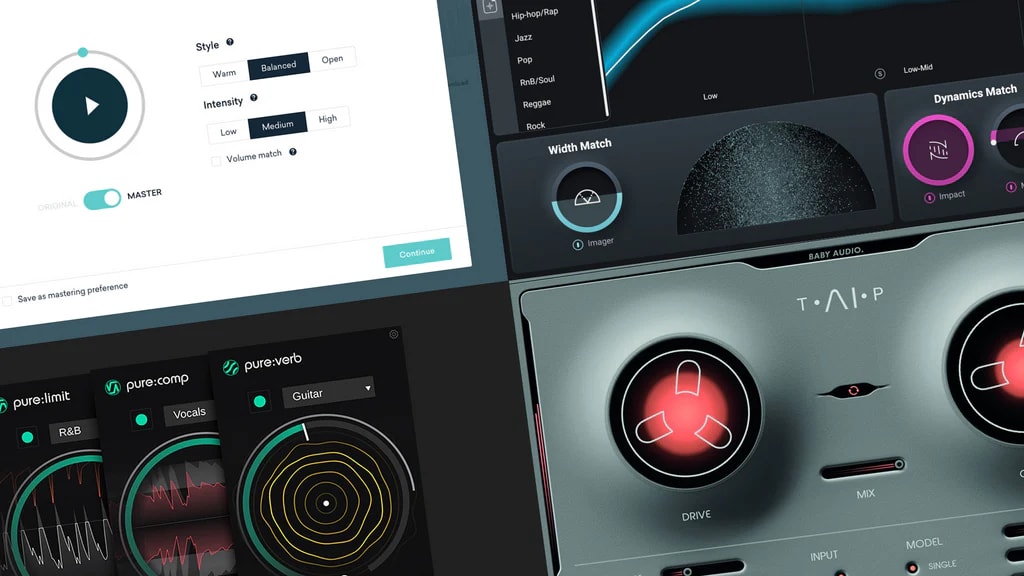
In today's fast-paced music industry, the demand for high-quality audio has never been greater. Musicians, producers, and sound engineers are constantly seeking innovative ways to elevate their sound, and one of the most exciting advancements in recent years has been AI-powered mastering. AI mastering offers convenience, speed, and accuracy that traditional methods can struggle to match. However, even with these cutting-edge tools, one essential step remains crucial: previewing the track before finalizing the mastering process.
Previewing a track before the final AI mastering can make the difference between a good track and a great one. It allows artists to ensure the desired sound is achieved while avoiding potential issues that could compromise the quality. In this article, we’ll explore how previewing your AI-mastered track enhances its overall quality and why it's a critical step for any musician or producer.
What Is AI Mastering?
AI mastering is an automated process that uses artificial intelligence algorithms to apply mastering techniques to a piece of music. Mastering is the final stage in music production that ensures the track sounds polished, consistent, and optimized for playback across all platforms and devices. Traditionally, mastering was done manually by highly skilled audio engineers. However, AI mastering systems have emerged as a cost-effective and time-saving alternative, providing similar results without the need for human involvement.
With AI mastering tools, such as those offered by platforms like Deliver My Tune, artists can upload their tracks, choose settings based on their preferences, and receive a mastered version of their song in minutes. This technology analyzes the track, applies dynamic range compression, equalization, and other audio enhancements to achieve a professional sound. While the convenience of AI mastering is undeniable, previewing the mastered track before finalizing it is essential to ensure everything sounds as intended.
The Role of Previews in AI Mastering
The previewing process allows artists to listen to their mastered track before making it final. In traditional mastering, audio engineers often send back and forth revisions with the artist to fine-tune the sound to perfection. Similarly, with AI mastering, previewing enables the artist to make adjustments or corrections before locking in the final version.
AI mastering tools are powerful but not infallible. The algorithm doesn’t always interpret the musical nuances or artistic intent the way a human might. For instance, certain elements of a song—such as the prominence of vocals, the depth of bass, or the clarity of high frequencies—might not align with the artist's vision after the first round of mastering. Previewing allows musicians to catch these discrepancies and make necessary adjustments.
The Advantages of Previewing Before Finalizing
Ensuring Optimal Audio Quality: Previewing gives you a chance to check the overall quality of the sound. While AI mastering often gets it right, every track has unique characteristics, and the human ear remains the best tool for assessing audio quality. You might notice that the compression applied is too heavy, or that certain frequencies are not as clear as they should be. A quick preview helps you identify these issues early on.
Fine-Tuning Artistic Intent: Every artist has a specific sound in mind when they create a track. Previewing your AI-mastered track gives you the opportunity to ensure that the final product matches your vision. For example, you may want a softer, more ambient mix for a ballad, or a punchier, more aggressive sound for an upbeat track. Listening to the preview allows you to make sure these elements are enhanced or maintained in the final version.
Catching Errors or Overcorrections: AI mastering algorithms are excellent at enhancing the technical aspects of a track, such as dynamic range and volume levels. However, they can sometimes overcorrect. For example, an AI system might overly compress the track, causing it to lose some of its natural dynamics. Alternatively, it may emphasize certain frequencies too much, leading to an unbalanced mix. By previewing the track, you can catch these issues and revert to a previous version or tweak the settings to your liking.
Saving Time and Resources: Previewing the track before finalizing helps save time and resources in the long run. Instead of going through the process of finalizing a track only to realize later that changes are needed, previewing gives you a chance to catch potential issues early. This minimizes the need for multiple rounds of mastering, ultimately streamlining the production process.
Tips for Effective Previewing
To make the most of the previewing process, consider the following tips:
Listen on Multiple Devices: Just like with traditional mastering, it’s important to listen to your track on different devices—such as high-quality headphones, laptop speakers, and smartphones—to ensure it sounds great across all platforms. This gives you a broader perspective on how your audience will experience the music.
Compare with Reference Tracks: Use reference tracks, which are songs similar in genre and production style to your own, to compare the quality of your mastered track. This can help you determine if the AI mastering has achieved the professional sound you’re aiming for.
Take Notes: As you listen to the preview, take notes on any elements that stand out—whether positive or negative. This will help guide your decisions when finalizing the track or making adjustments.
Final Thoughts
AI mastering has transformed the way artists approach the final stages of music production. The ability to quickly and affordably achieve a professional sound has empowered countless musicians, particularly independent artists, to compete in a highly competitive market. However, despite its advantages, previewing remains an indispensable step in the process.
By taking the time to preview your AI-mastered track, you can ensure that your artistic intent is preserved, the audio quality is optimal, and any potential errors are corrected. This simple yet powerful step ensures that your final product resonates with your audience and delivers the high-quality listening experience they expect.
About the Creator
Music Industry Updates
Welcome to Music Industry Updates, your go-to hub for the latest happenings in the music world.
Stay tuned, stay informed, and stay inspired with Music Pulse – where every beat counts.
Keep reading
More stories from Music Industry Updates and writers in FYI and other communities.
AI Mastering: Bridging the Gap Between Affordability and Quality
The music industry is evolving rapidly, with technological innovations driving new ways to produce, distribute, and market music. One such innovation is AI-powered mastering, which has grown in popularity due to its ability to provide high-quality results quickly and affordably. Deliver My Tune, a leader in digital music distribution, has embraced this cutting-edge technology, offering artists access to professional-level mastering at a fraction of the traditional cost. This article explores how Deliver My Tune’s AI mastering bridges the gap between affordability and quality, making it an excellent option for musicians looking for an efficient solution without sacrificing sound integrity.
By Music Industry Updatesabout a year ago in FYI
Hello You”: The Small Greeting With a Big Human Meaning
“Hello you” is one of the simplest phrases in the English language, yet it carries a surprising amount of emotional, cultural, and social weight. At first glance, it seems informal, even throwaway—something said without much thought. But when examined closely, “hello you” reveals how language adapts to intimacy, technology, and the human need for recognition in an increasingly fast-paced world.
By Salaar Jamaliabout 15 hours ago in FYI



Comments
There are no comments for this story
Be the first to respond and start the conversation.