
How to Create Professional-Looking Business Cards
Create a powerful first impression with professional-looking business cards.
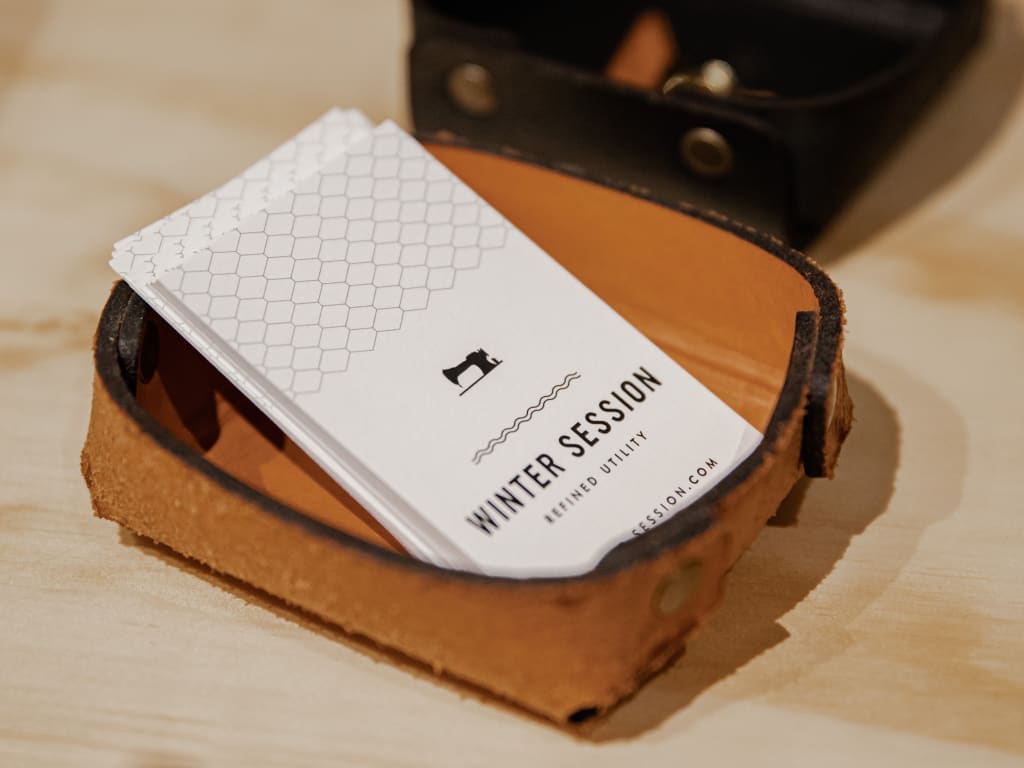
Having a set of business cards is an essential part of any professional’s toolkit. You’ve probably heard the old adage, “You never get a second chance to make a first impression.” When it comes to making sure your business leaves an impression with potential customers, one of the most important items you need is a professional-looking business card. Business cards are a tangible representation of your brand, and having one on hand can be the difference between making a lasting connection with a potential customer or missing out on an opportunity. Let’s take a look at what it takes to create a professional-looking business cards, from choosing your format and design, to business card printing.
Choose Your Format
When designing business cards, it is important to consider the format. The size and shape should play a role in representing your brand properly. The most popular size in Australia is 90x55mm. However, this does not have to be the size for every company. Consider your objectives when finalizing the format. You can choose something fun like a circle to showcase your personality, or something more traditional like a rectangle for classic elegance. When deciding on the format of your business cards, start with reflecting on what kind of message you would like them to send out about your brand and then make sure that it is practical and possible to use in everyday life such as fitting into wallets and pockets easily.
Choose the Right Stock
The stock of your business card matters. You want something durable that won’t crease or tear easily, but also something that looks attractive and has a professional feel to it. Depending on your budget, there are various types of paper stocks from which to choose, including linen and glossy finishes. Consider what kind of message you want to send with your cards—do you prefer a more formal tone or something softer and more inviting? The type of stock will have an impact on this.
Design Your Card
Once you’ve chosen the right stock for your business cards, it’s time to think about design. There are many free online templates you can use, or you can hire a designer who specializes in creating custom designs for businesses. If you are designing your own business card, there are several key elements that you should consider including:
- logo/branding elements
- contact information
- social media handles
- any additional details such as job title or website URL
Make sure that all of the information is easy to read—you don’t want your potential customers struggling to find your contact information!
Additionally, if you are using colors in your design, stick to 2-3 colors max and make sure they complement each other well.
Print Your Card
Once you have designed your business card, it’s time to get it printed! When choosing a printer, make sure that the quality is top-notch; after all, this is the first impression that people will have of your brand! A good starting point is to check out the business's Google reviews. If possible, consider working with a local printer who can provide a quick turn-around and additional services such as foil stamping and die cutting for even more customization options.
Conclusion
A good set of business cards can be an invaluable asset in any professional situation. Crafting the perfect design takes some thought and effort but the end result will be worth it when it comes time to hand out those cards at networking events or conferences. Hopefully these tips have given you some insight into how to create professional-looking business cards that represent who you are and what your brand stands for!
About the Creator
Keep reading
More stories from Elise Harden and writers in FYI and other communities.
Choosing the Right pH Meter for Wine Making
Wine making is an art and a science, and accuracy is of the utmost importance. When it comes to testing the acidity level of your wine, a reliable and accurate pH meter is critical. But how do you choose the right one? Let’s break down what to look for in a pH meter when it comes to wine making.
By Elise Harden3 years ago in FYI
United States Glass Drinkware Market Size and Forecast 2025–2033
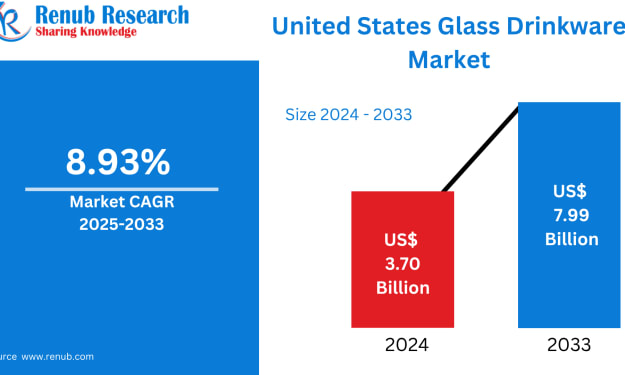
United States Glass Drinkware Market The United States Glass Drinkware Market is expected to reach US$ 7.99 billion by 2033, rising from US$ 3.7 billion in 2024, at a CAGR of 8.93% from 2025 to 2033. Growing consumer awareness of sustainability and reusable materials, the expansion of the hospitality and beverage industries, and the desire for high-end, fashionable glassware in both homes and foodservice settings are the main factors propelling the U.S. glass drinkware industry.
By jaiklin Fanandish7 days ago in FYI



Comments
There are no comments for this story
Be the first to respond and start the conversation.