
How On-Device AI Changes App Resource Management?
What shifts when apps stop asking distant systems for answers and start making decisions on the device itself

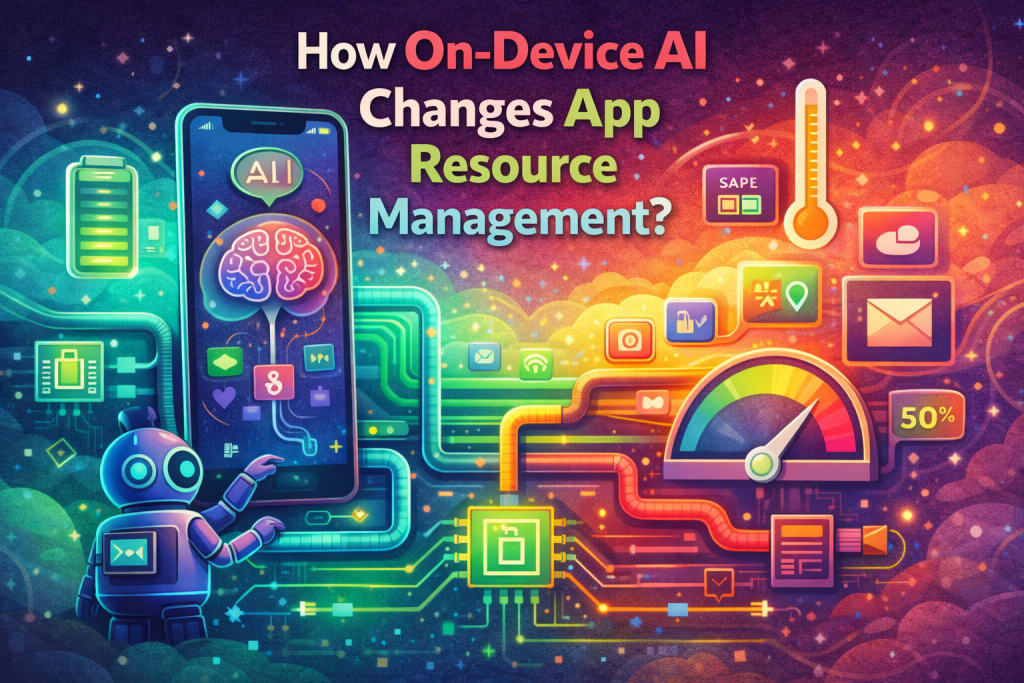
I noticed it during a moment that felt almost too ordinary to matter. The app reacted before I expected it to. Not faster in a dramatic way, just calmly, like it already knew what I was about to do. There was no loading pause, no visible negotiation with the network. It felt prepared.
That preparedness made me pause.
It wasn’t magic. It was computation happening closer than I was used to.
Resource Management Used to Be a Server Conversation
For a long time, resource management felt like a distant concern. Devices gathered input. Servers decided what mattered. The phone mostly waited.
I grew used to thinking of phones as messengers. They collected signals, sent them away, and reacted once instructions came back. Memory, compute, and decision-making lived somewhere else.
That separation shaped how apps behaved. Latency was expected. Background work was predictable. Resource pressure followed familiar patterns.
On-Device AI Changes Where Decisions Live
On-device AI shifts that balance quietly. Decisions that once required a round trip now happen locally.
The app doesn’t ask permission as often. It predicts. It classifies. It reacts based on patterns it has already learned.
That change affects far more than responsiveness. It changes how resources are consumed minute by minute.
When Intelligence Moves Closer, Pressure Does Too
Running models on the device means compute stays local. Memory gets used differently. Energy consumption becomes less predictable.
I’ve watched apps feel smoother while the device warms slightly faster. I’ve seen battery drain patterns change without any obvious foreground activity.
On-device intelligence trades network cost for local pressure. The app feels faster. The device works harder.
Resource Use Becomes Bursty Instead of Steady
Traditional apps often consume resources steadily. Requests go out. Responses come back. Work spreads over time.
On-device AI behaves differently. It wakes up, thinks intensely for a short burst, then goes quiet.
That burstiness changes scheduling. Threads spike. Memory fills briefly. The system has to accommodate sudden demand without breaking flow.
Users don’t see the spike. They feel the result.
Memory Starts Carrying Knowledge, Not Just State
Before, memory mostly held data and UI state. Now it holds representations. Models. Intermediate results.
Those objects live longer than simple values. They don’t always fit neatly into old assumptions about lifecycle.
I’ve seen memory feel heavier not because of leaks, but because knowledge itself takes space.
Managing what stays resident and what gets released becomes more subtle.
Background Behavior Feels Smarter, But It Isn’t Free
On-device AI often runs quietly in the background. Classifying photos. Learning usage patterns. Preparing suggestions.
This background intelligence feels helpful. Still, it consumes cycles even when the user isn’t watching.
The challenge isn’t stopping it. It’s deciding when it deserves attention.
Resource management becomes a negotiation between helpfulness and restraint.
The Device Starts Sharing Responsibility With the App
Previously, devices enforced limits aggressively. Apps asked, devices granted or denied.
With on-device AI, apps take on more responsibility. They choose when to think. When to wait. When to scale down.
Poor decisions don’t just affect performance. They affect trust in the entire system.
I’ve learned that smarter apps must also be more considerate ones.
Thermal Behavior Becomes Part of the Experience
Heat is one of the first signals something has changed.
I’ve felt devices grow warm while doing seemingly simple tasks. The UI stayed smooth. The app behaved well. Still, the device worked harder underneath.
On-device AI introduces thermal considerations earlier in the design process. Sustained intelligence costs energy, and energy turns into warmth.
Ignoring that feedback leads to throttling later.
Responsiveness Improves, Predictability Shifts
Users often describe on-device AI-powered apps as feeling more responsive. They’re right.
What changes beneath that responsiveness is predictability. Resource use depends on patterns, not requests.
An action that feels identical may trigger different computation based on context. The app adapts. Resources follow.
Testing becomes harder because behavior isn’t always deterministic.
Why Traditional Optimization Stops Being Enough
Old optimization strategies assumed known workloads. Known paths. Known costs.
On-device AI introduces variability. Models evolve. Inputs differ. Decisions branch.
Optimizing one path doesn’t guarantee stability across others. Resource management becomes probabilistic rather than fixed.
Teams must think in ranges instead of absolutes.
How This Shows Up in Real Projects
In work tied to mobile app development Austin environments, I’ve seen on-device intelligence reshape expectations quickly.
Apps feel more personal. More immediate. At the same time, resource complaints arrive differently. Not constant drain, but occasional spikes.
Users say things like “it gets warm sometimes” or “it’s fast but feels heavy later.”
Those comments point directly to local intelligence at work.
Battery Life Becomes Contextual
Battery drain used to correlate strongly with usage. Screen on meant cost. Screen off meant rest.
On-device AI breaks that simplicity. Background learning and inference blur the line.
Battery usage depends on behavior patterns, not just interaction time.
Resource management has to become situational, aware of context beyond the foreground.
Scheduling Becomes an Ethical Decision
With more intelligence comes more responsibility.
Should the app run this model now or later. Should it wait for charging. Should it pause when the device is warm.
These aren’t purely technical choices. They affect user comfort and trust.
On-device AI forces teams to consider impact, not just capability.
Observability Becomes More Important Than Ever
When behavior depends on learned patterns, visibility matters.
Teams need to understand when models run, how often, and under what conditions. Otherwise, resource usage feels mysterious even internally.
Without visibility, optimization becomes guesswork.
The smarter the app, the more important awareness becomes.
Users Feel the Tradeoffs Without Naming Them
Users rarely say “on-device AI is affecting my resources.” They say the phone feels warm. Or the battery drops unexpectedly. Or the app feels amazing but demanding.
Those contradictions come from tradeoffs playing out in real time.
Good resource management doesn’t eliminate tradeoffs. It hides them gracefully.
Designing for Graceful Intelligence
The most successful on-device AI experiences I’ve seen share one trait. Restraint.
They don’t run models constantly. They choose moments carefully. They respect the device as much as the user.
That respect shows up as consistency. Calmness. Trust.
The Shift From Capability to Care
On-device AI makes powerful things possible. That’s the exciting part.
The harder part is caring for resources responsibly. Deciding when not to act.
I’ve learned that intelligence without care feels intrusive. Intelligence with care feels invisible.
Ending With the App That Felt Ready, Not Busy
I think back to that moment when the app responded calmly, without asking the network or hesitating.
It didn’t feel rushed. It didn’t feel heavy. It felt ready.
On-device AI changes app resource management by moving intelligence closer to the user. That closeness brings speed, but also responsibility.
When teams learn to manage that responsibility well, apps stop feeling like they’re working all the time. They start feeling like they’re paying attention at the right moments.
That difference is what users remember, even if they never know why.
About the Creator
Keep reading
More stories from Mary L. Rodriquez and writers in FYI and other communities.
Why Subscription Models Are Reshaping the Software Industry?
There was a time when buying software felt definitive. You paid once, installed it, and owned that version indefinitely. Updates arrived occasionally, often bundled into paid upgrades released years later. Revenue flowed in spikes around product launches, and companies measured success largely by sales volume.
By Mary L. Rodriquez4 days ago in FYI
Become A Vocal Facebook Group Member And Bathe In The Positivity
Although this is a positive post about the positivity of being a Vocal Creator, many are attracted by the possible prizes from the Challenges. The bad news is that this is effectively a lottery , you pay your ten dollars a month, you can enter your stories and the chances are it will not even be in the top three no matter how good your story is. However you get paid for reads and the 0.4c a read goes up to almost 0.7c a read for a Vocal+ member. Again the bigger your reader base and following the more you will get but I am not going into that there are plenty of better advisers on getting seen and SEO and here is my own piece. As a Vocal+ member you can withdraw when you hit $20 instead of the $35 for basic Vocal members.
By Mike Singleton 💜 Mikeydred 6 days ago in FYI



Comments
There are no comments for this story
Be the first to respond and start the conversation.