
Apple iPad Pro 13-inch (M5) Review — Redefining the Future of Tablets
Apple iPad Pro M5 Review: Specs, Price, Features, Pros and Cons, and Why It’s the Best Tablet of 2025

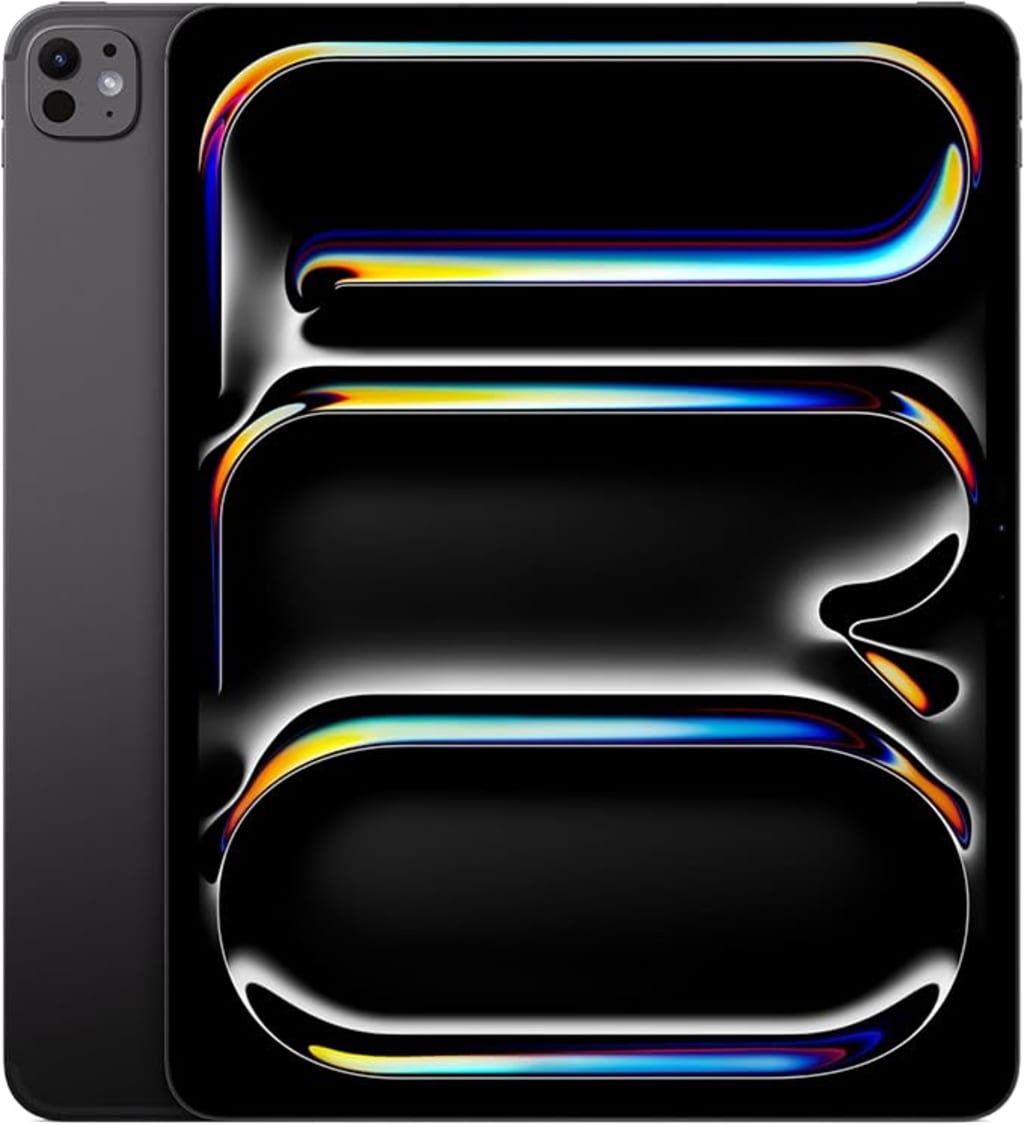
When Apple first launched the iPad Pro, it was clear that the company wanted to bridge the gap between tablet and laptop. Over the years, each generation has pushed that line further — but the new Apple iPad Pro 13-inch (M5) completely redraws it. With the blazing-fast M5 chip, Ultra Retina XDR display, Apple Intelligence integration, and iPadOS 26, this model doesn’t just refine the iPad experience — it reinvents it.
In this in-depth review, we’ll explore everything you need to know about the iPad Pro (M5): its design, display, performance, AI capabilities, accessories, and whether it’s worth the $1,499 price tag.
Design: Sleek, Lightweight, and Pro to the Core
At first glance, the iPad Pro (M5) looks familiar — until you pick it up. Apple has trimmed the frame and bezels to make this the thinnest and lightest 13-inch iPad ever. The Space Black color gives it a striking, professional appeal, though a more minimalist Silver option is also available.
The body is crafted from recycled aluminum, maintaining Apple’s sustainability push while feeling solid and premium in the hand. The precision of the build is unmistakable — from the even bezels around the display to the perfectly integrated Face ID sensors.
At just under 1.2 pounds, it’s surprisingly light for a 13-inch device. Whether you’re sketching, editing, or reading, it’s comfortable to hold for long sessions. Apple’s design maturity truly shines here — every detail feels intentional and refined.
Display: Ultra Retina XDR Is Simply Breathtaking
The 13-inch Ultra Retina XDR display is one of the biggest highlights of this model. With a 2752-by-2064 resolution at 264 pixels per inch It delivers stunning clarity, brightness, and color accuracy. Apple’s new tandem OLED technology (used in this display) combines two OLED panels for better contrast and richer black levels.
The result? Deep, inky blacks, dazzling whites, and incredible HDR performance. Watching 4K content or editing photos on this screen feels like looking through a window — not a display.
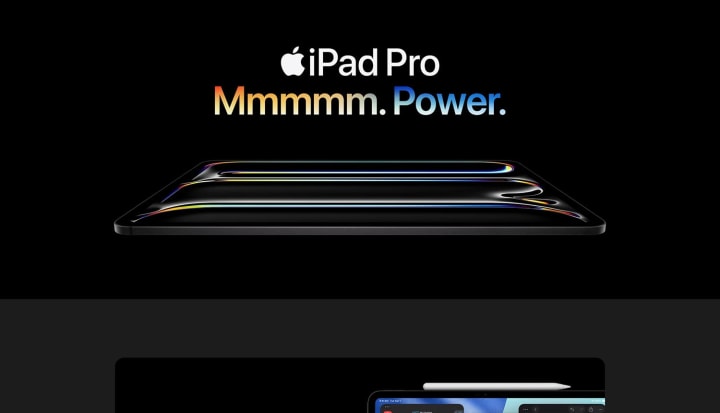
Apple’s ProMotion technology ensures buttery-smooth scrolling and animations with adaptive refresh rates up to 120Hz, while True Tone and P3 wide color support makes this a dream for creative professionals.
For those who work in high-glare environments, Apple also offers a Nano-Texture Glass option (available in 1TB and 2TB models), which reduces reflections without sacrificing image quality.
Performance: The Power of M5 and On-Device AI
Apple’s M5 chip is the heart of this iPad — and it’s an absolute beast. Built with advanced efficiency cores and a new neural engine, it delivers desktop-class performance in a device thinner than most smartphones.
Whether you’re editing 8K ProRes video, rendering 3D graphics, or running multiple pro apps side-by-side, the M5 chip handles it all effortlessly. The Neural Accelerators inside the M5 make it especially powerful for AI-driven tasks — and that’s where Apple’s new Apple Intelligence system comes in.
Apple Intelligence: Smart, Private, and Personal
With iPadOS 26, Apple introduces Apple Intelligence, a system-wide AI that helps users write, summarize, and organize tasks seamlessly — all while keeping data private and on-device.
Need to rephrase an email, generate an image, or find notes by concept rather than keyword? The iPad Pro does it all locally, without sending your personal data to the cloud. It’s Apple’s answer to the AI revolution — private, reliable, and deeply integrated into the workflow.
iPadOS 26: Designed for Power Users
The iPadOS 26 update feels tailor-made for the new iPad Pro. The redesigned Liquid Glass interface gives a fluid, futuristic feel, while the new windowing system allows for intuitive multitasking. You can now drag, resize, and layer windows freely, bringing the iPad even closer to a full desktop experience.
Professional apps like Final Cut Pro, Logic Pro, and DaVinci Resolve run flawlessly, proving that iPadOS has finally grown into a true productivity platform. For creatives, it’s a joy. For business users, it’s surprisingly capable.
Camera and LiDAR: Pro-Grade Imaging
Apple has re-engineered its camera placement, moving the 12MP front camera to a landscape position — a small but significant change that makes video calls more natural. Center Stage keeps you perfectly framed even as you move, and the four studio-quality microphones ensure crystal-clear audio.
On the back, the 12MP Wide camera is paired with a LiDAR Scanner for depth mapping, AR experiences, and advanced photography. Whether you’re scanning rooms, shooting content, or editing visuals, the camera system performs admirably for a tablet.
While it won’t replace a dedicated camera, it’s a powerful tool for professionals who value versatility.
Battery Life: All-Day Power
Despite its performance, the iPad Pro (M5) still delivers all-day battery life — around 10–12 hours of typical use. Apple’s efficient silicon ensures power is used intelligently, even during heavy workloads.
Fast charging via USB-C (Thunderbolt 4) is supported, and it’s compatible with a wide range of accessories and external displays. For most users, battery anxiety won’t be an issue.
Connectivity: Wi-Fi 7 and 5G at Lightning Speed
The M5 iPad Pro is also Apple’s most connected tablet yet. With Wi-Fi 7 support and the Apple N1 + C1X chip wireless performance is ultra-fast and stable. The 5G cellular option makes remote work, streaming, and collaboration effortless on the go.
You can easily connect to external drives, 6K monitors, or even networks via USB-C — turning your iPad Pro into a powerful mobile workstation.
Accessories: Pencil Pro and Magic Keyboard
No iPad Pro experience is complete without Apple’s accessories. The Apple Pencil Pro introduces haptic feedback and a new barrel roll gesture for unprecedented control in creative apps. Whether you’re sketching, annotating, or sculpting in 3D, it feels intuitive and precise.
The new Magic Keyboard has also been redesigned with a larger trackpad, haptic feedback, and function keys — finally giving users a true laptop-like typing experience.
These accessories don’t come cheap, but they complete the iPad Pro ecosystem beautifully.
Pros and Cons
✅ Pros
Stunning Ultra Retina XDR display with tandem OLED technology
M5 chip delivers desktop-grade performance
Apple Intelligence enables private, powerful AI workf
iPadOS 26 offers real multitasking and pro-app support
Lightweight, premium design
Wi-Fi 7 and 5G connectivity for next-gen speed
Excellent camera system with LiDAR and Center Stage
All-day battery life
❌ Cons
Expensive — especially with accessories
Limited macOS-style file management
Some pro apps still missing full desktop parity
Base storage (256GB) may not be enough for heavy users
Nano-Texture option restricted to higher tiers
Who Should Buy the iPad Pro (M5)?
The iPad Pro (M5) is ideal for:
Creative professionals — designers, artists, video editors, and photographers
Business users who need a powerful yet portable workstation
Students or tech enthusiasts who want future-proof performance
Anyone invested in the Apple ecosystem looking for the ultimate tablet
If you just need a device for streaming or light productivity, the iPad Air (M3) may be a better value. But if you crave uncompromising power and the best display on any tablet, the M5 iPad Pro is unmatched.
Verdict: The Most Powerful Tablet Ever Made
Apple has once again redefined what a tablet can be. The iPad Pro 13-inch (M5) isn’t just faster — it’s smarter, more immersive, and more capable than any iPad before it. From the Ultra Retina XDR display to the AI-driven workflows of Apple Intelligence, this is a device built for the future of computing.
It’s not cheap, but it’s undeniably cutting-edge. For professionals and creators who want the best — and can afford it — the iPad Pro (M5) sets a new benchmark.
Rating: ★★★★★ (4.8/5)
Frequently Asked Questions (FAQs)
Q1: What’s new in the iPad Pro (M5) compared to the previous M4 model?
A1: The M5 chip introduces next-gen Neural Accelerators for faster AI tasks, a thinner chassis, upgraded OLED display tech, and Apple Intelligence integration with iPadOS 26.
Q2: Can the iPad Pro (M5) replace a laptop?
A2: For most users, yes. With the Magic Keyboard and iPadOS 26’s new multitasking, it’s a true laptop alternative — though certain pro apps (like full desktop Xcode or Blender) are still missing.
Q3: Is the Nano-Texture display worth it?
A3: If you work in bright or reflective environments, absolutely. It reduces glare significantly and maintains excellent color fidelity.
Q4: How long does the battery last?
A4: Around 10–12 hours of typical use, depending on brightness and workload.
Q5: Does it support older Apple Pencils and Keyboards?
A5: It supports Apple Pencil (USB-C) and the new Apple Pencil Pro. Older magnetic Pencils aren’t compatible with this model due to connector redesign.
Final Thoughts
The Apple iPad Pro 13-inch (M5) represents a major leap in Apple’s tablet evolution — not just in power, but in intelligence. It’s the kind of device that redefines expectations and proves that the iPad is no longer just a “bigger iPhone.”
For those who demand the very best, this is the ultimate iPad experience — one that’s powerful enough to replace your laptop and elegant enough to inspire creativity every time you use it.
About the Creator
NextGen Mobile Tech
- I review the latest smartphones, mobile accessories, and tech essentials to help you make smart buying decisions. Explore my curated kits for phones and gear here: [Kit.co link].
Keep reading
More stories from NextGen Mobile Tech and writers in Futurism and other communities.
About Binding Prometheus
I want to start actively advocating on behalf of my own work, and the most valuable part of my canon is, without a doubt, Binding Prometheus, the play I have been working on since 2019 and only finished in 2023 as part of my MA. The play itself is an amalgamation of a million different inspirations. On one end, it evokes the Ancient Greek myth-play, deriving its own title from the earliest extant work of Western drama we have, Aeschylus’s Prometheus Bound. On the other end, it borrows significantly from the sci-fi bulwarks from over the years, namely Mary Shelley’s Frankenstein and Karel Capek’s Rossum’s Universal Robots. The play could be an episode of Black Mirror, I fear. I don’t know. I’ve only ever seen one episode of Black Mirror.
By Steven Christopher McKnight18 days ago in Futurism


Comments
There are no comments for this story
Be the first to respond and start the conversation.