
Top 10 Free Video Editing Software for Beginners and Pros.
"Get Our Top Software Picks"
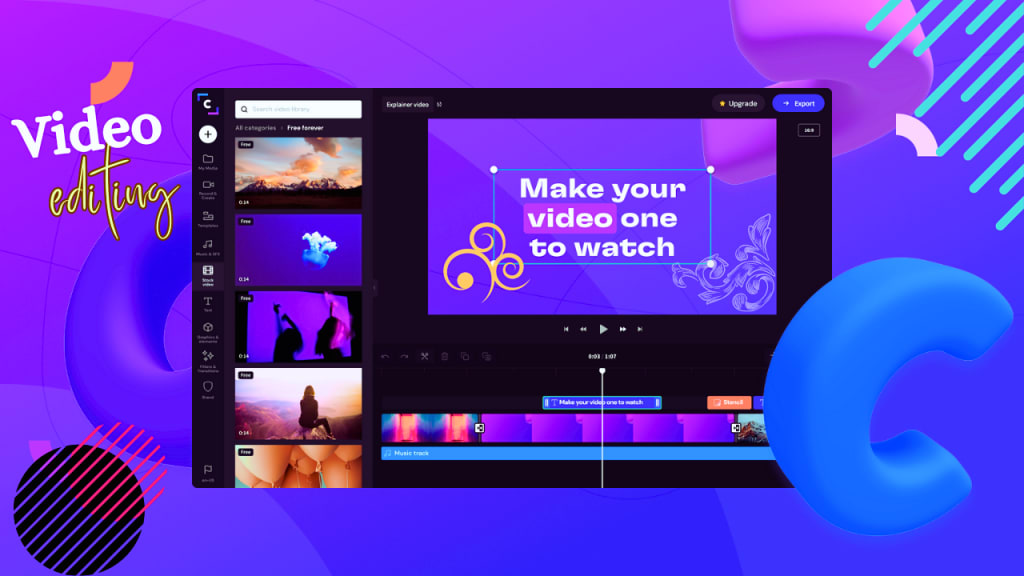
Are you looking for free software to edit your videos? Video editing has become increasingly important in today's digital age, but not everyone has the budget for expensive editing software.
Luckily, there are several free options available for video editing that can help you create professional-looking videos without breaking the bank. In this article, we will explore some of the best free software options for video editing and how they can help you achieve your editing goals.
Whether you are a beginner or a seasoned editor, these tools can help you take your video editing skills to the next level. So let's get started and discover the world of free video editing software!
1. OpenShot:
Description:
OpenShot is one of the best free software for video editing available on the market today. It is an open-source video editing software that is simple to use and powerful enough to create professional-looking videos.
Functions:
OpenShot allows users to perform a wide range of functions including video trimming, cutting, resizing, adding transitions, effects, and audio tracks. Users can also create animated titles and 3D animations with this software.
Advantages:
One of the main advantages of OpenShot is that it is free to download and use, making it an excellent option for those who are just starting out with video editing. It also offers a simple and easy-to-use interface, which makes it easy to learn for beginners. OpenShot also supports a wide range of video formats and has a large library of pre-built transitions and effects.
Disadvantages:
One disadvantage of OpenShot is that it may not be suitable for complex video editing projects as it does not have as many advanced features as some of the more expensive video editing software. Additionally, it may not be as stable as some other software options and may crash occasionally.
Download Link: To download OpenShot, simply visit their website at https://www.openshot.org/download/ and choose the appropriate version for your operating system.
2. Shotcut:
Description:
Shotcut is a popular and powerful free software for video editing. It is an open-source video editor that provides a variety of advanced features to its users.
Functions:
With Shotcut, users can perform a wide range of functions such as cutting, trimming, adding filters, and effects, working with multiple audio and video tracks, and more. It also supports a variety of video formats and resolutions, making it a versatile tool for video editing.
Advantages:
One of the main advantages of Shotcut is its user-friendly interface, which makes it easy to use for beginners. Additionally, it has a wide range of features that are usually only found in paid video editing software. It also supports 4K resolution video editing and has a variety of audio and video filters and effects.
Disadvantages:
One of the main disadvantages of Shotcut is that it may take some time to get used to its interface and features. It may also be less stable than some of the more expensive video editing software. Additionally, it may not have as many advanced features as some of the other free video editing software options.
Download Link: To download Shotcut, simply visit their website at https://shotcut.org/download/ and choose the appropriate version for your operating system.
3. DaVinci Resolve:
Description:
DaVinci Resolve is one of the best free software for video editing available on the market today. It is a professional-level video editing software that offers advanced features and capabilities.
Functions:
DaVinci Resolve provides a wide range of functions, including video trimming, color correction, audio editing, and visual effects. It also has advanced features such as motion graphics, 3D compositing, and multi-camera editing.
Advantages:
One of the main advantages of DaVinci Resolve is its professional-level features, which make it a powerful tool for professional video editors. It offers a variety of advanced features that are typically only found in expensive software options. It also provides a user-friendly interface that makes it easy to use for beginners.
Disadvantages:
One of the main disadvantages of DaVinci Resolve is that it may be too advanced for beginners and may require some time to learn its features. Additionally, it may require a more powerful computer system to run smoothly. The free version of DaVinci Resolve also has some limitations, such as the inability to work with 3D stereoscopic projects.
Download Link: To download DaVinci Resolve, simply visit their website at https://www.blackmagicdesign.com/products/davinciresolve/ and choose the appropriate version for your operating system.
4. VSDC Free Video Editor:
Description:
VSDC Free Video Editor is a popular and powerful free video editing software. It is a non-linear video editor that provides a variety of advanced features to its users.
Functions:
VSDC Free Video Editor can perform a wide range of functions, including video and audio editing, color correction, text and image overlay, visual effects, and more. It also allows users to export videos in a variety of formats, including high-quality 4K resolution.
Advantages:
One of the main advantages of VSDC Free Video Editor is its intuitive interface, which makes it easy for users to start editing their videos. It also has a wide range of advanced features that are typically found only in expensive paid video editing software. Additionally, VSDC Free Video Editor allows for precise editing, with options for adjusting audio levels and trimming video clips frame by frame.
Disadvantages:
One potential disadvantage of VSDC Free Video Editor is that it may take some time to learn how to use all of its advanced features. Additionally, it may be less stable than some of the more expensive video editing software options. Finally, VSDC Free Video Editor is only available for Windows operating systems.
Download Link:
To download VSDC Free Video Editor, simply visit their website at https://www.videosoftdev.com/free-video-editor/download and choose the appropriate version for your Windows operating system.
"Say Goodbye to Hard-to-Use Editing Software and Say Hello to Superpower Software!" To Know more, Click here.
5. Blender:
Description:
Blender is a versatile open-source software that is widely used for 3D modeling, animation, and video editing. It is a powerful free software for video editing that offers advanced features to its users.
Functions:
Blender provides a range of functions for video editing, including cutting, trimming, adding filters, transitions, and effects, and working with multiple audio and video tracks. It also has a 3D animation toolset that enables users to create complex 3D animations and visual effects.
Advantages:
One of the main advantages of Blender is its versatility, as it can be used for various purposes such as 3D modeling, animation, and video editing. It also provides a range of advanced features that are usually only found in paid video editing software. Additionally, it has a large community of users who provide support and resources for the software.
Disadvantages:
One disadvantage of Blender is that it may take some time for beginners to learn how to use its interface and advanced features. It may also be less stable than some of the other video editing software options, and it may not be suitable for simple video editing tasks.
Download Link:
To download Blender, simply visit their website at https://www.blender.org/download/ and choose the appropriate version for your operating system.
6. Lightworks
Description:
Lightworks is a popular free video editing software that has been used in the film industry for years. It is a professional-grade video editing software that offers a wide range of features and tools for video editing.
Functions:
Lightworks provides a comprehensive set of video editing functions, including trimming, cutting, adding effects and transitions, and audio editing. It also offers advanced features such as color correction, multicam editing, and 3D editing.
Advantages:
One of the main advantages of Lightworks is its advanced features, which make it suitable for professional-level video editing. It is also fast and stable, making it a reliable option for editing large video files. Lightworks offers a simple and intuitive interface, which is easy to navigate, even for beginners.
Disadvantages:
One of the main disadvantages of Lightworks is that it has a steep learning curve, which may be overwhelming for beginners. It also has limited format support and may require users to convert their video files to a compatible format before editing. Additionally, some advanced features may only be available in the paid version of the software.
Download Link:
To download Lightworks, simply visit their website at https://www.lwks.com/ and choose the appropriate version for your operating system.
7. HitFilm Express:
Description:
HitFilm Express is one of the best free software for video editing that provides powerful tools for video editing, visual effects, and compositing. It is an all-in-one solution for creating professional-quality videos and films. This software is designed for filmmakers, YouTubers, and other video creators who want to produce high-quality content without breaking the bank.
Functions:
HitFilm Express can perform a wide range of video editing functions, including trimming and cutting video clips, adding transitions, color correction, audio editing, and much more. It also features advanced visual effects, such as particle simulations, green screen compositing, and 3D compositing.
Advantages:
One of the biggest advantages of HitFilm Express is its advanced visual effects capabilities, which rival those of much more expensive software. Additionally, it is a very user-friendly software, making it easy for beginners to get started with video editing. HitFilm Express also provides extensive tutorials and online support, making it easy to learn and master the software.
Disadvantages:
One downside of HitFilm Express is that it can be resource-intensive, and may not run well on older or less powerful computers. Additionally, some users may find the interface to be cluttered or overwhelming at first.
Software Download Link:
You can download HitFilm Express for free from their official website: https://fxhome.com/hitfilm-express/download
8. Avidemux:
Description: Avidemux is a popular free and open-source video editing software that allows users to easily perform basic video editing tasks. It is a simple and easy-to-use software that is suitable for beginners and advanced users alike.
Functions: Avidemux can perform a variety of video editing tasks, including cutting, filtering, and encoding. Users can also add subtitles, adjust colors and brightness, and remove audio tracks.
Advantages:
1. Free and open-source software.
2. Easy to use and suitable for beginners.
3. Supports a wide range of video formats.
4. Performs basic video editing tasks quickly and efficiently.
5. Has a user-friendly interface.
Disadvantages:
1. Limited features compared to other video editing software.
2. Does not support advanced video editing tasks.
3. Can be unstable at times.
Download link: https://avidemux.sourceforge.io/download/
Top of Form
9. Filmora9:
Description:
Filmora9 is one of the best free software for video editing available today. It is user-friendly and easy to use, making it a great choice for both beginners and professionals.
Functions:
This software offers a wide range of video editing functions, including video trimming, splitting, merging, and adding special effects. It also has advanced features such as motion tracking and keyframing, allowing you to create complex and professional-looking videos.
Advantages:
One of the main advantages of Filmora9 is its user-friendly interface, which makes it easy for anyone to use. It also offers a wide range of effects and filters to choose from, allowing you to create unique and creative videos. In addition, it supports 4K resolution, making it a great choice for high-quality video editing.
Disadvantages:
One potential disadvantage of Filmora9 is that some of its advanced features are only available in the paid version. Additionally, it may not be suitable for more complex projects, as it lacks some of the features of more advanced video editing software.
Download Link: You can download Filmora9 for free from the official website: https://filmora.wondershare.com/video-editor/
10. Machete Video Editor Lite
Machete Video Editor Lite is one of the best free software for video editing available today. It is a lightweight and easy-to-use software that offers a range of editing features to help users create professional-looking videos.
With Machete Video Editor Lite, users can easily edit video and audio files by cutting, copying, pasting, deleting, and rearranging sections of their footage. The software also supports various video and audio formats, making it a versatile tool for editing different types of media files.
Advantages of Machete Video Editor Lite include its user-friendly interface, quick processing speed, and ability to edit video and audio separately. It is also free to download and use, making it a cost-effective option for those on a budget.
However, some of the disadvantages of Machete Video Editor Lite include limited editing features compared to more advanced software and a lack of support for some video and audio formats.
To download Machete Video Editor Lite, visit the official website at https://www.machetesoft.com/home/about-machete-video-editor-lite.html.
Market Ranking of the Software’s
Based on market research and user ratings, the ranking chart for the above video editing software is as follows:
1. DaVinci Resolve: ★★★★★
2. Blender: ★★★★☆
3. HitFilm Express: ★★★★☆
4. OpenShot: ★★★★☆
5. Lightworks: ★★★☆☆
6. Shotcut: ★★★☆☆
7. Filmora9: ★★★☆☆
8. VSDC Free Video Editor: ★★☆☆☆
9. Avidemux: ★★☆☆☆
10. Machete Video Editor Lite: ★☆☆☆☆
Please note that this ranking may vary depending on individual user preferences and needs.
In conclusion, video editing has become an essential skill for content creators, businesses, and even individuals looking to create stunning video content. While many professional editing software options exist in the market, not everyone can afford them. Fortunately, there are plenty of free video editing software options that offer a wide range of features and functionalities to create high-quality videos.
By using these free video editing software options, users can create professional-looking videos without having to invest a significant amount of money. Whether you're a beginner or an experienced editor, there is a video editing software on this list that can help you achieve your editing goals. So go ahead, choose the one that suits you best, and start creating compelling video content today!
"Say Goodbye to Hard-to-Use Editing Software and Say Hello to Superpower Software!" To Know more, Click here.
About the Creator
Keep reading
More stories from money leads and writers in Education and other communities.
How to Become a Super Amazon Affiliate Faster? Uncover the Shortcut!
The Amazon Affiliate program, also known as Amazon Associates, is a program offered by Amazon that allows individuals or businesses to earn commissions by promoting Amazon products on their website, blog, social media platforms, or other online channels.
By money leads3 years ago in Education
Morgan Silver Dollars: A Beginner's Guide to Identifying Key Dates and Mint Marks
For over eight years as a Senior Numismatic Analyst, I've seen the glint in a new collector's eye when they hold their first Morgan Silver Dollar. It's a powerful feeling—the weight of 90% pure silver, the history in Lady Liberty's profile, the sheer size of America's most iconic coin. Yet, with hundreds of millions minted across 27 years and five mints, it's easy to feel overwhelmed. A common 1921 Morgan might be worth $50, while a pristine 1895 Proof commands over $100,000. The difference lies in the tiny details of dates and mint marks. This guide will give you the foundational map to navigate this classic series, turning confusion into confident identification.
By Laura Bennett2 days ago in Education
How Hospital Systems Can Support Physician-Led Philanthropy for Stronger Care
Hospitals today face growing pressure. Costs rise, patient needs evolve, and staff feel stretched. At the same time, many physicians want to give back beyond their daily clinical work. They want to support patients, fund research, and improve community health. This is where physician-led philanthropy in hospital systems becomes essential. When doctors lead giving efforts, donations align closely with real patient needs. Hospital systems play a key role in making this work successful. Physicians see gaps in care every day. They understand where support is missing. When hospitals support their efforts, philanthropy becomes more focused, trusted, and effective. Strong systems help turn good intentions into lasting impact.
By Dr. Seth Eidemiller4 days ago in Education




Comments
There are no comments for this story
Be the first to respond and start the conversation.