
Maximizing Your Google My Business Photos: A Complete Guide for 2024
Unlock the potential of your Google My Business listing with our 2024 guide. Learn expert tips and strategies to maximize your photos, attract more customers, and enhance your online presence.

Introduction
In the ever-evolving landscape of local SEO, Google My Business Photos play a pivotal role. They are not just decorative elements but strategic assets that can significantly boost your business's visibility and attractiveness. High-quality images can enhance your GMB listing, making it more engaging and appealing to potential customers. This, in turn, can lead to increased foot traffic, higher engagement rates, and ultimately, more conversions.
First impressions matter, especially in the digital age. High-quality photos can create a positive perception of your business. They convey professionalism, attention to detail, and a commitment to quality. When potential customers see well-curated images of your business, they are more likely to trust you and choose your services over competitors.
Role of Photos in Google My Business
Influence on Search Rankings and Customer Decisions
Photos are a crucial factor in local search rankings. Google's algorithms favor listings with rich visual content, interpreting them as more informative and user-friendly. A well-maintained photo gallery can boost your position in search results, making it easier for customers to find you. Moreover, images can influence customer decisions by providing a tangible sense of what to expect. This visual assurance can tip the scales in your favor when customers are comparing businesses.
Google’s Guidelines on GMB Photos
Google has specific guidelines to ensure that the photos you upload meet certain standards. These guidelines cover aspects such as image quality, content appropriateness, and technical specifications. Adhering to these guidelines is crucial to ensure your photos are approved and displayed correctly.
Ideal Image Sizes and Formats
Recommended Image Sizes for GMB
To make the most out of your Google My Business Photos, it's essential to use the right image sizes. According to Google, the ideal size for profile photos is 250x250 pixels, while the cover photo should be 1080x608 pixels. For other photos, a minimum resolution of 720x720 pixels is recommended. You can find more detailed specifications here.
Best Practices for Image Formats (JPEG, PNG, etc.)
JPEG and PNG are the most recommended formats for GMB photos. JPEGs are great for high-quality images with rich colors, while PNGs are ideal for images requiring transparency. Always ensure your images are compressed to balance quality and load time, as this can affect user experience and SEO.
Types of Photos to Include
Exterior and Interior Shots
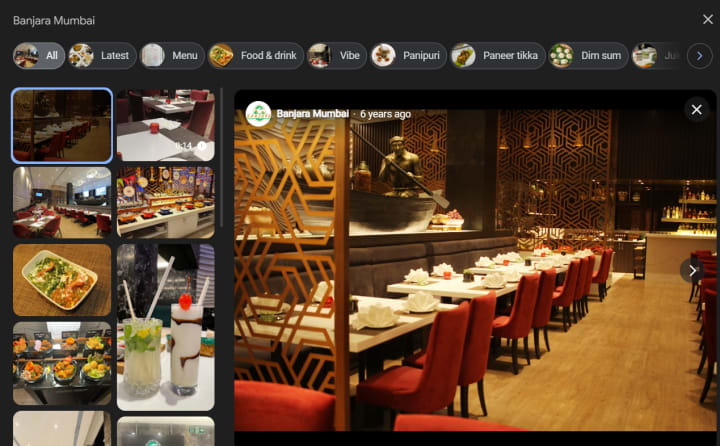
Exterior shots give potential customers a sense of your business’s location and surroundings. They help customers identify your business from the street. Interior shots showcase the ambiance and layout of your space, making it more inviting.
Product/Service Photos
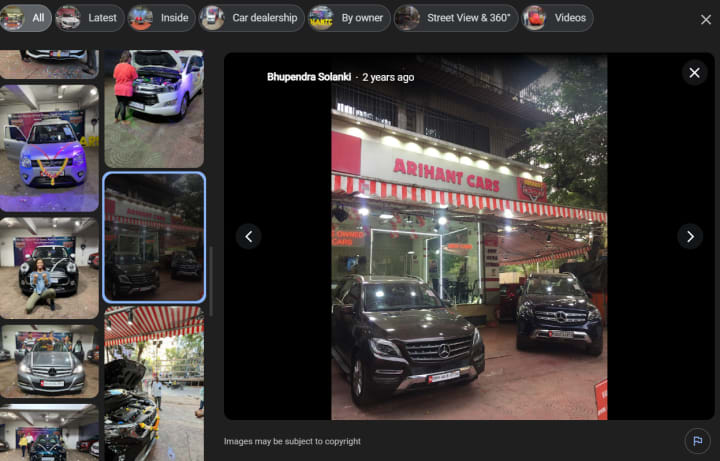
High-quality images of your products or services can significantly enhance your GMB listing. They allow customers to see what you offer, which can drive more inquiries and sales.
Team and Action Shots
Photos of your team at work can humanize your business, making it more relatable and trustworthy. Action shots, such as staff interacting with customers or performing services, provide an authentic glimpse into your business operations.
Tips for Taking Professional Photos
Lighting, Composition, and Editing Tips
Lighting is key to capturing high-quality photos. Natural light is the best, but if that's not possible, use soft, diffused lighting to avoid harsh shadows. Composition is equally important; use the rule of thirds to create balanced and visually appealing shots. Editing can enhance your images, but avoid overdoing it. Tools like Adobe Lightroom or Photoshop can help you adjust brightness, contrast, and color balance.
Tools and Equipment Recommendations
Investing in a good camera can make a huge difference. A DSLR or a high-quality smartphone camera can produce excellent results. Additionally, consider using a tripod for stability, and editing software for post-processing your photos.
Uploading and Managing Photos
Step-by-Step Guide to Uploading Photos on GMB
1. Log in to Your GMB Account: Access your GMB dashboard.
2. Select the Location: Choose the location you want to add photos to.
3. Upload Photos: Click on the "Photos" tab, then "Add Photos." Select the images from your computer or device.
4. Tag and Organize: Use tags to categorize your photos for better organization and visibility.
How to Organize and Tag Your Photos Effectively
Tagging helps categorize your photos, making it easier for customers to find relevant images. Use descriptive tags such as "interior," "exterior," "products," "services," etc. Organize your photos in a logical order, starting with the most impactful images.
Monitoring and Updating Your Photos
Regular Maintenance and Updates
Keeping your Google My Business Photos up-to-date is crucial. Regularly update your gallery with new images to reflect any changes or additions to your business. This shows that your business is active and current.
Tools to Track Photo Performance
Use tools like Google Analytics to track the performance of your photos. Monitor metrics such as views, clicks, and engagement rates to understand what works best. Adjust your photo strategy based on these insights.

Conclusion
High-quality Google My Business Photos are essential for enhancing your online presence and boosting local SEO. From understanding the ideal image sizes to taking professional photos and monitoring their performance, every step is crucial. Don’t underestimate the power of visuals. Start optimizing your GMB photos today to attract more customers and improve your local SEO performance. Follow the guidelines and tips provided in this guide to ensure your photos make a lasting impression.
Frequently Asked Questions (FAQs)
1. How often should I update my Google My Business photos?
It's recommended to update your photos at least once every quarter or whenever there are significant changes to your business, such as renovations, new products, or services.
2. Can I use stock photos for my Google My Business listing?
While stock photos can be used, it's better to use original photos of your business. Authentic images build trust and provide a genuine representation of your business.
3. What should I do if my photos are not displaying correctly on Google My Business?
Ensure that your photos meet Google's guidelines in terms of size, format, and quality. If problems persist, reach out to Google My Business support for assistance.
About the Creator
Anie Mazie
A avid writer crafting various content for the past 8 years and more to cater the needs and queries of the audience for their seamless gathering of knowledge regarding any topic.
Keep reading
More stories from Anie Mazie and writers in Education and other communities.
Ultimate Guide to Google My Business Photos: Boost Your Visibility and Engagement
Introduction In today's digital age, your online presence is more critical than ever. One of the most powerful tools at your disposal is Google My Business (GMB). This platform allows businesses to manage their online presence across Google, including Search and Maps. A well-optimized GMB profile can significantly boost your local SEO, making it easier for potential customers to find you.
By Anie Mazieabout a year ago in Education




Comments
There are no comments for this story
Be the first to respond and start the conversation.