
Ultimate Guide to Google My Business Photos: Boost Your Visibility and Engagement
Learn how to boost visibility and engagement through high-quality images, understand Google's photo requirements, and discover best practices for uploading and optimizing your photos.

Introduction
In today's digital age, your online presence is more critical than ever. One of the most powerful tools at your disposal is Google My Business (GMB). This platform allows businesses to manage their online presence across Google, including Search and Maps. A well-optimized GMB profile can significantly boost your local SEO, making it easier for potential customers to find you.
Role of Photos in Increasing Engagement and Visibility
Photos are a vital component of your GMB profile. High-quality images can transform your online presence, making your business more appealing and engaging to potential customers. According to Google, businesses with photos receive 42% more requests for directions and 35% more click-throughs to their websites compared to those without photos. This highlights the importance of Google My Business Photos in attracting and converting local search traffic.

Section 1: Understanding Google’s Photo Requirements
Overview of Google’s Guidelines for GMB Photos
Google has specific guidelines for the photos you upload to your GMB profile. Adhering to these guidelines ensures your images look their best and comply with Google's standards. Key requirements include:
• Format: Use JPEG or PNG formats.
• Size: Aim for images between 10 KB and 5 MB.
• Resolution: Minimum resolution of 720x720 pixels.
• Quality: Ensure images are in focus, well-lit, and free from excessive alterations.
For a detailed guide on image sizes and formats, check out this resource.
Common Mistakes to Avoid
Avoid common pitfalls like using stock photos, uploading low-quality images, and failing to update your photos regularly. These mistakes can detract from your profile's credibility and appeal.
Section 2: Types of Photos That Drive Engagement
Essential Photo Categories
To make your GMB profile visually appealing and informative, include a variety of photos:
• Exterior Shots: Show the outside of your business, helping customers recognize your location.
• Interior Shots: Give a glimpse of the inside atmosphere and layout.
• Product Photos: Highlight your best products or services.
• Team Photos: Introduce your staff to build a personal connection.
• Action Shots: Showcase your team in action, providing a behind-the-scenes look.
Examples of Engaging Photos for Different Business Types
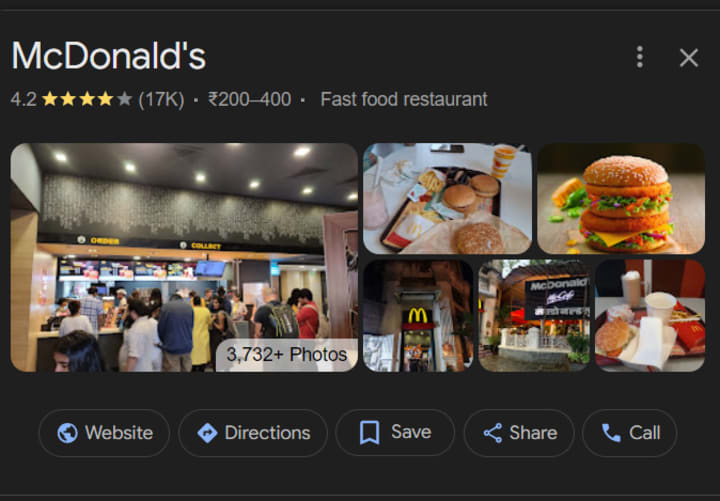
Different businesses require different photo strategies. For instance, a restaurant might focus on mouth-watering images of dishes and a cozy dining atmosphere, while a retail store should showcase its product displays and inviting storefront.
Section 3: Preparing and Uploading Your Photos
Technical Specifications and Best Practices
Adhering to the correct technical specifications ensures your photos are high-quality and effective. Follow these best practices:
• Resolution: Aim for high-resolution images (at least 720x720 pixels).
• Format: Use JPEG for most photos and PNG for images with text or logos.
• Lighting: Ensure good lighting to make your photos clear and attractive.
• Editing: Edit photos to enhance their quality but avoid excessive filters or alterations.
Step-by-Step Guide to Uploading Photos to GMB
1. Log in to Your GMB Account: Access your business profile.
2. Navigate to the Photos Tab: Click on the "Photos" section in the left-hand menu.
3. Upload Photos: Select the photo type (e.g., interior, exterior) and upload your images.
4. Add Descriptions: Provide relevant descriptions to enhance SEO.
5. Save and Publish: Review your photos and publish them to your profile.
For detailed instructions, refer to this step-by-step guide.
Section 4: Enhancing Photo Quality with Editing Tools
Recommended Photo Editing Tools and Software
There are numerous tools available to help you edit and enhance your photos:
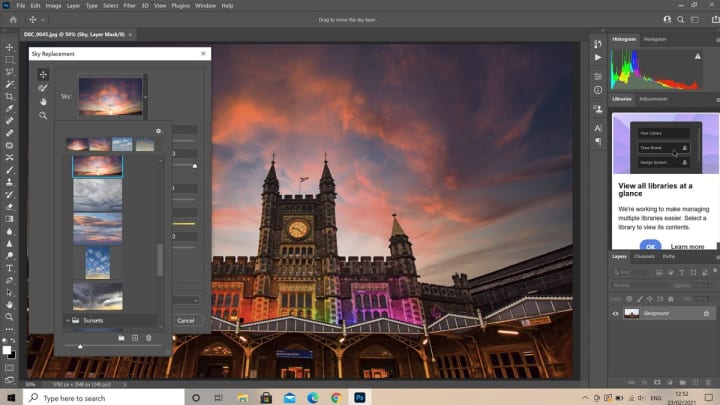
• Adobe Photoshop: A professional tool for advanced editing.
• Canva: A user-friendly option for quick edits and designs.

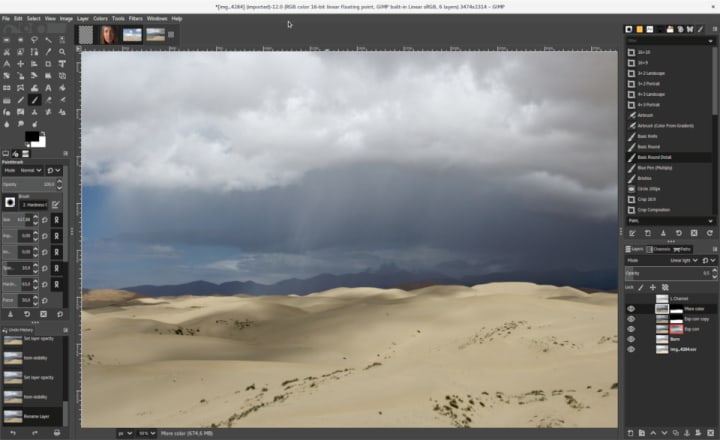
• GIMP: A free, open-source alternative with powerful features.
Tips for Enhancing Photo Quality Without Over-Editing
When editing your photos, aim for a natural look. Adjust brightness, contrast, and sharpness to improve clarity, but avoid over-saturation or heavy filters that can make images look unrealistic.
Section 5: Monitoring and Updating Your GMB Photos
Importance of Keeping Your Photo Gallery Up-to-Date
Regularly updating your photo gallery keeps your profile fresh and engaging. It also signals to potential customers that your business is active and well-maintained.
Tools for Tracking Photo Performance and Making Adjustments
Utilize tools like Google Analytics and your GMB dashboard to track the performance of your photos. Pay attention to metrics such as views and engagement rates to identify which images resonate most with your audience.
Section 6: Case Studies of Successful GMB Photo Strategies
Examples of Businesses with Standout GMB Photo Strategies
Here are a few examples of businesses that have effectively used GMB photos to boost their visibility:
• Café XYZ: Regularly updates its photo gallery with seasonal menu items and customer events, resulting in increased foot traffic.
• Retail Store ABC: Showcases new product arrivals and store layout changes, keeping the profile dynamic and engaging.
Key Takeaways and Actionable Tips
From these case studies, we can learn the importance of regular updates, diverse photo categories, and high-quality images. Implement these strategies to enhance your own GMB profile.
Conclusion
High-quality Google My Business Photos are essential for boosting your visibility, engagement, and ultimately, your business success. They play a crucial role in attracting customers, improving SEO, and building your brand image. Start optimizing your GMB photos today by following the best practices outlined in this guide. Regularly update your photo gallery, use professional editing tools, and monitor performance to ensure your profile remains appealing and effective.
Frequently Asked Questions (FAQs)
1. How often should I update my Google My Business photos?
It's recommended to update your photos at least every quarter or whenever there are significant changes in your business, such as new products, renovations, or events.
2. Can I use stock photos for my GMB profile?
No, it's best to use original photos that accurately represent your business. Stock photos can be misleading and may violate Google’s guidelines.
3. What tools can I use to track the performance of my GMB photos?
Google Analytics and the GMB dashboard are great tools for tracking photo performance. They provide insights into metrics such as views, clicks, and customer engagement.
About the Creator
Anie Mazie
A avid writer crafting various content for the past 8 years and more to cater the needs and queries of the audience for their seamless gathering of knowledge regarding any topic.
Keep reading
More stories from Anie Mazie and writers in Education and other communities.
Mastering Google Review Automation: Elevate Your Customer Feedback Game
Introduction Customer feedback is the lifeblood of any successful business. It provides insights into customer satisfaction, highlights areas for improvement, and can significantly influence the reputation of your business. In the digital age, online reviews, especially on platforms like Google My Business, are crucial in shaping public perception and driving business growth.
By Anie Mazieabout a year ago in Education
Creating a Higher Education Legacy in Monterey
Not Known for Colleges Picturesque Monterey, California is not known as a college town. Instead, its recent fame was that of being the old stomping grounds for John Steinbeck and the current location of a world-class marine aquarium.
By Dean Traylor3 days ago in Education




Comments
There are no comments for this story
Be the first to respond and start the conversation.