
Is Cloud Computing Less Expensive Than On-Premises Computing?
Here's a brief explation on how Cloud Computing is cheaper than On-premises Computing.
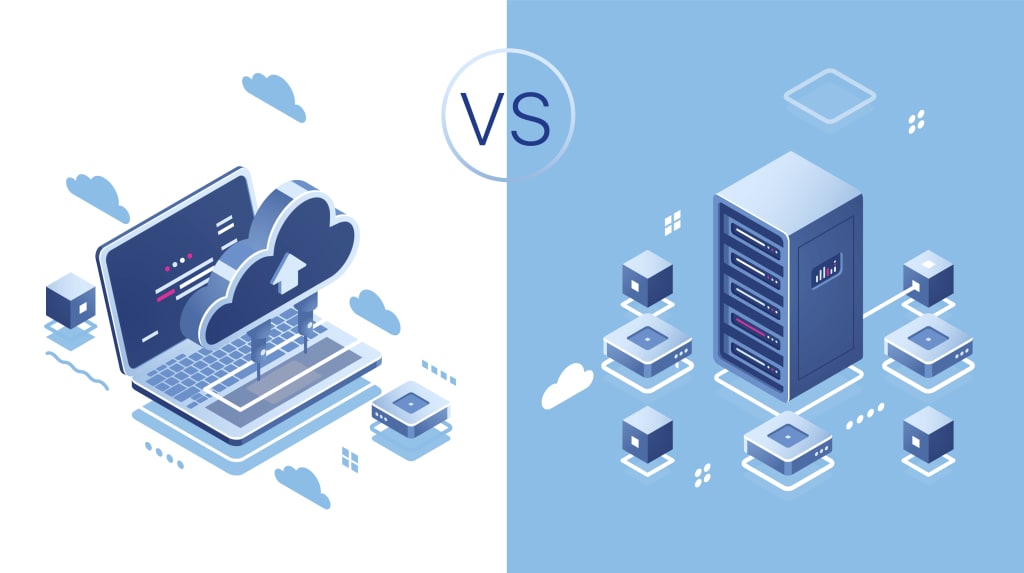
In recent years, businesses have been increasingly shifting towards cloud computing, driven by the promise of flexibility, scalability, and reduced costs. However, many organizations still rely on on-premises computing, where they own and maintain their own IT infrastructure. The question arises: Is cloud computing less expensive than on-premises computing? The answer to this question is not one-size-fits-all, as it depends on various factors like the size of the business, the nature of its workloads, and its long-term IT strategy. This article explores the differences between cloud and on-premises computing, examines the cost factors involved, and helps you determine which option might be more cost-effective for your organization.
Key Differences Between Cloud Computing and On-Premises Computing
Before diving into the cost comparison, let’s first define what cloud computing and on-premises computing entail.
What is Cloud Computing?
Cloud computing refers to the delivery of computing services—such as servers, storage, databases, networking, software, and analytics—over the internet ("the cloud"). Cloud service providers, like Amazon Web Services (AWS), Microsoft Azure, and Google Cloud Platform (GCP), maintain the infrastructure, and users pay for what they use on a pay-as-you-go basis. The cloud offers flexibility, scalability, and ease of access, with minimal upfront costs.
What is On-Premises Computing?
On-premises computing involves the ownership and management of physical IT infrastructure, including servers, storage, networking, and data centers. Companies must purchase and maintain hardware, software, and facilities to run their own computing systems. While this model gives businesses more control over their infrastructure, it also requires significant upfront investments and ongoing maintenance costs.
Cost Factors: Cloud vs. On-Premises
To understand which option is more cost-effective, we need to examine several key cost factors that differentiate cloud computing from on-premises computing.
1. Initial Investment (Capital Expenditure)
On-Premises: When setting up an on-premises infrastructure, businesses must invest in physical hardware, software licenses, networking equipment, and data centers. These costs can be significant, often requiring millions of dollars for large-scale operations. For smaller businesses, the cost of hardware and equipment can still be substantial.
Cloud: One of the primary advantages of cloud computing is the lack of an upfront capital investment. Cloud service providers offer a pay-as-you-go model, meaning you only pay for the resources you consume. This eliminates the need for businesses to spend large sums of money upfront on infrastructure. For small and medium-sized enterprises (SMEs), this flexibility is a major cost-saving advantage.
2. Operational Costs (Ongoing Expenses)
On-Premises: Once the hardware is purchased, businesses must also bear the ongoing costs of maintenance, upgrades, electricity, cooling, and personnel to manage the infrastructure. These costs can add up significantly over time. Additionally, businesses may need to factor in the cost of disaster recovery solutions, security, and backups.
Cloud: In the cloud model, ongoing costs are typically based on usage. Cloud service providers handle maintenance, updates, and infrastructure upgrades. This means businesses don’t have to worry about the cost of hiring IT personnel to maintain their servers. Additionally, cloud providers offer built-in security measures, backup options, and disaster recovery services, which can reduce the overall operational costs for businesses.
3. Scalability and Flexibility
On-Premises: Scaling up or down with on-premises infrastructure can be a complex and costly process. When businesses experience growth, they may need to purchase additional hardware, which involves both capital investment and ongoing operational expenses. Conversely, if a business’s needs shrink, the excess capacity in the system may go underutilized, leading to wasted resources and higher costs.
Cloud: Cloud computing excels in scalability. You can easily increase or decrease your computing resources depending on your needs. This “pay-as-you-go” model allows businesses to avoid over-provisioning or under-provisioning, leading to more efficient use of resources. For businesses with fluctuating workloads, the ability to scale quickly in the cloud can result in significant cost savings.
4. Maintenance and Updates
On-Premises: In on-premises setups, businesses are responsible for maintaining their hardware and software. This includes regularly updating operating systems, applying patches, and managing hardware failures. These tasks can be time-consuming and costly, particularly for businesses without dedicated IT teams.
Cloud: Cloud service providers handle all maintenance and updates. They ensure that the infrastructure is up to date with the latest security patches and software updates. This reduces the burden on internal teams and allows businesses to focus on their core operations rather than worrying about technical maintenance.
5. Security and Compliance
On-Premises: With on-premises infrastructure, businesses have more control over security measures. They can implement customized security protocols, physical security, and data protection policies to meet their specific requirements. However, maintaining high levels of security requires continuous monitoring, skilled personnel, and substantial investment in security infrastructure.
Cloud: While cloud providers offer robust security measures, businesses may feel concerned about storing sensitive data off-site. However, leading cloud providers typically offer advanced security features, such as encryption, multi-factor authentication, and compliance with industry standards (e.g., GDPR, HIPAA). For many organizations, the cloud offers a higher level of security than they could afford to implement on their own.
6. Long-Term Cost Considerations
On-Premises: Over time, the costs of maintaining on-premises infrastructure can add up. Businesses will need to factor in hardware depreciation, replacement, and upgrades. Additionally, as business needs grow, they may need to invest in more resources, further increasing the costs.
Cloud: The cloud offers flexibility in terms of long-term costs. Businesses can start small and scale up as needed, avoiding large initial investments and the risk of over-purchasing resources. However, over time, the ongoing pay-as-you-go costs can add up, especially if the business has consistent, large-scale computing needs. It’s essential to monitor cloud usage to ensure costs remain within budget.
When Cloud Computing is Less Expensive
1. For Small to Medium-Sized Businesses: The lack of upfront investment and the ability to pay only for what is used makes the cloud an attractive option for SMEs that may not have the capital to invest in large-scale infrastructure.
2. For Variable or Seasonal Workloads: Businesses with fluctuating workloads can save money by scaling cloud resources up or down as needed, avoiding the waste of idle on-premises hardware.
3. For Businesses Without In-House IT Teams: Cloud providers offer managed services, which reduce the need for businesses to hire and maintain a dedicated IT team.
When On-Premises Computing May Be More Cost-Effective
For Large, Consistent Workloads: Businesses with predictable, large-scale computing needs might find that owning their infrastructure and amortizing the costs over many years is more economical than paying ongoing cloud fees.
For Organizations Needing Full Control: Some businesses prefer on-premises computing due to regulatory, security, or performance requirements that demand full control over their IT systems.
For Long-Term Investment: Large enterprises that have already invested in on-premises infrastructure may find it more cost-effective to continue using their existing hardware instead of migrating to the cloud.
Conclusion
In summary, cloud computing can often be less expensive than on-premises computing, especially for small and medium-sized businesses or those with fluctuating workloads. The cloud’s pay-as-you-go model, combined with its flexibility, scalability, and reduced need for maintenance, makes it an attractive option for many organizations. However, for large enterprises with predictable and consistent workloads, on-premises computing may still offer cost advantages in the long run.
Ultimately, the choice between cloud and on-premises computing depends on your business’s size, workload, and strategic goals. Careful consideration of your organization’s needs and thorough cost analysis will help determine the most cost-effective approach to IT infrastructure.
About the Creator
Keep reading
More stories from writers in Education and other communities.
The Backbone of Infrastructure: Inside France’s USD 3.12 Billion Steel Tube Transformation (2025–2033)
In the industrial landscape of 2026, the humble steel tube has become a high-tech symbol of France’s commitment to "Green Sovereignty." No longer just a commodity for construction, steel tubes are now the vital arteries of the hydrogen economy, the skeletal frame of the electric vehicle (EV) revolution, and the foundation of a modernized nuclear fleet.
By Neeraj kumar4 days ago in Education
Nancy Guthrie: Is a miracle still possible after close to two weeks?
Close to two weeks since Nancy Guthrie's abduction As of February 12, 2026, Nancy Guthrie remains classified as missing for 12 days, but there is no official confirmation that she is deceased. Blood matching Guthrie’s DNA was found on her front porch, indicating she likely suffered an injury during the abduction.
By Cheryl E Preston3 days ago in Geeks




Comments