
How Digital Signage Improves Communication in Schools
How digital screens are helping schools share information more clearly and keep students in loop

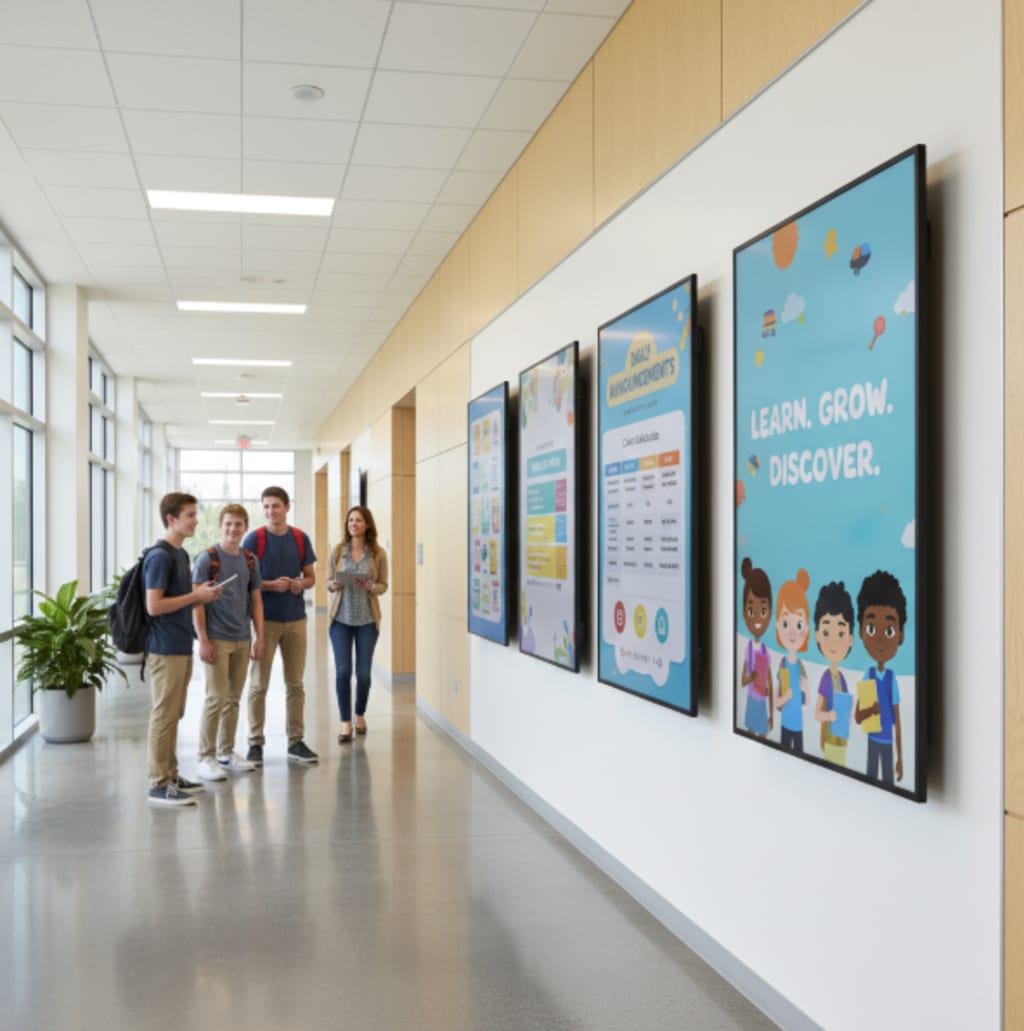
Picture this: It's 7:45 AM, and students are flooding through the school entrance. Instead of clustered bulletin boards with overlapping flyers and outdated announcements, sleek digital displays showcase today's lunch menu, remind students about the basketball game, and celebrate yesterday's science fair winners. No one's squinting at faded paper or missing crucial information buried under last month's notices.
This isn't some futuristic fantasy—it's happening right now in schools that have embraced digital signage. And honestly? After seeing the transformation firsthand in multiple educational settings, I'm convinced this technology solves one of education's oldest problems: getting the right information to the right people at the right time.
Why Digital Signage for Education Actually Works
Traditional communication methods in schools are messy. Paper announcements get lost. Emails go unread. PA systems interrupt learning. Digital signage cuts through this chaos by meeting students, staff, and visitors where they already are—in hallways, cafeterias, and common areas.
The beauty lies in its simplicity. Instead of printing hundreds of flyers or interrupting classes with announcements, administrators update content once and it appears instantly across multiple screens throughout the building. It's communication that actually reaches people without disrupting the learning environment.
What Makes Digital Signage Software Essential for Schools?
Not all digital signage solutions are created equal, especially in educational environments. Here's what actually matters when schools evaluate their options:
Content management capabilities: Schools need systems that non-tech-savvy staff can operate. The last thing administrators want is calling IT every time they need to post a schedule change.
Multi-screen coordination: Whether you're managing three displays or thirty, the software needs to handle campus-wide updates without requiring a degree in computer science.
Scheduling flexibility: Different content for different times. Morning announcements, lunch menus, after-school activities—all automatically rotating based on your preset schedule.
Step 1: Identifying Your School's Communication Pain Points
Before diving into digital signage for education, take an honest inventory of where communication breaks down in your building. Talk to teachers, students, and administrative staff.
Common issues I've encountered:
- Students miss important deadline announcements
- Event promotions get buried in email chains
- Visitors can't navigate the building effectively
- Emergency procedures aren't clearly communicated
- Celebrating student achievements happens inconsistently
Understanding these specific challenges helps you deploy digital signage for education strategically rather than just adding screens for the sake of technology.
Step 2: Choosing the Right Digital Signage Software for Education
This is where things get practical. After testing multiple platforms across different school environments, here's what I've learned about the major players:
AIScreen is efficient for its education-specific templates and genuinely intuitive interface. Teachers I've worked with—many who describe themselves as "not tech people"—were creating content within minutes. The cloud-based system means updates happen from anywhere, which proved invaluable when administrators needed to post snow day information from home.
Mvix offers robust hardware options and decent content management, though the learning curve feels steeper than necessary. Schools with dedicated IT staff manage fine, but expect more training time for general users.
Mandoe Media focuses heavily on template variety, which looks impressive in demos but can overwhelm users who just want to post a simple announcement. The interface tries to do too much.
Spectrio brings enterprise-level features that honestly feel like overkill for most K-12 environments. Great if you're running a university campus system, potentially too complex for elementary or middle schools.
Signagelive delivers solid performance with reliable uptime, though the interface feels dated compared to newer competitors. It works, but doesn't exactly inspire excitement from staff who'll use it daily.
Step 3: Strategic Placement Throughout Your Building
Location determines whether digital signage becomes a communication powerhouse or expensive wallpaper. Based on real implementation experiences:
High-traffic zones are non-negotiable: Main entrances, cafeterias, and central hallways guarantee visibility. These screens should display general announcements, lunch menus, and daily schedules.
Specialized areas need targeted content: Place displays near gymnasiums for athletic schedules and achievements. Install screens outside auditoriums for performing arts announcements. Library displays can showcase new books and research resources.
Administrative areas serve different purposes: Front office displays help visitors navigate the building and understand check-in procedures, reducing staff interruptions.
Step 4: Creating Content That Students Actually Notice
Here's the truth: bad content on good screens still equals poor communication. Digital signage for education fails when it becomes digital wallpaper that everyone ignores.
Keep it visual: Students scroll through hundreds of images daily on their phones. They've developed quick visual processing skills. Use high-quality images, bold text, and vibrant colors that catch attention from twenty feet away.
Embrace the 3-second rule: If someone can't grasp your message in three seconds of passing by, simplify it. "Basketball game Friday 6 PM" beats a paragraph of text every time.
Update religiously: Nothing kills credibility faster than outdated information. When that "Today's Menu" still shows last Wednesday's lunch, students stop trusting the displays entirely.
Common Mistakes Schools Make With Digital Signage
Treating it like a "set and forget" technology: Digital signage requires ongoing content management. Assigning this responsibility to someone specific (with backup coverage) prevents those awkward stretches where screens show the same content for three weeks straight.
Overlooking accessibility requirements: Text size matters. Color contrast matters. Consider students with visual impairments when designing content. Many schools forget that accessibility isn't optional—it's essential for equitable communication.
Ignoring data and analytics: Most digital signage software for education includes engagement metrics. Use them. Which announcements get read? What content gets ignored? This data shapes more effective communication strategies.
The Real Impact: Beyond Just Pretty Screens
After watching digital signage transform communication in multiple schools, the benefits extend far beyond what's immediately visible.
Student engagement with school activities increases when information becomes accessible and visually appealing. Athletic events see better attendance when they're promoted consistently. Club membership grows when opportunities are highlighted regularly.
Administrative efficiency improves dramatically. Office staff report fewer interruptions from people asking basic directional questions. Teachers appreciate not having PA announcements disrupting lessons multiple times daily.
Getting Started: Your Next Steps
If you're ready to move beyond paper announcements and chaotic communication, here's your practical path forward:
Start with a pilot program in one building area before campus-wide deployment. This allows you to refine content strategies, train key staff members, and demonstrate value to stakeholders before major investment.
Form a small content team representing different departments—administration, athletics, arts, academics. Diverse perspectives prevent digital signage from becoming one department's megaphone while others get ignored.
Wrapping Up
Digital signage doesn't just improve communication in schools—it fundamentally transforms how information flows through educational environments. Students stay informed without disruption. Administrators reach audiences efficiently. Communities feel more connected to school activities and achievements.
The technology has matured past early adoption challenges. Modern systems are reliable, affordable, and genuinely user-friendly. Schools no longer need dedicated IT departments to maintain effective digital communication networks.
What matters most isn't having the fanciest screens or the most features—it's choosing a system that your staff will actually use consistently, that students will actually notice and read, and that serves your specific communication needs without creating new complications.
About the Creator
Jerry Kane
Jerry Kane is a marketing professional focused on digital signage, trends, and audience behavior. He translates market shifts into clear, engaging brand strategies.
Keep reading
More stories from Jerry Kane and writers in Education and other communities.
Menu Boards for Cafés: Design Ideas and Benefits
I'll never forget the first time I walked into a local coffee shop that had just upgraded from their hand-written chalkboard to a sleek digital menu display. The difference was striking—not just visually, but in how quickly I could scan the menu, see vibrant images of specialty drinks, and notice the seasonal promotions rotating in the corner. That experience opened my eyes to how much menu presentation actually matters in café environments.
By Jerry Kane 2 days ago in Education
Charting Your Own Path: Building a Self-Directed Trading Career Without External Interference
Creating a self-directed trading career offers traders the freedom to make independent decisions, implement personalized strategies, and manage risk in line with their goals. Unlike traders tied to institutional mandates or client obligations, self-directed professionals can focus entirely on performance, analysis, and strategy development. This autonomy enables faster decision-making, adaptation to evolving market conditions, and the cultivation of a trading style aligned with personal strengths. Building a career free from external interference is not only empowering but also increases the likelihood of long-term success.
By Agast Mishra3 days ago in Education
How Intentional Blessings Are Supporting Mental Health Awareness in the U.S.
Introduction Mental health awareness in the United States has grown significantly in recent years. Alongside therapy, mindfulness, and lifestyle changes, many Americans are turning to intentional blessings as a complementary practice for emotional well-being.
By Shahid Khan5 days ago in Education



Comments
There are no comments for this story
Be the first to respond and start the conversation.