
Cybersecurity for Social Media Users
Social Media Users


As a Sr. Data Analyst, I’ve seen directly how important it is to protect your data online. Whether it’s your private messages, photos, or account details, all this information is valuable. Many social media users don’t realize how easy it can be for someone to access their accounts if proper security measures aren’t in place. This blog will help social media users understand common threats and learn simple ways to stay safe. From phishing scams to weak passwords, we’ll explore the dangers and give tips that every social media user can follow. Cybersecurity isn’t just for big companies, it's for everyone. If you’re a regular social media user, taking a few precautions can save you from a lot of trouble. Let’s dive into some practical tips and strategies that all social media users can apply today.
What is Cybersecurity
Cybersecurity is the practice of protecting systems, networks, and data from digital threats. It ensures that sensitive information stays safe from hackers and malware. With the rise of data science, analyzing and securing vast amounts of data has become more effective. Cybersecurity uses tools, like encryption and firewalls, to safeguard information. It plays a vital role in industries like banking, healthcare, and education. By merging data science and cybersecurity, experts can predict and prevent potential cyberattacks. Staying informed and adopting best practices can keep your data secure. Cybersecurity is essential in today’s digital world.
Benefits of Staying Cyber-Safe for Social Media Users
When social media users adopt cybersecurity best practices, they enjoy a safer online experience. Here are some benefits:
- Peace of Mind: A secure account ensures you can connect with friends, share updates, and enjoy content without fear of being hacked. You can relax, knowing your digital space is safe.
- Protecting Personal Information: Your accounts often hold sensitive details like contact information, private messages, and even payment methods. By securing your account, you can prevent identity theft and financial fraud.
- Enhanced Reputation: Hackers can misuse compromised accounts to spread harmful content or scams, damaging your reputation. Protecting your account ensures your online image remains intact.
- Preventing Unauthorized Access: Securing your account stops cybercriminals from accessing your network of contacts or impersonating you to harm others.
- Guarding Against Phishing Attempts: A secure account reduces the chances of falling victim to phishing schemes designed to steal your data.
- Preserving Privacy: In a world where privacy is increasingly at risk, a well-protected account helps maintain control over what you share and who sees it.
Why Cybersecurity Matters for Social Media Users
Social media platforms store a vast amount of personal information. Hackers often target social media users to steal data, commit fraud, or spread malware. As a social media user, you may unknowingly expose yourself to cyber threats through weak passwords, oversharing, or interacting with malicious links. Understanding these risks is the first step toward staying safe. Let’s explore common threats and practical tips for social media users.
Common Cybersecurity Threats for Social Media Users
- Phishing Attacks: Phishing scams are a major concern for social media users. Cybercriminals pose as trusted entities, tricking users into revealing personal information or clicking harmful links.
- Account Hacking: Weak or reused passwords can lead to account breaches. Hackers can take over a social media user’s account to impersonate them or steal sensitive data.
- Privacy Leaks: Oversharing personal information on social media can lead to identity theft. Social media users who frequently share details like their location or birthday are especially vulnerable.
- Malware and Spyware: Clicking on unverified links or downloading files shared on social media can install malware on your device. This is a growing problem for social media users.
- Fake Profiles and Scams: Many social media users fall prey to fake accounts that trick them into sharing information or money.
How Social Media Users Can Stay Safe Online
- Use Strong and Unique Passwords: A strong password is the first line of defense for social media users. Use a mix of uppercase letters, lowercase letters, numbers, and symbols. Avoid reusing passwords across multiple accounts.
- Enable Two-Factor Authentication (2FA): Two-factor authentication adds an extra layer of security. Even if a hacker guesses your password, they won’t access your account without the second authentication factor.
- Be Cautious of What You Share: Social media users should think twice before posting personal information. Avoid sharing your home address, phone number, or financial details.
- Watch Out for Phishing Scams: If you receive a suspicious link or message, verify its source before clicking. Many phishing scams target social media users through direct messages or comments.
- Keep Your Software Updated: Regularly update your apps and devices to fix vulnerabilities. This simple step can prevent many attacks on social media users.
- Review Privacy Settings: Most platforms allow social media users to customize their privacy settings. Limit who can see your posts, contact you, or find your profile.
- Avoid Public Wi-Fi for Social Media Access: Public Wi-Fi networks are often unsecured, making it easier for hackers to intercept data. Social media users should avoid logging into accounts on public Wi-Fi or use a VPN for added security.
- Beware of Fake Profiles: Be cautious when accepting friend requests or messages from strangers. Many fake accounts are created to deceive social media users.
- Log Out of Shared Devices: If you access your social media on a shared device, always log out afterward. This prevents unauthorized access by other users.
Tools and Resources for Social Media Users
- Password Managers: Password managers help social media users create and store strong passwords securely.
- Antivirus Software: Install antivirus software to detect and block malware.
- VPNs: A virtual private network (VPN) encrypts your internet connection, protecting social media users from data theft.
- Cybersecurity Awareness: Stay informed about the latest threats and scams targeting social media users. Knowledge is your best defense.
Recognizing Red Flags on Social Media
- Unusual Login Alerts: If you receive notifications of logins from unfamiliar locations, act immediately. Change your password and enable 2FA to secure your account.
- Unsolicited Messages: Be wary of messages asking for money, personal details, or sensitive information. Many scams target social media users this way.
- Suspicious Links: Avoid clicking links that seem out of context or come from unknown sources. These could lead to phishing websites or malware.
- Duplicate Profiles: If you notice a duplicate profile pretending to be you, report it. Many social media users have experienced impersonation scams.
Cybersecurity is essential for everyone, especially social media users, to safeguard their personal and professional lives. For a Business Analyst, maintaining secure social media accounts is crucial as it helps protect sensitive industry insights and professional reputations. By following the tips in this guide, such as enabling two-factor authentication, creating strong passwords, and avoiding suspicious links, you can shield your accounts and personal information. This is particularly important for a Business Analyst, whose online presence often reflects their professional credibility and analytical skills.
About the Creator
Harish Kumar Ajjan
My name is Harish Kumar Ajjan, and I’m a Senior Digital Marketing Executive with a passion for driving impactful online strategies. With a strong background in SEO, social media, and content marketing.
Keep reading
More stories from Harish Kumar Ajjan and writers in Education and other communities.
The Future of Data Science in India
As a Sr. Data Analyst, I’ve seen directly how data science in India has grown incredibly in recent years. From solving complex business problems to molding entire industries, data science has become transformative. With quick technological advancements and the rise of a data-driven culture, the future of data science in India looks brighter than ever.
By Harish Kumar Ajjanabout a year ago in Education
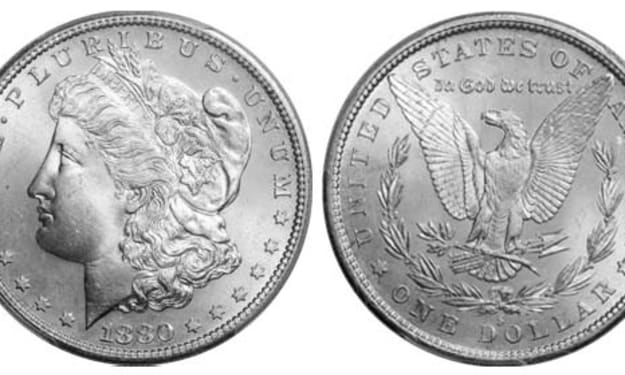
Morgan Silver Dollars: A Beginner's Guide to Identifying Key Dates and Mint Marks
For over eight years as a Senior Numismatic Analyst, I've seen the glint in a new collector's eye when they hold their first Morgan Silver Dollar. It's a powerful feeling—the weight of 90% pure silver, the history in Lady Liberty's profile, the sheer size of America's most iconic coin. Yet, with hundreds of millions minted across 27 years and five mints, it's easy to feel overwhelmed. A common 1921 Morgan might be worth $50, while a pristine 1895 Proof commands over $100,000. The difference lies in the tiny details of dates and mint marks. This guide will give you the foundational map to navigate this classic series, turning confusion into confident identification.
By Laura Bennetta day ago in Education
How Hospital Systems Can Support Physician-Led Philanthropy for Stronger Care
Hospitals today face growing pressure. Costs rise, patient needs evolve, and staff feel stretched. At the same time, many physicians want to give back beyond their daily clinical work. They want to support patients, fund research, and improve community health. This is where physician-led philanthropy in hospital systems becomes essential. When doctors lead giving efforts, donations align closely with real patient needs. Hospital systems play a key role in making this work successful. Physicians see gaps in care every day. They understand where support is missing. When hospitals support their efforts, philanthropy becomes more focused, trusted, and effective. Strong systems help turn good intentions into lasting impact.
By Dr. Seth Eidemiller3 days ago in Education


Comments (1)
Thanks for sharing it.