
Automation Power: Streamlining Your Workflow with Email Marketing
You can work smarter, not harder, by using automation as a smart technique to simplify your entire process.
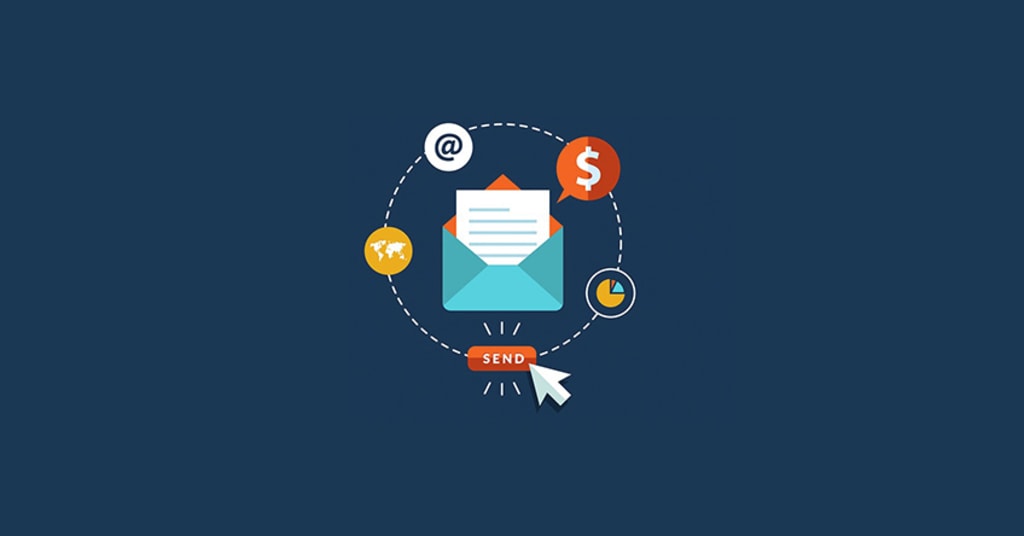
Email marketing is the most powerful and capable of all of the digital marketing tools. However, it might be an unending manual activity that takes countless hours of repetitive effort for the majority of organizations.
You can work smarter, not harder, by using automation as a smart technique to simplify your entire process. Once these processes are in place, you won't have to do anything else since you can be certain that the appropriate message will be sent to the right person at the right time. This strategy boosts engagement and revenue while saving time and reducing errors by building stronger, more personalized connections with your audience.
By combining honesty and warmth in your email copywriting, even automated messages sent through a bulk email sender can feel human and personal.
Learning the Nature of Email Automation
Email marketing automation is merely a case of using specialist software to send emails automatically on pre-programmed events or subscriber behavior. Rather than having to send a welcome message to each new signup or a reminder to each cart-abandoner customer by hand, your system does it automatically and with ease.
This guide transforms your email marketing from a perpetual drudge task into an always-on, repeatable, and very influential communications machine. It's all about building an intelligent path or workflow with your subscribers based on behavior.
The Fundamental Mechanics of Automated Workflows
An automated workflow is literally a blueprint for your customer journey and dictates what email they receive and when. The workflow then starts with a trigger, which is the action that an individual performs. It may be as plain as opting in to your list, visiting a specific product page, buying something, or even just not opening your latest emails. After the trigger has been set off, the workflow then begins that sends a series of timed and segmented emails out automatically.
The application does all the heavy work of monitoring what your customers are doing, dividing your list into profit-generating groups, and delivering highly targeted content on autopilot. This focused approach will be light-years ahead of broadcasting to everyone on your list a generic, one-size-fits-all newsletter.
More Than the Time-Saving Ground
The largest advantage of automation is the time and labor it will save your personnel. Think about all the work it would be to compose, schedule, and mail a list of individual emails to groups of your audience. Automation wipes out that tedium because you compose an email sequence once and just let it roll on and on and on.
That productivity leaves your marketing team with time to do more high-value activity, such as content, strategy, and measuring the performance of your automated messages. It allows your company to grow your communications quickly without losing the human touch since your list of subscribers grows from hundreds to thousands of customers.
Key Advantages of Automating Your Email Campaign
An automated solution offers measurable advantages that will make a positive difference in your bottom line and relationships with customers. Those dividends convert your email marketing into a utility function-turned-top-line builder.
Increased Personalization and Relevance Automated systems drive personalization. The program monitors the subscriber activity and interest to allow you to insert the name dynamically, say the product they viewed, or show a substitute product on the basis of what they purchased previously.
Precision to such a high level makes your emails appear as though you're sending personalized emails to the recipient. Sending very relevant content will contribute heavily to metrics such as click-through rate (CTR) and open rate because people are more likely to be interested in content that is very relevant to them. Relevant emails cut through inbox noise.
Lead Nurturing Mastery New leads will typically take time and information before they purchase. Lead nurturing activities are particularly designed to build confidence and educate such leads in the long term. For example, if someone downloads some material, i.e., a series of auto-mails could then send him or her more good material, case studies, or product information. By leading the lead step-by-step down the sales path until it is ready to be turned into a paying customer, this continual value-based messaging keeps your brand in front of the lead's face. Automation ensures that no leads are lost by giving the appropriate amount of follow-up at the appropriate time for each lead.
Encouraging customer retention and loyalty automation benefits both repeat and new prospects. Customer retention mail can be sent based on occasion, such as product anniversary, birthday, or period since purchase.
The post-purchase follow-up process could, for instance, suggest using the new product or request a favorable review in order to enhance the customer experience. This ongoing engagement after a customer's initial purchase demonstrates your regard for their business, which encourages repeat business, which is usually less expensive than bringing on a new customer.
Building Necessary Automated Email Flows
You begin by sending some key flows through the most important phases of your customer life cycle.
The Welcome Series This is likely your most essential automation email series. Your welcome series is sent out whenever you add a new user to your list. It's your time to create a great first impression. The series will have to introduce your brand story, establish expectations for future emails, and maybe give a small reward, like a discount code, as a thank you. The best-designed welcome series is the largest opened program of any email program and an excellent early engagement asset.
Abandoned Cart Recovery Abandoned cart capability is an e-commerce giant money maker. It is triggered when a shopper puts items into their virtual shopping cart but doesn't buy. About an hour or so afterwards, there is a reminder email that comes in as a friendly reminder of what they left behind.
A follow-up or third email in an email chain can provide a time-limited discount; that is a very strong impulse that will drive the conversion. This automation saves lost sales that otherwise will be irretrievable.
Re-engagement Campaigns There are some readers who, after some time, will not open your mail and go inactive on your list. There is a re-engagement process that is employed to win them back. This is following some period of inactivity. The emails have to be something to read or an interesting promotion in a bid to win them over.
In order to preserve your sender reputation and improve your overall deliverability by focusing your efforts on your most engaged audience, your system can automatically mark the client as inactive if they do not reply to the aforementioned email. This method of email list management makes sense.
Concentrate on organic tactics like clever on-site opt-ins, helpful content upgrades, and engaging lead magnets to help you provide your subscribers with real value and expand your list in the proper manner especially for niche offers such as home equity agreements or financial advisory services.
FAQs
How does an automated email differ from a typical newsletter?
A typical newsletter is most often a mass e-mail sent by hand to your entire list all at once. An automated email is significantly more timely and relevant since it is prompted by a user activity and is highly customized to that exact action.
How does email automation actually save me time?
It is convenient because it will do the work of sending birthday greetings, follow-ups, and welcome messages automatically in real time. After you've established the first routine, you don't have to send those emails by hand.
Will using automation make my emails sound less human?
Not if you do them well. Sending timing is all automation does, and not message wording. Being friendly and honest in your email copywriting, your automated messages still can be very human and personal.
What is "deliverability" in email marketing?
The degree to which your email ends up in the primary inbox of the recipient instead of their spam or trash inbox is referred to as deliverability. Good automation techniques, such as sending high-quality content, ensure deliverability.
In conclusion
Any organization that wants to get rid of time-consuming manual tasks must use email automation. It's the best course of action since it allows you to provide outstanding customer service at scale, increase income with pertinent and timely messaging, and free up valuable time for strategic expansion. In the end, automation is what guarantees that your company communications are consistently precise and extremely successful.
About the Creator
Keep reading
More stories from James Ronald and writers in Education and other communities.
Email Automation for SaaS: Turning Data into Scalable Customer Journeys
In the SaaS world, growth depends on how efficiently you can move users from awareness to adoption and keep them engaged long after signup. Yet, doing that manually isn’t sustainable. That’s where email automation becomes one of the most reliable, data driven levers for predictable growth. It helps SaaS companies scale communication, increase retention, and nurture leads at every lifecycle stage, all without overwhelming the marketing team.
By James Ronald4 months ago in Education
Leading the Way: How Healthcare Leaders Improve Patient Outcomes
Healthcare systems face constant pressure. Patients expect safe care, fast service, and clear communication. Staff need support and strong direction. Costs continue to rise. In this complex setting, strong leadership makes a clear difference. Healthcare leaders improve patient outcomes by setting the vision, guiding teams, and building systems that focus on quality and safety.
By Armin Ernst2 days ago in Education


Comments
There are no comments for this story
Be the first to respond and start the conversation.