
A Beginner’s Guide to Coding with Sphero BOLT+
If you’re just stepping into the world of coding, or you’re looking for a way to teach someone else the basics, the Sphero BOLT+ is an excellent place to start.
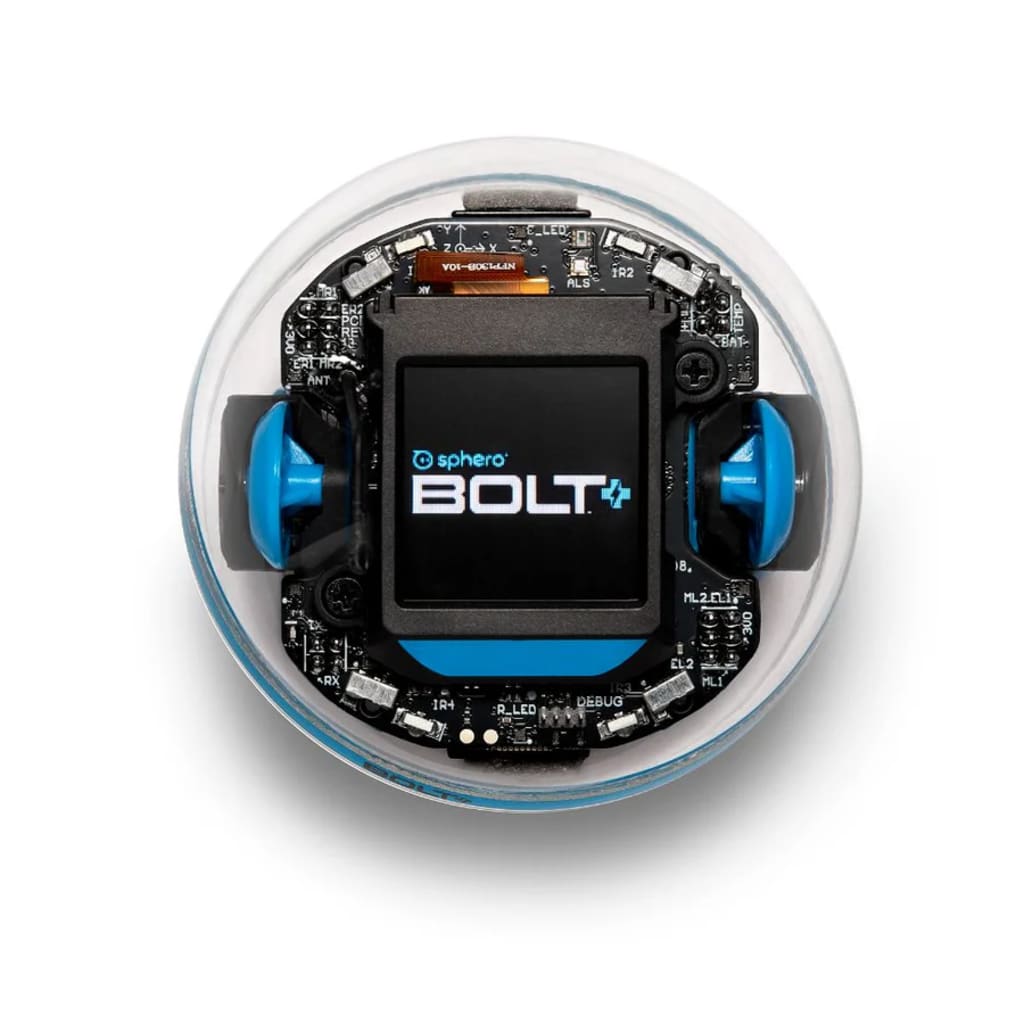
If you’re just stepping into the world of coding, or you’re looking for a way to teach someone else the basics, the Sphero BOLT+ is an excellent place to start. With its blend of interactivity, creativity, and problem-solving opportunities, Sphero BOLT+ turns coding into an exciting and engaging experience.
In this beginner’s guide, we’ll break down the essentials of coding with the Sphero BOLT+, offering tips and project ideas to help you or your students get started on the right foot. Whether you’re just curious about coding or want to integrate this tool into your classroom, this guide will provide a solid foundation.
Why Learn to Code with Sphero BOLT+?
Before we dive into the details, let’s answer one question: why is the Sphero BOLT+ such a great tool for learning to code?
- Interactive Learning: Sphero BOLT+ is not just a robot—it’s a moving, glowing, programmable tool that responds to your commands. You can code it to drive through mazes, change its LED display, or even interact with other BOLTs. This real-time feedback makes coding feel like play rather than work.
- Three Levels of Coding: Sphero BOLT+ caters to all experience levels. Y This progression allows beginners to start simple and build their skills over time.
- STEM-Focused: BOLT+ combines coding with essential STEM concepts, making it a great tool for educators and students alike. Not only will you learn coding logic, but you’ll also engage with mathematics, engineering, and science in practical ways.
Getting Started with Sphero BOLT+
So, how do you start coding with the Sphero BOLT+? First things first, you’ll need to download the Sphero Edu app. Available for iOS, Android, and even on desktops, this app is where the magic happens. Once you have the app, you’re ready to begin your coding journey.
Here’s a breakdown of the three main coding methods available in the app:
1. Draw & Drive: The Easiest Way to Code
If you’re brand new to coding, Draw & Drive is a perfect starting point. This method requires no prior coding knowledge at all. You simply draw a path on your screen, and the Sphero BOLT+ will follow that exact path in real life.
- How It Works: Once you've installed the Sphero Edu app, head to the "Draw" mode. In this feature, you can simply sketch a path on your device’s screen, and the Sphero BOLT+ will follow the exact route you drew. Additionally, you can adjust the speed and direction for added control, making it easy to see how different instructions translate into the robot’s physical movements.
- Why It’s Perfect for Beginners: The Draw & Drive method is a fantastic entry point for newcomers because it introduces the idea of controlling a robot without needing to know how to write code. It’s a visual and intuitive approach that helps users connect the dots between simple instructions and the robot’s real-world actions. This approach builds foundational coding logic by showing how commands directly influence movement.
- Project Idea: For a hands-on learning activity, try drawing a simple maze on the ground, and use the Draw & Drive feature to navigate the Sphero BOLT+ through it. This project lets you explore how different paths and shapes affect the robot’s journey and helps you grasp key concepts like turns, angles, and timing, all without writing a single line of code.
2. Block-Based Coding: Building Logic Without Syntax
This method lets you drag and drop coding blocks to create a sequence of commands for the Sphero BOLT+. Block-based coding uses visual blocks to represent coding logic, so you don’t have to worry about typing or syntax errors.
- How it works: In the app, switch to the “Blocks” tab. Here, you’ll find different blocks that represent actions like moving forward, turning, or changing the LED display. Simply drag these blocks into the workspace and arrange them in the order you want the robot to follow.
- Why it’s great for beginners: Block-based coding is the perfect middle step. It introduces you to key coding concepts like loops, conditionals, and variables without requiring you to write actual code. You’ll start to think like a programmer while building cool projects.
- Project Idea: Program your Sphero BOLT+ to play a simple game of “Simon Says” using the LED matrix. Create a series of patterns on the LED display, and challenge friends to recreate the sequence.
3. JavaScript: Real Coding, Real Power
For those who are ready to take on a challenge, JavaScript is where the full power of the Sphero BOLT+ comes to life. JavaScript is one of the world’s most popular programming languages, widely used in web development. Coding with JavaScript in the Sphero Edu app gives you complete control over the robot’s actions.
- How it works: Switch to the "Text" tab in the app, and you can start writing JavaScript commands directly. Instead of dragging blocks, you’ll type out the code that tells the robot what to do.
- Why it’s great for beginners: While JavaScript is more advanced, starting with Sphero BOLT+ makes it less intimidating. You get immediate feedback as the robot performs your commands, making it easier to debug and understand how coding logic works.
- Project Idea: Program your Sphero BOLT+ to detect obstacles using its infrared sensors. Write code that makes the robot stop or change direction when it detects an object in its path, introducing you to real-world applications like autonomous driving.
Tips for Coding Success with Sphero BOLT+
As you start coding with the Sphero BOLT+, here are a few tips to help make the learning process smoother and more enjoyable:
- Start small: Begin with simple commands like moving forward, turning, and changing the LED display. Gradually increase the complexity as you get more comfortable with the coding interface.
- Experiment: Don’t be afraid to experiment with different commands and settings. Coding is all about trial and error. If something doesn’t work as expected, tweak your code and try again.
- Use Sphero’s resources: The Sphero Edu app comes with a vast library of lessons and tutorials. These resources are a great way to learn new coding skills and discover project ideas.
- Have fun!: Coding with the Sphero BOLT+ is a playful experience. Whether you’re guiding your robot through a maze or creating a light show, the key is to enjoy the process and stay curious.
Final Thoughts
The Sphero BOLT+ is an excellent starting point for anyone looking to learn coding. With its intuitive app, flexible coding options, and endless project possibilities, it makes the learning process engaging and rewarding. Whether you're a complete beginner or advancing your skills, the BOLT+ provides a hands-on way to explore the world of programming.
So, grab your Sphero BOLT+, download the app, and get coding! The possibilities are as endless as your imagination.
About the Creator
How Genomics Powers Humanitarian Impact Across Global Communities
Genomics powers humanitarian impact by using genetic science to solve urgent human problems. Genomics is the study of all genes in a living being. It helps experts understand how diseases spread, how bodies respond to treatment, and how crops survive harsh weather. Today, genomics powers humanitarian impact in health care, agriculture, disaster response, and public planning. It brings science closer to communities that face daily risks.
By Mark Bouzyk5 days ago in Education
Effective Mentorship Strategies to Help Clinicians Lead Patient-Centered Healthcare Innovation
Healthcare organizations today face growing expectations to deliver higher-quality care while improving efficiency and patient satisfaction. Innovation is often discussed at the leadership level, yet some of the most valuable ideas originate from clinicians working directly with patients. These professionals understand daily challenges in care delivery and recognize opportunities for improvement that others may overlook. When healthcare leaders actively mentor clinicians, they unlock the potential for meaningful, patient-centered innovation.
By Dr. Janet Chollet3 days ago in Education
The BAFTA Awards
By now, in a stunning departure from recent years, most of the world is aware of what happened at the BAFTA film awards. Social Media Headlines will tell you the bare bones: that John Davidson, a Tourette's Syndrome advocate, shouted a racial slur at two Actors of Colour, Michael B Jordan and Delroy Lindo.
By Natasja Rose3 days ago in Psyche




Comments
There are no comments for this story
Be the first to respond and start the conversation.