
Which Arduino Board Should You Buy in 2025? A Beginner’s Guide
Comparing Features, Prices, and Uses to Find the Perfect Arduino for Your Project
You’re standing at the edge of a DIY rabbit hole. You’ve read about Arduino. You’ve seen what people are building—from light-sensing robots to garden waterers that think for themselves. You’re ready to get your hands dirty.
But here’s the twist.
You open the Arduino store...
And BAM! There are way too many boards. Uno, Nano, Mega, Due, Leonardo, Nicla, Portenta—each with their own specs, pins, voltage, and compatibility jargon.
Which one is actually right for a beginner in 2025?
Let’s break it down simply. No fluff. No overkill. Just the facts, use cases, and smart advice.
1. Start Here: What Exactly Is an Arduino Board?
An Arduino board is a microcontroller development board—a compact, programmable computer that controls inputs (like buttons, sensors) and outputs (like LEDs, motors). It’s the heart of your project.
Think of it like your project’s brain. And depending on what kind of brainpower you need, different boards offer different skills.
2. Ask Yourself This Before You Buy
Before choosing a board, answer these 3 questions:
- Are you learning basic electronics or starting a real project?
- Will your project need Wi-Fi, Bluetooth, or heavy sensor input?
- How much space do you have to work with? (Some boards are tiny)
Once you’re clear, here’s what you should know about the most relevant boards for 2025.
3. Arduino Uno R4 Minima – Still the Gold Standard for Starters
If Arduino had a starter pack, this would be it.
- Processor: Renesas RA4M1 32-bit
- I/O Pins: 14 digital, 6 analog
- USB-C: Yes, finally!
- Price: ~$27 AUD
Why It’s Great:
- Reliable, well-documented, and compatible with every tutorial on the internet.
- The R4 Minima brings more power than the older Uno R3 without complicating things.
Who It’s For:
- Absolute beginners
- Anyone learning circuits and basic sensors
- Tinkerers building simple robots or automation projects
Go for this if it’s your first-ever board.
4. Arduino Nano ESP32 – Tiny Size, Massive Power
If you want Wi-Fi + Bluetooth on a budget, this board is your best bet.
- Processor: Espressif ESP32-S3
- Wireless: Wi-Fi & Bluetooth onboard
- USB-C: Yes
- Price: ~$30 AUD
Why It’s Great:
- Integrates IoT without needing shields or add-ons
- Fits in tight spaces like wearables or compact robots
- Compatible with Arduino and MicroPython
Who It’s For:
- Makers building smart home gadgets, wearables, or wireless sensors
- Beginners who want to explore IoT
Go for this if your project talks to the internet or your phone.
5. Arduino Mega 2560 Rev3 – When You Need a Lot of Inputs
Got a project with 15 buttons, 6 motors, and 3 LCDs?
This board handles it.
- Digital I/O: 54
- Analog: 16
- Flash Memory: 256 KB
- Price: ~$50 AUD
Why It’s Great:
- Ideal for large-scale robotics, automation panels, or MIDI controllers
- Multiple serial ports = easy debugging for complex systems
Who It’s For:
- Intermediate users
- Projects that require a lot of hardware connections
Get it only if your project needs tons of inputs—not for basic learning.
6. Arduino Leonardo – Unique for Keyboard/Mouse Projects
This board lets you control a computer like a keyboard or mouse using code.
- USB-HID Support: Yes (can emulate keyboard/mouse)
- Processor: ATmega32u4
- Price: ~$35 AUD
Why It’s Great:
- You can create custom input devices—like a gaming controller, accessibility tool, or macro keypad
- It plugs in and is recognized as a native USB device
Who It’s For:
- Makers building custom keyboards, stream decks, or assistive tech
Choose this if your board will "talk" to a laptop via USB in a creative way.
7. Arduino Nicla Sense ME – AI + Sensors in Your Pocket
Not for the faint of heart. This tiny beast is built for AI, ML, and edge computing.
- Sensors: Accelerometer, gyroscope, pressure, humidity, gas
- Built-in BLE
- Size: Smaller than a coin
Why It’s Great:
- You can detect movement, orientation, air quality, and more—without external modules
- Perfect for wearables, smart fitness, or environmental monitoring
Who It’s For:
- Advanced users and AI/ML explorers
- Environmental or gesture-based projects
Not a beginner board—but a future-ready beast once you’re past the basics.
8. Arduino GIGA R1 WiFi – The Powerhouse You Probably Don’t Need (Yet)
This is for massive real-time processing, video outputs, high-speed apps.
- Dual-core STM32H7
- RAM: 264 KB + 8 MB
- Wireless: Wi-Fi + BLE
- USB & Audio Jack: Yes
Why It’s Great:
- Runs high-speed code and audio/video applications
- Compatible with Arduino and Python
- Can handle multithreading and intense compute logic
Who It’s For:
- Advanced robotics, drones, or creative computing
- Those replacing Raspberry Pi in constrained environments
For now? Probably overkill for a beginner. But amazing once you level up.
9. If You Just Want a Starter Kit…
Not sure what board to choose and want to just start?
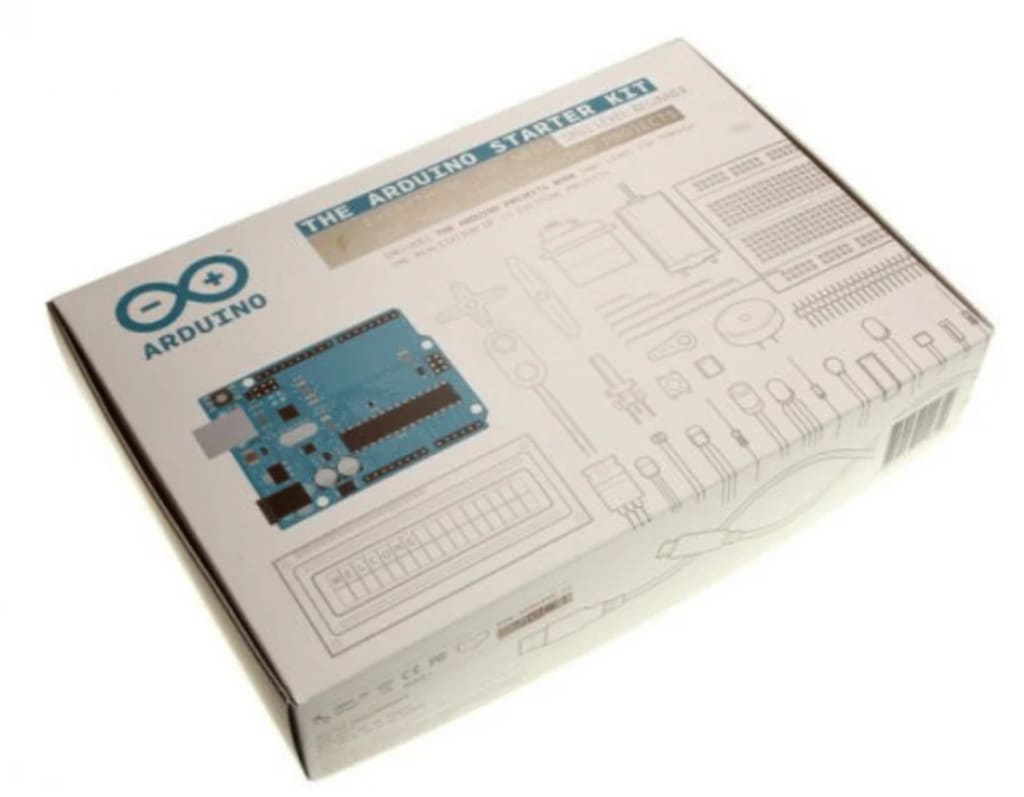
Go for the Arduino Starter Kit (Uno-based) or Arduino Nano ESP32 IoT Kit.
They come with:
- Sensors
- LEDs
- Breadboard
- Jumper wires
- Beginner-friendly projects
- Step-by-step manuals
You’ll learn real-world problem-solving: from blinking an LED to building a temperature logger with alerts.
Highly recommended for kids, teens, and parents learning together.
Final Thoughts
In 2025, you can’t go wrong with the Uno R4 Minima as your first board. It teaches you the fundamentals. Everything else becomes easier once you’ve got a few projects under your belt.
If you already know what you want to build (like a smart sensor or a home automation gadget), go with Nano ESP32.
But don’t waste weeks comparing specs.
Just pick one. Start building. Learn by doing.
Because Arduino isn’t about the perfect board—it’s about what you build with it.
About the Creator
What Is the Fastest Way to Start a Global Career After A/Ls?
A-level examinations mark a turning point where education choices begin shaping long-term career outcomes. For students aiming to work internationally, the decisions made immediately after A/Ls can determine whether they enter the global job market within a few years or spend much longer following conventional routes. Today, faster and more flexible pathways exist for those who plan strategically from the start.
By ameliarosanna4 days ago in Education
Cover Assembly Screened in Aircraft Systems: Function, History, and Aerospace Applications
Introduction: My Research into Cover Assembly Screened Aircraft Components While studying aircraft hardware and aerospace structural parts, I recently explored a catalog listing dedicated to Cover Assembly Screened components used in aviation systems. During my research, I realized that even small parts like protective covers are essential for the reliability, safety, and longevity of aircraft electronics and mechanical assemblies.
By Beckett Dowhan5 days ago in Education


Comments
There are no comments for this story
Be the first to respond and start the conversation.