
Power Automate Desktop (PAD) Source Sharing
You can run Power Automate (automation tool) with just copy & paste.

About Power Automate Desktop
Power Automate Desktop (PAD) is an automation tool that is basically free to use for Windows 10/11 users.
It is described as follows.
If you are a Windows 10/11 user, you have access to personal desktop flows in Power Automate for desktop for free. Simply download from the Microsoft Store or launch the app from the Start menu.
https://powerautomate.microsoft.com/ja-jp/
Users of Windows 10/11 can download it for free from the Windows store and immediately enjoy the benefits of automation. What an amazing era we live in.
In this article, we will show you how to use Power Automate Desktop (PAD) and how to execute it using the source code (flow) shared in each article.
[1] Create a Power Automate flow
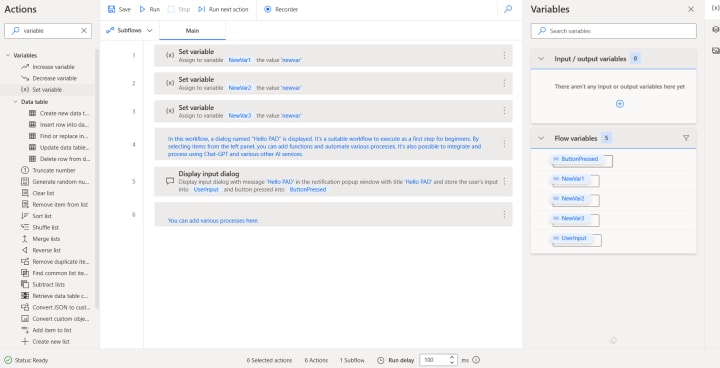
Create an automation process.
[2] Copy all with Ctrl+A → Ctrl+C
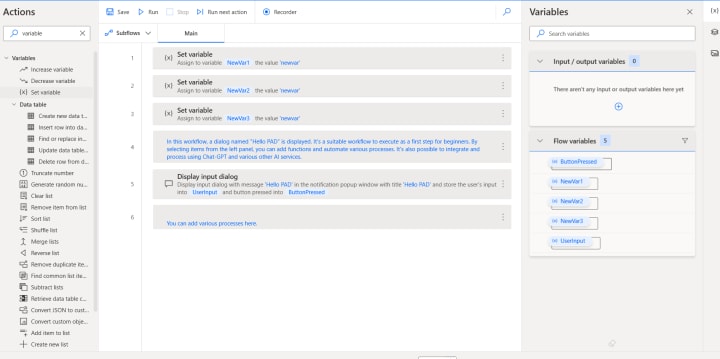
Copy everything.
[3] Paste it into Notepad.
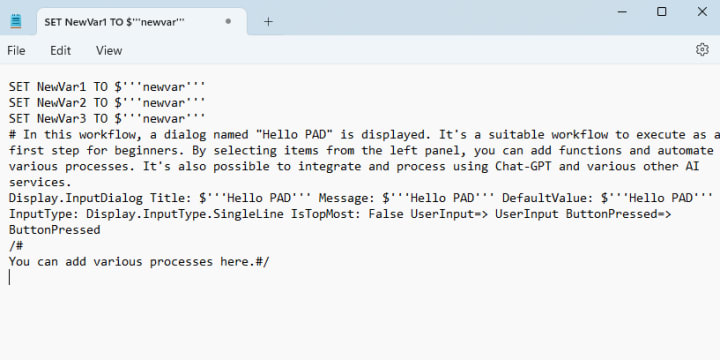
By sharing this text with others, it can be reproduced on another PC.
[4] Restore Power Automate Desktop from the text
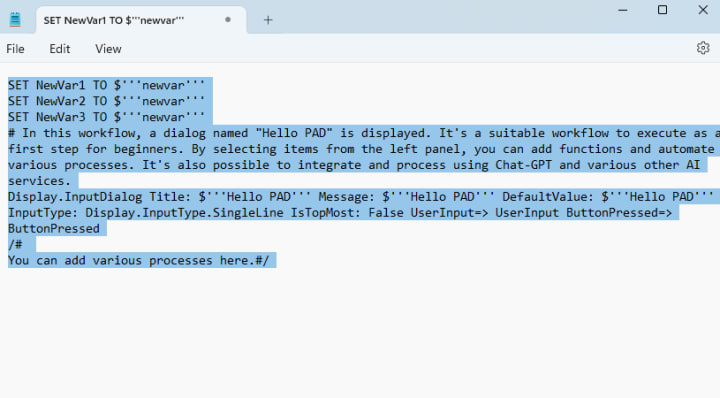
Copy all the text.
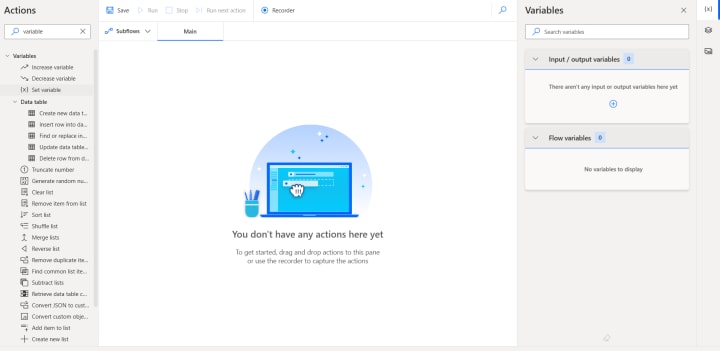
Create a new flow in Power Automate Desktop (PAD).
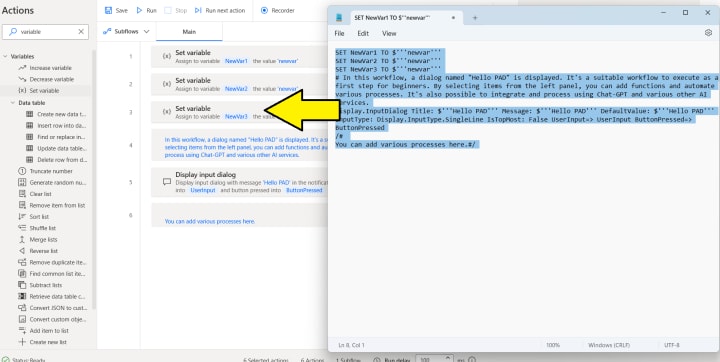
Paste the text.
With this, you can now execute the automation process!
From the next article, we will continue to share useful sources with you!
We hope you find it useful in your work and daily life!
(Example) The source used this time
The source used this time is as follows.
It's a simple flow where a dialog saying "Hello PAD" is displayed.
SET NewVar1 TO $'''newvar'''
SET NewVar2 TO $'''newvar'''
SET NewVar3 TO $'''newvar'''
/# 【This is a comment section】
This flow is designed for beginners making their inaugural attempt at execution.
You can share this flow with others by following the steps below:
Copy everything and paste it into a text file.
Share the text file with the intended recipient.
Use the text file as a reference to recreate the flow.
In my articles, I will be publishing numerous flows aimed at leveraging AI for automation to gain an advantage in work. Please make the most of them and use them to your benefit.#/
Display.InputDialog Title: $'''Hello PAD''' Message: $'''Hello PAD''' DefaultValue: $'''Hello PAD''' InputType: Display.InputType.SingleLine IsTopMost: False UserInput=> UserInput ButtonPressed=> ButtonPressed
/# 【This is a comment section】
-----Power Automate Desktop for Beginners: Must-know Tips-----
Introduction to Power Automate Desktop: It's a tool from Microsoft that automates repetitive tasks on your computer. It's a part of the larger Power Automate platform which helps in creating automated workflows.
Power Automate Desktop (PAD) is Microsoft's flagship Robotic Process Automation tool. When starting, ensure your PC meets the system requirements and download the software from Microsoft's official website. The user-friendly interface offers a drag-and-drop design, and you can efficiently manage data with variables. Emphasize error handling, monitoring through logs, and frequently back up your flows. Stay updated with software enhancements and familiarize yourself with keyboard shortcuts. The software offers tools like web recorders, integrations with other Microsoft services, and community forums for support. Debugging tools, looping functions, conditional logic, and desktop recorders make automation a breeze. As you advance, explore modules, built-in actions, flow sharing, and ensure data encryption for security. Recognizing UI elements is crucial, as is understanding where PAD stores your flows. Dive deep into version control, event-based triggers, and integrate external services using APIs. Parameterization adds dynamic input, and notifications keep you informed. You can streamline, break down, or reuse flows, and even use image recognition for visual tasks. Lastly, always be open to feedback and improvements as you master PAD.
Navigating further into PAD's capabilities, it's essential to understand the concept of subflows, which allow for breaking down complex tasks into more manageable segments. These subflows can be incredibly efficient, especially when you find yourself reusing certain sequences in multiple scenarios. Another notable feature is the ability to recognize and interact with UI elements, which becomes pivotal when automating desktop tasks. As you deepen your PAD journey, the importance of version control becomes apparent, helping track changes and adaptations made to flows. The software's adaptability is showcased in its ability to initiate flows based on specific triggers, extending its automation capabilities. Integrating external services using API calls broadens the scope of what you can achieve, making tasks like fetching data from external databases seamless. Furthermore, the dynamic nature of PAD is underlined by its parameterization feature, allowing data to be input dynamically, catering to various scenarios. Always be on top of notifications, setting up alerts to keep informed about flow successes or potential failures. Another advantage is the ability to export and import flows, facilitating the sharing of workflows across different devices or with colleagues. As with any robust tool, there's a learning curve involved. So, patience is key. As you become more adept, you'll find value in exploring browser extensions for web-based automations. And remember, your feedback is invaluable. Regularly sharing insights and suggestions with Microsoft ensures the tool's continuous evolution, catering better to user needs.
#/
Disclaimer
Each article includes various source codes such as Power Automate Desktop to demonstrate how to achieve the results.
However, please note the following:
Use the attached source code at your own risk.
In the unlikely event that problems arise from its use, neither the author nor the related companies can be held responsible.
Also, please understand that it may not work depending on the environment.
We hope you enjoy the article with the above understanding and acceptance.
Please make the most of the synergy between ChatGPT/AI and automation.
About the Creator
Keep reading
More stories from writers in Criminal and other communities.
Inside the House of Skulls: The Full Timeline of the Jonathan Gerlach Investigation
INVESTIGATION TARGET: JONATHAN C. GERLACH INCIDENT LOCATION: 100 WASHINGTON AVENUE, EPHRATA PA CHARGES: ABUSE OF CORPSE (x100), THEFT, DESECRATION STATUS: INCARCERATED ($1M BAIL) KEYWORDS: #HouseOfSkulls #JonathanGerlach #EphrataCrime #MountMoriah
By Sunshine Firecracker2 days ago in Criminal
Don’t Ask. Don’t Tell. Until Someone Lives To Tell.
By an independent investigative researcher ⸻ A note to the reader This article relies exclusively on public records, court filings, sworn testimony, and contemporaneous reporting. It does not allege criminal coordination beyond what has been established in court. Its purpose is to examine patterns, parallels, and institutional blind spots that emerge when timelines are placed side by side. Patterns are not accusations. But patterns ignored become policy.
By SunshineChristina2 days ago in Criminal



Comments
There are no comments for this story
Be the first to respond and start the conversation.