
Philitalks Sign-Up Guide: Create Your Account in Minutes
Philitalks offers a straightforward sign-up process and a user-friendly platform focused on global connections, though some features are paid, and there is no mobile app.

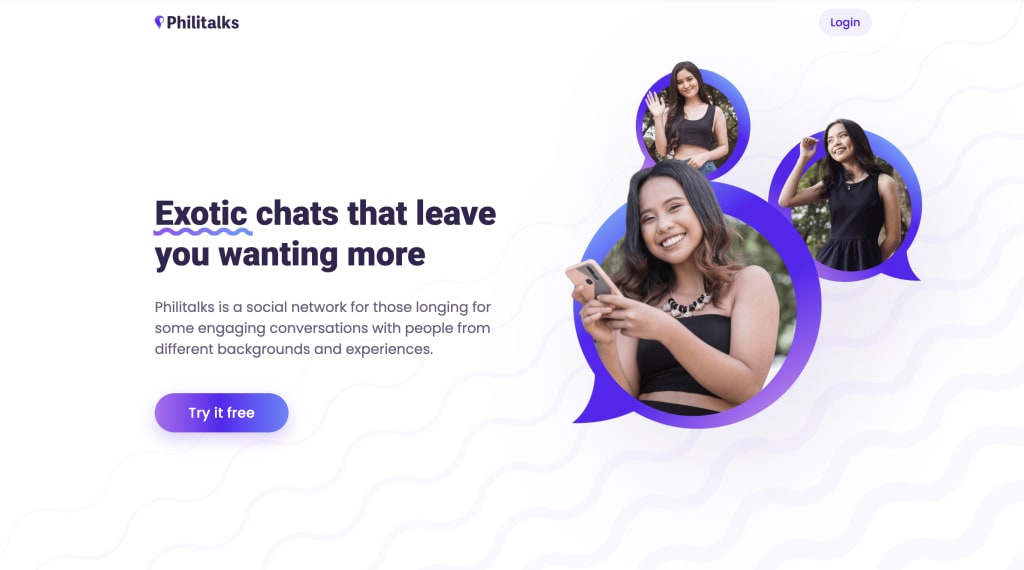
Hey there! I recently explored Philitalks, a platform designed to connect people globally, and wanted to share my experience and a straightforward guide on how to sign up. With around 3 million profiles, it definitely offers a wide pool of potential connections.
My First Impressions
I was drawn to Philitalks because of its focus on fostering meaningful interactions. The platform boasts a diverse community, and I was curious to see if it lived up to its promise of facilitating interesting connections. According to their stats, 80% of surveyed users felt the platform helped them bond with others, and 87% seeking new acquaintances believed it encouraged lasting connections. That's promising!
Getting Started: The Sign-Up Process
Here's how you can create your Philitalks account:
- Visit the Website: Head to the Philitalks website. You can do this on your desktop or mobile browser, as there isn't a dedicated mobile app yet. (Keep that in mind if you prefer app-based interaction.)
- Create an Account: Look for the "Sign Up" or "Create Account" button. You'll need to provide some basic information, such as your email address and a password.
- Complete Your Profile: After creating your account, you'll be prompted to fill out your profile. This is where you can add details about yourself, your interests, and what you're looking for on the platform.
- Explore the Platform: Once your profile is set up, you can start exploring the platform. You'll find features like the search page, newsfeed, and "People" suggestions.
Key Features I Explored
- Search Page: I found the search filters quite useful. You can narrow down your search by country, age, and gender, and even choose to see only online profiles or profiles of users you follow.
- Newsfeed: The newsfeed is where users post updates and photos. It's a great way to discover people with shared interests and spark conversations.
- Chat and "Let's Talk": The chat feature allows you to send messages and photos. If you're unsure how to start a conversation, the "Let's Talk" feature offers pre-written icebreakers, which might come in handy.
- Mails: For longer, more detailed conversations, you can use the mail feature to exchange messages and photos.
- Like, Wink, Follow: These are easy ways to express interest. You can "like" a profile, send a "wink" (a playful icebreaker you can only use once per user), or "follow" someone to stay updated on their posts.
- Drafts: I found this feature very useful, as unsent messages are stored in drafts, allowing you to finish and send them later.
Verification and Security
Philitalks emphasizes real profiles. This helps to create a safer environment and reduces the chance of encountering unwanted content. The platform states that 95% of potentially harmful content is removed through their moderation efforts, and only about 1% of users report unwanted interactions.
My Thoughts on Security and Support
I appreciated their focus on security. They use algorithms to detect fraudulent activity and have a dedicated moderation team. They claim that their AI-supported anti-fraud system recognizes users who want to pay with a stolen card, with a response time of 9 minutes. The platform also states that they handle customer support requests relatively quickly, with an initial response within 24 hours and resolution within 5 days. Though some users have reported delays and extensive clarification questions from support.
Things to Consider
- While the platform offers many free features, some, like stickers and personal messages, are subject to a fee.
- There's no dedicated mobile app, so you'll need to use the website on your mobile browser.
- Content restrictions are in place, so make sure to familiarize yourself with the platform's guidelines.
- Payment confirmation is required for all transactions, and delays may affect processing.
- The verification process may be seen as complicated.
Philitalks Login and Account Management
Philitalks Login: To log in, simply visit the website and enter your email address and password.
Philitalks Delete Account: If you decide to leave the platform, you can delete your account by contacting customer support. They also state your profile activity is hidden from search engines.
Overall
Philitalks offers a platform with a global reach and a focus on meaningful connections. With its user-friendly interface and security measures, it might be worth exploring if you're looking to connect with people from around the world. Just remember that some features are paid, and there's no mobile app.
Please note that this article may contain affiliate links, and the opinions shared are based on my personal experiences and perspectives.
About the Creator
Tracy Larson
A relationship and communication coach dedicated to supporting people in building meaningful connections online and offline.
Keep reading
More stories from Tracy Larson and writers in Confessions and other communities.
The Power of Emotional Intelligence in Digital Communication
As someone who's spent years immersed in the ebb and flow of online conversations, building communities, and fostering relationships in the digital sphere, I've come to a profound realization: emotional intelligence (EI) is the unsung hero of successful digital communication. In a world increasingly mediated by screens, where nuance is often lost and misinterpretations abound, EI isn't just a soft skill – it's a survival mechanism.
By Tracy Larson10 months ago in Confessions


Comments