
IT System Audit Checklist: Keepin' Your Tech Infrastructure Mighty and True
Time-Tested Tactics for Wrangling Your IT Systems to Stay Sharp and Safe
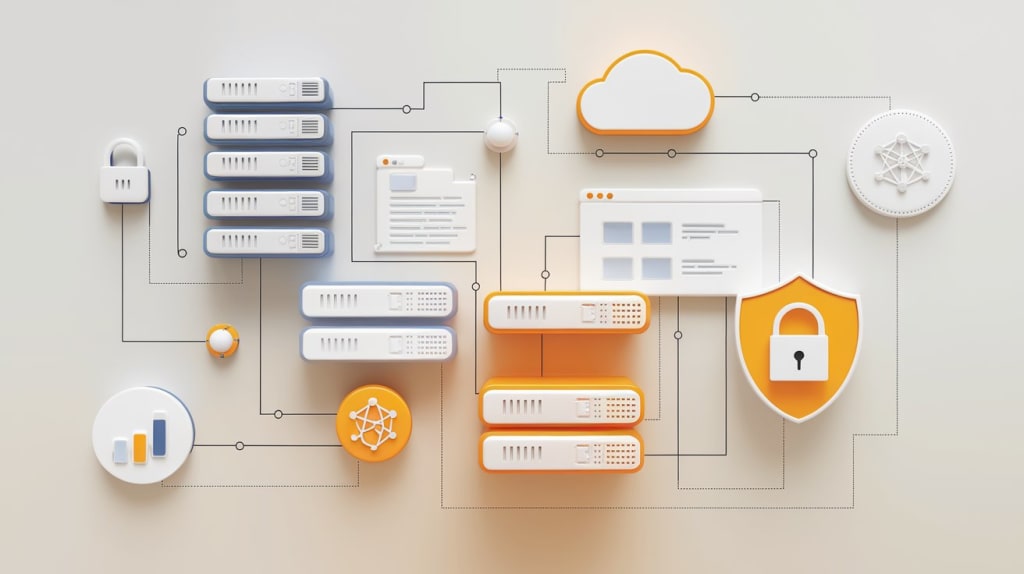
So, here’s the deal: As businesses become more and more reliant on their IT systems to keep things running smoothly, staying on top of security, performance, and compliance is absolutely essential. The digital landscape is evolving faster than ever, and it’s easy for companies to fall behind or, worse, overlook a weak spot in their infrastructure. That's where a solid IT system audit comes into play. It's the one thing that can ensure your systems are running like well-oiled machines and that your sensitive data stays protected.
Not sure where to start? Well, don't worry—we've got you covered with a detailed IT system audit checklist to help you make sure everything's in order. From security protocols to network performance, this guide breaks it all down, and trust me, if you follow this roadmap, you’ll have everything locked down in no time.
Key Components of an IT System Audit Checklist
When you’re diving into an IT system audit, the goal is to catch any vulnerabilities, inefficiencies, or gaps that could be slipping under the radar. Here are some of the most crucial components that need to be checked off your list:
System Inventory: This one’s simple—you need to know exactly what you're working with. Make sure to document all your hardware, software, and network components. From servers to workstations to apps, you need the full rundown so nothing gets missed.
Security Measures: Let’s talk about security, because if it’s not up to par, the rest of the audit doesn’t matter. You’ll want to check your firewalls, antivirus software, encryption, and MFA (multi-factor authentication). Oh, and don’t forget to ensure all those patches are up-to-date. Hackers don’t wait for outdated systems to get fixed!
Data Backup & Management: You need a solid plan for data storage, access controls, and disaster recovery. If you’re not backing up your data securely or regularly testing your backups, now is the time to fix that.
Compliance Check: Whether it's GDPR, HIPAA, or PCI DSS, you’ve got to make sure your IT systems are meeting the necessary legal standards. This could mean reviewing access logs, encryption methods, or even user permissions—whatever it takes to stay on the right side of the law.
Network Performance: This one’s all about checking how your network is doing. Are there bottlenecks? What’s the bandwidth like? Do you have enough capacity to meet the demands of your growing business? Network performance audits help identify where improvements need to be made.
User Access & Permissions: Take a close look at who has access to what in your organization. Make sure employees have the right permissions for their roles, and remember to remove inactive accounts. No one wants to be responsible for giving the wrong person access to sensitive data.
Modern Trends and Methodologies in IT System Auditing
Okay, so audits aren’t exactly the most thrilling task, but that doesn’t mean they can’t be efficient and even a little fun (in a nerdy way). In recent years, new tools, trends, and methodologies have made IT audits faster, smarter, and more insightful. Let’s look at some of the big changes that are reshaping the audit landscape:
1. Automation and AI in Auditing
Let’s face it—nobody wants to waste time doing things manually when a robot can do it for you. With AI and automation, you can speed up repetitive tasks like vulnerability scans, log analysis, and data collection. AI-driven tools can even flag anomalies in real time, which helps you stay one step ahead of any issues before they become bigger problems.
For example, there are tools out there that can monitor network activity 24/7, looking for anything out of the ordinary. As soon as something fishy happens, you’ll be the first to know. It’s like having a digital watchdog that never sleeps.
2. Cloud Security Audits
The shift to cloud computing has been a game changer for businesses of all sizes, but it’s also created a whole new set of challenges when it comes to auditing. Nowadays, many IT audits have a specific focus on the cloud: security configurations, data storage, access management—the works. If you're storing sensitive data on the cloud (which, let’s face it, most businesses are), cloud audits are non-negotiable.
Many cloud providers offer their own audit tools to help track activity and monitor security. But just because a service says it's secure doesn’t mean it actually is, so having an external audit done on your cloud infrastructure is always a smart move.
3. Risk-Based Auditing
Gone are the days when IT audits were simply a checklist of tasks to be completed. These days, more and more audits are risk-based. This means instead of going through every single component of your system, auditors focus on the areas that pose the biggest risks—like sensitive data, security breaches, or non-compliance with industry regulations.
Risk-based auditing lets you prioritise your efforts and resources, tackling the highest risks first. It’s like choosing to fix a leaking roof before worrying about repainting the walls—tackle the big issues first, and the smaller problems can wait.
4. Continuous Monitoring and Real-Time Audits
In a world where cyber threats can evolve in the blink of an eye, relying on periodic audits simply isn't enough anymore. Continuous monitoring has become the new norm. Real-time auditing tools track your systems 24/7, alerting you to anything unusual, whether it's a security breach or a dip in system performance.
These tools don’t wait for the next scheduled audit—they're always on the lookout for potential issues. And with AI helping to analyse the data, they can flag problems instantly, meaning you don’t have to wait weeks or months for a problem to be identified.
5. Blockchain for Transparency
Blockchain technology, often associated with cryptocurrencies, is also finding a place in IT auditing. The reason? Its inherent ability to provide a transparent, immutable record of transactions. If you’re looking for a tamper-proof way to track your IT changes—from file modifications to data transactions—the blockchain might be the solution.
Imagine this: A blockchain-enabled audit trail could allow auditors to track every action taken within an IT system, ensuring that no one can sneak in and tamper with important records. It’s like creating an unbreakable paper trail that everyone can trust.
6. Third-Party Vendor Risk Management
The more third-party vendors you rely on, the greater your exposure to risk. When you outsource work or use external services, their security and compliance practices become part of your responsibility. That’s why auditing your third-party vendors is more important than ever.
Vendor risk management should be part of every IT audit. This means checking your vendors’ security protocols, reviewing contracts and SLAs, and making sure they meet your company’s compliance standards. A weak link in your vendor chain could lead to serious consequences, so don’t ignore this step.
Read more about IT system audit checklist: https://axonator.com/artifact/it-system-audit-checklist/
Best Practices for Conducting an IT System Audit
Just like in any other industry, there are some tried-and-true practices that will make your IT audit go off without a hitch. These best practices ensure you’re getting the most out of your audit while keeping things smooth and efficient:
Set Clear Objectives: Before diving in, take a moment to figure out what you actually want to accomplish. Are you focusing on improving security? Improving performance? Being clear on your goals will help guide the audit process.
Get Everyone Involved: An IT audit isn’t just for the IT department. Get input from stakeholders across the organisation—IT, security, compliance, management—so you don’t miss anything important.
Combine Manual Checks and Automated Tools: Don’t rely solely on automated tools or manual checks. A mix of both ensures you’re covering all your bases.
Document Everything: Keep detailed records of every step, from initial findings to remediation. This will help you track progress and provide a clear audit trail in case of future compliance checks.
By embracing these best practices and staying on top of the latest trends, you’ll be in a fantastic position to keep your IT systems secure, efficient, and ready for whatever comes next.
About the Creator
Keep reading
More stories from Vibhor Dongre and writers in Chapters and other communities.
Is the Safety of Your Company a Concern? An Unclosed Checklist That Shows Off Hidden Weaknesses
Imagine this: Your organisation has spent millions of dollars to create the most secure networks and servers and already encrypted all its data and updates to stay a step ahead of cyber threats. Nonetheless, something still does not feel right. Are there critical vulnerabilities in your network that go unseen? The truth is that numerous organisations do not see the risks that could cause a data breach, financial loss, or reputational damage. Why is that? Because traditional security checks often fail to keep up with the ever-evolving threat landscape. What’s the solution? A comprehensive security audit, but not just any audit—one that is tailored to address today’s challenges. In this article, we’ll dive into the most critical, up-to-date elements of a security audit checklist, highlighting what needs to be examined and why.
By Vibhor Dongreabout a year ago in Chapters
Sparrow on a Plank Chapter 19: Of Sparrows, Pirates, and...Vikings?
Back on Cyrill, Prince Ta was smiling to himself. He had long ago realized that Lord Ashigaru would be his opponent on this, and so had started a dossier on him. It was easy for him to keep a step ahead of the reptilian lord; Prince Ta didn't limit his thinking to what he thought his role was, and therefore was open to ideas that he would otherwise reject. He also treated his operatives with respect, and allowed that failure was an option. After all, if you send someone on a difficult assignment then it was likely that at sometime that someone would need to fail; it was just a matter of odds, and the odds didn't play favorites. He smiled, just a little thing on his lips, as he wondered how Lord Ashigaru would feel if Bubastos' high lord ever realized that his waffles were his weakness; without his daily waffles, his entire day was shot. They were part of his daily ritual, and something that needed to be changed.
By Jamais Jochim5 days ago in Chapters



Comments
There are no comments for this story
Be the first to respond and start the conversation.