
How to use Yoroi Wallet with Ledger
How to use Yoroi Wallet with Ledger

Yoroi Wallet allows you to integrate your hardware wallets such as Trezor or Ledger into your Yoroi Wallet. So, if you are trying to use Yoroi Wallet with Ledger Wallet, you can do so by following the below tutorials.
To fix this
Please download the last update of Ledger Live Application:
● Update your Ledger device to the latest firmware.
● Install the Cardano (ADA) app on your Ledger device.
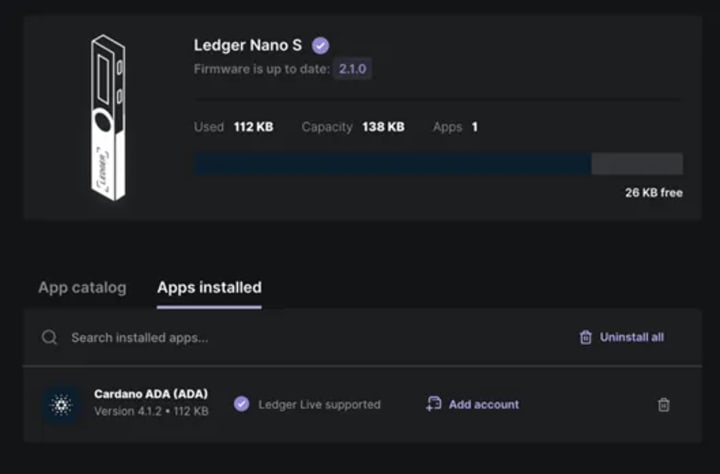
Connecting your Ledger to Yoroi Wallet
1. Go to the Yoroi website and install the Yoroi browser extension.
2. Open the Yoroi extension in your browser, set up your language, and continues.
3. Accept the terms and conditions.
4. Now choose to connect to a hardware wallet.

5. You’ll be prompted to connect your Ledger device to the computer and unlock it. When you do so, click on connect.
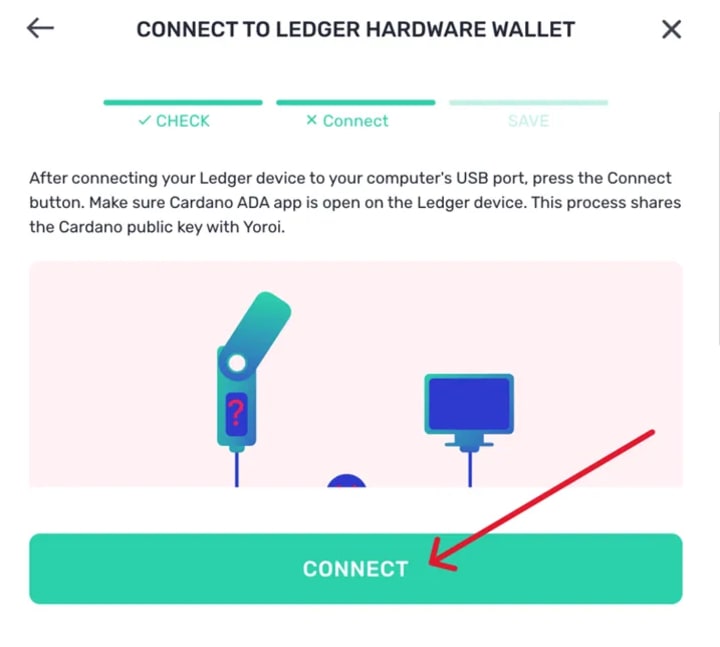
6. You’ll be asked to verify the public key. Once you’ve connected your Ledger device successfully, click on Save.
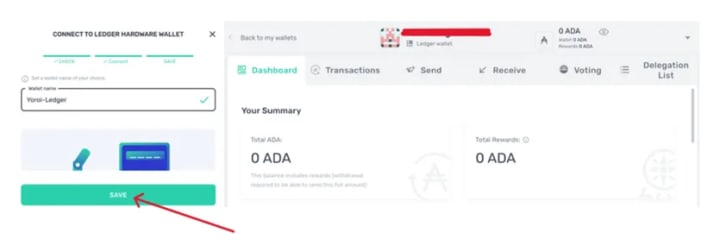
7. You can now manage your Ledger Cardano (ADA) asset via Yoroi Wallet.
About the Creator
Keep reading
More stories from Brad Belick and writers in Chapters and other communities.
Cassian-13: Chapter Links
Author's note: The world was built, but I wasn't exactly sure what story to tell. Then, I wrote Cassian-13: The Turn which opened up many questions. I thought it might be fun to write a longer story one segment at a time and post them in Chapters. And now that I have a vague outline, it's something that might be doable. As I've seen many other creators on here do to keep things organized, this will be where I keep the story together.
By Jean-François Lamotheabout 15 hours ago in Chapters
The BAFTA Awards
By now, in a stunning departure from recent years, most of the world is aware of what happened at the BAFTA film awards. Social Media Headlines will tell you the bare bones: that John Davidson, a Tourette's Syndrome advocate, shouted a racial slur at two Actors of Colour, Michael B Jordan and Delroy Lindo.
By Natasja Rose5 days ago in Psyche


Comments
There are no comments for this story
Be the first to respond and start the conversation.