Mst. Sumaiya
Bio
I’m Mst. Sumaiya, a Digital Marketing Expert with 3+ years of experience in SEO and SMM. I specialize in growing online businesses, solving tech problems, and guiding others to make smart digital decisions.
Stories (29)
Filter by community
Clear and simple solutions to everyday tech problems
You bought that off the shelf computer last year because it was a good deal but you’ve recently got the itch to do some gaming. All your friends are playing and you don’t want to be left out. Sound familiar? To get started you went and ordered a graphics card but now you have a problem. It won’t fit in your case. Uh-oh.
By Mst. Sumaiya12 months ago in Writers
Clear and simple solutions to everyday tech problems
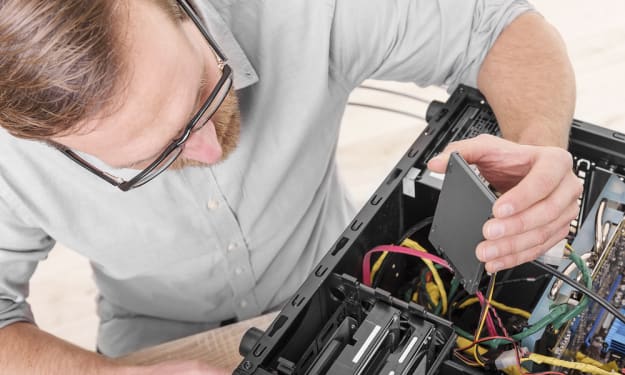
Even though computers these days often come with a terabyte hard drive installed, that space can be quickly consumed by video games, videos and music. My new computer has a terabyte drive and within six months it was already three-quarters full! When faced with a situation like this we can either do backups, delete some programs or add more storage. Thankfully installing a hard drive is quick and easy so you can continue on with your digital hoarding. Over the years hard drives have also become cheaper so there’s no reason not to increase your storage space.
By Mst. Sumaiya12 months ago in Writers
Clear and simple solutions to everyday tech problems.
I don’t know about you, but I get rather peeved when I go to open my browser and I see a crop of uninvited and not downloaded by me add-ons or extensions. They clunk up my toolbar, they sludge up my interneting process (I just made up that word), and they just bug me in general. There’s three that are the biggest pains in the butt not just for me, but for many people who experience the same level of being irked by their existence. I am referring to Ask.com, Skype, and Avast. Just typing those names made my blood pressure spike just a bit. The plus side is that the steps for these systems, browsers, add-ons, and toolbars can be followed for ANY toolbar or add-on. Just replace the necessary name for another one and you’re good to go!
By Mst. Sumaiya12 months ago in Writers
Clear and simple solutions to everyday tech problems
I always tend to be wary of family get-togethers. There’s always one person who is ready with the phone camera and is snapping away like mad. I often wonder how that person deals with the memory storage issues of taking those photos. If that person is you, and your phone is full to bursting with the pictures taken of piles of leaves, your pets, and/or your children, this article should help you out.
By Mst. Sumaiya12 months ago in Writers
Clear and simple solutions to everyday tech problems.
f you’ve made the switch to a Windows Phone or are thinking of making the switch then you might be surprised by just how different it is. Compared to it’s bigger rivals, Android and iPhone, it has a significantly different look and feel. You might get frustrated by your switch to Windows Phone and regret your decision but don’t give up hope. Learning how to use the unique features will give you an appreciation for the design and hopefully lead to love the change. Everyone I know that has made the switch to Windows Phone loves it and I guarantee you will too once you learn how to use it.
By Mst. Sumaiya12 months ago in Writers
Clear and simple solutions to everyday tech problems
It seems that you can’t use a computer these days without having to log into a handful of different accounts. There’s your Microsoft account to get into Windows, a Google account to check email and of course Facebook to see what your friends are up to. Those are just the basics. Almost every program and website requires you to have an account set up with a login and password. Keeping track of all these passwords can be a challenge and you want to be careful with them since they guard your digital life.
By Mst. Sumaiya12 months ago in Writers
Clear and simple solutions to everyday tech problems
Installing new RAM is an easy way to give an aging computer some new life or give you more power for beefy applications. Luckily installing RAM is one of the least complicated upgrades you can do since it doesn’t require power hookups and there are usually no settings you have to adjust. If you’ve picked out the correct RAM to install then it’s just a matter of plugging it into the motherboard.
By Mst. Sumaiya12 months ago in Writers
Clear and simple solutions to everyday tech problems
Sometimes your Windows computer just doesn’t work right. Sometimes we pick up a nasty virus, download a program that doesn’t work right or develop a nasty problem that we can’t identify but gums up the works. Problems like these can make normal methods of repair impossible when the computer becomes slow, tools won’t launch or it simply won’t boot up properly. What do you do? How do you fix a computer that doesn’t want you to fix it? Don’t worry. Windows Safe Mode is a fantastic way to help you make your computer usable again. What is Safe Mode and how do you use it? Well, let’s find out.
By Mst. Sumaiya12 months ago in Writers
Clear and simple solutions to everyday tech problems
Have you ever thought that it would be great if all your computers could talk to each other and work as one big computer? Maybe you’re tired of constantly having someone in your office emailing those reports to you when their computer is only a few feet away. Whatever your situation, the solution is networking. Networking used to be complicated and something only reserved for the technically elite but in recent versions of Windows it has become much simpler. Now you can set up your own small network in your home or office by using Homegroup.
By Mst. Sumaiya12 months ago in Writers
Clear and simple solutions to everyday tech problems
You’ve taken the plunge. You’ve installed Linux on your computer and booted it up. You’ve looked around for a bit. Clicked on some things. Maybe you opened Firefox, checked your email, or your facebook, and so far everything’s running just fine. Nothing terrible happened. Everything worked basically how you would expect it to. This surprises you for some reason.
By Mst. Sumaiya12 months ago in Writers
Clear and simple solutions to everyday tech problems
It seems like such a simple thing but sometimes sharing files can be a hassle. Sometimes you just want to listen to a song that’s on another computer in the house or maybe you need that report on someone else’s computer in the office. In either case you have a few different file sharing options so you can keep things easily at hand no matter what computer they’re stored on.
By Mst. Sumaiyaabout a year ago in Writers
Clear and simple solutions to everyday tech problems
So, if’n you’ve got a Windows 7 or a Windows 8 computer, you may be set in your ways. Or at the very least, leery of the huge amount of shenanigans that happen when your computer upgrades to Windows 10. Even though we recommend trying Windows 10 out in another one of your articles, there are times when you are comfortable with what you’ve got and want to avoid the upgrade. Well, Microsoft isn’t comfortable with you being comfortable. But, then, anyone who ever tried Windows ME knows that. Hey-o!! Microsoft joke that is extremely dated.
By Mst. Sumaiyaabout a year ago in Writers