
What is a Box Mockup? A Comprehensive Guide
What is a Box Mockup?


Introduction of box mockup
In the world of design, especially when it comes to product packaging, visualization is key. A box mockup is a digital or physical representation of a box used to showcase how a final product's packaging will look. It’s a critical tool for designers, marketers, and product developers who want to see and share a preview of the packaging before committing to actual production. In this guide, we'll break down everything you need to know about box mockups, their benefits, types, and how to create your own, as well as suggest some great box mockup generators you can use.
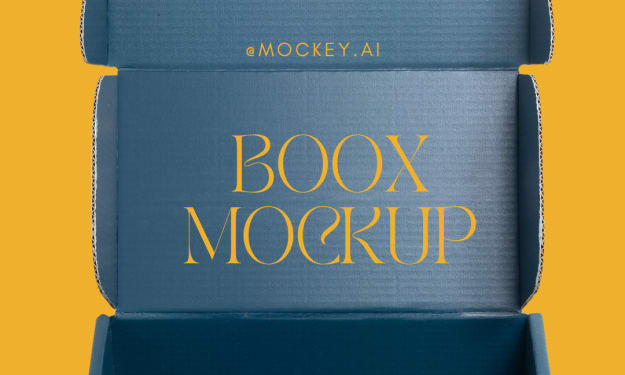
A box mockup is a model or a simulation of a box that replicates the design and look of a product’s packaging. It can be a simple 2D flat design or a realistic 3D image that looks just like a real box. Designers use box mockups to show clients what the final product packaging will look like, to make adjustments, or to market the product before it’s officially released.
Box mockups are available in many styles and formats, including:
- Folded cardboard box mockups
- Rigid box mockups
- Gift box mockups
- Mailing box mockups
- Food packaging box mockups
The aim is to give a realistic and appealing presentation of the product packaging, often including branding, textures, and other design elements.
Why Use a Box Mockup?
Box mockups are extremely valuable for several reasons:
Visualize the Final Product: They provide a clear idea of what the packaging will look like once produced, allowing for better decision-making.
Catch Design Errors Early: You can spot mistakes or elements that don’t look right before printing, saving time and money.
Improve Client Communication: Mockups make it easier to show clients what to expect, making feedback and revisions more effective.
Test Branding and Colors: It’s a great way to test different color schemes, logos, and designs to see what works best for the product.
Market Your Product: Use box mockups for online stores, advertisements, and social media to create buzz even before the actual product is available.
Types of Box Mockups
Box mockups come in various types to suit different needs. Here's a breakdown:
2D Box Mockups: These are flat designs that show the layout of the box packaging. They are useful for planning the design and ensuring that all elements fit perfectly when folded.
3D Box Mockups: These provide a three-dimensional view of the box, giving a realistic look at how it will appear from different angles. This type is ideal for presentations and marketing materials.
Printable Box Templates: These are mockups designed to be printed and folded, allowing for a physical representation of the box. They are excellent for hands-on reviews and physical prototyping.
Digital Box Mockups: These are highly detailed digital files, often created in Photoshop or 3D software. They are perfect for final presentations and digital marketing.
Photorealistic Box Mockups: These mockups aim to replicate the box exactly as it would appear in real life, complete with textures, shadows, and lighting effects.
How to Create a Box Mockup
Creating a box mockup can be as simple or complex as you need. Here’s a step-by-step guide to get started:
Choose the Right Software: Popular tools for creating box mockups include Adobe Photoshop, Illustrator, and 3D software like Blender. If you’re new to design, there are also online box mockup generators available.
Download a Mockup Template: Many websites offer free and premium box mockup templates that you can customize. These templates usually come with pre-set dimensions for different types of boxes.
Customize the Design: Open the template in your chosen software and start adding your design elements, including logos, colors, patterns, and text. Make sure to keep the brand's guidelines in mind.
Add Details for Realism: For a realistic touch, add textures (like matte, gloss, or cardboard), shadows, and highlights to your design. These details make the mockup look more professional.
Preview in 3D (if applicable): If you’re working with a 3D mockup, use your software to rotate the box and preview it from multiple angles.
Get Feedback: Share your mockup with clients or team members to gather feedback and make adjustments if necessary.
Recommended Box Mockup Generators
If you’re not ready to dive deep into complex design software, don’t worry—there are several online box mockup generators that make the process quick and easy:
Mockey: A versatile box mockup generator that provides high-quality mockup templates for boxes, allowing for quick customization with easy-to-use editing features. It’s ideal for both beginners and professionals looking for efficient design options.
Placeit: A user-friendly tool that offers a wide range of customizable box mockups. It’s great for beginners who want professional results without extensive design skills.
Mockup World: This site has a collection of free and premium box mockup templates that you can download and edit in Photoshop.
Smartmockups: An online tool that allows you to create realistic box mockups in minutes. It offers various templates and customization options for different box styles.
Canva: Although it’s not specifically a box mockup generator, Canva has several packaging templates and tools that can be used to create simple 2D box designs.
Renderforest: A tool that specializes in 3D product mockups, including box designs. It’s perfect for creating photorealistic mockups for presentations and ads.
Tips for Creating Effective Box Mockups
Here are some simple tips to make sure your box mockup looks professional and eye-catching:
Focus on Clarity: Keep the design clear and readable. Avoid clutter and ensure that the brand’s logo and product name are easily visible.
- Use High-Quality Images: Whether you are adding a texture or logo, use high-resolution images to maintain quality, especially if you plan to print.
- Test Different Angles: Experiment with different viewing angles to see what displays your design best. Top views, front views, and angled shots are all effective.
- Pay Attention to Proportions: Make sure that your design elements are proportionate to the box size to avoid any distortions in printing.
- Highlight Key Features: If the product packaging has unique elements (like a handle or window), make sure they are clearly visible in the mockup.
Conclusion
A box mockup is an invaluable tool in the packaging design process, allowing designers, marketers, and product developers to visualize, test, and showcase packaging before it goes into production. Whether you’re working on a physical mockup or a digital one, using the right tools and techniques can make all the difference. Online box mockup generators like Placeit and Smartmockups offer a quick and easy way to get started, while advanced tools like Photoshop and Illustrator give you full creative control.
By understanding the different types of box mockups and learning how to create them, you’ll be well-prepared to make packaging that not only stands out but also meets your brand’s standards.
Start creating box mockups today and bring your product packaging ideas to life with confidence!
also read:
About the Creator
ladali official
I am a content creator with a love for storytelling and turning ideas into visuals that captivate and connect. I focus on creating engaging, high-quality content that speaks to audiences across platforms
Keep reading
More stories from ladali official and writers in Art and other communities.
How to Create a Box Mockup: A Complete Guide
Creating a box mockup is an excellent way to bring your packaging designs to life. It helps you visualize how the product will look in real-world settings, communicate your ideas effectively, and make necessary changes before production. This blog covers everything you need to know about creating a box mockup, from understanding the basics to using advanced tools.
By ladali officialabout a year ago in Art
Every Brushstroke Was a Wish
In the small, quiet town of Avelar, there was a woman named Lena who painted with the kind of passion that only the truly lost could understand. Her cottage was perched at the edge of a vast forest, the kind of place where the whispers of the trees seemed to reach through the windowpanes, mingling with the rhythm of her brush against canvas. People in the town would pass by and sometimes glance at the paintings displayed in her window. But few, if any, understood the soul of her work.
By Jhon smith3 days ago in Art
The Best AI Music Generator for Commercial Creators in 2026
By January 2026, the conversation around AI in music has shifted from "Will it replace us?" to "How do I use it to finish tracks faster?" As a senior audio editor who has reviewed everything from Suno’s latest updates to complex DAW plugins, I have seen the market flood with tools. However, for creators who need a balance between ease of use and professional control, Create Music AI has established itself as a formidable ecosystem.
By techfusionabout 17 hours ago in Art


Comments
There are no comments for this story
Be the first to respond and start the conversation.