
Top Features to Look for in a Digital Card Maker App
Digital Card Maker

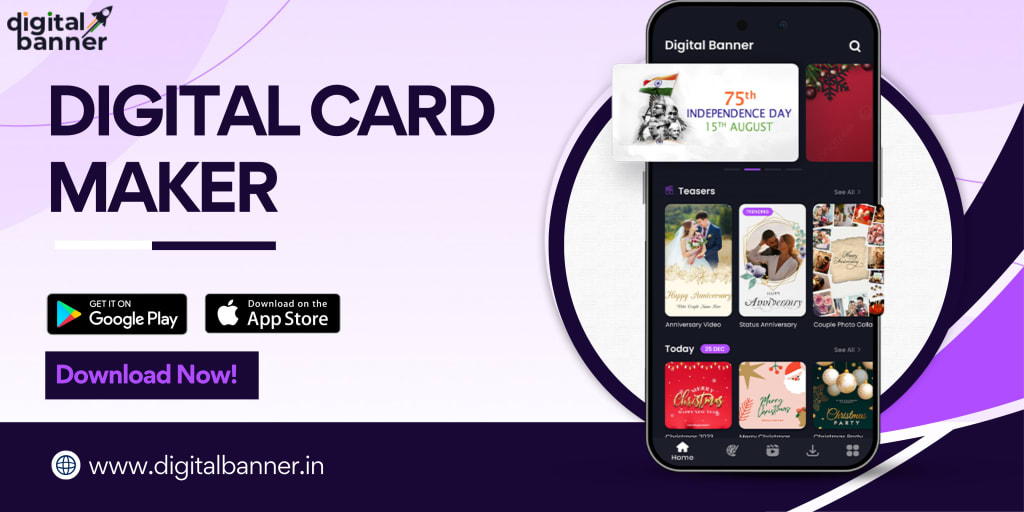
In today's digital age, sending personalized greetings is just a tap away, thanks to the power of card making apps. Whether you’re creating festive posters or designing personalized invitations, these apps bring convenience, creativity, and a touch of magic to the process. But with so many options available, how do you choose the best one? Let's dive into the top features you should look for when selecting a card making app.
1. Easy-to-Use Interface
The first thing to consider is how user-friendly the app is. Not everyone is a design expert, and a good card making app should cater to all skill levels. Look for drag-and-drop functionality, pre-made templates, and intuitive design tools that make creating a digital card or festival poster maker easy and fun. The last thing you want is to be stuck trying to figure out complicated menus when you're in a rush to send a card.
2. Variety of Templates
One of the main attractions of any card maker app is the variety of templates it offers. Whether you’re designing a birthday card, anniversary card, or a festive greeting, the app should provide a wide selection of professionally designed templates. Templates save time and effort while still giving you room to personalize the card with your own touch. Some apps even offer festival-specific templates, which come in handy when creating a festival poster maker for events like Diwali, Christmas, or New Year's.
3. Customization Options
While templates are convenient, the ability to customize them is equally important. A good card making app allows you to tweak colors, fonts, images, and text to make your card truly unique. Customization options can turn a generic card into something personal, whether it’s changing the background color to match the recipient’s favorite hue or adding your own heartfelt message.
4. High-Quality Graphics and Export Options
When creating digital cards, the quality of the final product matters. Make sure the app offers high-resolution export options so that your cards look professional and crisp whether shared digitally or printed. Additionally, the app should support various file formats like PNG, JPEG, and PDF, giving you the flexibility to use your design across platforms.
5. Multilingual Support
If you're looking to connect with people who speak different languages, check whether the app supports multilingual fonts and text options. This is especially useful for creating festival posters that cater to diverse audiences. For example, a Diwali card could be even more impactful if written in Hindi or another regional language.
6. Social Media Integration
Many of us send digital cards via social media or messaging apps. A card making app that integrates with popular social platforms like Instagram, Facebook, and WhatsApp makes sharing your creations seamless. Look for apps that allow direct sharing, so you can instantly post your creations or send them to friends without any extra steps.
7. Offline Mode
Not everyone has constant access to the internet, especially when traveling or in areas with limited connectivity. An app that allows offline editing can be a lifesaver. You can design cards without being connected to the internet, and once you’re back online, you can upload and share them effortlessly.
8. Festival Poster Maker Features
If you’re planning to create posters for festivals, having an app that doubles as a festival poster maker is a huge bonus. Look for features that cater specifically to festive occasions, such as pre-made templates for popular celebrations, festive-themed stickers, and customizable text options to wish your friends and family in style.
Apps like Digital Banner or its iOS counterpart here offer a host of features tailored for creating festival posters, banners, and digital cards for every occasion.
9. Affordable or Free Access
While many apps come with premium features, it's important to find one that offers value for money. Free apps or those that offer a mix of free and paid options allow you to test the app before fully committing. Some even offer in-app purchases for additional premium templates or advanced editing features.
10. Customer Support
Last but not least, check whether the app offers good customer support. Whether it's an online help center, chat support, or video tutorials, it’s always useful to have assistance when needed. A well-supported app ensures you’ll have a smoother experience, especially if you encounter any issues while creating your cards or posters.
Conclusion
Choosing the right card making app can elevate your digital card and poster-making game, whether you're creating a birthday card for a loved one or a festival poster maker for a special event. Look for apps that provide an easy interface, a variety of templates, and ample customization options to make your designs stand out. One such app is the Digital Card Maker, which offers many of these features and more. Next time you're thinking about sending a card or creating a festival poster, having the right app will make all the difference!
About the Creator
Digital Banner
Digital Banner App is one of the best FREE festival greetings banner making app for Android and iOS.
Keep reading
More stories from Digital Banner and writers in Art and other communities.
A Step-by-Step Guide to Designing Beautiful Cards with a Digital Card Maker
In today’s digital era, creating personalized greeting cards has never been easier. Whether you're celebrating a birthday, holiday, or a special event, a card making app offers endless possibilities for design and customization. Using a festival poster maker or card maker allows you to craft stunning, professional-looking cards without needing graphic design experience.
By Digital Bannerabout a year ago in Art
When the Artist Becomes the Art
We like to think we can separate the art from the artist, but can we, really? Art is born from the same place as sin. It mainly emerges from conflict: between what is felt and what is permitted, between the self that is lived and the self that must be hidden. No figure embodies this tension more vividly than Oscar Wilde: a man who transformed his own contradictions into style, wit, and devastating clarity. His novel The Picture of Dorian Gray is not merely a tale of aesthetic decadence but the battleground on which this question is fought.
By Yasmine Lagrasabout 14 hours ago in Art
Center Stage with Paul Stewart
*** I'm keen to republish the interviews I did for my series with Vocal creators. It's been a few years and I thought it might be nice to revisit these wonderful conversations. I'll be releasing them one at a time for a few weeks/months.
By Heather Hubler5 days ago in Interview


Comments (1)
I guess you meant to publish this on "01" (Tech stuff) rather than "Art"