
The Definitive Guide to Embroidery Digitizing Software
The Definitive Guide to Embroidery Digitizing Software: Choosing the Best for Your Designs
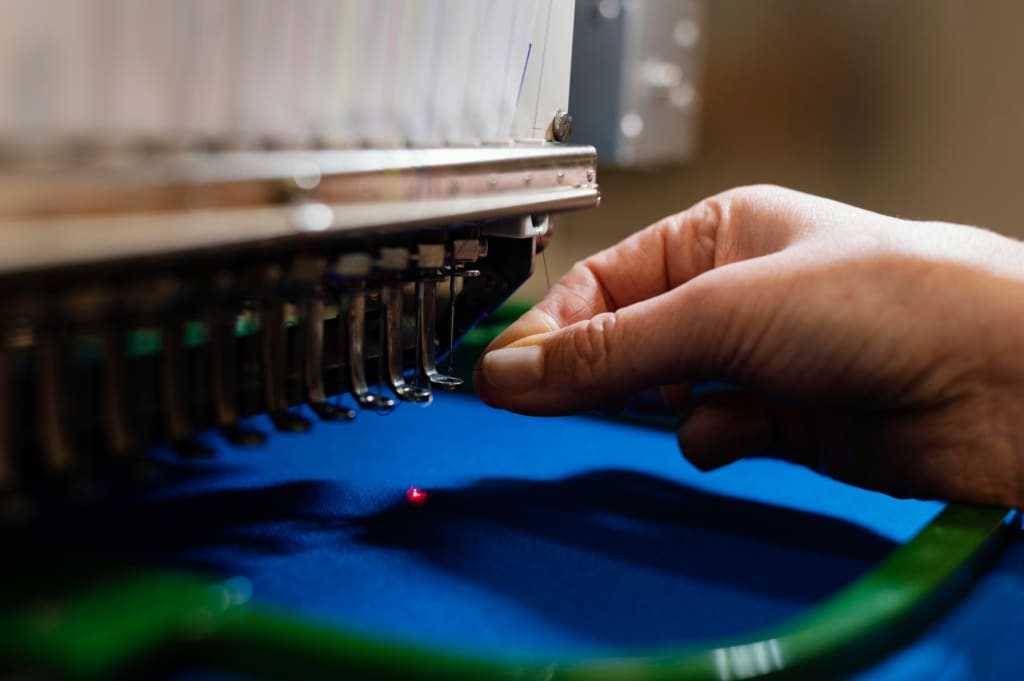
Embroidery digitizing is the process of converting artwork into an embroidery machine-readable file format. It allows you to take any image or logo and recreate it in stitch embroidery on fabric using an embroidery machine. Digitizing software plays a crucial role in this process by providing the tools to convert vector or bitmap artwork into a series of stitch coordinates that the embroidery machine can follow to sew out the design.
Having the right digitizing software can make all the difference in achieving professional, high-quality embroidery output. The digitizing process requires precision and attention to detail in order to translate artwork into clean, well-defined stitches that hold their shape without distortion. With poor software, embroidery designs can result in messy stitches, distorted shapes, loose connections, and thread breaks. The right tools give you control over stitch types, density, underlays, pull compensation, and more to optimize embroidery production.
In this review, we will compare the top embroidery digitizing software on the market today. We will look at the key features, capabilities, advantages, and limitations of each program. Our goal is to provide embroidery business owners, apparel decorators, and crafters with the information needed to select the best digitizing solution for their needs and budgets. With the right software, you can digitize designs faster and achieve flawless embroidery output every time.
What is Embroidery Digitizing Software?
Embroidery digitizing software is used to convert artwork into machine-readable embroidery designs. The software takes artwork such as a logo, clipart, drawing, or photograph and converts it into a file that contains embroidery stitch data.
These stitch files can then be loaded onto computerized embroidery machines to sew out the designs onto fabric. Embroidery digitizing software gives users a wide range of design capabilities, allowing them to edit and customize artwork to create exactly the embroidery designs they want.
The main functions of an embroidery digitizer are:
Convert vector and raster images into stitch data. The software will analyze the artwork and automatically generate stitch types, stitch directions, stitch density, and other settings required for the design.
Provide design editing tools to customize and optimize embroidery designs. This includes features like reshaping design elements, adding and removing stitches, changing stitch types and angles, splitting and combining designs, adding text and lettering, and more.
Output finished embroidery designs into the file formats required by different embroidery machine models and brands. The most common output formats are DST, EXP, PES, JEF, and more.
By utilizing embroidery digitizing software, crafters, home business owners, and commercial embroiderers can take any artwork and convert it into files their machines can read, allowing them to embroider custom designs in any size and onto any fabric type. The software gives users creative control over the digitizing process for high-quality results.
https://www.digitize4life.com/
About the Creator
Keep reading
More stories from john heggan and writers in Art and other communities.
Pioneering Patchwork: Charting New Horizons of Custom Creations
Amidst a world fueled by innovation and imagination, Custom Patches are on the brink of an extraordinary renaissance. Propelled by innovative ideas and emerging trends, these unassuming fragments of fabric are poised to spearhead a revolution in the realm of personal expression and artistic originality. As we journey into uncharted territories, let's uncover the unexplored frontiers that are destined to shape the evolution of custom patches:
By john heggan3 years ago in Art
'Till Death We Do Art
There would be nothing divine in this world without art. Nature may surpass the divine to all intents and purposes, but like everything it absorbs and is absorbed by, it remains here, stuck on the surface of this world, ever-present, physically bound to the universe.
By Avocado Nunzella BSc (Psych) -- M.A.P 18 days ago in Art
The Dress That Broke the Internet Was Gold and Nobody Could Agree on Why
She walked into the room and everything stopped. Not because of her confidence or music that was playing, though there was plenty of that. Everything stopped because of the dress. Floor-length, liquid, blazing gold, it caught every light in the room and threw it straight back.
By CurlsAndCommas3 days ago in Art




Comments
There are no comments for this story
Be the first to respond and start the conversation.