
Installing Black Myth: Wukong on a Portable Hard Drive for PS5
Installing Black Myth

As the PlayStation 5 continues to wow gamers with its powerful performance, games like Black Myth: Wukong promise to deliver immersive, high-quality experiences. However, as games grow in size, managing storage on the PS5 becomes a challenge. To solve this issue, many players opt for portable hard drives to expand their storage without having to uninstall their favorite titles.
In this guide, we’ll walk you through how to install Black Myth: Wukong on a portable hard drive for your PS5, ensuring you have enough room for all your gaming needs.
1. Choosing the Right Portable Hard Drive
Before installing the game, it’s important to select the right external hard drive. While the PS5 does allow external storage for PS4 games, it's essential to know that PS5 games must be played directly from the internal SSD or transferred from external storage. When selecting a portable drive, consider the following:
USB 3.0 compatibility or higher is necessary for fast data transfers.
Minimum storage capacity of 250GB is recommended for larger game files.
High read and write speeds for quick load times.
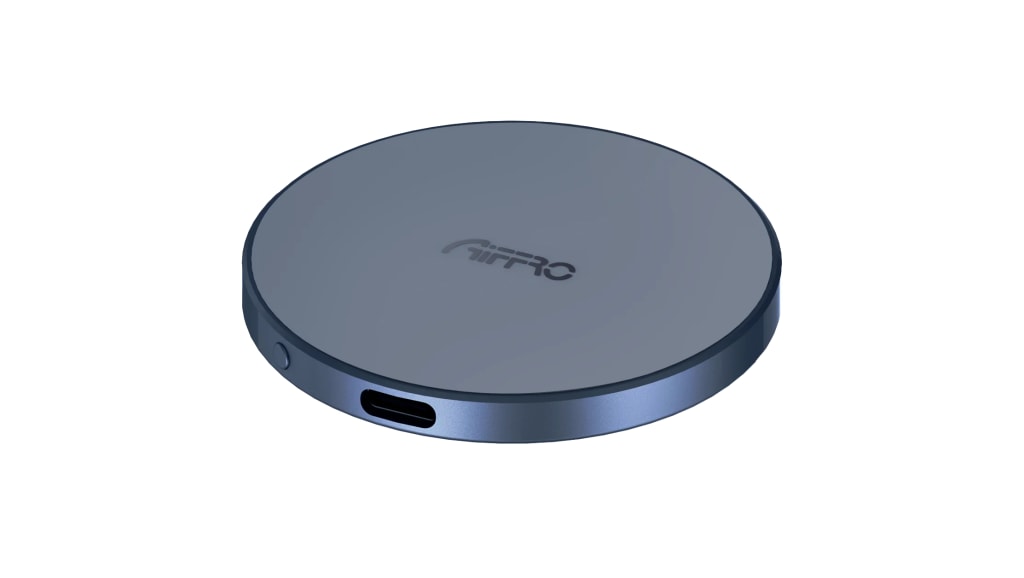
One excellent option is the Aiffro P10 portable SSD, known for its speed, durability, and seamless compatibility with the PS5. Using an SSD ensures faster loading times compared to traditional hard drives.
2. Setting Up the External Drive
Once you have your portable hard drive, you’ll need to prepare it for use with your PS5. Follow these steps to get started:
1. Connect the portable hard drive to your PS5 using a USB port.
2. Go to "Settings" from the main menu.
3. Scroll down to "Storage" and then select "USB Extended Storage."
4. Find your external drive and select "Format as Extended Storage."
5. Confirm the formatting. Note that this will erase all data on the drive, so ensure any important data is backed up.
With your portable drive now formatted, it’s ready to be used for storing your PS5 games.
3. Installing Black Myth: Wukong on External Storage
Now that your drive is set up, you can proceed with installing Black Myth: Wukong. Here’s how to do it:
1. Open the PlayStation Store on your PS5 and search for Black Myth: Wukong.
2. After purchasing or downloading, the system will ask where you want to install the game.
3. Choose the "Extended Storage" option to install the game directly to your portable hard drive.
While the game will be stored on your external drive, it will still need to be transferred to the PS5’s internal SSD to be played.
4. Managing Your Storage
One of the key advantages of using an external hard drive is the ability to offload large game files. Though PS5 games can’t be played directly from external storage, you can easily store and transfer them between your portable drive and the internal SSD. This helps you manage space effectively and avoids having to delete games when space is tight.
To move games between the internal storage and your external hard drive, follow these steps:
1. Go to "Settings" > "Storage."
2. Select "Console Storage" and choose the game you want to move.
3. Choose the "Move to USB Extended Storage" option to offload the game from your internal SSD to your external drive.
5. Advantages of Using a Portable SSD
Expanding your PS5’s storage with a portable hard drive offers multiple benefits:
Maximized storage: Keep more games without sacrificing your favorite ones.
Portable gaming: Easily carry your game library wherever you go and plug it into any compatible PS5.
Long-term convenience: Stay ahead of storage issues as game sizes continue to grow.
The Aiffro P10 SSD is a great choice for gamers looking for speed, reliability, and ample storage.
Conclusion
Installing Black Myth: Wukong on a portable hard drive for the PS5 is a smart way to manage your storage space. While you can’t play PS5 games directly from external storage, keeping them on a high-speed SSD like the Aiffro P10 allows you to easily transfer them when needed. This strategy ensures you’ll never have to worry about running out of space for your favorite titles.
About the Creator
Keep reading
More stories from Malik Arshad and writers in Art and other communities.
Result Macau 5D: Your Guide to Winning Big
Introduction The Result Macau 5D lottery is a popular game in Macau, offering players a chance to win substantial prizes through a combination of luck and strategy. This article provides an in-depth look at the Result Macau 5D, including how it works, how to check the latest results, and tips for improving your chances of winning.
By Malik Arshadabout a year ago in 01
The Best Philosophy in the World Is the One You Can Live
Ask ten philosophers what the best philosophy in the world is, and you will receive at least ten different answers—possibly delivered with footnotes, counterarguments, and mild contempt for the other nine. This disagreement is not a flaw of philosophy; it is its essence. Philosophy was never meant to be a universal prescription handed down like a rulebook. It exists to help human beings live better lives. By that standard, the best philosophy in the world is not the most elegant or complex—it is the one that can be lived.
By Fred Bradford7 days ago in Art
When the Artist Becomes the Art
We like to think we can separate the art from the artist, but can we, really? Art is born from the same place as sin. It mainly emerges from conflict: between what is felt and what is permitted, between the self that is lived and the self that must be hidden. No figure embodies this tension more vividly than Oscar Wilde: a man who transformed his own contradictions into style, wit, and devastating clarity. His novel The Picture of Dorian Gray is not merely a tale of aesthetic decadence but the battleground on which this question is fought.
By Yasmine Lagras2 days ago in Art




Comments
There are no comments for this story
Be the first to respond and start the conversation.