
How to Bypass Google Veo 2 Limitations: The Ultimate Guide
with Anakin AI, the All-in-One AI Platform

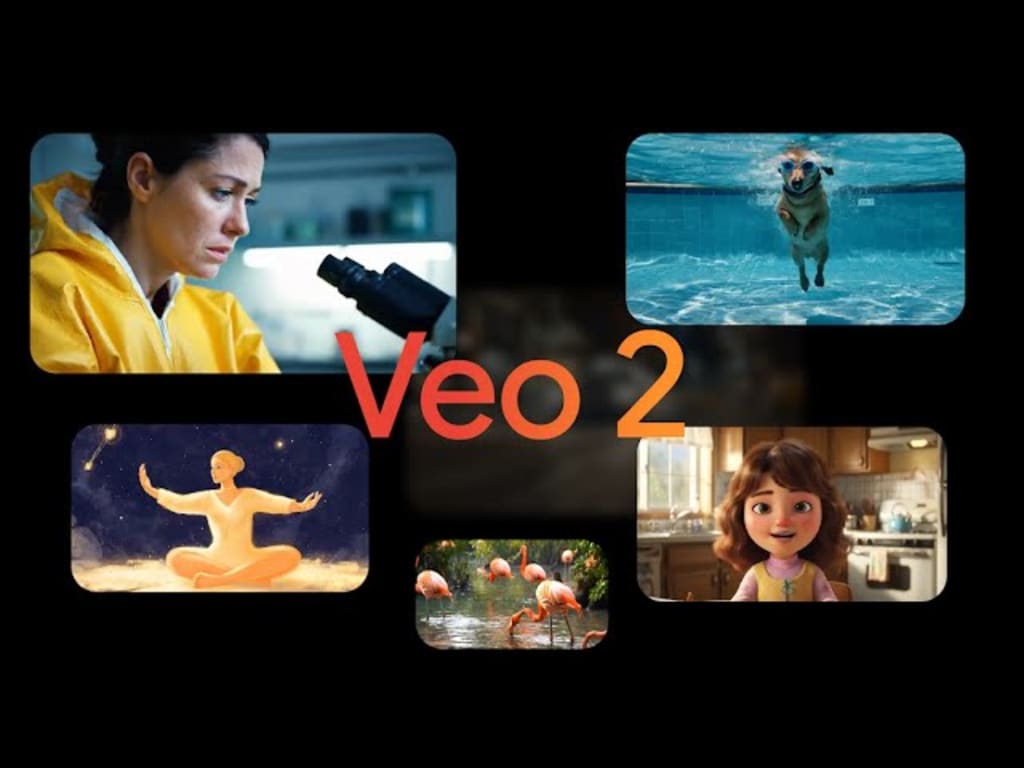
In the rapidly evolving world of AI video generation, Google Veo 2 stands as one of the most powerful tools available to creators. However, many users quickly encounter frustrating limitations that can hamper creativity and workflow. This comprehensive guide explores the various limitations of Google Veo 2 and provides practical solutions to bypass them, with a special focus on how Anakin AI can enhance your experience.
Understanding Google Veo 2 and Its Limitations
Google Veo 2 represents Google DeepMind's state-of-the-art video generation model, capable of creating remarkably realistic videos from text prompts. While it offers impressive capabilities like 4K resolution output, realistic motion, and extensive camera controls, several limitations can frustrate users:
1. Monthly Generation Limits
The most significant limitation reported by users is the monthly generation quota. According to user reports on Reddit, the free version of Gemini with Veo 2 limits users to approximately 30 video generations per month. This cap can be quickly reached by active creators, leaving them unable to continue their projects until the next billing cycle.
2. Video Length Restrictions
Standard Veo 2 implementations typically limit video durations to short clips—often just 5-15 seconds. While this is sufficient for some use cases, many creators require longer videos for their projects.
3. Style and Content Restrictions
Like most AI tools, Veo 2 enforces content policies that restrict certain types of video generation, including explicit content, copyrighted material, or potentially harmful scenarios.
4. Model Inconsistencies
Despite its advanced capabilities, Veo 2 still struggles with maintaining complete consistency throughout complex scenes or accurately rendering intricate motion, as acknowledged by Google DeepMind themselves.
5. Access Limitations
Veo 2 is currently integrated primarily with Gemini Advanced (requiring a subscription) and Google Workspace, leaving many potential users without access.
Bypassing Google Veo 2 Limitations with Anakin AI
Solution 1: Leverage Anakin AI as Your Gateway to Enhanced Video Generation
Anakin AI has emerged as a powerful platform that can help users overcome several limitations of Google Veo 2. Here's how it can help:
Multi-Platform Integration
Anakin AI functions as an all-in-one AI platform that integrates with multiple video generation models, including Google Veo 2. This integration allows you to access Veo 2's capabilities through Anakin's interface, often with fewer restrictions.
Extended Generation Quotas
By routing your video generation through Anakin AI, many users report being able to create more videos than through the standard Gemini interface. This is because Anakin AI optimizes API usage and may provide additional credits as part of its subscription plans.
Enhanced Editing Capabilities
One of Anakin AI's standout features is its suite of AI-powered editing tools that complement Veo 2-generated videos:
Auto-captioning and voiceover functionalities
Batch processing for multiple videos
Custom parameter adjustments
Multi-platform export options optimized for TikTok, YouTube, and Instagram
Seamless Workflow Integration
Anakin AI offers an intuitive workflow that allows you to:
Generate the initial video through Veo 2
Import it directly into Anakin's interface
Enhance it with additional AI tools
Export in various formats without navigating between different platforms
Solution 2: Video Stitching and Extension Techniques
To overcome length limitations, consider these approaches:
Scene Continuation Method
Generate a short video clip using Veo 2
Use the last frame as a reference image for generating the next clip
Employ Anakin AI's video stitching features to seamlessly combine multiple short clips into one longer video
Apply transition effects to smooth any discontinuities between clips
Style-Matched Extensions
Generate multiple clips with identical style parameters and prompt elements to maintain visual consistency, then stitch them together for an extended video.
Solution 3: Strategic Prompt Engineering
The way you craft prompts can significantly impact how successfully you can bypass Veo 2's limitations:
Specificity Optimization
Instead of vague prompts like "A dog running," use detailed prompts such as "A golden retriever running through a green meadow, slow-motion, 4K, sunny day" to maximize generation quality and reduce the need for multiple attempts.
Style Specification
Include specific style references in your prompts to guide the model toward your desired aesthetic without triggering content filters. For example, "Animation in the style of Japanese anime from the 1990s" rather than referencing specific copyrighted works.
Scene Simplification
Break complex scenes into simpler components that Veo 2 can handle more effectively, then combine them in post-processing using Anakin AI's tools.
Solution 4: Subscription and Account Management Strategies
Multiple Account Rotation
Some users report success in maintaining consistent access by rotating between different Google accounts, each with its own monthly generation quota. Anakin AI can help manage outputs from multiple accounts in a centralized workspace.
Strategic Subscription Timing
If you have large projects requiring many generations, consider timing your Gemini Advanced subscription to coincide with periods of high creative output, then using the free tier during planning phases.
Workspace Business Plans
For professional teams, Google Workspace business plans may offer higher generation limits, though at a higher cost. Compare these costs with Anakin AI's subscription options, which might provide better value through their integrated suite of tools.
Advanced Techniques with Anakin AI
1. Batch Processing for Efficiency
Anakin AI's batch processing capabilities allow you to prepare multiple video generation prompts at once, optimizing your monthly quota usage:
Prepare a set of well-crafted prompts targeting different scenes
Use Anakin AI to queue these prompts for batch processing
Review and select the best outputs for your project
Apply post-processing enhancements within the same interface
2. AI-Enhanced Resolution Upscaling
If you're limited to lower resolutions through standard Veo 2 access:
Generate videos at the highest available resolution
Use Anakin AI's AI-powered upscaling tools to enhance resolution while maintaining visual quality
Apply smart sharpening and detail enhancement algorithms
3. Multi-Model Approaches
Anakin AI supports multiple AI video generation models, allowing you to:
Use Veo 2 for scenes where it excels (realistic motion, complex camera movements)
Leverage alternative models for scenes where Veo 2 has limitations
Blend outputs from multiple models into cohesive projects
Real-World Applications and Success Stories
Marketing Content Creation
A digital marketing agency faced tight deadlines for producing multiple short promotional videos. By utilizing Anakin AI with Google Veo 2, they were able to:
Generate base videos through Veo 2
Enhance them with branding elements and text overlays through Anakin AI
Output platform-specific versions for different social media channels
Complete a month's worth of content in just two days despite generation limits
Educational Content Development
An online educator needed to create explanatory animations for complex scientific concepts but ran into Veo 2's monthly generation limits. Their solution:
Using Anakin AI to optimize prompt efficiency
Implementing the scene continuation method to create longer educational videos
Applying voice-over and supplementary animations through Anakin AI's tools
Successfully producing a complete course module despite the standard limitations
Future-Proofing Your Workflow
As AI video generation technology continues to evolve rapidly, staying adaptable is key:
Diversify Your Tools: While Veo 2 is powerful, maintain familiarity with multiple platforms through Anakin AI's integrations
Develop Prompt Libraries: Build and maintain collections of effective prompts that work well with Veo 2
Stay Updated: Follow both Google DeepMind and Anakin AI for updates that may remove current limitations
Community Engagement: Join creator communities that share techniques for maximizing AI video generation tools
Conclusion
While Google Veo 2 imposes certain limitations on video generation, creative approaches combined with powerful tools like Anakin AI can help you bypass many of these constraints. By understanding the technical aspects of how Veo 2 works and leveraging Anakin AI's complementary features, you can produce high-quality AI-generated videos that exceed the standard limitations.
Anakin AI stands out as an invaluable companion to Google Veo 2, offering an expanded toolset for video generation, editing, and distribution. Its ability to integrate with multiple AI models while providing user-friendly interfaces makes it an excellent choice for creators looking to push beyond Veo 2's limitations.
As AI video generation technology continues to evolve, the combination of strategic approaches and powerful platforms like Anakin AI will remain essential for creators who want to maximize their creative potential while working within or around the limitations of tools like Google Veo 2.
Whether you're a content creator, marketer, educator, or filmmaker, the techniques outlined in this guide will help you transcend the boundaries of what's possible with AI video generation today, opening new horizons for your creative expression and productivity.
About the Creator
Lynn Mikami
Write about private things
Keep reading
More stories from Lynn Mikami and writers in Art and other communities.
Yes, You Can Use FLUX without Restrictions Online, Here's How:
For those eager to experience FLUX without restrictions, Anakin AI offers a dedicated application that provides streamlined access to the model's full capabilities. The platform has been carefully designed to balance user-friendliness with powerful functionality, making advanced AI image generation accessible to both novices and experienced digital artists. To begin your journey with FLUX, simply navigate to Anakin AI's website and locate the FLUX Dev No Restrictions application among their offerings. The registration process is straightforward, requiring only basic information to create an account that grants access to the platform's features.
By Lynn Mikami9 months ago in Art
2026 Commercial Space Design:How Fbierglass Sculpture Drives Traffic
Today, offline commercial spaces are facing continuous pressure. With e-commerce offering convenient and fast services, physical stores must showcase unique features to attract customers. In this context, fiberglass sculptures are no longer merely decorative items; they have become visual focal points in shopping malls, brand stores, pop-up shops, and mixed-use commercial projects, playing a crucial role in increasing foot traffic.
By Shenzhen Ruiheng Crafts2 days ago in Art
Why Strategic Branding Is Essential for Long-Term Business Growth
In today’s fast-paced digital environment, businesses face constant pressure to stand out. Consumers are exposed to endless choices every day, making attention harder to earn and trust harder to keep. While quality products and services are important, they are no longer the only factors that determine success. Strategic branding plays a key role in helping businesses grow steadily and remain relevant over time.
By Ayush Bagwari2 days ago in Art
Ludacris and Nelly draw backlash over bookings at MAGA-coded music festival
Ludacris and Nelly headlining a mostly right-wing event is good for them. It’s also great for the genre of hip hop. The two rap veterans have showcased their talents on other stages. Why can’t they perform for mostly MAGA folks and grab that bag?
By Skyler Saunders3 days ago in Beat



Comments