
Build Perfect Circles in Minecraft with Ease
Introducing Minecraft Circle Generator
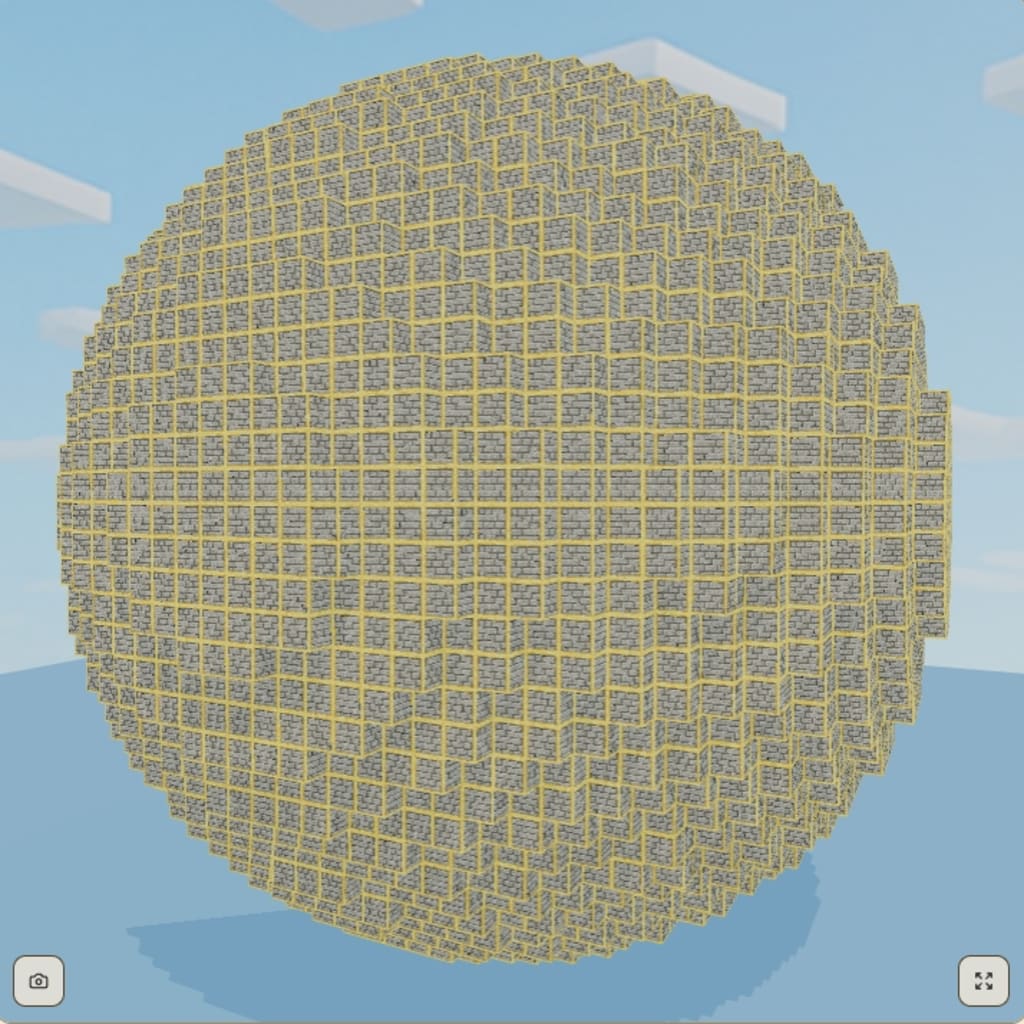
Building Perfect Circles in Minecraft: The Ultimate Guide for Creative Precision
Minecraft is a game of infinite possibilities. From majestic castles to complex redstone contraptions, the only real limit is your imagination — and the shape of the blocks. But if there’s one thing that has consistently frustrated players over the years, it’s building circles.
Because Minecraft is a voxel-based game made entirely of square blocks, creating a circle — something inherently round — becomes a mathematical and visual puzzle. Whether you’re designing a tower base, an arena, a dome, or even curved pixel art, getting the shape right can be a challenge, especially for larger diameters. Many players end up with lopsided or uneven shapes, wasting valuable time and resources trying to fix their designs.
This is exactly where a reliable circle generator becomes a game-changer.
Why Circles Are So Hard in Minecraft
At first glance, building a circle might seem straightforward: start small, expand outward symmetrically, and connect the edges. But the reality is much trickier. In Minecraft, a circle is not made of curves — it’s an optical illusion built from square pixels arranged in a specific pattern. Every block placed must align precisely to maintain symmetry.
And the larger the circle, the more complex the layout becomes. A 7-block diameter circle might take just a few tries to get right, but a 51-block diameter circle? That’s a different story entirely. Without a reference, even experienced builders can find themselves lost in the details.
Some players resort to drawing layouts on graph paper or manually counting block placements, while others rely on trial and error. But there's a smarter, faster, and more accurate way to build circles in Minecraft.
The Smarter Solution: Minecraft Circle Generator
The Minecraft Circle Generator is a free online tool built specifically to solve this problem. With it, you can instantly generate perfect pixel-based circles in just seconds. Simply enter your desired diameter, and the tool renders a grid showing you exactly where to place each block to form a flawless circular outline.
There’s no guesswork. No counting mistakes. No frustration. Just clean, accurate layouts that you can follow while building in-game.
What makes this tool stand out is its simplicity and functionality. Unlike bloated or outdated alternatives, this generator is designed to be lightweight and user-friendly. There’s no need to download anything or create an account. The interface is clean and fast, and it works smoothly on both desktop and mobile — making it easy to check your layout while playing Minecraft on another screen.
Who Can Benefit from Using This Tool?
The Minecraft Circle Generator is perfect for:
Creative builders designing large structures like domes, towers, stadiums, or pixel art.
Survival players looking to save time and avoid wasting blocks due to layout errors.
Redstone engineers who need symmetry for rotating mechanisms or central wiring hubs.
Pixel artists using the Minecraft grid to create rounded shapes and characters.
Beginners who are just getting into building more complex geometrical designs.
Even experienced Minecraft players can benefit. When you’re working on large-scale projects, tools like this help you stay efficient and focused — so you spend more time building, and less time correcting mistakes.
How It Works
The tool is extremely easy to use:
Enter your diameter (in blocks) into the input field.
The generator instantly produces a top-down visual layout of your circle.
Use the layout in-game as a reference to place blocks with precision.
Optionally, take a screenshot or keep the layout open in a second window while you build.
There’s no learning curve. No complicated settings. Just a fast, functional way to build circles in Minecraft.
Final Thoughts: Build Smarter, Not Harder
Minecraft is all about creative freedom, but that doesn’t mean you have to build everything manually from scratch. When tools exist to make the process smoother and more enjoyable, using them is just common sense.
Whether you’re building a giant fantasy base or adding subtle circular detail to a modern house, the Minecraft Circle Generator gives you the precision and structure you need — without slowing you down.
So if you're tired of circles that look more like ovals, or you simply want to save yourself time and effort, give the Minecraft Circle Generator a try. It’s fast, free, and built for the community — just like Minecraft itself.
About the Creator
Reader insights
Nice work
Very well written. Keep up the good work!
Top insight
Eye opening
Niche topic & fresh perspectives
Keep reading
More stories from writers in Art and other communities.
Creativity in the Dark
Creativity does not always arrive in bright rooms with clean desks and clear intentions. More often, it slips in quietly—late at night, when the world has dimmed its expectations and the mind is no longer on display. This is creativity in the dark: private, unpolished, and deeply human.
By LUNA EDITHabout 3 hours ago in Art
Center Stage with Paul Stewart
*** I'm keen to republish the interviews I did for my series with Vocal creators. It's been a few years and I thought it might be nice to revisit these wonderful conversations. I'll be releasing them one at a time for a few weeks/months.
By Heather Hubler7 days ago in Interview



Comments
There are no comments for this story
Be the first to respond and start the conversation.