
Top 5 Types of Social Media Widgets for Your Website
Boost Engagement and Build Trust with These Must-Have Widgets

Integrating social media widgets into your website is one of the most effective ways to boost user engagement, showcase authentic user-generated content (UGC), and increase conversions. These dynamic tools bridge the gap between your website and your social media presence, allowing you to deliver fresh, interactive content to visitors. For digital marketers, content creators, and small businesses, leveraging the right social media widgets can create a big impact.
In this article, we’ll explore the top five types of social media widgets and how tools like Tagembed and Taggbox make embedding these widgets easier than ever.
Why Use Social Media Widgets on Your Website?
Adding social media widgets to your website comes with a host of benefits:
Increase Engagement: Widgets pull in live, interactive content from social platforms, keeping your website dynamic and engaging.
Build Social Proof: UGC and reviews lend credibility to your brand, influencing purchasing decisions.
Enhance Website SEO: Regularly updated social content can improve dwell time, a critical factor for SEO.
Streamline Content Sharing: Widgets like social buttons make it easy for visitors to share your content across their networks.
Platforms like Tagembed and Taggbox enable seamless integration of these widgets with user-friendly interfaces and customization options, making them an excellent choice for any business.
1. Social Media Feed Widgets
What Are They?
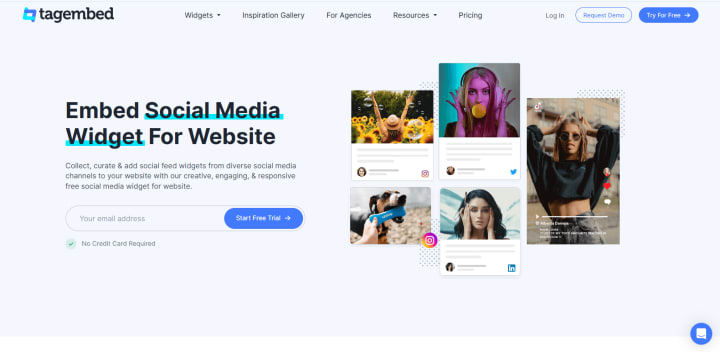
Social media feed widgets display real-time updates from platforms like Instagram, Twitter, and Facebook directly on your website.
Key Benefits:
Showcasing your latest posts keeps your website visually engaging and relevant.
It promotes your social accounts, encouraging visitors to follow you.
Use Cases:
Event Marketers: Display live event updates from Twitter.
Retail Brands: Highlight Instagram posts to inspire product discovery.
Small Businesses: Show a curated Facebook feed to showcase community engagement.
Top Tools:
Tagembed: Offers auto-updating feeds and advanced filters to display only the most relevant content.
Taggbox: Provides customizable templates for visually stunning social feeds and analytics to measure engagement.
2. Review and Testimonial Widgets

What Are They?
The review widgets showcase reviews from platforms like Google, Yelp, or Trustpilot, as well as testimonials gathered directly from customers.
Key Benefits:
Builds trust with potential customers by featuring authentic feedback.
Drives conversions by leveraging social proof.
Use Cases:
E-commerce Stores: Highlight product reviews to encourage purchases.
Hospitality Businesses: Display positive testimonials to attract bookings.
Service Providers: Showcase client feedback to enhance credibility.
Top Tools:
Tagembed: Automatically collects reviews from multiple platforms and displays them in a responsive format.
Taggbox Review Hub: Allows businesses to curate and embed customer reviews while securing UGC rights.
3. Hashtag Campaign Widgets
What Are They?
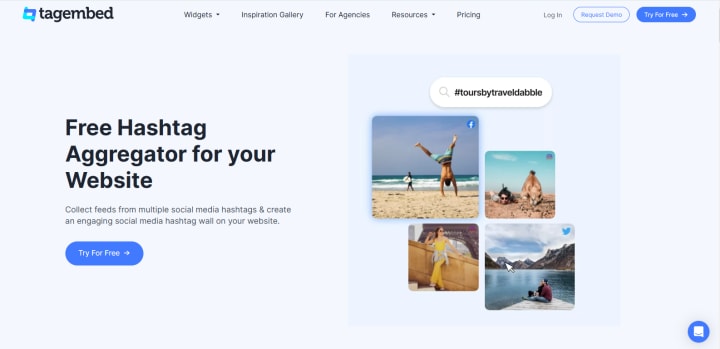
Hashtag campaign widgets aggregate content from social media posts tagged with a specific hashtag, creating a curated feed.
Key Benefits:
Amplifies the reach of branded campaigns.
Encourages user participation by featuring their posts.
Use Cases:
Event Hosts: Showcase attendee posts using a specific event hashtag.
Retailers: Run product launch campaigns featuring hashtags.
Nonprofits: Display supporter stories tagged with your campaign hashtag.
Top Tools:
Tagembed: Easily aggregates hashtag content from Instagram, Twitter, and more.
Taggbox: Utilizes AI-powered curation to filter the best UGC for hashtag campaigns.
4. Video and Gallery Widgets
What Are They?
These widgets display videos or curated image galleries from your social media accounts or other sources.
Key Benefits:
Enhances visual storytelling on your website.
Encourages visitors to explore multimedia content, increasing dwell time.
Use Cases:
Portfolio Websites: Show creative projects via an Instagram or Pinterest gallery.
Product Pages: Highlight product demos or unboxing videos.
Event Recaps: Share memorable moments from past events.
Top Tools:
Tagembed: Allows you to create responsive galleries that adapt to all screen sizes.
Taggbox: Offers pre-designed gallery templates to make embedding a breeze.
5. Social Buttons and Follow Widgets
What Are They?
These simple widgets let users follow your social media profiles or share your content with just one click.
Key Benefits:
Increase your social media following.
Boost brand awareness through shares.
Use Cases:
Blogs: Add social share buttons to articles.
Landing Pages: Include follow buttons to grow your audience.
Campaign Pages: Encourage visitors to share promotional offers.
Top Tools:
Both Tagembed and Taggbox provide integration for these widgets with custom designs and placement options.
How to Choose the Right Widget for Your Website
Selecting the right widget depends on your goals. Here’s what to consider:
Define Your Objective:
If you want to boost engagement, a live feed widget is ideal.
For building trust, focus on reviews and testimonials.
Understand Your Audience:
What type of content resonates most with them? Visual galleries or detailed reviews?
Evaluate Platform Compatibility:
Ensure your chosen widget supports your website platform (e.g., WordPress, Shopify).
Leverage Analytics:
Both Tagembed and Taggbox offer analytics to track widget performance and optimize ROI.
Tagembed vs. Taggbox: Which One Should You Choose?
Tagembed
Strengths:
Auto-updating feeds.
Advanced filtering and moderation tools.
Supports multiple platforms, including Instagram, LinkedIn, and YouTube.
Best For: Small businesses looking for an affordable, feature-rich widget solution.
Taggbox
Strengths:
Visually stunning pre-designed templates.
AI-powered UGC curation.
Robust analytics for tracking engagement and conversions.
Best For: Digital marketers needing premium customization and insights.
How to Get Started
Adding social media widgets to your website is simple with tools like Tagembed and Taggbox:
Sign Up: Create an account on your chosen platform.
Connect Social Media Accounts: Link the accounts you want to pull content from.
Customize Your Widget: Use the platform’s design tools to match your website’s branding.
Generate and Embed Code: Copy the generated code and paste it into your website’s HTML.
Conclusion
Social media widgets are an essential tool for creating engaging, dynamic websites that convert visitors into loyal customers. Whether you’re showcasing live feeds, amplifying reviews, or running hashtag campaigns, tools like Tagembed and Taggbox simplify the process with their powerful features.
About the Creator
Keep reading
More stories from baileyemma and writers in 01 and other communities.
Top 10 SaaS Tools for Growing Businesses
As businesses expand, so does the need for efficiency, scalability, and smarter workflows. For digital marketers, small business owners, and website managers, Software-as-a-Service (SaaS) tools can help you manage your workload, boost productivity, and reach your goals without breaking the bank.
By baileyemmaabout a year ago in 01
Twitter Down
Twitter Down When a major social media platform like Twitter experiences technical problems, millions of users immediately search for answers. Twitter, also known as X, plays a central role in news sharing, public discussion, and real time updates, so even short disruptions can feel significant. Recently, many users have reported difficulties accessing Twitter, loading timelines, posting content, or using certain features. This has led to widespread questions about whether Twitter is down, why it happens, and what users should expect. This article answers the most common questions people search for and explains the situation clearly.
By America today 4 days ago in 01




Comments
There are no comments for this story
Be the first to respond and start the conversation.