
Top 10 Email Organization Mistakes to Avoid for Efficient Communication
Streamline Your Inbox
Introduction:
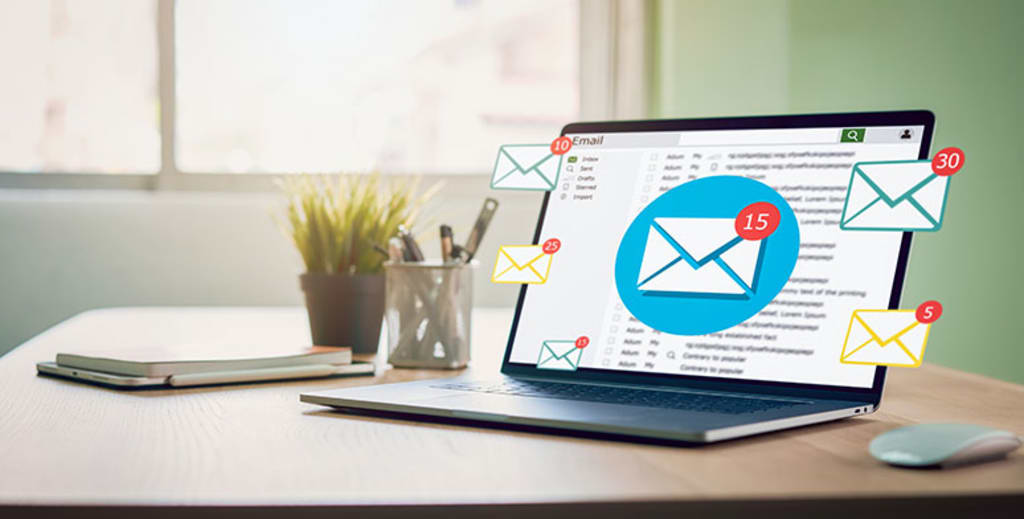
Email continues to be a crucial communication tool for both personal and business interactions in today’s fast-paced digital environment. Email, however, may easily become overwhelming if it is not properly organized and managed, which can result in lost productivity and missed opportunities. You may improve workflow, boost communication efficiency, and recover control of your inbox by being aware of and avoiding common email organizing blunders. In this post, we’ll look at the top ten email organization blunders to avoid and offer helpful advice and tactics for effective email management.
1. Stop Sending So Many Emails:
An email is a useful tool for conveying well-written communications and straightforward confirmations. But it’s important to know when a phone call or in-person interaction is more appropriate. Extended group discussions conducted over email can quickly generate a flood of responses, making it difficult to follow the discourse. Consider the content of your message before selecting the most efficient communication channel. You can clear your inbox of clutter and more effectively use your time and energy by lowering the number of pointless emails you receive.
2. Start Reading Your Emails Regularly:
Establishing a routine of routinely checking and reviewing your emails is essential. A huge backlog of unread messages can build up in your inbox if you neglect it for a lengthy period of time. To keep informed and sustain good communication, set aside time each day to look through your emails. You may avoid having a backlog of unread emails by maintaining control of your inbox and by responding quickly to urgent communications.
3. Start Checking Your Emails Throughout the Day:
Today’s mobile-first society makes it simpler than ever to access email. Utilize mobile devices and set up your email account to receive notifications. You may keep informed and take care of pressing issues right away by checking your email frequently throughout the day. This method eliminates the need for protracted email reading sessions by allowing you to process messages in more digestible bits. Use the ease of mobile email to stay in touch effectively and avert any potential delays.
4. Start Using an Email Client:
While specialized email clients offer more features and efficiency, web-based email services offer convenience and accessibility from any device. Use email programs like Mozilla Thunderbird, Outlook, Mailbird, Airmail, or Postbox. These clients provide enhanced keyboard shortcuts, improved spellchecking, unified inbox management across different email services, and speedier performance. You may enhance productivity, streamline email handling, and get more control over communication by using an email client.
5. Stop Subscribing to Newsletters:
Websites and businesses frequently use newsletters as a marketing tool, but signing up for too many might cause email overstimulation. While some mailings provide useful information, the majority are ignored or deleted. Create a rule of thumb to unsubscribe from newsletters and investigate alternate communication methods in order to avoid having a cluttered inbox. Without overloading your email, social networking platforms or RSS feeds can deliver information from websites and businesses. Be picky about the newsletters you subscribe to, choosing only the ones that actually benefit your personal or professional life.
Email Marketing Software

6. Start Using Multiple Mailboxes:
Controlling several facets of your life from a single inbox can easily turn chaotic. Instead, think about organizing your emails into several mailboxes. For instance, set up distinct mailboxes for correspondence relevant to your professional and personal life. Some people prefer to use Gmail, which is cost-free and convenient, for web services and online shopping, and ProtonMail, which is privacy-focused, for sensitive personal correspondence. By reducing the impact of prospective breaches, this strategy strengthens the organization, increases security, and lowers the danger of information leaking.
7. Avoid Using Your Inbox as a To-Do List:
It’s a typical error that hinders productivity and causes confusion to using your inbox as a task management system. Important emails may get lost in the clutter, resulting in missed deadlines and neglected duties. To successfully track and prioritize your projects, switch to a different task management program or to-do list. You can retain a sharper concentration, stay organized, and make sure that crucial tasks are not missed by separating your task management from your email.
8. Stop Ignoring Unread Emails:
Unread emails can have negative effects, such as lost opportunities or important information. Make it a practice to promptly address and react to unopened emails. Make time in your schedule specifically designated for going through your inbox so that you can remain on top of critical messages. You can maintain good communication and avoid any issues or delays by carefully managing your unread emails.
9. Start Using Email Filters and Folders:
Email folders and filters are effective tools for organizing emails effectively. Create filters to classify incoming emails according to sender, subject, or other criteria. You can label and categorize emails with this automation, making it simpler to find and prioritize them later. Additionally, make folders to house particular email categories or run projects. Your inbox may be cleaned up, your email workflow can be made more efficient, and you can spend less time looking for specific messages by making good use of filters and folders.
10. Avoid Sending Emails with Vague or Unclear Subject Lines:
Effective email communication requires creating clear, succinct subject lines. Use subject lines that accurately reflect the email’s goal and content rather than ones that are generic or ambiguous. Instead, utilize subject lines that accurately describe the subject or needed action. Clear subject lines make it easier for recipients to instantly comprehend the email’s context, order their responses, and find certain messages in the future. By following this procedure, you improve the effectiveness of your email conversation and reduce the likelihood of any misunderstandings or misunderstandings.
Conclusion:
Maintaining productivity, improving communication, and decreasing inbox overload all depend on effective email organization. You may recover control of your inbox and improve your workflow by avoiding the top 10 email organization blunders listed in this article. Create effective email management habits by using email applications, reading and replying to emails frequently, and making use of filters and folders. Moreover, avoid using your email as a to-do list and unsubscribe from pointless newsletters. You can turn your email experience into a well-organized, effective communication tool that improves your personal and professional life by putting these methods into practice and remaining aware of email best practices.
Email Marketing Software

About the Creator
Keep reading
More stories from Dennis Gitu and writers in 01 and other communities.
The Ultimate Guide to Choosing the Best Laptops
1. Dell XPS 13 (2023 Edition): The Dell XPS 13 is well known for its sophisticated appearance and potent performance. With the most recent 11th-generation Intel Core CPUs, the 2023 edition offers astounding performance and efficiency. It provides a variety of storage options, up to 32GB of RAM, and solid-state drives (SSD) for quicker data access and boot times. Because of the 13.4-inch InfinityEdge display's thin bezels, it has a small form factor and a large amount of screen space. The display is perfect for multimedia consumption and productivity since it offers vivid colors and fine details. Additionally, the XPS 13 has a comfortable keyboard, a sensitive touchpad, and a long-lasting battery life, enabling mobile productivity.
By Dennis Gitu3 years ago in Education
Best Lenovo Laptops 2026
Lenovo continues to dominate the laptop market in 2026 with powerful innovations, premium designs, and exceptional value across all segments. Whether we need a professional business machine, a high-performance gaming laptop, or an affordable everyday device, Lenovo delivers unmatched reliability and cutting-edge technology. In this comprehensive guide, we explore the best Lenovo laptops of 2026, highlighting their features, performance, and ideal use cases.
By Edward Smith5 days ago in 01
The Air-Purifying Powerhouse List: NASA-Studied Plants AI Recommends for Your Bedroom
We spend about a third of our lives in our bedrooms, making it the most personal space in our homes. Yet, the air in this sanctuary can hold unseen guests: volatile organic compounds (VOCs) like formaldehyde from furniture or benzene from cleaning products. For decades, a popular solution has been to bring in greenery, championed by a famous NASA study from the 1980s. But how effective are these plants really, and which ones are truly the best allies for your sleep space?
By Emma Wallace3 days ago in 01


Comments
There are no comments for this story
Be the first to respond and start the conversation.