
Java Streams: Unleashing the Power of Functional Data Processing
Java Streams: Unleashing the Power of Functional Data Processing

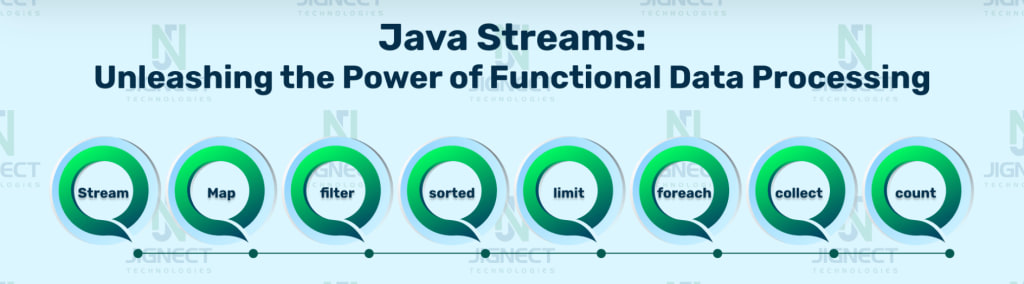
Types of Stream Operations
1. Intermediate Operations
Return a stream that can be linked with other intermediate operations with dot.
2. Terminal Operations
Returns void or non stream output.
For performing a computation, stream operations are incorporated into a Stream pipeline. A Stream pipeline consists of:
- Source
- Zero or more intermediate operations
- Terminal operations
In below example, Stream pipeline consists of :
Source : String List
Intermediate operation : Map
Terminal operation : forEach
package streamsInJava;
import java.util.Arrays;
import java.util.List;
public class StreamOperations {
public static void main(String[] args) {
List<String> countryList = Arrays.asList("India", "United States", "Europe", "Canada");
countryList .stream()
.map((s) -> s.toUpperCase())
.forEach(System.out::println);
}
}
Output :
INDIA
UNITED STATES
EUROPE
CANADA
Intermediate Functional Stream Operations
1. map() :
The map() function is utilized to transform a Stream<T> into a Stream<R>. It generates a single output of type ‘R’ for every input value of type ‘T’. It requires the Function interface as a parameter.
For Example, If you have a stream of a list of employees and you require a list of employee names, you just need to convert the Stream to a Stream.
List<String> employeeNames = employeesList.stream()
.map(e -> e.getName())
.collect(Collectors.toList());
System.out.println(employeeNames);
Output :
[Dheeraj, Rushabh, Shubham, Parth]
2. filter() :
The filter() operation is used to filter streams based on conditions. The Filter method takes a Predicate() interface that returns a boolean value.
For example, if you want to filter employees whose names start with ‘P’.
List<String> employeeNames = employeesList.stream()
.map(e -> e.getName())
.filter(s -> s.startsWith("P"))
.collect(Collectors.toList());
System.out.println(employeeNames);
Output :
[Parth]
3. sorted() :
We can use the sorted() method to sort a list of objects. The sorted method, when used without arguments, sorts the list in natural order. Additionally, the sorted() method also accepts a comparator as a parameter to facilitate custom sorting.
List<Employee> employees = employeesList.stream()
.sorted()
.collect(Collectors.toList());
System.out.println(employees);
Output :
[Employee [name = Dheeraj, age = 27], Employee [name = Parth, age = 24], Employee [name = Rushabh, age = 22], Employee [name = Shubham, age = 26]]
Here is the sorted() method example with Comparator as a parameter.
List<Employee> employees = employeesList.stream()
.sorted((e1,e2)->e1.getAge() - e2.getAge())
.collect(Collectors.toList());
System.out.println(employees);
Output :
[Employee [name = Rushabh, age = 22], Employee [name = Parth, age = 24], Employee [name = Shubham, age = 26], Employee [name = Dheeraj, age = 27]]
4. limit() :
limit() is used to limit the number of elements in the stream.
List<Employee> employees = employeesList.stream()
.limit(3)
.collect(Collectors.toList());
System.out.println(employees);
Output :
[Employee [name = Dheeraj, age = 27], Employee [name = Rushabh, age = 22], Employee [name = Shubham, age = 26]]
5. skip() :
skip(int n) method is used to discard first n elements from the stream
List<Employee> employees = employeesList.stream()
.skip(3)
.collect(Collectors.toList());
System.out.println(employees);
Output :
[Employee [name = Parth, age = 22]]
Terminal Functional Stream Operations
1. foreach() :
The foreach() method is a terminal operation used to iterate over a collection or stream of objects, taking a consumer as a parameter.
employeesList.stream()
.forEach(System.out::println);
Output :
Employee [name = Dheeraj, age = 27]
Employee [name = Rushabh, age = 22]
Employee [name = Shubham, age = 26]
Employee [name = Parth, age = 24]
2. collect() :
The collect() method is a terminal operation that performs mutable reduction on the elements of a Stream using a Collector. Collectors is a utility class that provides an inbuilt Collector.
List<String> employeeNames = employeesList.stream()
.map(Employee::getName)
.collect(Collectors.toList());
System.out.println(employeeNames);
Output :
[Dheeraj, Rushabh, Shubham, Parth]
3. count() :
count() is used to count the number of elements in the stream.
long empCountStartWithS = employeesList.stream()
.map(Employee::getName)
.filter(s -> s.startsWith("S"))
.count();
System.out.println(empCountStartJ);
Output :
1
4. allMatch() :
allMatch() returns true when all the elements in the stream meet the provided condition.
boolean allMatch = employeesList.stream()
.allMatch(e -> e.getAge() > 20);
System.out.println("Are all the employees adult : " + allMatch);
Output :
Are all the employees adult : true
5. noneMatch() :
The noneMatch() function returns true if all elements in the stream do not meet the provided condition.
boolean noneMatch = employeesList.stream()
.noneMatch(e -> e.getAge() > 60);
System.out.println("Are all the employees below 60 : " + noneMatch);
Output :
Are all the employees below 60 : true
6. min() :
min(Comparator) returns the minimum element in the stream based on the provided comparator, and it returns an object that contains the actual value.
Optional<Employee> minEmpOpt = employeesList.stream()
.min(Comparator.comparing(Employee::getAge));
Employee minAgeEmp = minEmpOpt.get();
System.out.println("Employee with minimum age is : " + minAgeEmp);
Output :
Employee with minimum age is: Employee [name = Rushabh, age = 22]
7. max() :
max(Comparator) returns the maximum element in the stream based on the provided comparator, returning an object that contains the actual value.
Optional<Employee> maxEmpOpt = employeesList.stream()
.max(Comparator.comparing(Employee::getAge));
Employee maxAgeEmp = maxEmpOpt.get();
System.out.println("Employee with maximum age is: " + maxAgeEmp);
Output :
Employee with maximum age is : Employee [name = Dheeraj, age = 27]
Conclusion
In conclusion, Java streams, including various types of streams in Java, are a powerful addition to the Java programming language, providing a modern and efficient way to work with collections and process data. By mastering the concepts and best practices outlined in this guide, we can unlock the full potential of Java streams and elevate the quality and performance of our code. For more information about Java streams, please refer to the Official site.
Witness how our meticulous approach and cutting-edge solutions elevated quality and performance to new heights. Begin your journey into the world of software testing excellence. To know more refer to Tools & Technologies & QA Services.
If you would like to learn more about the awesome services we provide, be sure to reach out.
Happy Testing 🙂
About the Creator
Jignect Technologies
At JigNect Technologies, we believe that software testing is an art, a science, and a passion. Our team of experts combines years of experience, cutting-edge technology.
Keep reading
More stories from Jignect Technologies and writers in 01 and other communities.
Security Testing – An Effective Guide for Businesses
What is Security Testing? Security testing is an integral software testing technique implemented to validate an application, system, network, etc. For security threats or vulnerabilities. This testing method is significantly helpful in improving a business’s security posture and ensures that they are protected from all kinds of cyber threats. The implementation of security testing also helps guarantee that the business application or system is safe from weaknesses or loopholes that hackers could exploit. The fundamental concepts in security testing include Confidentiality, Integrity, Availability, Authenticity, Authorization, Non-repudiation, and Resilience.
By Jignect Technologies2 years ago in 01
Light Builder Waste Skip Bins: Convenient Solutions for Small Projects
Whether you’re renovating your home, cleaning out a small construction site, or completing a DIY project, managing light building waste efficiently is essential. Light builder waste skip bins provide an easy, safe, and environmentally friendly way to dispose of debris without hassle. In this blog, we’ll explore the benefits of light builder waste skip bins, how to choose the right size, and tips for using them effectively.
By Sydney Skip Bins5 days ago in 01
The Complete Guide to Hack Gmail Password in 2026: Understanding Threats and Protection
Disclaimer: This article is for educational and informational purposes only. Unauthorized access to computer systems, including email accounts, is illegal under laws like the Computer Fraud and Abuse Act (CFAA) in the United States and similar legislation worldwide. This guide aims to help users understand threats to better protect their accounts, not to facilitate hacking.
By Alexander Hoffmanna day ago in 01
Affection and Healing for Yourself
During the night of the last quarter moon, I gathered my ritual supplies. I carefully handled the chunk of black tourmaline that would protect me from your overall negative and narcissistic energy. I carefully walked the house with my stick of selenite in hand, asking the universe to cleanse our working space.
By Alisha Wilkins ✒️🦋🖋️7 days ago in Fiction




Comments
There are no comments for this story
Be the first to respond and start the conversation.