
How to Copy Blu-ray on Windows and Mac: Best Software & Step-by-Step Guide
In the era of streaming and digital media, physical Blu-ray discs remain one of the best ways to store and watch high-quality movies.

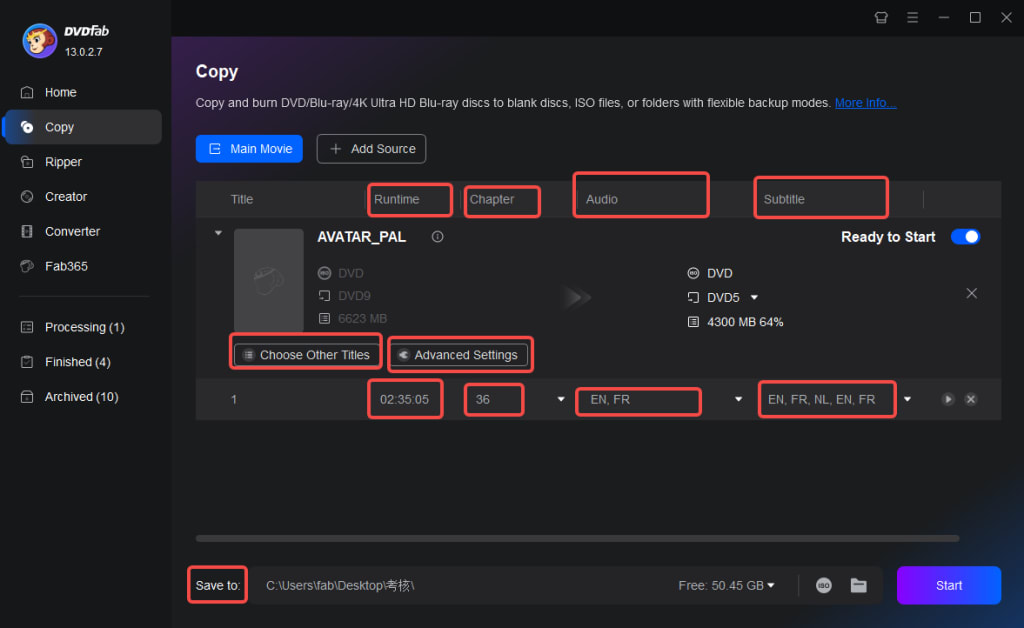
However, backing up your Blu-ray collection is essential to prevent scratches, damage, or loss. This guide explores how to copy Blu-ray discs on Windows and Mac, reviews the best Blu-ray copy software, including DVDFab Blu-ray Copy, and provides step-by-step instructions.
Why Copy Blu-ray Discs?
Before discussing the tools, here are some key reasons why copying Blu-ray discs is useful:
Backup and Protection – Prevents data loss caused by scratches or disc damage.
Convert Blu-ray to Digital Format – Allows playback on laptops, tablets, or media servers.
Remove DRM and Region Codes – Enables unrestricted playback.
Convenience – Saves physical storage by keeping a digital archive.
It is important to check local copyright laws before copying protected Blu-ray content, as restrictions may apply.
Best Blu-ray Copy Software for Windows and Mac
DVDFab Blu-ray Copy
DVDFab Blu-ray Copy is one of the most comprehensive Blu-ray copying solutions available for both Windows and Mac. This software can remove DRM restrictions, including region codes, Cinavia, and AACS.
Copies entire Blu-ray or selected parts to ISO, folder, or blank disc.
Provides five copy modes: full disc, main movie, clone, merge, and customize.
Supports lossless 1:1 copying or compression from BD-50 to BD-25.
Uses GPU acceleration for faster processing.
Best for: Users seeking a powerful and flexible Blu-ray backup solution.
MakeMKV
MakeMKV is a popular free Blu-ray ripping tool that preserves original video and audio quality.
Free to use for Blu-ray ripping (DVD ripping requires a paid license).
Converts Blu-ray content to MKV format without compression.
Provides fast decryption and conversion.
Best for: Users needing a free, lossless Blu-ray backup tool without compression.
Leawo Blu-ray Copy
Leawo Blu-ray Copy offers an affordable and easy-to-use solution for Blu-ray backups.
Copies Blu-ray discs to ISO, folder, or blank disc.
Supports both lossless and compressed copies.
Removes region codes but does not bypass Cinavia protection.
Best for: Users who want a straightforward Blu-ray copying tool without advanced protection removal.
HandBrake
HandBrake is an open-source video converter best used for compressing Blu-ray files after ripping them with another tool like MakeMKV.
Free and widely used for video conversion.
Converts Blu-rays to MP4 and MKV formats.
Offers pre-configured presets for different devices.
Best for: Users looking for a free tool to convert Blu-ray files to smaller, more manageable formats.
Step-by-Step Guide: Copying a Blu-ray on Windows and Mac
Step 1: Install DVDFab Blu-ray Copy
Download and install DVDFab Blu-ray Copy from the official website. Insert the Blu-ray disc into a Blu-ray drive. If using a Mac without an internal Blu-ray drive, an external Blu-ray drive is required.
Step 2: Open DVDFab and Select the Copy Mode
Launch DVDFab Blu-ray Copy and choose the relevant copy mode. Available options include:
Full Disc: Copies the entire Blu-ray, including menus and extras.
Main Movie: Copies only the main film to reduce file size.
Clone: Creates an identical 1:1 Blu-ray copy.
Merge: Combines multiple Blu-rays onto one disc.
Customize: Allows selection of specific content to copy.
Step 3: Select the Output Format
Choose whether to create an ISO file, a Blu-ray folder, or burn the copy directly onto a blank Blu-ray disc.
Step 4: Begin the Copying Process
Click "Start" to begin the Blu-ray copying process. The time required will vary based on the size of the Blu-ray, selected copy mode, and system hardware.
Step 5: Verify the Output File
Check the copied Blu-ray file using a media player like VLC or play the burned disc on a Blu-ray player. If an ISO file or a folder was created, it can also be used for future burning.
Frequently Asked Questions
Can protected Blu-ray discs be copied?
Yes, software such as DVDFab Blu-ray Copy can bypass copy protection, including AACS, BD+, Cinavia, and region codes.
Is copying Blu-ray discs legal?
This depends on local copyright laws. In some regions, copying for personal use is legal, while DRM removal is restricted.
How can a Blu-ray be compressed to fit a smaller blank disc?
DVDFab Blu-ray Copy and Leawo Blu-ray Copy offer compression features to reduce BD-50 files to BD-25 while maintaining quality.
What format is best when copying Blu-rays for digital playback?
MKV is a popular format because it retains the original Blu-ray quality, while MP4 is preferred for wider compatibility with devices.
About the Creator
DVDLOVER
Sharing the latest on DVD & Blu-ray releases, E-book downloads, and trending TTS. Stay tuned for updates, tips, and exclusive content!
Why the United States Stepped Back from Confrontation with Iran: A 360° Geopolitical Analysis
Introduction In the long and turbulent history of US–Iran relations, moments of escalation have often brought the world to the brink of war. From the Iranian Revolution of 1979 to the sanctions era of the 2010s, and through the proxy conflicts simmering across Iraq, Syria, Lebanon, and Yemen, the tension between Washington and Tehran has become a defining feature of Middle Eastern geopolitics. Yet, despite decades of hostility, every cycle of confrontation has also produced unexpected decisions of restraint.
By Muhammad Islam khan swati3 days ago in 01


Comments
There are no comments for this story
Be the first to respond and start the conversation.