
Better Late Than Never
Android Auto’s Wireless Issues Are Getting Resolved!

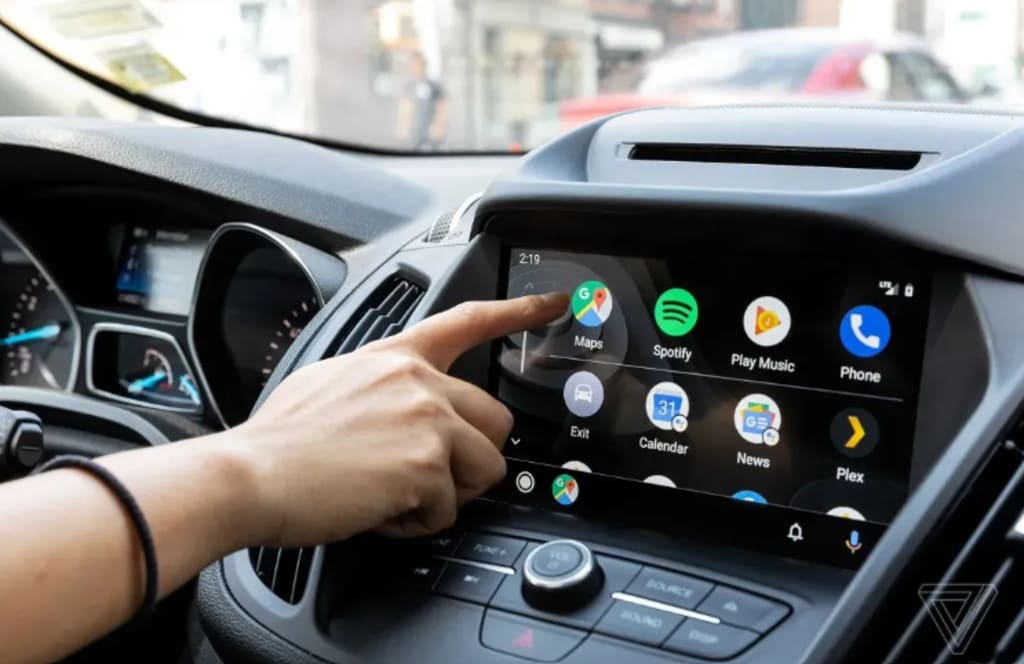
If you've ever struggled with Android Auto’s wireless connectivity, you're not alone. Many users have faced frequent connection drops, laggy interfaces, and compatibility nightmares. But finally, Google has stepped up with a much-anticipated fix. So, what’s changing, and how will it improve your driving experience? Let’s dive in!
The Persistent Wireless Connectivity Woes
Common Complaints from Users
For years, Android Auto users have reported frustrating wireless connectivity issues. Some of the most common complaints include:
Random disconnections that force users to re-pair their devices frequently.
Laggy performance, making navigation and voice commands sluggish.
Inconsistent compatibility, with some car models struggling more than others.
Frequent Connection Drops and Lag
Nothing is more frustrating than your Android Auto connection dropping in the middle of an important call or while following GPS directions. This issue has been especially problematic for those relying on wireless connections, which should, in theory, offer a seamless experience.
Compatibility Issues with Different Car Models
Some cars handle Android Auto Wireless better than others. Certain infotainment systems struggle to maintain a stable connection, leading to unreliable performance.
What Led to These Connectivity Issues?
Software Bugs and Updates
Over the years, software updates have introduced both improvements and new issues. Some updates fixed minor bugs, while others unintentionally worsened connectivity.
Hardware Limitations and Car Manufacturers’ Role
Wireless connectivity also depends on the car’s hardware. Some manufacturers have been slow to adopt the latest wireless protocols, leading to inconsistent performance.
Android Version Fragmentation
Different Android versions handle Android Auto differently, creating inconsistencies between devices. Fragmentation remains a key challenge.
The Long-Awaited Fix is Here!
Google’s Response to the Problem
Google has finally addressed these widespread concerns with a new update designed to stabilize wireless connections.
What the Latest Fix Brings to Users
More stable connections with fewer random drops.
Faster pairing process, making it easier to connect your phone to your car.
Improved compatibility across different devices and car models.
How the Update Works
The update focuses on optimizing Android Auto’s background processes, improving how it handles Bluetooth and Wi-Fi connections.
How to Ensure a Smooth Wireless Android Auto Experience
Updating Your Android Auto App
To take advantage of these fixes, make sure to update your Android Auto app from the Google Play Store.
Checking for System Compatibility
Ensure your car and phone support the latest version of Android Auto Wireless.
Troubleshooting Tips for a Seamless Connection
Restart your phone and car infotainment system.
Ensure your car’s firmware is up to date.
Keep your phone close to the car’s head unit for a stronger signal.
Benefits of the New Update
Faster Connection Speeds
The update enhances connection speeds, making it quicker to pair your phone with your car.
Improved Stability and Fewer Disconnections
With fewer connection drops, you can enjoy uninterrupted navigation and calls.
Expanded Device Compatibility
More Android devices and car models will now support a smooth wireless experience.
User Reactions and Feedback
What Early Testers Are Saying
Many early adopters have reported a much more reliable connection after installing the update.
Social Media Buzz and Reviews
Users on platforms like Reddit and Twitter are praising the new update for finally solving long-standing issues.
Future Improvements and What’s Next?
Potential Features Coming Soon
Google is rumored to be working on better integration with smart assistants and enhanced UI responsiveness.
How Google Plans to Keep Improving Android Auto
With ongoing feedback, Google aims to make Android Auto the ultimate hands-free driving assistant.
Conclusion
While it took some time, Google has finally addressed Android Auto’s wireless connectivity woes. This update brings faster, more stable connections, improving the overall driving experience. If you’ve struggled with disconnections, now is the time to update and enjoy a smoother ride!
FAQs
1. What is Android Auto’s latest update?Google’s latest update for Android Auto improves wireless connectivity, making it more stable and reliable.
2. How do I update my Android Auto for wireless connectivity?Simply update the Android Auto app from the Google Play Store and check if your car’s software is up to date.
3. Does my car need special hardware for Android Auto Wireless?Yes, your car must support wireless Android Auto. Some older models may require a wired connection.
4. Will the new update improve audio and video quality?Yes, the update enhances data transmission, which can lead to better audio and video performance.
5. What should I do if my connection still drops after the update?Try restarting your phone and car system, ensuring all software is up to date, and keeping your phone close to the infotainment system for a stronger connection.
About the Creator
Apleetech
Apleetech is a Professional Technology Platform. Here we will provide you only interesting content, which you will like very much. We're dedicated to providing you with the best of Technology, with a focus on dependability and Tech.
Do You have a Support Network?
Life is harder when you’re on your own. Human beings are social creatures, and we usually feel better when we have support from a strong social network around us. For most people, it’s our families that hold us together like glue.
By Elizabeth Woodsabout 4 hours ago in Psyche


Comments
There are no comments for this story
Be the first to respond and start the conversation.