
Best Practices for Email Security
Secure Your Email by Simply Applying Some Security Measures.
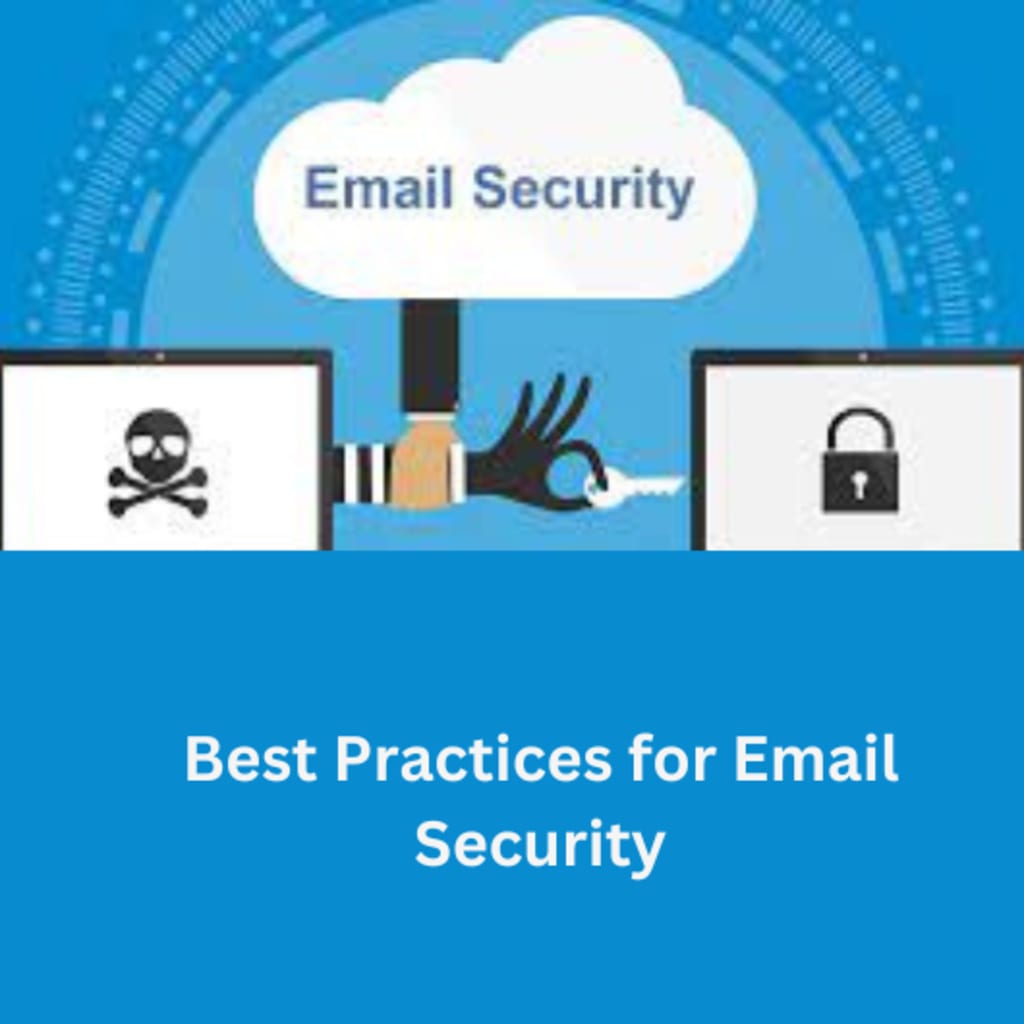
In this digital world every thing is available online. However, with increase in dependency on web-based services, there are many threat to your important data. Same is the case with your webmail data that need to secure. For that you can perform various operation based on your usages. Email Backup is the important seccurity measure you must take. For that, there are various email backup tool for instant and secure backup. Apart from that you can take some important steps to secure your emails, some of them mention below.
Here are some best practices for email security:
Strong Passwords: Use strong and unique passwords for your email account, and avoid using the same password for multiple accounts.
Two-Factor Authentication: Enable two-factor authentication for your email account to add an extra layer of security.
Avoid Phishing Scams: Be wary of phishing scams, which can trick you into giving away your login credentials or personal information. Avoid clicking on suspicious links or opening attachments from unknown senders.
Email Backup: For security reason, you must backup your emails and other data on a regular basis. You can try Xtraxtor Gmail Backup Wizard to download your mailbox data.
Use Encryption: Use email encryption to protect sensitive information from being intercepted or read by unauthorized parties.
Keep Your Software Updated: Keep your email client and antivirus software updated to protect against known vulnerabilities and malware.
Be Cautious of Public Wi-Fi: Avoid accessing your email account on public Wi-Fi networks, which can be insecure and susceptible to hacking.
Check Email Settings: Regularly check your email settings to ensure that your account is set up securely and that there are no unauthorized changes.
Be Careful with Personal Information: Avoid including sensitive information, such as your social security number or financial information, in your emails.
Use a Virtual Private Network (VPN): Use a VPN to encrypt your internet connection and protect your email traffic from interception.
Regularly Backup Your Emails: Regularly backup your emails to ensure that you can restore them in case of a data loss or hacking incident.
Additionally, if you want to secure your emails and other data from your mailbox at once, then it is best to use automated tool. Let's check out how a backup tool downloads your webmail data.
Follow the steps and secure your Gmail business account data -
1. Launch Xtraxtor Google Workspace Backup Wizard on your system.
2. Then, from the Open >> Email Accounts menu, choose Add Account.
3. Following the entry of your Gmail login information, click the Add button.
4. To create a local backup of your data, click Export and select a file format.
5. Select the Save option after determining where to save the created data file.
By following these best practices for email security, you can help protect your email account and sensitive information from unauthorized access or theft.
Why Use Automated Tool for Email Security
Using an automated tool for email security can be beneficial in several ways:
- Efficiency: An automated tool can help detect and prevent email security threats more efficiently than manual methods. Automated tools can monitor and analyze large volumes of email traffic and quickly identify and respond to potential security threats.
- Accuracy: Automated tools use algorithms and machine learning to detect patterns and anomalies in email traffic, allowing for more accurate threat detection and prevention.
- Timeliness: Automated tools can respond to security threats in real-time, reducing the risk of data loss or theft.
- Consistency: Automated tools can consistently monitor and secure email traffic, reducing the risk of human error and ensuring that security policies are enforced consistently.
- Scalability: Automated tools can easily scale to handle large volumes of email traffic, making them suitable for businesses and organizations of all sizes.
- Customizability: Automated tools can be customized to meet specific security needs, such as detecting and preventing phishing attacks, malware, or spam.
- Reduced Costs: Automated tools can help reduce the cost of email security by eliminating the need for manual monitoring and intervention.
Overall, using an automated tool for email security can help improve the efficiency, accuracy, timeliness, consistency, scalability, customizability, and cost-effectiveness of email security.
About the Creator
Generative AI Market Size and Forecast 2025–2033: The Technology Redefining Creativity, Productivity, and Intelligence
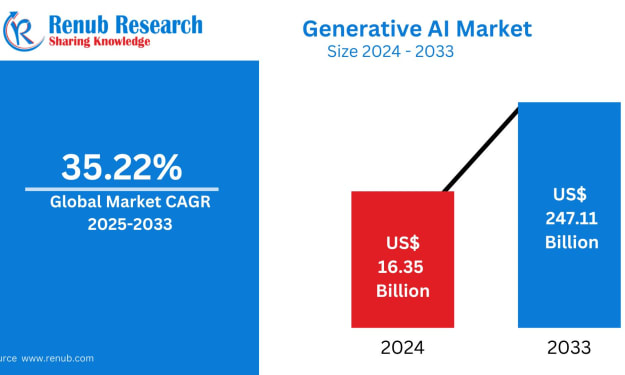
Generative AI Market Overview The Generative AI Market is expected to reach US$ 247.11 billion by 2033, expanding rapidly from US$ 16.35 billion in 2024, at a remarkable CAGR of 35.22% from 2025 to 2033. This explosive growth reflects a fundamental shift in how businesses, governments, and consumers interact with technology. No longer limited to analyzing data or predicting outcomes, generative AI systems now create—producing original text, images, videos, music, software code, and even scientific hypotheses.
By Renub Research2 days ago in 01
HubSpot Onboarding Challenges Most Teams Face Without Consulting
I still remember the day our team finally signed off on HubSpot. There was a sense of relief mixed with excitement. We believed the platform itself would fix our scattered CRM data, improve follow ups, and bring calm to our marketing chaos. No one said it out loud, but we all assumed onboarding would be simple.
By Jane Smitha day ago in 01



Comments
There are no comments for this story
Be the first to respond and start the conversation.