
What I’ve Learned About Audio Visual Production and Live Events
"A Practical Guide to Planning Events with Audio Visual Support and Live Streaming in Toronto"

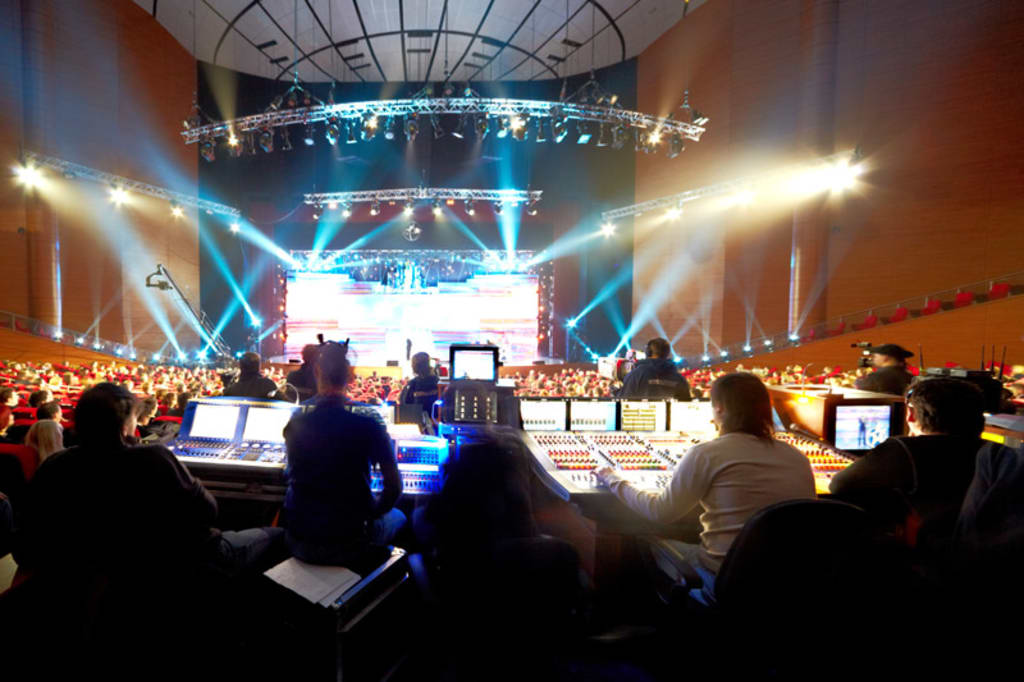
I’ve been working in audio visual production for over ten years. I’ve handled everything from small workshops to full-scale conferences. One thing I know for sure when people attend an event, either in person or online, they expect it to run smoothly. That’s where a solid AV setup makes all the difference.
Audio visual production is more than just sound and screens. It’s about making sure every person in the room and every viewer online can hear, see, and follow what’s going on without any problems. Let me break down what I’ve learned over the years and what you should consider when planning your next event.
The Basics You Need for Any AV Setup
Every event is different, but most need the same core elements:
- Speakers and microphones so everyone can hear clearly
- Projectors or LED screens for showing slides or videos
- Lighting that works for both live and video use
- Cameras if you’re recording or streaming the event
- Cables, mixers, and switchers to connect everything properly
You don’t need to get fancy. You just need the right gear and people who know how to use it.
Planning for Live and Virtual Audiences
In the past, we only focused on the people in the room. Now, we often have to plan for two audiences—live and online. That means you need to think about sound, video, and internet from the start.
Halfway through the planning process, most clients now ask, “Can we stream this too?” The answer is yes, but it takes planning. That’s where live streaming services Toronto come in.
If you’re hosting an event here, you’ll find several companies offering full packages. I’ve worked with teams that bring everything needed multiple cameras, wireless audio, switchers, and strong internet backup. They don’t just film your event. They help you reach people who can’t be in the room.
What to Look for in a Live Streaming Partner
Not every AV team can handle live streaming. Here’s what I suggest checking:
- Experience with your type of event weddings, meetings, concerts, etc.
- Strong internet setup with backup if the venue has weak Wi-Fi
- Multiple camera angles for a professional look
- Live audio mix so the stream sounds as good as the room
- On-site testing before the event starts
If the team isn’t offering these, keep looking. A live stream can’t be redone. It has to work the first time.
Tips From Real Events I’ve Worked
Here are a few things I’ve learned on the job:
Always test the gear the day before
- Bring more cables and batteries than you think you need
- Talk to the venue early to avoid surprises with power or internet
- Have a backup mic ready in case one fails
- Assign someone to monitor the stream chat or questions
These may sound simple, but they’ve saved more events than I can count.
Final Thoughts
Audio visual production takes more than gear. It takes planning, experience, and the right crew. If you’re running a hybrid or online event, don’t leave the streaming part until the end. Find the right live streaming services Toronto has to offer, and work with people who know what they’re doing.
I’ve seen events go perfectly because the team was prepared and I’ve seen the opposite. With the right setup and planning, your message can reach everyone clearly, whether they’re in the room or watching from home. That’s what good AV production is really about.
About the Creator
Early March 2026: 4 Goals Accomplished
It's early March and I've now accomplished my 4th writing goal for the year of 2026. Before diving into the behind-the-scenes of it... why not tell you up front what that accomplishment was? I was published in a 2nd publication for this year. Published in Helix Literary Magazine out of Central Connecticut State University. You can read it for free right now!
By Stephen Kramer Avitabile3 days ago in Writers
TUS NUA - ch 53
TUS NUA – ch 53 New Beginnings – Mia and Midnight (*)(*)(*) Finola knew Ali’s brother-in-law needed to put his mind at rest. She fed her arm through his and led him outside. “We’ll sit here. If you like, I can put a block around us so our conversation will be private.”
By Margaret Brennanabout 18 hours ago in Fiction




Comments
There are no comments for this story
Be the first to respond and start the conversation.