
USB-A vs USB-C: What Tech-Savvy Users Need to Know
Explore the key differences between USB-A and USB-C, and find out what tech-savvy users need to know about computer USB cables, USB cords, and USB hubs for faster data transfer and charging.

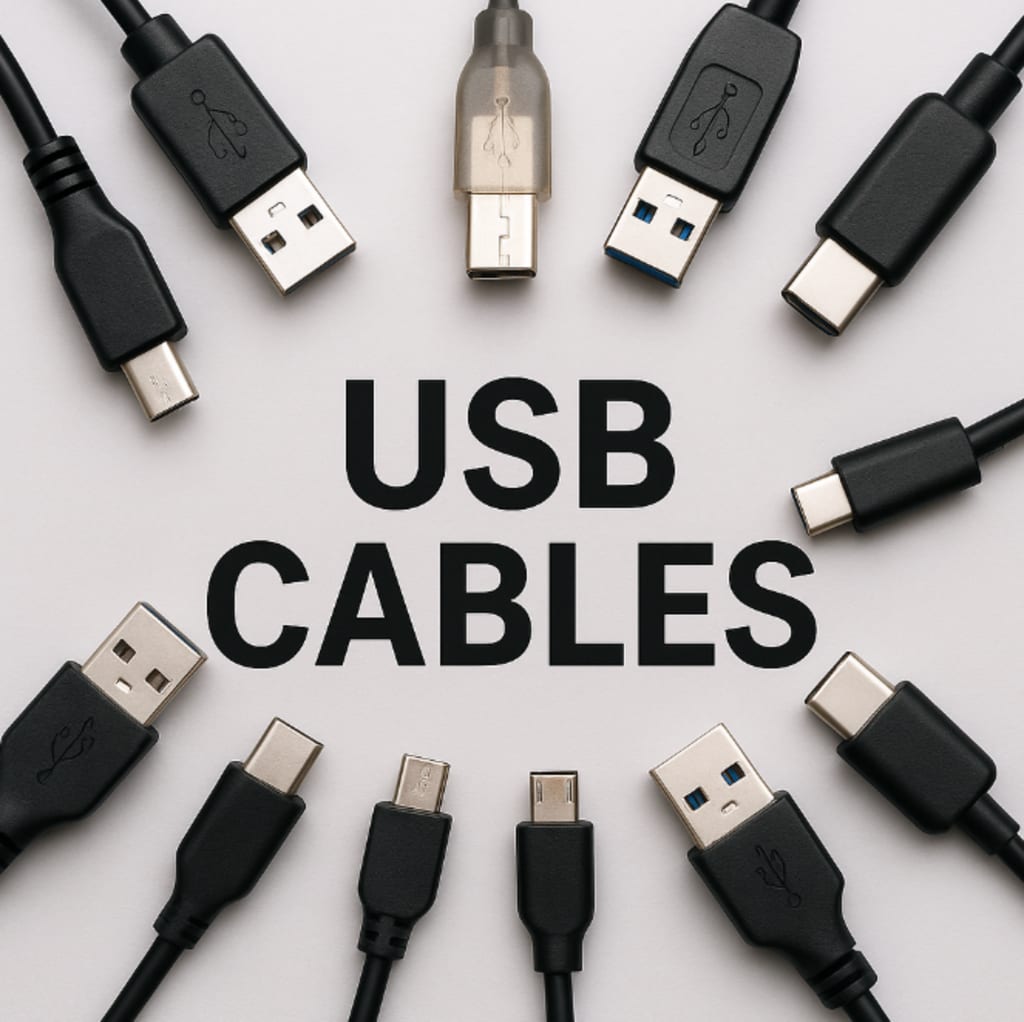
USB technology has been a game-changer for connecting devices, transferring data, and charging electronics. Over the years, the industry has evolved from USB-A to USB-C, offering faster speeds, better power delivery, and more flexibility. For those who want to make the most out of their devices, understanding the differences between USB-A and USB-C is essential. This article will help tech-savvy users explore the distinctions, features, and practical applications of these two connectors.
The Rise of USB Technology
Before diving into the specifics of USB-A and USB-C, it's worth understanding the evolution of USB technology. Initially, USB (Universal Serial Bus) was introduced to standardize the connection process across different devices. The original goal was to provide a universal method for connecting peripherals like keyboards, mice, and printers to computers.
Over time, the USB standard has evolved, bringing improvements in data transfer speeds, charging capabilities, and connector design. These advancements led to the creation of USB-A, followed by USB-C—each catering to specific needs at their time of introduction.
Understanding USB-A
USB-A, also known as the standard USB port, has been around since the introduction of USB 1.0 in 1996. It was the first USB connector widely adopted for both data transfer and charging.
Key Features of USB-A:
Shape and Design: USB-A is a rectangular connector with a single orientation, meaning it can only be plugged in one way. This can sometimes lead to frustration when connecting devices.
Data Transfer Speeds: USB-A can support varying data transfer rates depending on the version. The most common ones are:
USB 2.0: Offers data speeds up to 480 Mbps.
USB 3.0 and 3.1: Provide speeds of up to 5 Gbps and 10 Gbps, respectively.
Power Delivery: USB-A ports can provide power for charging devices, but they are limited in the amount of power they can deliver, typically up to 2.5 watts in the case of USB 2.0 and higher with later versions.
Backwards Compatibility: USB-A ports are backward compatible with older USB versions, allowing for easy connection of older devices to newer computers.
Despite its widespread use, USB-A is becoming increasingly outdated as newer connectors such as USB-C provide faster speeds, higher power delivery, and improved usability.
Understanding USB-C
USB-C is the latest iteration of the USB standard, introduced to address the limitations of USB-A and offer a more efficient and versatile solution for modern devices. It has become the go-to standard for many devices, including laptops, smartphones, tablets, and even some external monitors.
Key Features of USB-C:
Reversible Design: One of the standout features of USB-C is its reversible connector. Unlike USB-A, which can only be inserted one way, USB-C can be plugged in either side up, making it easier to use.
Higher Data Transfer Speeds: USB-C supports much faster data transfer speeds than USB-A. With USB 3.1, speeds can reach up to 10 Gbps, and USB 4 can go as high as 40 Gbps.
Increased Power Delivery: USB-C supports higher power delivery, capable of delivering up to 100 watts of power. This makes it suitable for charging laptops, smartphones, and even larger devices like monitors or external hard drives. It can replace traditional power adapters and other specialized charging cables.
Multifunctional: USB-C is more than just a data transfer and charging solution. It can also handle video output, making it possible to connect devices like laptops to external monitors or projectors. This versatility sets USB-C apart from USB-A.
Compact Design: USB-C connectors are smaller and more compact than USB-A, allowing for thinner and lighter devices.
As more and more devices adopt USB-C, this connector is quickly becoming the industry standard.
Key Differences Between USB-A and USB-C
Now that we have a better understanding of USB-A and USB-C, let’s take a closer look at their key differences.
1. Speed and Performance
One of the main differences between USB-A and USB-C is the speed at which data can be transferred. USB-C offers significantly faster data transfer rates than USB-A. For instance, USB-A 3.0 supports a maximum speed of 5 Gbps, whereas USB-C with USB 3.1 and USB 3.2 can achieve speeds up to 10 Gbps and 20 Gbps, respectively. The USB4 standard, which uses the USB-C connector, can deliver speeds up to 40 Gbps, making it ideal for high-performance tasks like video editing and gaming.
For tech-savvy users who require fast file transfers or are working with large media files, USB-C is the clear winner.
2. Power Delivery
Another important consideration is power delivery. USB-C has a clear advantage in this category, as it can support power delivery up to 100 watts, which is enough to charge laptops, tablets, and other power-hungry devices. In contrast, USB-A is limited in power delivery, typically providing only enough juice to charge smaller devices like smartphones and peripherals.
If you’re using a computer USB cable to charge a laptop or a high-power device, USB-C will offer much faster and more efficient charging.
3. Versatility
The versatility of USB-C far outweighs that of USB-A. USB-C can handle not only data transfer and charging but also video output, making it a true all-in-one connector. Many modern devices, including laptops, smartphones, and tablets, are adopting USB-C for video output, enabling users to connect their devices to external monitors, projectors, and even TVs.
If you’re looking for a USB cable online that can handle everything from data transfer to video output, USB-C is the way to go.
4. Compatibility
While USB-A has been around for decades, USB-C is still relatively new, which means some older devices may not be compatible with USB-C. However, most modern laptops and smartphones now come with USB-C ports, and adapters are available to allow older devices with USB-A ports to connect to newer USB-C devices.
If you’re using an older device that relies on USB-A, you may need a USB hub or an adapter to connect to USB-C devices. On the other hand, for users with newer devices, USB-C will likely be the more future-proof option.
5. Durability
Both USB-A and USB-C are built to last, but USB-C has an edge in terms of durability due to its reversible design and compact, robust connector. USB-A connectors tend to wear out over time due to constant plugging and unplugging, while USB-C connectors are designed for more frequent use.
For users who want a more durable and long-lasting solution, USB-C is the better choice.
The Future of USB Technology
As USB-C continues to grow in popularity, it’s clear that it will dominate the market for the foreseeable future. In fact, the USB Promoter Group has already announced the next-generation USB4, which will use the USB-C connector to deliver even faster speeds and more power. USB-C has already replaced USB-A in many devices, and we can expect to see it in even more devices as time goes on.
For those looking to future-proof their technology setup, investing in USB-C cables, USB hubs, and computer USB cables is a wise choice.
Conclusion
The shift from USB-A to USB-C represents a significant step forward in the world of connectivity. USB-C offers faster speeds, higher power delivery, and more versatility than USB-A, making it the preferred choice for tech-savvy users. As technology continues to evolve, USB-C is set to become even more powerful, with the introduction of USB4 bringing faster speeds and better capabilities.
For users looking to upgrade their setup, investing in USB-C cables, USB cords, and USB hubs is the way to go. Whether you need to transfer data, charge your devices, or connect to an external monitor, USB-C provides a one-size-fits-all solution for modern connectivity needs.
About the Creator
Jennifer Truong
SF Cable provides a huge selection of the highest quality computer cables, components, and accessories at the lowest prices with fast shipping and lifetime technical support!
Keep reading
More stories from Jennifer Truong and writers in Writers and other communities.
Will Upgrading Ethernet Cable Increase Speed?
Thinking About Faster Internet? Start With the Cable You pay for high-speed internet. You expect everything to work fast. But sometimes your downloads crawl, your videos buffer, or your games lag. That can be really annoying. Before blaming your internet provider, check the cables you’re using. Yes, those simple network cables you plug into your router and computer. They can actually slow you down. In this blog, we’ll explain if upgrading your Ethernet cables will increase speed. And we’ll keep it super simple so anyone can understand.
By Jennifer Truong9 months ago in Writers
Writing About Writing: The Rainbow Trap
The good thing about living in modern times is that LGBTQ representation in media is increasing. Not just in niche and Independant media, either, but also in mainstream media. Books, movies, TV shows, comics... they're finally catching on that LGBTQ+ people form a significant part of their audience, and deserve to see themselves on screen and in fiction, not just as victims in documentaries and true crime shows.
By Natasja Rosea day ago in Writers
How to Choose the Right Drupal Development Company in India (2026 Guide)
For non-technical founders, finding the right Drupal development partner can feel daunting. India is a popular destination – its developers often have strong PHP and Drupal skills and excellent English proficiency. In fact, one guide notes you can hire Drupal teams in India at 60–70% lower costs than in the U.S. or Europe. However, not all agencies are equal. This guide will walk you through what to look for: from defining your project goals to vetting candidates’ experience, portfolios, and communication style. By asking the right questions and checking key credentials, you’ll find a company you can trust.
By Jigar Shahabout 12 hours ago in Writers
A Love Forboding
The chipped stone slope caused unbearable footing. I slid, skirting on my heels. I cast my shield, relinquishing my guard to stay upright. Left with my double-edge and a prayer to the maker, I skated toward my objective. The earthly stubble gave way to solid ground. I found myself restored, a trail of dust in my wake.
By James U. Rizzi6 days ago in Fiction


Comments
There are no comments for this story
Be the first to respond and start the conversation.