
Understanding Web Hosting Types: Finding the Right Fit for Your Website
Web Hosting Types: A Comprehensive Guide to Finding the Perfect Hosting Solution for Your Website

When setting up a website, one of the most critical decisions you will make is choosing the right web hosting type. The hosting environment you select can significantly impact your website's performance, security, and scalability. To help you make an informed decision, let's explore the various types of web hosting available and their unique features.
Shared Hosting
Best For: Beginners, small websites, and those on a tight budget.
Overview:
Shared hosting is the most basic and cost-effective hosting option, where multiple websites share the same server resources. This setup makes it an ideal choice for personal blogs, small business websites, and portfolio sites that do not require extensive resources.
Pros:
Affordable
Easy to set up and use
Typically includes a user-friendly control panel like cPanel
Managed server maintenance by the hosting provider
Cons:
Limited resources (CPU, RAM, storage)
Potential for slower performance due to resource sharing
Less control over server configurations
Can be less secure due to multiple sites on one server
Virtual Private Server (VPS) Hosting
Best For: Growing websites, moderate traffic, and those needing more control.
Overview:
VPS hosting provides a virtualized server environment where resources are allocated specifically to your website. It offers more power and flexibility than shared hosting, making it suitable for websites experiencing increased traffic and requiring better performance.
Pros:
Dedicated resources (CPU, RAM, storage)
Greater control over server settings
Scalable to handle traffic growth
Improved performance compared to shared hosting
Cons:
More expensive than shared hosting
Requires some technical knowledge
Potential for resource contention if not managed well
Dedicated Hosting
Best For: High-traffic websites, large businesses, and those requiring maximum control and performance.
Overview:
Dedicated hosting provides an entire physical server dedicated to your website. This option offers the highest level of performance, security, and customization, making it ideal for websites with heavy traffic and specific technical requirements.
Pros:
Maximum performance and reliability
Full control over server configuration
Enhanced security
No resource sharing
Cons:
High cost
Requires significant technical expertise
Overkill for small to medium-sized websites
Managed WordPress Hosting
Best For: WordPress users looking for optimized performance and convenience.
Overview:
Managed WordPress hosting is specifically tailored for WordPress sites. It includes server-level caching, automatic updates, enhanced security measures, and expert WordPress support.
Pros:
Optimized for WordPress
Automatic updates and backups
Enhanced security
Expert support available
Cons:
Higher cost compared to shared hosting
Less flexibility with non-WordPress sites
Limited control over server settings
Cloud Hosting
Best For: Websites needing flexibility, scalability, and reliability.
Overview:
Cloud hosting uses a network of virtual servers to host websites. It provides high scalability and can handle traffic spikes efficiently. This setup ensures that your website remains available even if one server fails.
Pros:
High scalability and flexibility
Pay-as-you-go pricing models
Excellent performance and uptime
Redundancy and reliability
Cons:
Can be complex to manage
Costs can add up with increased usage
May require technical expertise
Reseller Hosting
Best For: Entrepreneurs and web developers looking to host multiple client websites.
Overview:
Reseller hosting allows individuals or companies to purchase hosting resources and resell them to their clients. It is a popular choice for web developers, designers, and agencies managing multiple websites.
Pros:
Ability to manage multiple websites under one account
Generate revenue by reselling hosting services
Typically includes billing software and customer management tools
Greater control over resource allocation for each site
Cons:
Requires understanding of hosting management
Responsibility for client support and maintenance
Limited resources compared to dedicated or VPS hosting
Colocation Hosting
Best For: Businesses with their own server hardware needing a secure data center environment.
Overview:
Colocation hosting involves renting space in a data center to house your own server hardware. The data center provides power, cooling, bandwidth, and physical security, while you maintain control over the server.
Pros:
Complete control over server hardware and software
Enhanced physical security and infrastructure
Scalable to meet growing needs
High reliability and uptime
Cons:
High initial investment in server hardware
Requires technical expertise to manage and maintain servers
Additional costs for rack space, power, and bandwidth
Conclusion
Choosing the right web hosting type depends on your specific needs, technical expertise, and budget. Shared hosting is an excellent starting point for beginners, while VPS and dedicated hosting offer more resources and control for growing websites. Managed WordPress hosting provides a tailored solution for WordPress users, and cloud hosting ensures scalability and reliability. Reseller hosting is ideal for entrepreneurs, and colocation hosting is suited for businesses with their own server hardware.
About the Creator
Keep reading
More stories from Adem Smith and writers in Writers and other communities.
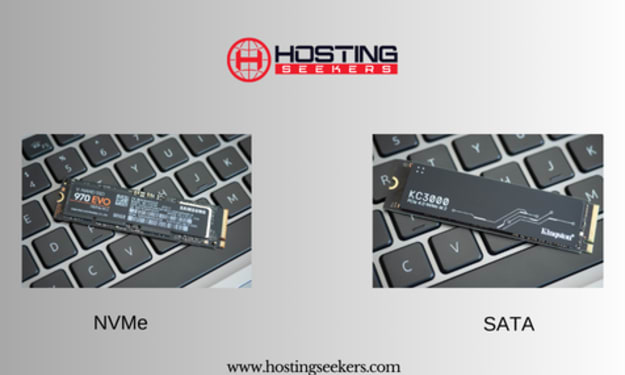
NVMe vs. SATA: Understanding the Differences and Choosing the Right Storage
In the world of computer storage, two technologies dominate the landscape: NVMe (Non-Volatile Memory Express) and SATA (Serial ATA). Both are used to connect storage devices like SSDs (Solid State Drives) to a computer, but they offer different performance levels, features, and use cases. Understanding the differences between NVMe and SATA is essential for making an informed decision about which technology best suits your needs.
By Adem Smith2 years ago in Education
Emerging Trends in Healthcare RAG Systems
Retrieval-Augmented Generation (RAG) is rapidly evolving in healthcare, driven by the need for accuracy, explainability, and regulatory compliance. Below are the key trends shaping how healthcare organizations are adopting and scaling RAG systems.
By Lilly Scott3 days ago in Writers


Comments