
Top 5 Gmail Backup Tools
Secure, Reliable, and Feature-Rich Solutions to Back Up Your Gmail Data in 2025


With growing technology, cyber threats are also increasing on a rapid scale. Gmail, for example, has experienced multiple several outages and crashes ever since 2025 started. Recently, on July 18th, 2025, Gmail and other Google Workspace services reported a widespread outage as reported by The Economic Times. Although this error was resolved 46 minutes later, it caused a significant loss of productivity for students, individuals, and multiple organizations globally.
As cyber threats become more frequent, the question that arises is, are we truly prepared to secure our data if anything happens? Having a reliable backup option to secure important data has become a necessity now. The right backup tool can prevent data loss and protect your data in a few clicks. This article will talk about 5 of the most effective Gmail Backup tools of 2025.
List of 5 Gmail Backup Tools
After testing numerous tools available in the market, we’ve prepared a list of the top 5 Gmail backup tools available in the market. Analyze the features and Pros & Cons of each tool to make the right choice and avoid data loss.
1. Kernel Gmail Backup
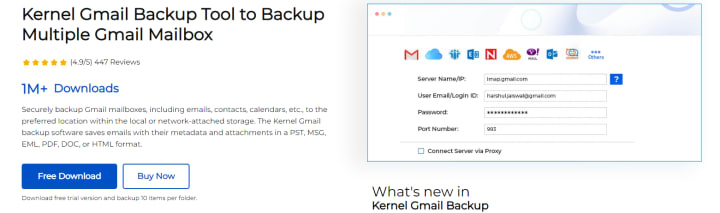
Kernel Gmail Backup saves the entire mailbox data, including Inbox, Sent, Trash, and other folders to various formats like PST, MSG, EML, PDF, etc. This tool efficiently backs up multiple mailboxes at once using a CSV file. You can also migrate email metadata and attachments while keeping the original formatting intact.
Features:
- Backup data from all the mailbox folders like Inbox, Sent, Trash, Spam, Draft, and other folders.
- Backup multiple Gmail accounts at once using a CSV file to map the mailbox. This saves time and effort, eliminating the risk of data loss.
- Save the backed-up files in different formats like PDF, PST, MSG, EML, DOC, DOCX, etc. while retaining the original formatting.
- Customize the backup process as per your need by applying various filters like date filters, operation timeout, limit, incremental migration feature, and more.
- Skip empty/deleted folders to avoid cluttering your mailbox and save the data hierarchy in a different folder.
Pros
- Restore deleted emails from the trash folder and save them at desired location.
- Backup mailbox data in a few simple clicks, without any downtime.
- Saves metadata and large-sized attachments in their original format without any issue.
- Backup entire mailbox data with 100% accuracy, without losing any data.
Cons
- The trial version of this tool saves only 10 items per folder.
- Backup all the emails, attachments, calendars, contacts, etc. in a few steps.
- Migrate your Gmail data to Office 365, iCloud, IMAP, Hotmail, and various other email clients easily.
- Save all your data locally on your system or on any external storage device after backup.
- Preview and choose the data you want to backup before starting the process.
- Incremental backup feature allows users to skip already backed up items.
- Filters like date range filter and option to split oversized PST files allow users to customize the backup process.
- Preserves data integrity and folder hierarchy while backing up data.
- Might lag while backing up large volumes of emails.
2. DRS Solution Gmail Backup
DRS Solution Gmail Backup is a reliable software which exports all the Gmail emails securely and saves them in formats like PST, MBOX, EML, PDF, etc. This tool’s robust algorithm makes the backup process simple and smooth.
Features:
Pros
Cons
3. Cigati Gmail Backup
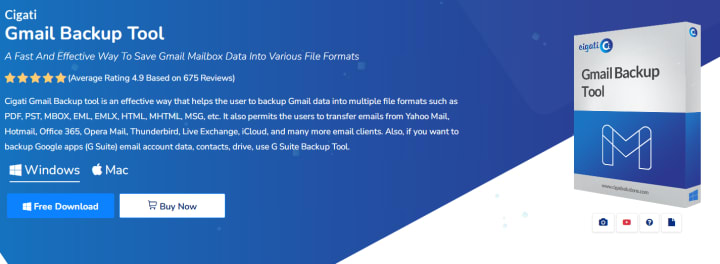
Cigati Gmail Backup lets users backup their mailbox data to their location of choice in multiple formats like PST, PDF, MBOX, EML, etc. It’s compatible with various email clients like Yahoo, Office 365, Thunderbird, Live Exchange, etc.
- Backup Gmail data like emails, attachments, contacts, calendar events, notes, etc.
- Save all your data in different formats like CSV, TXT, DOC, PNG, etc.
- Migrate your data to Zoho Mail, GoDaddy Email, IMAP, AOL, Amazon Workmail, etc.
- Preview all your added Gmail folders and subfolders before starting the backup process.
Pros
- Preserves the original folder structure and file integrity while backing up the data.
- Incremental migration feature prevents duplicity and mailbox clutter.
- Compatible with other Google Workspace services.
Cons
- Might not backup email attachments.
4. Aryson Gmail Backup tool
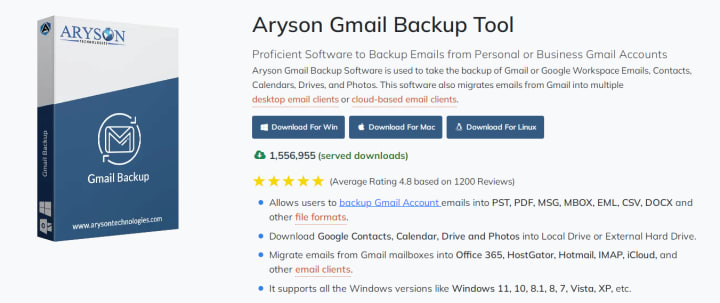
Aryson Gmail Backup saves all your mailbox data quickly. Save data like emails, contacts, calendars, etc. locally on your system. You get the option to save backed up data in different formats like PST, MBOX, PDF, EML, etc.
Features:
- Save all Gmail mailbox items in different formats to platforms like Hotmail, Yahoo, Thunderbird, etc.
- Backs up Google Drive items like documents, calendars, contacts, etc. to desired location.
- Backup and restore accidentally deleted items and save them locally or on cloud platform.
Pros
- Easily migrate data to Opera, Hotmail, Yandex mail, and other platforms.
- Easily archives old emails in a few simple steps to free up space in mailbox.
- Filters like date range allow users to perform selective backup.
Cons
- You need to have access to your Gmail account.
5. SysInfo Gmail Backup tool
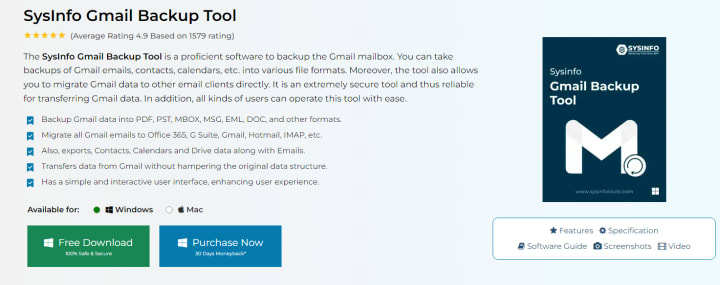
Sysinfo Gmail Backup efficiently backs up mailbox data in formats like EML, EMLX, PST, PDF, etc. Moreover, it can easily migrate all your data to different platforms like Office 365, Yahoo, Thunderbird, and many more.
Features:
- Saves emails in different formats like JPEG, PNG, TIFF, CSV, etc.
- Preserve original folder hierarchy and file structure during conversion.
- Innovative Delete after download feature allows users to clean up their email client after backup.
Pros
- Compatible with different versions of Windows OS like 8, 10, 11, and others.
- Can schedule migration to occur on a daily, weekly, or monthly basis.
- Easily filter emails from a thousand emails with the Mail filter option.
Cons
- Isn’t compatible with MacOS.
Conclusion
Choosing the right Gmail backup tool is of utmost importance to prevent data loss. After doing extensive research, we’ve compared and tested the top 5 Gmail Backup tools to help you out. Each solution has different strengths and limitations worth considering. Go over the pros and cons of each tool and choose the right one for your requirements.
About the Creator
Keep reading
More stories from Suhail Khan and writers in Writers and other communities.
OST File Corruption: Is data recovery possible?
Most of us are familiar with that frustrating feeling when you’re unable to access your OST files due to one reason or another. Usually, these data files become inaccessible due to file corruption. Now the main question is, can data still be recovered from corrupt OST files?
By Suhail Khan10 months ago in Writers
It's Winter
Anne Bernays and Pamela Painter — What If? Writing Exercise for Fiction Writers prompts The Exercise —Write a scene involving two characters. Have the point-of-view character presume something entirely different about the situation from what the other character's overt behavior seems to imply. For example, a landlord comes to visit, and the tenant suspects that it isn't a visit but an inspection. Make up several situations in which one character can fantasize or project or suspect or even fear what another character is thinking. The Objective - To show how your characters can use their imaginations to interpret the behavior and dialogue of other characters.
By Denise E Lindquist18 days ago in Writers
Point The Blame At Your Heart
I write some poems, but not as many as others on Vocal. Most of my poems are about love—wanting love, sad love, or feelings of love. I think I am a big softie inside! Here we go. We blame love stuff on our hearts. We say “loving you with all my heart” and “you break my heart.” All love and feelings are linked to our hearts. We blame everything good or bad on hearts.
By Rosalina Jane4 days ago in Writers
Smart phones, Humans and Aliens.
WARNING. I will be tapping into one of your favorite creative tensions: The absurdity of humans worshipping their glowing rectangles as if they were tiny oracles. There’s something deliciously poetic about that contradiction, and it lends itself beautifully to an instructive proviso.
By Novel Allen4 days ago in Poets


Comments
There are no comments for this story
Be the first to respond and start the conversation.