
How to Increase Video Quality for Free: Beginner, Professional, Online
/

In this digital age, video content has become a vital part of the marketing strategy for businesses and brands. Videos can help you stand out on social media, attract new followers, and improve your company's visibility on search engines. However, not all videos are created equal. Sometimes low-resolution clips with poor lighting and shaky cameras can be a deal breaker for your audiences.
Thankfully, AI can help us increase video quality without having to go around changing settings or buying new cameras every time we want to capture better-looking footage. Here, we would like to share entry-level, professional, and free online video enhancers to help you increase video quality for free. Hoping you can find the specific one based on your needs.
How to Increase Video Quality Using Any Video Converter - Beginner
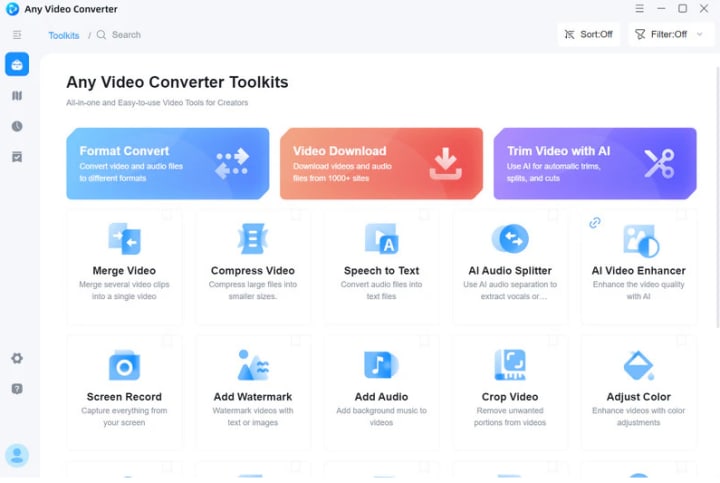
If you are a beginner, it is not practical for you to use professional video editing tools like Adobe Premiere Pro and CapCut. Beginners should start with tools that have simple and clear steps like Any Video Converter.
Any Video Converter is more than a video downloader; it also improves the quality of downloaded videos through AI enhancement and parameter adjustments. If your downloaded video is only in 480P, Any Video Converter lets you upscale it to HD (1080P) or even 4K in one stop, significantly enhancing video detail. Its AI enhancement technology optimizes blurry and noisy videos for sharper and clearer ones.
In addition to the video enhancement tool, Any Video Converter also provides a dedicated Adjust Color tool, which allows you to improve videos that are too dark or have distorted colors by adjusting brightness, contrast, saturation, gamma value, hue, and color temperature.
How to Enhance Video Quality for Free Via AVCLabs Video Enhancer AI - For Professional
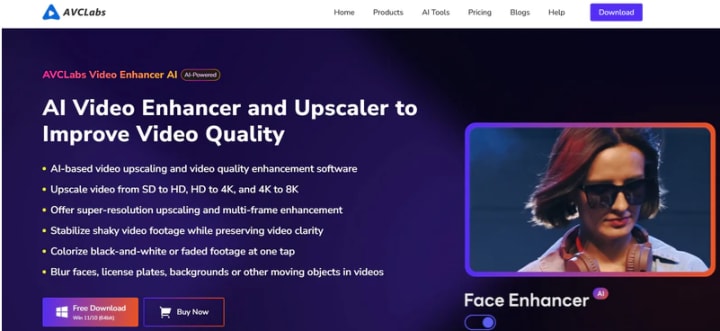
If you want to do more than simply increase video quality, AVCLabs Video Enhancer AI is highly recommended. Its AI features are more complete than Any Video Converter and more suitable for professional video editors.
AVCLabs Video Enhancer AI can help you boost the quality of your videos by improving their resolution, brightness, contrast, and saturation. This AI-powered video enhancer focuses on upscaling low-res videos like SD (480P) and HD (720P) to 1080P or 4K, even up to 8K. The program offers 4 professional AI features: AI Enhancement, AI Face Enhancement, AI Colorize, and AI Motion Compemsation.
Through advanced AI algorithms, AVCLabs Video Enhancer AI can intelligently identify details in videos, such as edges and textures, and optimize them to make blurry videos clearer and more detailed. By automatically adjusting the color balance, correcting overexposed areas, and removing graininess, it significantly improves video clarity, color, and smoothness.
Step 1: Install and Launch AVCLabs Video Enhancer AI
Step 2: Choose Video Enhancer AI and Add A Low-Quality Video
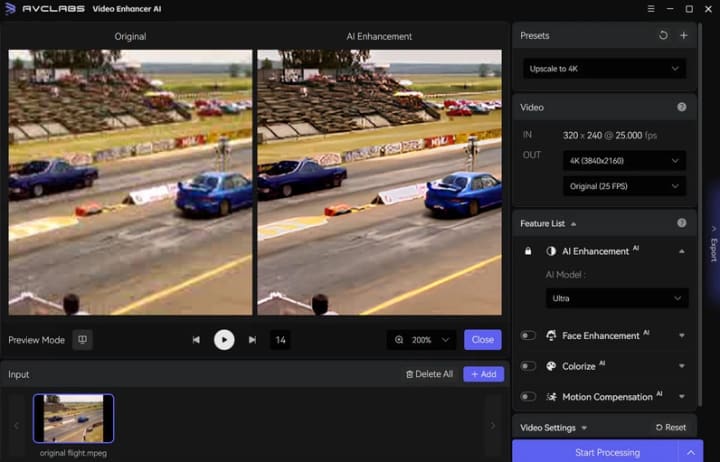
Import a video you want to enhance from your computer, and then you need to modify some critical parameters like processing output resolution, AI features (AI Enhancement, Face Enhancement, AI Colorize, AI Motion Compensation), and output format (MP4, MKV, AVI, MOV, WEBM). To further upscale the video, you can enhance the brightness, contrast, saturation, and sharpness.
If you want to improve the overall video quality, select 1080P or 4K quality and choose the Standard model in AI Enhancement. If you want to improve the clarity of faces in your video, you can add AI Face Enhancement.
Step 3: Start Increasing Video Quality
Click on the "Start Processing" button to enhance the video quality automatically. After the AI video enhancing process is completed, just open the file folder to check and enjoy the improved video with high quality.
How to Improve Video Quality Free Online
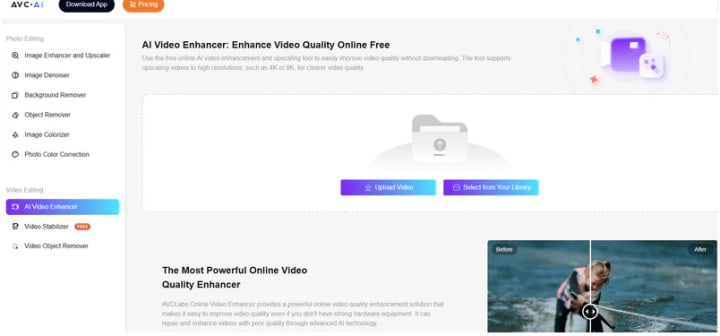
If you don't want to install any program, you can also try this online enhancement tool - AVC.AI. No need to install the program; you only need to click AVC.AI to easily improve the video quality. This online Enhancer is perfect for those quick videos you shoot on your phone. Since these videos often appear blurry due to low lighting, shaky hands, or other limitations. And this online video enhancer can freely and quickly upscale the quality, making them appear sharper, more stable, and more professional.
Compared with Any Video Converter and AVCLabs Video Enhancer AI, AVC.AI provides the most direct and fast way to increase video quality online for free. It is also equipped with cutting-edge AI technology to upscale old home videos, classic movies, or low-quality videos to 1080P, 4K, or even 8K with a single click. If you simply want to enhance your videos from 480P to 1080P, 4K, or even higher resolutions, AVC.AI is ideal for simple enhancements. This online video enhancer analyzes your video frame by frame, reducing noise, sharpening edges, and increasing resolution in the cloud. The most important thing is that you don't have to wait for hours of rendering time.
Step 1: Upload Your Old Video on AVC.AI
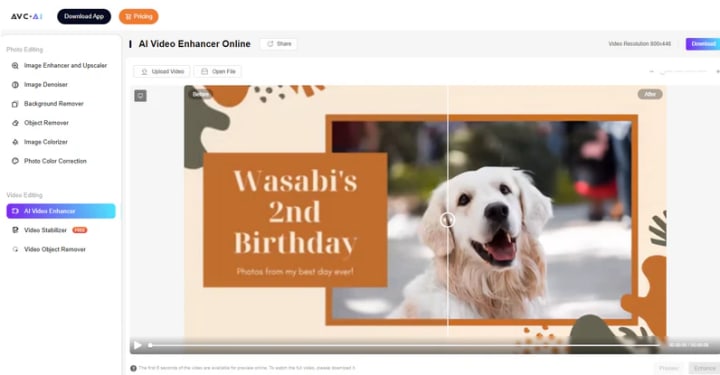
Step 2: Preview and Increase Video Quality
After successfully uploading your video, just click the "Preview" button to view the AI-enhanced effect online. During this process, this online AI Video Enhancer will automatically adjust the video color, remove noise, and optimize details. You can preview the enhanced video for 5 seconds.
Conclusion
Any Video Converter is a beginner-friendly tool that not only downloads videos but also offers AI-enhanced technology to increase video quality. AVCLabs Video Enhancer AI, more suited for professional purposes, provides more advanced AI features that can significantly improve video resolution, brightness, contrast, and color saturation. AVC.AI is an online video enhancer that doesn't require any software installation.
Whether you're a beginner or a professional, choose the right tool to increase video quality based on your needs. Whether you need to restore old videos, enhance the clarity of low-resolution videos, or perform professional video post-production, these tools can help you achieve your goals.
About the Creator
Keep reading
More stories from Joanna Wang and writers in Writers and other communities.
Difficulties Of Holidays On Vocal
Introduction Last week I had a wonderful week in Alnwick, but tried to keep up on Vocal, although my time was less than I normally have, plus a little more difficult because I was using a ten-year-old laptop with a faulty keyboard (the space bar does not always register, meaning I have to keep going back to separate words).
By Mike Singleton 💜 Mikeydred 4 days ago in Writers




Comments
There are no comments for this story
Be the first to respond and start the conversation.