
How to Ensure Data Accuracy During Qlik to Power BI Migration
Key Strategies for Maintaining Integrity and Precision Throughout Your Data Transition
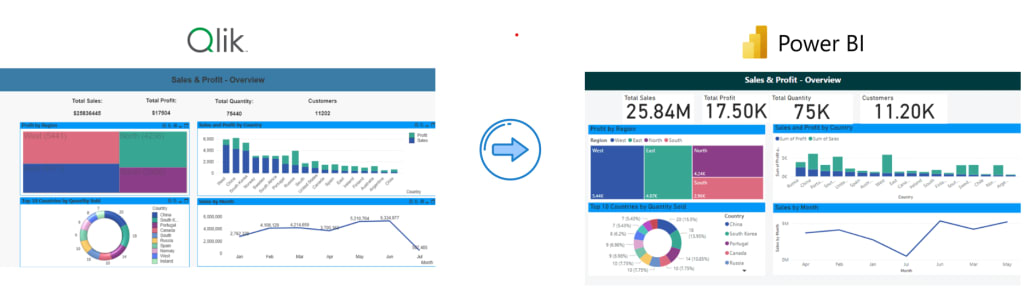
In an increasingly data-driven world, firms must use powerful business intelligence tools to extract actionable insights from their data. Many firms that began with Qlik are now switching to Power BI, drawn to its extensive feature set, integration options, and cost-effectiveness. Maintaining data accuracy throughout the process is one of the most essential parts of a successful Qlik to Power BI transfer.
Data accuracy is critical for decision-making since erroneous data can result in misdirected strategies and missed opportunities. In this article, we'll look at recommended practices for critical data migration to ensure accuracy during your Qlik to Power BI transfer.
1. Conduct a comprehensive data assessment
Before beginning your transfer journey, you should undertake a complete audit of your existing Qlik data. This step includes:
Inventorying Data Sources: Identify all current data sources in Qlik, such as databases, APIs, and spreadsheets. Understanding where your data is stored will help you map it to Power BI.
Evaluating Data Quality: Determine the quality of the data you are moving. Search for inconsistencies, duplication, and missing values. Use data profiling tools to understand your data better and evaluate whether it needs cleansing before migration.
2. Create a data migration plan
A well-structured data migration plan is critical for ensuring data accuracy during the shift. Your plan should include the following:
Mapping Data Fields: Make a precise mapping of fields from Qlik to Power BI. Understand the differences in data formats and structures across the two platforms to avoid mismatches.
Defining Transformation Rules: If your data needs to be transformed (for example, computations or formatting), ensure these rules are explicitly documented. Ensure that these transformations will preserve the integrity of your data throughout migration.
Creating a Migration Timeline: Outline the timeline for each migration stage. Include milestones and deadlines to keep the process on track while providing time for testing and validation.
3. Implement a robust data migration strategy
Throughout the actual migration process, the following measures might help assure data accuracy:
Select the Right Migration Tools: Choose data migration tools that enable smooth transfers from Qlik to Power BI. Look for tools with data validation features to ensure correctness during the migration process.
Perform Incremental Migrations: Consider doing incremental migrations rather than moving all data simultaneously. This method lets you evaluate smaller datasets and make required revisions before moving more extensive data sets, reducing potential errors.
4. Conduct rigorous testing and validation
Testing ensures your data is accurately moved from Qlik to Power BI. This procedure should involve:
Data comparison: Compare data from Qlik and Power BI to ensure accuracy. Use automatic scripts or human inspections to ensure data points are consistent. Pay close attention to the leading indicators and calculations.
Validation of Reports and Dashboards: After the data has been moved, reproduce your essential reports and dashboards in PowerBI. Validate that these reports deliver the same results as in Qlik, ensuring that your data is accurate.
User Acceptance Testing (UAT): UAT involves end users in the testing process. Their insights help discover any anomalies or issues that may have gone unnoticed during technical testing.
5. Monitor data accuracy after migration
Once the migration is finished, continuous monitoring of data accuracy is required:
Create a Data Quality Framework: Implement processes and technologies to monitor data quality regularly. This may include automated notifications for data inconsistencies or regular audits to verify that the data remains accurate over time.
Gather User Feedback: Encourage users to submit comments on the accuracy and usability of Power BI reports. This feedback can help identify outstanding issues and influence future improvements.
6. Document the migration process
Finally, detailed documentation is critical for ensuring data accuracy before and after migration:
Maintain Detailed Records: Document each stage of the migration process, including data mappings, transformation rules, and testing findings. This documentation will be handy for troubleshooting and future migrations.
Create a Data Governance Strategy: Create a structure that defines data ownership, quality standards, and procedures for ensuring data accuracy in Power BI. This framework will help maintain data integrity and onboard new team members.
Ensuring data accuracy during a Qlik to Power BI conversion is a multidimensional process that involves meticulous preparation, implementation, and continuous monitoring. By adhering to these data migration best practices, organizations can reduce the chance of errors and discrepancies and ensure that their decision-making processes are based on reliable and correct information.
By devoting time and resources to thoroughly examine, plan, and validate your migration, you can take advantage of potential BI features while protecting data integrity. With reliable data at your fingertips, your firm will be well-positioned to capitalize on insights that drive growth and success in a competitive environment.
About the Creator
Keep reading
More stories from chaitanya Kanna and writers in Writers and other communities.
Benefits of Enrolling Your Child in the Best Pre-Nursery School
Choosing the correct pre-nursery program is one of the most crucial decisions for parents with young children. These formative years are essential in laying the groundwork for lifetime learning, cognitive development, and social skills. The most excellent preschool introduces children to learning and nurtures their innate curiosity and inventiveness, preparing them to excel in future educational environments.
By chaitanya Kannaabout a year ago in Education
Early March 2026: 4 Goals Accomplished
It's early March and I've now accomplished my 4th writing goal for the year of 2026. Before diving into the behind-the-scenes of it... why not tell you up front what that accomplishment was? I was published in a 2nd publication for this year. Published in Helix Literary Magazine out of Central Connecticut State University. You can read it for free right now!
By Stephen Kramer Avitabile7 days ago in Writers
The Queen's Consort: Chapter 1
1 Avelina I didn’t plan on being around so why would I want an immortal mate. Oh right. I didn’t. That would be why I never sent in a sample for this bullshit. Yet, here I was, staring at the Priestess, inside a Gods be damned temple.
By harmony percyabout 22 hours ago in Writers




Comments
There are no comments for this story
Be the first to respond and start the conversation.