
How Employee Productivity Tracking Software Helps Remote Teams Stay Focused
Learn how employee tracking tools help remote teams avoid distractions. Keep everyone on task and boost your company's efficiency now.

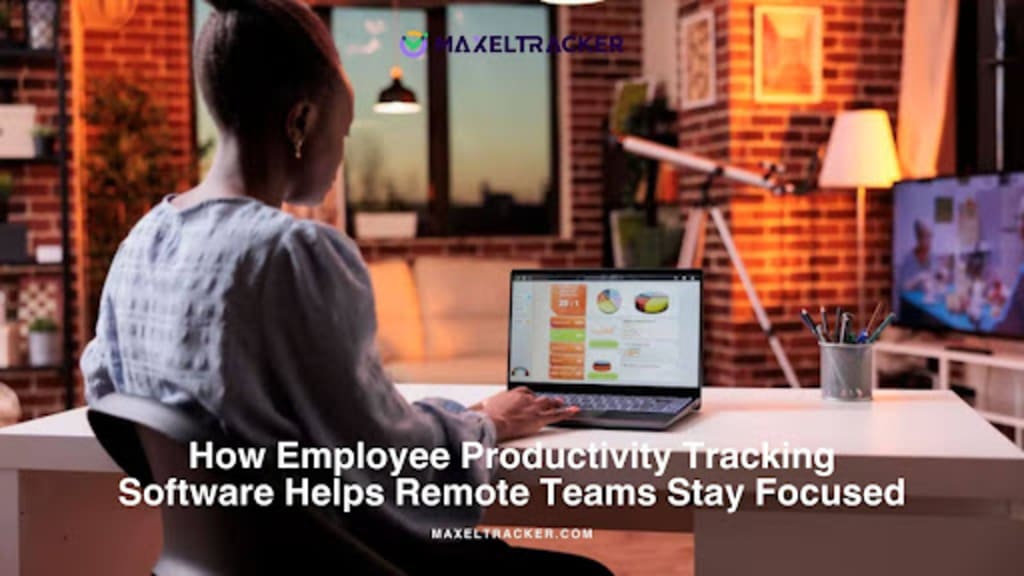
Staying focused while working remotely can be challenging for both employees and managers. With no physical office and more distractions at home, maintaining productivity often becomes a concern. If you're struggling to keep your remote team on track, the lack of productivity tracking software might be one of the reasons.
Employee productivity tracking software helps you monitor real-time activity, understand how time is being spent, and identify where improvements are needed. It gives remote teams structure and accountability, making it easier to stay focused and aligned with goals.
In this blog, we’ll explore how productivity tracking software supports remote teams, the benefits it brings, and how to choose the right tool for your organization.
What is Employee Productivity Tracking Software?
Employee productivity tracking software is a tool that helps businesses understand how their teams are working. It tracks time spent on tasks, monitors activity during work hours, and gives insights into how work is getting done, especially for remote teams.
Features like time tracking, task management, and activity monitoring, help managers identify delays, improve workflows, and support better time management. For employees, it’s a way to stay organized and focused throughout the day.
In short, this software helps teams work smarter, reduce distractions, and improve performance, no matter where they’re working from.
Benefits of Using a Productivity Tracking Software
Using employee productivity tracking software offers many benefits for organizations. Here are some key advantages:
1. Manage Employee Workload More Effectively
One common challenge for organizations, especially with remote teams, is balancing workloads fairly. A survey found that about 44% of remote workers spend more time than their scheduled hours on job tasks due to poor work allocation.
Employee Productivity tracking software gives you a clear view of how your employees are spending their time. Instead of guessing or waiting for updates, you get real-time data on task progress, time spent on projects, and when employees are most productive. This helps you:
- Identify employees who have too much on their plates and redistribute tasks to keep the team balanced.
- Estimate project timelines better by knowing how long tasks usually take.
- Identify team members who might be struggling so you can offer support early.
By tracking workloads this way, you can make sure no one is overloaded and everyone has a manageable amount of work to do their best.
2. Automation and Reduced Administrative Burdens
Manually filling out endless timesheets and reports takes up a lot of time and can lead to mistakes. Studies show that many tasks—like data entry, document management, and lead tracking—can be automated, saving time and reducing errors.
Productivity tracking software helps automate these routine tasks so your team can focus on more important work. Here’s how it helps:
- It automatically tracks work hours, eliminating the need for manual entries and reducing errors.
- It lets you easily view and download detailed reports, which are useful for performance reviews and planning.
- It connects with other business tools, so data flows smoothly without extra work or duplication.
By automating repetitive tasks, your organization can save time, improve accuracy, and focus more on growth and innovation.
3. Communicate Easily with Your Team
Keeping in touch with remote employees can be tough. They’re not nearby to give quick updates, and sometimes they might miss important meetings because they’re on a break or away from their emails. About 21% of employees say remote work has made communication harder, and 6% say it’s very challenging.
Miscommunication can cause big problems—sometimes even derail entire projects. A 2024 report showed that poor communication cost U.S. businesses $1.2 trillion in 2022.
Good communication is what keeps teams strong, and productivity tracking software helps improve it in several ways:
- Many tracking tools have built-in chat and feedback features, so team members can talk about progress and priorities right inside the software.
- Having all productivity data in one place helps everyone make better decisions during discussions about work and challenges.
- Clear visibility into when and how people work creates trust and accountability across the team.
- This better communication leads to more effective meetings and ensures everyone, from entry-level to leadership, stays aligned with the same goals.
4. Identify Best Performers and Reward Them
When a team finishes a project, it can be hard to know who contributed the most. Managers spend about 210 hours each year just preparing performance reviews.
Productivity tracking software helps save time by giving you clear data to evaluate each employee’s work.
Recognizing and rewarding your best employees is key to managing a successful team. This software makes it simple to spot high performers by using real data instead of just opinions or occasional reviews. With these insights, you can:
- Find employees who meet or exceed their goals, even during tough times.
- Use objective information to give rewards that match each person’s actual performance.
- Celebrate top performers to boost morale and encourage others to do their best.
By highlighting your best employees, you show that excellence matters in your company and encourage everyone to reach higher standards.
5. Improved Productivity and Performance
Employee Productivity tracking tools help your team work more efficiently, which boosts overall company performance. They let you see how well employees are doing and show where they’re strong or need support to grow.
Many organizations have seen big improvements after using these tools. For example, TBC Bank increased its efficiency by 25% by using detailed time tracking and productivity data to manage resources better.
This software isn’t just about tracking time—it gives your team insights to make real improvements and make every minute count.
- Detailed reports help you recognize and reward top performers, keeping them motivated.
- The software shows where employees might be struggling so you can provide support quickly.
- By tracking time on tasks, employees can notice their habits, reduce distractions, and focus better.
All these benefits add up to a more productive team and stronger results for your business.
To get the best from your team, you first need to know how their time and effort are being spent. That’s where employee productivity tracking software like MaxelTracker comes in. It gives organizations the clear visibility needed to organize workflows better, allocate resources wisely, and make sure every task contributes to real results.
MaxelTracker does more than just monitor work—it helps you make smarter, data-driven decisions that support long-term growth. With the right tools like MaxelTracker, businesses can move past guesswork and use accurate data to improve efficiency, remove obstacles, and stay ahead in today’s competitive market.
Common Remote Work Challenges
1. Overcoming Distractions and Maintaining Focus
The Challenge:
Remote workers often deal with home-related interruptions like household chores, family demands, or the temptation of personal devices and entertainment. Without an office environment, it’s harder to stay focused throughout the workday.
How to Address It:
- Encourage employees to create a designated workspace to mentally separate work from home life.
- Recommend structured routines or time-blocking methods to help them manage tasks efficiently.
- Use tools like MaxelTracker to help employees identify when they’re most productive and when they tend to lose focus. This visibility can guide better time management.
- Gentle reminders via weekly productivity summaries (a feature offered by MaxelTracker) can help employees self-correct without external pressure.
2. Ensuring Accountability Without Micromanagement
The Challenge:
Managers struggle to ensure accountability without making employees feel watched. Too much oversight can feel like micromanagement; too little can lead to missed deadlines or low output.
How to Address It:
- Set clear expectations and goals for each team member. Define outcomes rather than controlling the process.
- Use productivity tracking tools like MaxelTracker to get insights into work patterns and task engagement, allowing managers to support rather than control.
- Implement regular check-ins that focus on support and goal alignment instead of just status updates.
- Foster a culture of trust by sharing how data is used—to improve workflows, not to punish.
3. Identifying and Supporting Struggling Team Members
The Challenge:
When employees work remotely, it’s harder to notice signs of disengagement, burnout or struggles with certain tasks. A lack of physical presence means issues can go unnoticed for too long.
How to Address It:
- Monitor trends in productivity using software like MaxelTracker to spot declines in performance. For instance, a sudden increase in unproductive hours might indicate burnout or confusion about tasks.
- Set up regular one-on-ones that go beyond work updates and create space to talk about challenges and mental well-being.
- Encourage the use of blur-friendly screenshot features (available in MaxelTracker) that let you see context without breaching privacy—useful for understanding task bottlenecks.
- Offer flexible work hours or wellness days for those showing signs of stress or low motivation.
4. Improving Communication
The Challenge:
Without face-to-face conversations, important information can slip through the cracks. Miscommunication can lead to project delays, duplicate efforts, or missed deadlines.
How to Address It:
- Standardize communication channels (e.g., Slack for chat, Zoom for meetings, Trello for task tracking) so everyone knows where to find what.
- Promote overcommunication—especially for task updates, meeting schedules, or deliverables.
- Some productivity tracking tools allow for in-app comments, shared notes, or status updates, encouraging real-time feedback and transparency.
- Use MaxelTracker’s logs to support discussion around actual performance data during virtual check-ins.
5. Combating Isolation and Building Team Culture
The Challenge:
Without the social atmosphere of an office, remote employees can feel isolated or disconnected from their team, leading to lower morale and engagement.
How to Address It:
- Create virtual team rituals—like weekly coffee chats, game sessions, or knowledge-sharing meetings.
- Recognize achievements in public forums (Slack channels, emails, or company dashboards) to make team members feel valued.
- Use data from MaxelTracker to identify consistent top performers and appreciate their efforts in team meetings or via internal shoutouts.
6. Managing Work-Life Balance
The Challenge:
Remote workers often find it difficult to switch off. They may work longer hours without realizing it, leading to burnout.
How to Address It:
- Encourage a “shut-down” ritual—like setting Slack to “Do Not Disturb” after hours.
- Promote the use of work timers or break reminders. MaxelTracker can help employees spot when they’re overextending themselves and recommend healthier patterns.
- Respect time zones and off-hours when scheduling meetings or sending messages.
7. Dealing with Technical Issues
The Challenge:
Remote work relies heavily on tech. From poor internet to incompatible tools, disruptions can derail productivity.
How to Address It:
- Offer a tech stipend or reimbursements for internet upgrades, noise-cancelling headphones, or ergonomic equipment.
- Provide access to basic IT support or quick-fix resources.
- Keep tools minimal and integrated. MaxelTracker, for example, integrates with Slack, Trello, and other platforms to avoid the hassle of switching between too many apps.
How to Select the Right Employee Productivity Tracking Tool
Choosing the right productivity tracking tool can make a big difference in how effectively your remote team works. With many options available, it's important to focus on what truly matters for your organization. Here are a few key things to consider:
1. Key Features to Consider
Start by identifying the features that match your team’s needs. A good productivity tracking tool should include:
- Time tracking – Automatically records hours spent on tasks and projects.
- Activity monitoring – Tracks active/inactive time, app usage, and website visits.
- Task and project tracking – Helps managers see progress and deadlines at a glance.
- Reporting and analytics – Generate easy-to-understand reports to support better decisions.
- Screenshot capture – Optional feature for greater visibility into daily work (if required).
Look for tools like MaxelTracker, which offer all these features while keeping the user experience simple for both employees and managers.
2. Integration with Existing Systems
A good tracking tool should easily connect with the tools your team already uses. Whether it’s project management software like Trello or communication tools like Slack, integration makes workflows smoother and avoids extra work.
MaxelTracker integrates with popular platforms to keep everything connected in one place—saving time and reducing confusion.
3. Scalability and Customization Options
As your team grows, your tracking tool should be able to grow with it. A good tool should support both small teams and large organizations with features such as:
- Role-Based Access Control: Managers see team-wide insights, while employees can view their data, promoting transparency without compromising privacy.
- Custom Reports and Dashboards: Customize what data you want to see and how you want to see it.
- Department-Wise Breakdown: Track productivity at the department level to find trends, challenges, or high performers in specific areas.
MaxelTracker is built to scale. Whether you're tracking 5 users or 500, it offers flexible controls, custom views, and easy onboarding, making it a reliable long-term solution for any organization.
How MaxelTracker Can Help Remote Employees Stay Productive?
Working from home has its benefits, but it also comes with challenges like distractions, unclear priorities, and a lack of real-time feedback. That’s where MaxelTracker steps in. It’s built to support remote teams by giving them the tools they need to stay focused, organized, and on track, without feeling micromanaged.
Here’s how MaxelTracker helps manage remote employees do their best work from anywhere:
1. Keeps Work Hours Clear and Balanced
Without a regular office routine, remote employees may find it tough to manage their time. MaxelTracker automatically tracks work hours and helps employees understand how they spend their day. It prevents burnout by showing when someone is overworking and encourages a healthy work-life balance.
2. Gives Visibility Without Hovering
Managers don’t have to check in constantly to know if work is getting done. MaxelTracker shows which apps or websites are being used, how much time is spent on tasks, and when employees are most active. This creates a sense of accountability while still allowing remote employees to work independently.
3. Smart Screenshots with Privacy Controls
To better understand how work is progressing, MaxelTracker takes periodic screenshots, but with blur options to protect sensitive information. This helps highlight what tools and tasks are being used most often, without invading privacy.
4. Supports Flexible Work Schedules
Not everyone works best from 9 to 5. MaxelTracker allows for custom working hours so remote employees can stay productive during their most focused times. This flexibility encourages better performance and job satisfaction.
5. Weekly Updates for Self-Improvement
Every week, MaxelTracker sends employees a summary of their productivity. If there’s a dip, they’re encouraged to connect with HR or reflect on how they can improve. This helps teams grow without pressure.
6. Performance Insights for Recognition
Remote work often hides top performers. With MaxelTracker, managers can discover employees who are consistently hitting goals or putting in focused hours. This makes it easier to reward the right people and build a culture of recognition, even from a distance.
7. Strengthens Team Trust and Accountability
With clear data available to everyone, team members stay aligned on goals and expectations. It builds a transparent culture where everyone knows what’s expected—and how they’re contributing to the bigger picture.
Conclusion
Focus can easily slip in remote work, but the right tools can bring it back. Employee productivity tracking software provides the structure remote teams need by offering visibility into daily tasks, time usage, and performance trends.
Rather than micromanaging, it supports better decisions, timely feedback, and clear priorities. With tools like MaxelTracker, teams stay aligned, HR gets valuable insights, and employees learn to manage their time more effectively.
In short, it’s not about tracking hours—it’s about helping remote teams make every hour count. Ready to optimize your team performance and productivity? Sign up for MaxelTracker today.
About the Creator
Colin Brown
Colin Brown, a productivity expert for 10 years at MaxelTracker—a leading employee monitoring tool designed to enhance team productivity, efficiency, and performance for businesses of all sizes. Let’s optimize your workflow—connect today!
Keep reading
More stories from Colin Brown and writers in Writers and other communities.
The Ethics of Employee Monitoring: Best Practices for Transparent Implementation
As workplaces become more distributed, businesses are increasingly adopting employee monitoring—whether for remote or in-office teams. While monitoring can spark discussions about privacy, when used responsibly, it enhances transparency, improves efficiency, and supports fair performance evaluations.
By Colin Brownabout a year ago in Writers



Comments
There are no comments for this story
Be the first to respond and start the conversation.