
RC Transfer of Ownership – Step-by-Step Online Process
Learn the complete step-by-step process for RC transfer or ownership change online in India. Know required documents, fees, and how to transfer RC hassle-free.

Whether you're buying or selling a used vehicle, RC transfer (Registration Certificate transfer) is a legal requirement in India. This ensures that the vehicle's ownership is updated in RTO records and any future liabilities are transferred to the new owner.
In this blog, we provide a complete guide to RC ownership change online, including the documents required, steps to follow, and applicable fees.
What is RC Transfer?
RC transfer, also known as ownership transfer, is the process of changing the ownership details of a vehicle in the RTO records when it is sold, inherited, or transferred to another person.
This process is essential to legally prove who owns the vehicle and is responsible for its usage, insurance, and any traffic fines.
When is RC Transfer Required?
RC transfer is necessary in the following cases:
- Sale of a used vehicle (bike or car)
- Transfer of ownership due to death of the registered owner
- Auctioned vehicle purchase
- Gift or donation of a vehicle
Documents Required for RC Transfer
Here is the list of documents needed for rc ownership change online or offline:
For Sale or Resale:
- Original RC (Registration Certificate)
- Form 29 and Form 30 (duly filled and signed by buyer and seller)
- Valid Pollution Under Control (PUC) Certificate
- Copy of valid insurance
- Address proof of buyer (Aadhar, Voter ID, Passport, etc.)
- Passport-size photographs of buyer and seller
- Road tax clearance (if transferring from another state)
- NOC from the original RTO (for inter-state transfer)
- Copy of PAN Card (or Form 60/61)
For Death of Owner:
- Death Certificate of registered owner
- Succession Certificate or Affidavit
- Form 31 (Application for transfer)
Step-by-Step Process for RC Transfer Online
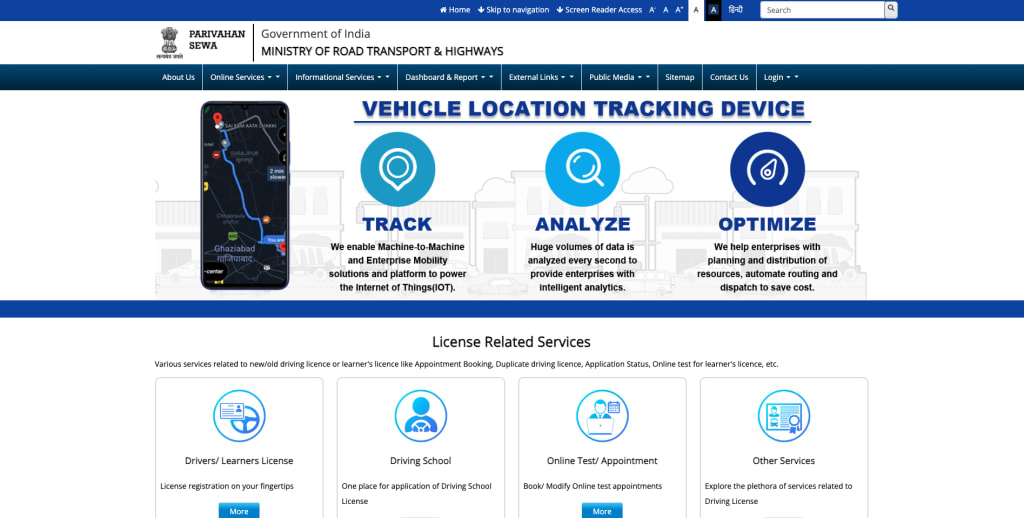
You can complete the rc ownership change online through the official Parivahan portal:
Step 1: Visit Parivahan Portal
Go to https://parivahan.gov.in
Step 2: Select "Vehicle Related Services"
Choose your state and RTO from the dropdown menu.
Step 3: Click on "Transfer of Ownership"
Under the "Online Services" menu, choose "Transfer of Ownership".
Step 4: Enter Vehicle Details
Input vehicle registration number and last 5 digits of chassis number.
Step 5: Upload Required Documents
Upload scanned copies of documents (Form 29/30, insurance, ID proof, etc.).
Step 6: Pay RC Transfer Fees
Pay the applicable fees online using available payment methods.
Step 7: Download Acknowledgment
After successful payment and submission, download the receipt and acknowledgment.
RC Transfer Fees in India (as of 2025)
Vehicle Type Ownership Transfer Fee
Two-Wheelers ₹150
Light Motor Vehicle (LMV) ₹300
Smart Card Fee ₹200 (may vary by state)
Note: Additional service charges or postal charges may apply.
How Long Does It Take to Complete RC Transfer?
Typically, RC ownership transfer is completed within 15–30 working days, depending on the RTO and completeness of submitted documents.
- Offline Process for RC Ownership Transfer
- If you prefer visiting the RTO physically, follow these steps:
- Collect and fill out Form 29 & Form 30.
- Visit the RTO with original RC, insurance, ID proof, and other required documents.
- Submit the documents at the counter.
- Pay applicable fees at the fee collection counter.
- Receive an acknowledgment slip.
- Wait for verification and issuance of new RC.
RC Transfer for Inter-State Vehicles
If the vehicle is registered in another state, you need:
- NOC (No Objection Certificate) from the original RTO
- Re-registration in the new state
- Payment of applicable road tax
- Address proof in the new state
- Important Tips for Smooth RC Transfer
- Ensure the vehicle has no pending challans or dues.
- Get a Vehicle Service History Check before purchasing.
- Use the Vehicleinfo app for quick challan status and RC details.
- Retain a signed copy of the sale agreement.
Frequently Asked Questions (FAQs)
1. Can I transfer RC online without visiting the RTO?
Yes, if both buyer and seller have valid Aadhaar-linked mobile numbers and digital signature authentication is supported in your RTO.
2. How can I check the status of my RC transfer?
You can check it online at https://parivahan.gov.in using the application number or vehicle details.
3. What happens if I don't transfer the RC?
If RC is not transferred, the previous owner remains legally responsible for traffic fines, taxes, and liabilities.
4. Is insurance transfer also required?
Yes, the vehicle's insurance must also be transferred to the new owner's name.
Conclusion
Changing ownership of a vehicle is a critical legal procedure after the sale or transfer. Thanks to the rc ownership change online system via Parivahan, the process has become simpler and faster.
Make sure to keep all documents ready and follow the steps mentioned above to avoid delays. If you're planning to buy or sell a used vehicle, start the RC transfer process promptly to stay compliant and avoid future hassles.
About the Creator
Vehicleinfo
Vehicleinfo is all in one vehicle solution that makes it easy to access important vehicle details online. Check RTO vehicle information, RC and DL status, challan records, and insurance updates. Stay informed with the latest RTO news.
Keep reading
More stories from Vehicleinfo and writers in Wheel and other communities.
RC Details: How to Check Vehicle RC Online, Download RC, Format & Expiry
A Registration Certificate (RC) is one of the most crucial documents for any vehicle owner in India. Whether you're driving a car or riding a two-wheeler, carrying your RC—either physically or digitally—is mandatory. In this blog, we'll cover everything from the RC full form and format to checking your RC status online and downloading it via DigiLocker.
By Vehicleinfo10 months ago in Wheel
Self-Driving Cars
If you watched the 2004 Will Smith film ‘I Robot’, you’ll know that a minor plot point is that cars in this future are, by default, self-driving. They can still be driven manually, but this is considered a risky choice which only Smith’s character chooses to do, due to being a fan of such ‘retro’ choices. When his car is wrecked during an attack late in the film, his boss assumes that he crashed due to driving manually (the one time in the film he actually wasn’t). At the time of the film’s release, self-driving cars must have seemed hugely futuristic to help to sell the future setting.
By Joe Morgan6 days ago in Wheel



Comments
There are no comments for this story
Be the first to respond and start the conversation.