
How to Use Your Toyota Smart Key Fob for Remote Start and Keyless Entry
The Toyota smart key fob allows drivers to unlock doors and start the engine without inserting a key, while remote start lets you warm up or cool down your vehicle from a distance.

Toyota’s Smart Key System, standard in many 2018–2024 models like the Camry, RAV4, and Highlander, enhances convenience with features like remote start and keyless entry. The Toyota smart key fob allows drivers to unlock doors and start the engine without inserting a key, while remote start lets you warm up or cool down your vehicle from a distance. This guide explains how to activate and use these features on 2018–2024 Toyota models, with model-specific instructions to ensure you get the most out of your smart key fob.
Understanding Toyota’s Smart Key Fob
The Toyota smart key fob uses proximity sensors and radio signals to communicate with your vehicle, enabling keyless entry (also called Smart Entry) and push-button start. Remote start, available on select trims, allows you to start the engine from up to 80 feet away. These features are common in 2018–2024 models like the Corolla, RAV4, Highlander, and Camry, but functionality varies by trim (e.g., XLE, Limited) and whether the vehicle has the Smart Key System. Always check your owner’s manual to confirm your model’s capabilities.
Activating Keyless Entry on Your Toyota Smart Key Fob
Keyless entry allows you to unlock or lock your Toyota by touching the door handle while the smart key fob is in your pocket or bag. Here’s how to use it on 2018–2024 models:
Ensure the Fob Is Nearby: Keep the smart key fob within 3 feet of the vehicle, typically in your pocket or purse.
Unlock the Doors: Grasp the driver’s or front passenger’s door handle to unlock. For 2018–2024 Camry XLE or RAV4 Limited, the system may unlock only the driver’s door on the first touch, with a second touch unlocking all doors.
Lock the Doors: Press the small button on the door handle to lock all doors. For 2020–2024 Highlander, ensure the fob is outside the vehicle to avoid locking it inside.
Open the Trunk: On models like the 2019–2024 Corolla Hatchback, press the trunk release button on the rear while carrying the fob to access the trunk without unlocking doors.
If keyless entry fails, check the fob’s CR2032 battery (or CR1632 for some models) and replace it if needed, as a weak battery can disrupt signals.
Using Remote Start with Your Toyota Smart Key Fob
Remote start is available on many 2018–2024 Toyota models with the Smart Key System, particularly higher trims like the RAV4 XLE Premium or Highlander Platinum. Follow these steps to activate it:
Confirm Remote Start Capability: Check your owner’s manual or Toyota’s website to verify if your model (e.g., 2021 Camry XSE or 2023 RAV4 Hybrid) supports remote start. Some base trims may lack this feature.
Activate Remote Start: Press the lock button on the smart key fob three times in quick succession, holding it on the third press for about 2 seconds. For 2018–2020 Camry models, you may need to press lock twice, then hold the lock button. The vehicle’s lights will flash, and the engine will start.
Stop the Engine: Press the lock button once to turn off the engine. The engine also stops automatically after 10 minutes or if a door is opened.
Model-Specific Notes: For 2021–2024 Highlander, ensure the vehicle is in Park and all doors are closed. For 2019–2024 RAV4, remote start may not work if the hood is open or the fob is too far (beyond 80 feet).
Troubleshooting Common Issues
If remote start or keyless entry doesn’t work, try these fixes:
Check the Battery: A low CR2032 battery can cause failures. Replace it by opening the fob with a taped screwdriver, ensuring the positive side faces up.
Avoid Interference: Move away from Wi-Fi routers or power lines, which can disrupt the fob’s signal, especially for 2018–2024 Corolla models.
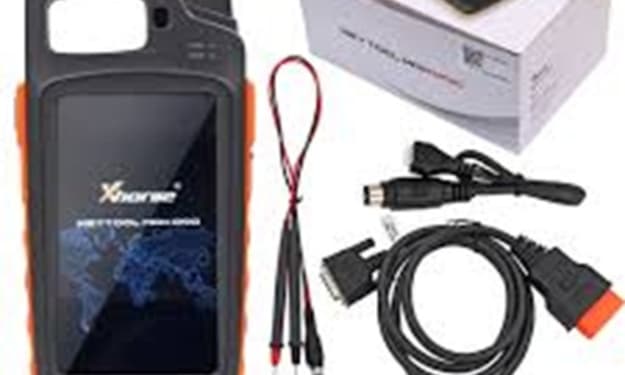
Reprogram if Needed: If the fob doesn’t respond after a battery change, it may need reprogramming. Consult a locksmith with tools like the Xhorse VVDI Key Tool or visit a Toyota dealer.
Use the Emergency Key: If keyless entry fails, use the mechanical key inside the fob to unlock the driver’s door manually (e.g., 2020–2024 Highlander).
Model-Specific Tips for 2018–2024 Toyotas
2018–2024 Camry: Remote start requires a specific sequence (lock, lock, hold lock). Keyless entry may need enabling via the vehicle’s settings menu on XLE trims.
2019–2024 RAV4: Some trims support smartphone-based remote start via the Toyota app, complementing the fob. Check for app compatibility.
2020–2024 Highlander: Proximity sensors are sensitive; ensure no other smart keys are nearby to avoid conflicts.
2019–2024 Corolla: Base models may lack remote start, but keyless entry is standard on SE and XSE trims.
Additional Tips for Optimal Use
Protect Your Fob: Store it in a Faraday pouch to prevent signal theft, especially for 2020–2024 models with advanced proximity features.
Regular Maintenance: Replace the battery every 1–2 years to maintain performance.
Check Warranty: If your fob is defective, Toyota’s warranty may cover replacements for newer models.
Conclusion
Using your Toyota smart key fob for remote start and keyless entry on 2018–2024 models like the Camry, RAV4, or Highlander is simple once you know the steps. By mastering the lock button sequence for remote start and leveraging proximity sensors for keyless entry, you can enhance your driving experience. Regular battery checks and proper storage ensure your fob stays reliable. If issues persist, affordable solutions from locksmiths or suppliers can keep your Toyota smart key fob functioning perfectly.
About the Creator
Keep reading
More stories from Liam Brooks and writers in Wheel and other communities.
Why Automotive Locksmiths Rely on Xhorse Key Tools
\In the fast-paced world of automotive locksmithing, having reliable, versatile, and professional-grade tools is essential for success. Xhorse Key Tools have emerged as a go-to solution for locksmiths, offering cutting-edge technology that streamlines key programming, transponder cloning, and vehicle diagnostics. These tools are designed to meet the demands of modern vehicles, from basic key systems to advanced smart keys, making them indispensable for professionals. This article explores why automotive locksmiths depend on Xhorse Key Tools, highlighting their reliability, versatility, and professional-grade features that enhance efficiency and profitability in locksmith businesses.
By Liam Brooks8 months ago in Wheel
Rego Hacks That Save Hundreds in 2026
Vehicle registration is one of those unavoidable expenses that many drivers accept without question, yet a closer look often reveals opportunities to save real money. As 2026 approaches, changes in transport policies, vehicle classifications, and digital systems mean drivers who stay informed can reduce rego costs legally and with minimal effort. Whether you own a daily commuter, a secondary car, or an aging vehicle you barely use, understanding how registration works can help you avoid paying more than necessary.
By Austin Peck4 days ago in Wheel
Reducing Scrap And Rework: How Checking Fixtures Improve Quality And Lower Costs In Automotive Manufacturing
In automotive manufacturing, where margins are tight and production volumes are high, even small dimensional errors can snowball into significant financial losses. Scrap, rework, warranty claims, and line stoppages all stem from one core issue: parts that do not meet design intent.
By Alexander Belsey7 days ago in Wheel


Comments